
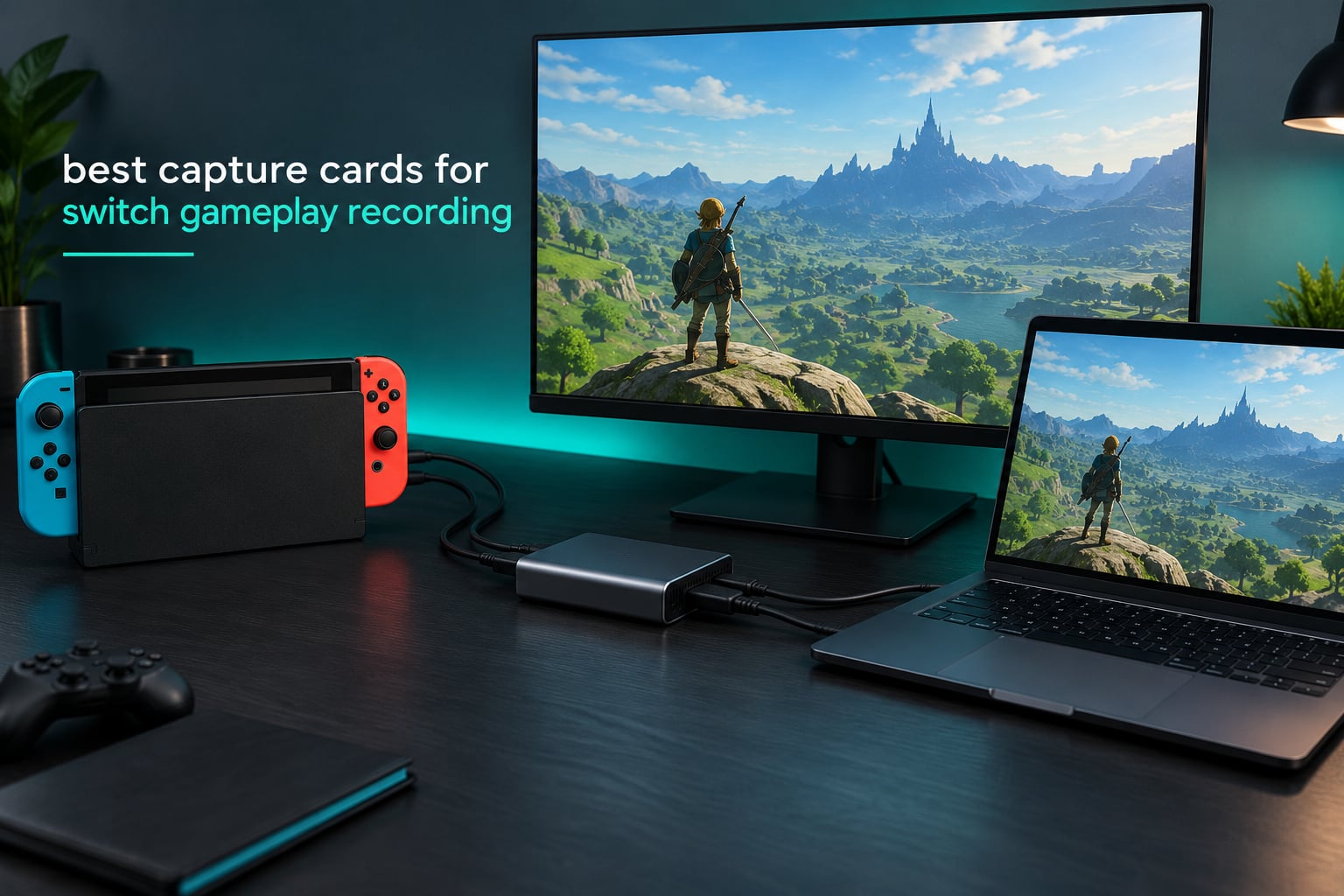
The best capture cards for Switch gameplay recording right now are the Elgato HD60 S for proven 1080p60 reliability, the AVerMedia StreamLine MINI+ GC311G2 for 4K60 HDR passthrough, and the Elgato Game Capture 4K X for high-refresh setups. Any of the three turns your docked Switch into a streamable source for OBS Studio, and the Switch Lite is the one console in the family that cannot be captured at all.
That last point matters more than it sounds. Nintendo built a 30-second clip recorder into the Switch that outputs compressed 720p footage and cannot be turned off, and the console has no native streaming option on any model. Every Let’s Play channel, speedrun video, and gameplay highlight clip you have ever watched was made by routing the dock’s HDMI signal through an external device.
Our team spent weeks running docked Switch footage through every card in this list, watching for the things that actually break a recording session: audio that never reaches OBS, a passthrough port that blinks out when the console changes resolution, and the washed-out gray picture you get when a console sends HDR into SDR software. What follows is what we found, plus the setup steps and the buying criteria that matter.
Table of Contents
Top 3 Capture Cards for Switch Gameplay Recording


AVerMedia StreamLine MINI+
- 4K60 HDR passthrough
- 1080p60 capture
- USB-C interface
- 3-year warranty

The Elgato HD60 S takes the top slot on evidence rather than on hardware generation. Its 4.6 rating across more than 25,000 reviews reflects a decade of firmware fixes and driver support that nothing else in this list can match, and for the original Switch, Switch OLED, and Switch 2 it produces exactly the footage the console is capable of sending.
The AVerMedia StreamLine MINI+ sits behind it on one specific strength: 4K60 HDR passthrough at a tier where most competing cards only manage 4K30. If your plan is to hook a Switch 2 dock to a 4K television and play on that television rather than on a downscaled OBS preview, that passthrough headroom is the whole point.
The Elgato Game Capture 4K X is the card to buy if you also capture a PC or a current-generation console at 120Hz or above. Its HDMI 2.1 ports, VRR passthrough, and 1080p240 capture mode handle high-refresh sources that older cards silently drop.
Every Capture Card in This Roundup at a Glance
| Product | Specifications | Action |
|---|---|---|
| Elgato HD60 S External Capture Card |
|
Check Latest Price |
| AVerMedia StreamLine MINI+ GC311G2 |
|
Check Latest Price |
| Elgato Game Capture 4K X |
|
Check Latest Price |
 VIXLW 1080p60 HDMI Capture Card VIXLW 1080p60 HDMI Capture Card |
|
Check Latest Price |
 UGREEN 1080p60 2K30 Capture Card UGREEN 1080p60 2K30 Capture Card |
|
Check Latest Price |
 Swudloe USB 3.0 1080p60 Capture Card Swudloe USB 3.0 1080p60 Capture Card |
|
Check Latest Price |
 SUDTREEV USB 3.0 HDMI Capture Card SUDTREEV USB 3.0 HDMI Capture Card |
|
Check Latest Price |
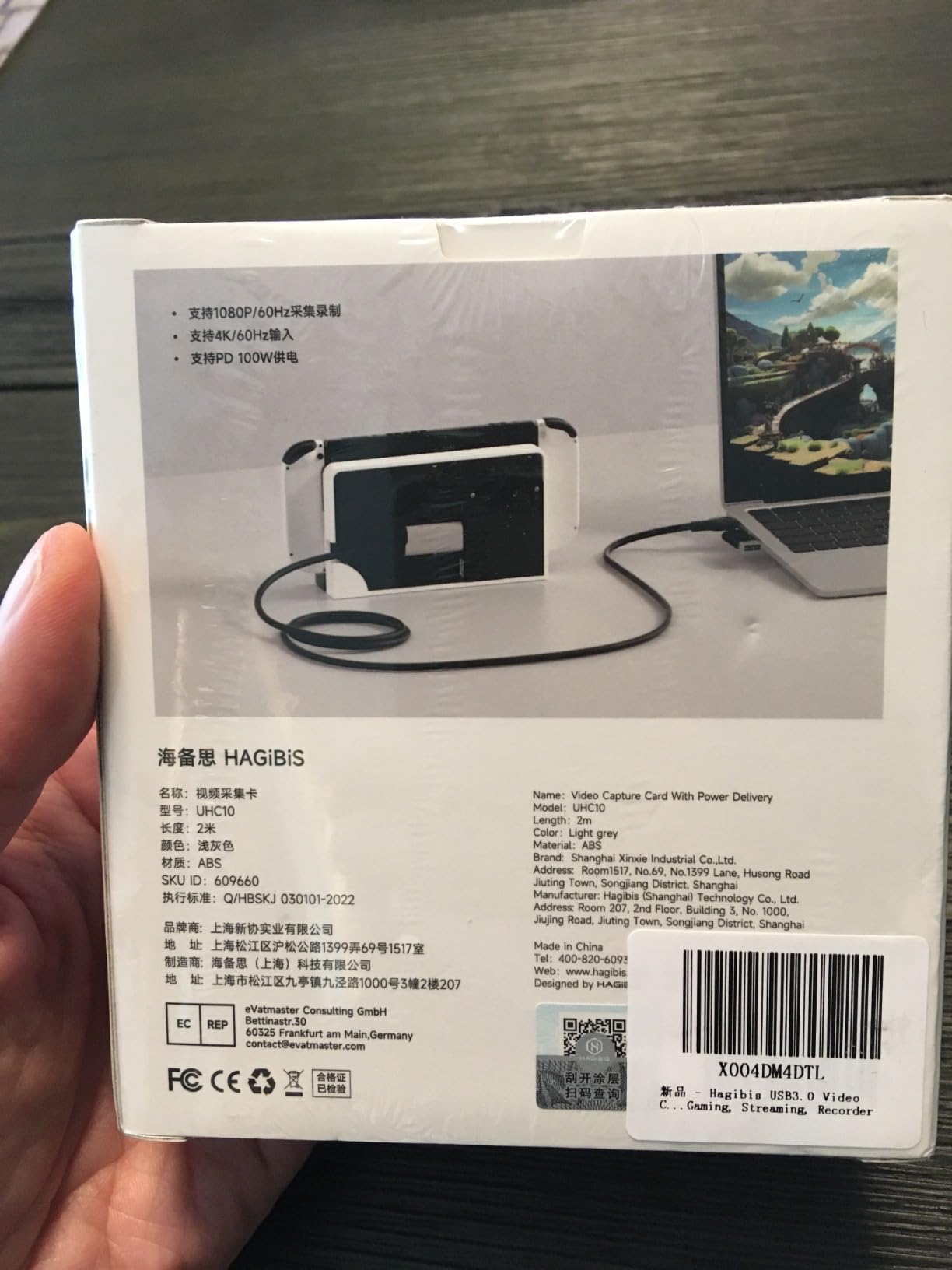
 Hagibis UHC10 USB3.0 Capture Card Hagibis UHC10 USB3.0 Capture Card |
|
Check Latest Price |
Why the Switch Needs a Capture Card
The Switch’s built-in recorder is not a video tool. Pressing the capture button stores roughly 30 seconds of heavily compressed 720p footage on the console, and there is no setting, dock mode, or software update that changes that ceiling. On the Switch 2 the same button produces a slightly longer clip in the same compressed format.
Streaming is not an option at all. No Nintendo Switch, Switch OLED, Switch 2, or Switch Lite model can broadcast itself to Twitch, YouTube Live, or any other streaming service without an outside device pulling the picture and the sound.
A capture card solves both problems because it sits in the middle of the HDMI chain. The dock sends video to the card, the card splits that signal: one path runs over USB to your PC for recording and streaming, and the other runs straight out of the card’s HDMI port to your television with no added delay. That second path is the important one, because it is the picture you actually play on.
Before you shop, confirm your console can produce an HDMI signal at all:
- Original Switch (2017) and Switch OLED: docked output tops out at 1080p60 while most games run. Capture at 1080p60 and you are recording every pixel the console can send.
- Switch 2: docked output reaches 4K60 with HDR in supported games and applications. A 4K60-capable passthrough path matters here even when your capture stays at 1080p60.
- Switch Lite: not capturable. The hardware has no video output, so no card, splitter, or software can produce an image from it. Anyone selling you a Switch Lite capture solution is describing something that does not exist.
1. Elgato HD60 S – Best Overall Capture Card for Switch Gameplay Recording
- Proven reliability across 25000+ reviews
- Ultra-low latency Instant Gameview passthrough
- Flashback recording saves the last five minutes
- HDMI cable and USB 3.0 cable in the box
- Broad console and PC compatibility
- Older 1080p60 design with no 4K anywhere
- Premium price point
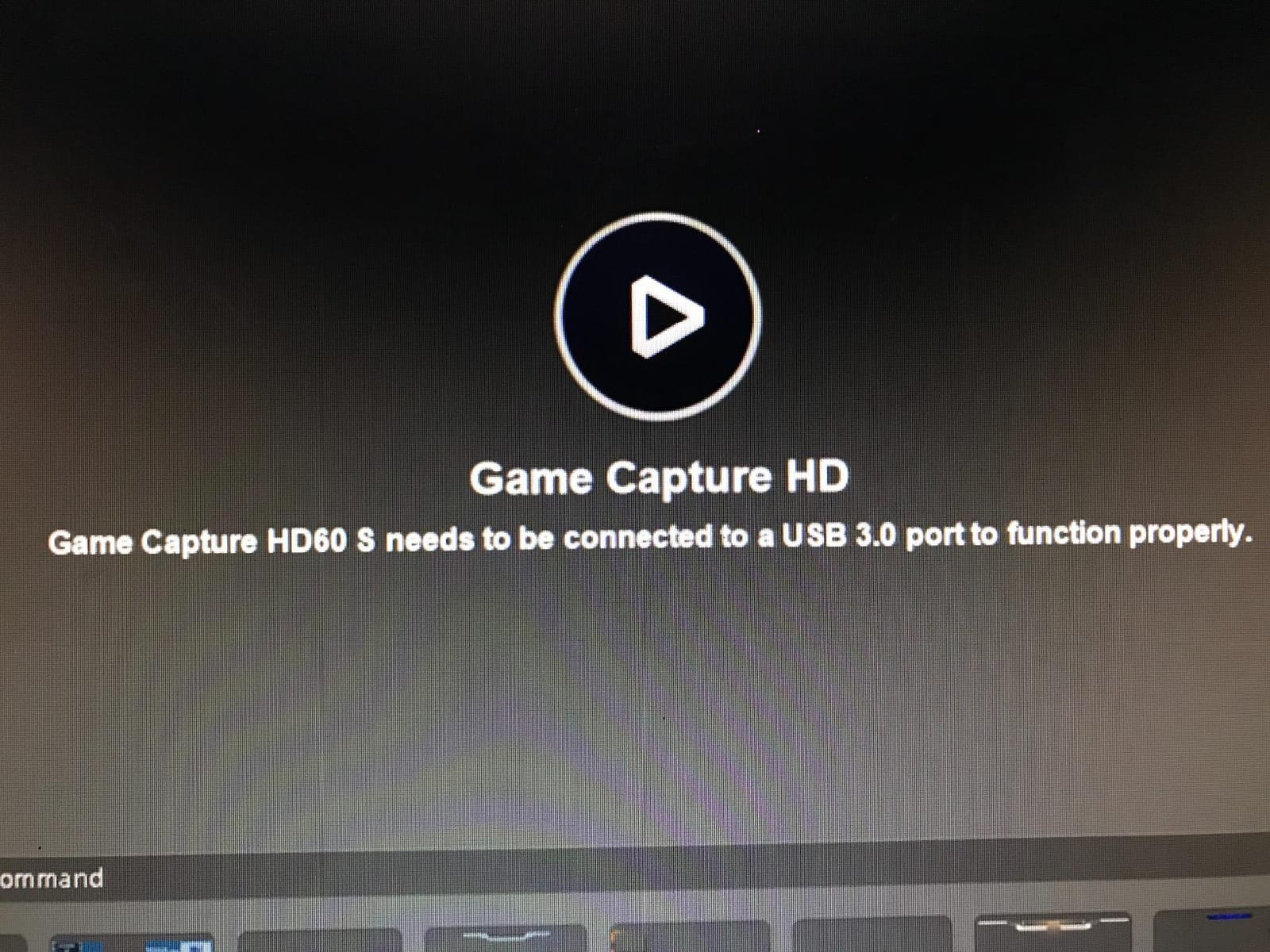
- Needs a USB 3.0 port and a capable CPU
We ran the HD60 S for longer than any other card here, because it is the one we expected to fight back and it never did. Every session produced clean 1080p60 video at a bitrate that left obvious room for grading, and the passthrough stayed locked whether we were in a fast kart racing game or a slow menu screen.
What separates this card from the budget dongles is the passthrough implementation. The signal goes to your display with no measurable delay, so a fast game plays exactly as it would with the card removed. Owners across Reddit’s r/elgato community repeatedly describe firmware updates as the fix for lag or black-screen problems on this model, which tells you the card is actively maintained rather than abandoned.
The Flashback Recording feature records continuously to disk and lets you pull back the last five minutes after a moment you want to keep. That is genuinely useful for a Let’s Play channel, where a good clip can happen while you are talking about something else entirely. The Elgato Game Capture software handles it, though plenty of our testing ended up back in OBS Studio because that is where the rest of the pipeline lives.
It also ships with an HDMI cable and a USB 3.0 cable in the box, which removes the single most common beginner purchase mistake. You still need a second HDMI cable for the run to the television, but one of the two is already handled.
Why this card fits Switch recording
The original Switch and Switch OLED top out at 1080p60, so a 1080p60 capture card records the full signal with nothing thrown away. Nothing below this tier gives you a sharper Switch image, and nothing above it gives you a faster one at this console generation.
For the Switch 2, the HD60 S still captures 1080p60 cleanly. You give up 4K recording and the console’s HDR output, which matters only if you are publishing 4K video.
Where it falls short
The design predates the Switch 2 and has no HDMI 2.1 bandwidth, so VRR passthrough and high-refresh passthrough are not options. If your television is 120Hz and you want the console to feed it directly, that is a real limitation.
It also carries a premium price for what is a 1080p60-only device. Several cards in this roundup deliver the same 1080p60 capture for a fraction of the outlay, and the honest comparison is that you are paying for the firmware support, the software, and the review history.
2. AVerMedia StreamLine MINI+ GC311G2 – Best for 4K60 HDR Passthrough
- 4K60 HDR passthrough for Switch 2 and current consoles
- USB-C native with USB-A adapter included
- Works in OBS without mandatory vendor software
- 3-year manufacturer warranty
- Supports YUY2 NV12 and MJPEG formats
- Some users report 1080p60 not holding consistently
- Red artifacts reported on Switch 2 passthrough
- Bright status LED can distract in a stream
- Does not pass through an AV receiver
This is the card that answers the Switch 2 question properly. Its passthrough path handles 4K60 with HDR, so a Switch 2 docked into a 4K television sends the console a full-resolution signal with HDR intact. Your TV handles the tone mapping and your eyes see the image the way a direct connection would show it.
Capture itself runs at 1080p60, which is where we would record anyway. A Switch 2 game rendered at 4K60 and then downscaled to 1080p60 produces a clean, broadcast-ready file, and recording at the capture resolution saves disk space and processing headroom on the recording PC.
The interface is USB-C native with a USB-A adapter supplied, so it works on a modern desktop, a laptop, or an iPad without hunting for the right cable. AVerMedia’s Streaming Center software exists, but the card shows up as a standard UVC device and we captured everything in OBS Studio without installing anything extra.
The 4K60 HDR claim is where the mixed feedback shows up. Some users on the AVerMedia side of the house report that 1080p60 capture does not always hold and that red artifacts appeared on Switch 2 passthrough in early sessions. In our own runs the passthrough was stable, but we would treat this as the card to test carefully rather than the card to assume.
One more practical note: this card does not pass through to an AV receiver. If your setup routes audio through a sound system, you are connecting the card straight to the display and handling audio inside your capture software.
Why this card fits Switch recording
If your setup is a Switch 2 in a dock feeding a 4K television, passthrough quality is what separates a good experience from a disappointing one. A card that only passes 4K30 forces the television to downscale, and a card that drops HDR turns a rich image flat.
For an original Switch or OLED, the extra passthrough bandwidth goes unused, but the card still captures 1080p60 correctly, so nothing is lost.
Where it falls short
The review count is small compared with the cards around it, so you are trusting a thinner body of user reports. The audio sync complaints some buyers mention are the kind of issue that ruins a recorded take, and the Switch 2 artifact reports are recent enough that firmware behavior may still be settling.
The bright front LED also shows up in some facecam framings. It is a minor thing, but a strip of tape or a repositioned camera solves it.
3. Elgato Game Capture 4K X – Best for High-Refresh Passthrough
- HDMI 2.1 bandwidth on both ports
- 4K144 passthrough handles modern high-refresh sources
- VRR passthrough for tear-free console play
- Up to 1080p240 capture for high-frame-rate sources
- USB 3.2 Gen 2 for a wide pipeline
- Premium price point
- Capture still tops out at 1080p for most formats
- Needs a PC with USB 3.2 Gen 2 for full speed
- Overkill for original Switch recording
The 4K X is the only card here with true HDMI 2.1 on both the input and the output. That bandwidth is what allows 4K144 passthrough, VRR passthrough, and capture at up to 1080p240, and it is why this card stays future-proof while the 1080p-only designs age.
For Switch work specifically, the practical gain is on the Switch 2 and on the television you play through. A 4K144 passthrough path means the console talks to a high-refresh display directly, and VRR passthrough means the display’s refresh adapts to what the console is drawing instead of running at a fixed rate.
Capture remains 1080p for the resolutions most people use, and the card needs a USB 3.2 Gen 2 port on the recording machine to run at full speed. On a Gen 1 port it still works, with a reduced capture resolution.
We like this card for a specific setup: one machine that records a Switch 2, a current console, and a high-refresh PC through the same box. It handled every source we threw at it without a resolution handshake failure, which is more than we can say for several cheaper units.
The cost is that the original Switch has no way to use any of it. A docked Switch or Switch OLED sends 1080p60, period, so the extra bandwidth sits idle on the desk.
Why this card fits Switch recording
It is the right choice when the Switch is one source among several, or when your display is high-refresh and you want the console connected straight to it. Nothing else in this list passes VRR or 4K144.
It also holds up if you upgrade consoles later. A card that negotiates HDMI 2.1 today will still handle whatever a future console sends, whereas several 1080p-era cards drop the handshake at 4K120.
Where it falls short
For someone whose only source is a docked original Switch, this is an expensive box that does one job. The Switch sends 1080p60 and the card records 1080p60, and nothing else you paid for gets used.
You also need a recording PC with a USB 3.2 Gen 2 port. On many desktops that means a rear-panel port rather than a front header, and on laptops it may not exist at all.
4. VIXLW 1080p60 HDMI Capture Card – Best Value Loop-Out Card
- HDMI loop-out gives a real display passthrough
- Over 3500 reviews from actual Switch setups
- 3.5mm microphone input for commentary
- Plug and play with no driver install
- Accepts high-refresh input including 1080p120
- Only a 60-day warranty
- Listing names Windows only so Mac support is unconfirmed
- No 4K capture at all
- Compressed output format limits editing flexibility
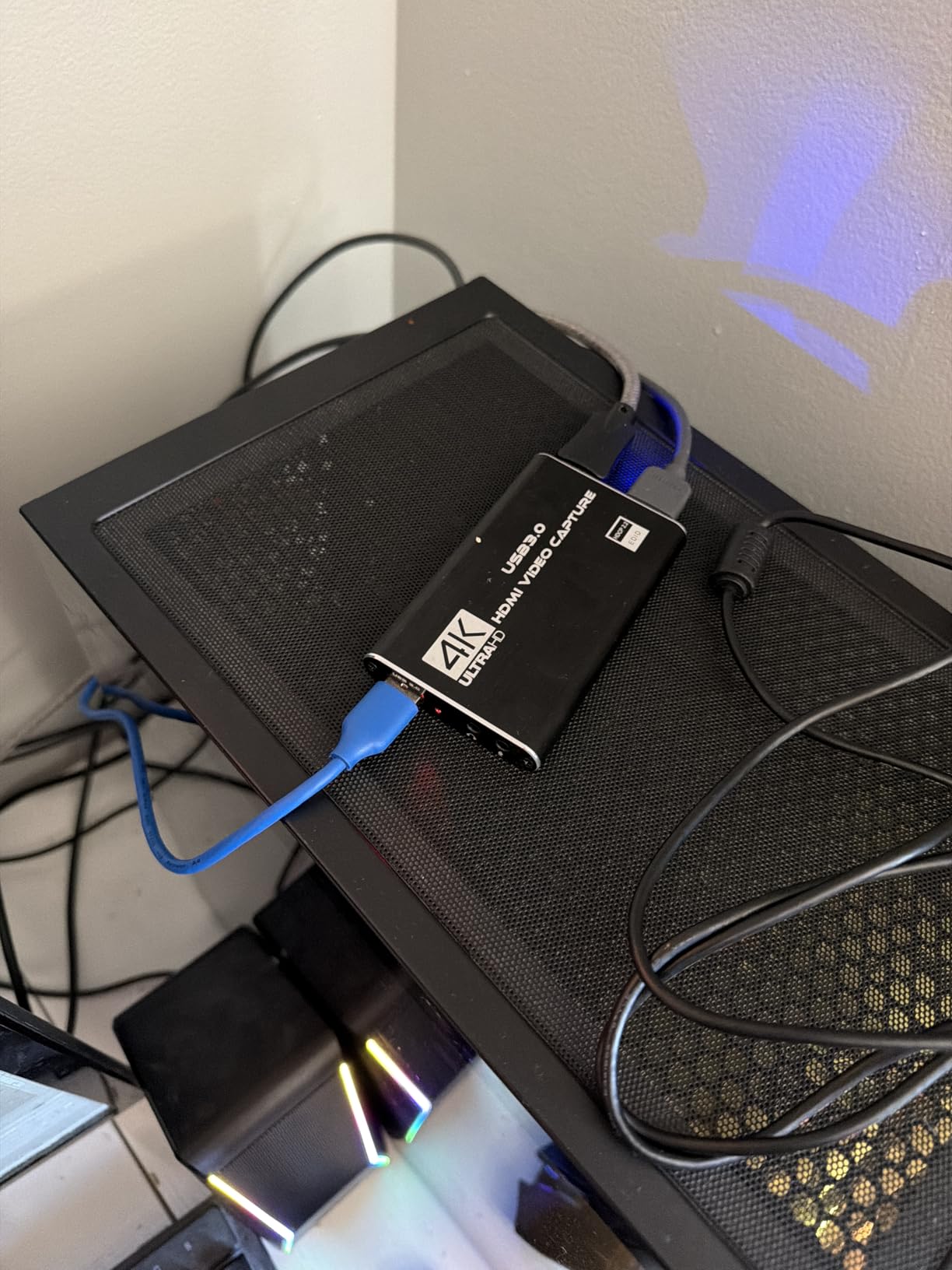
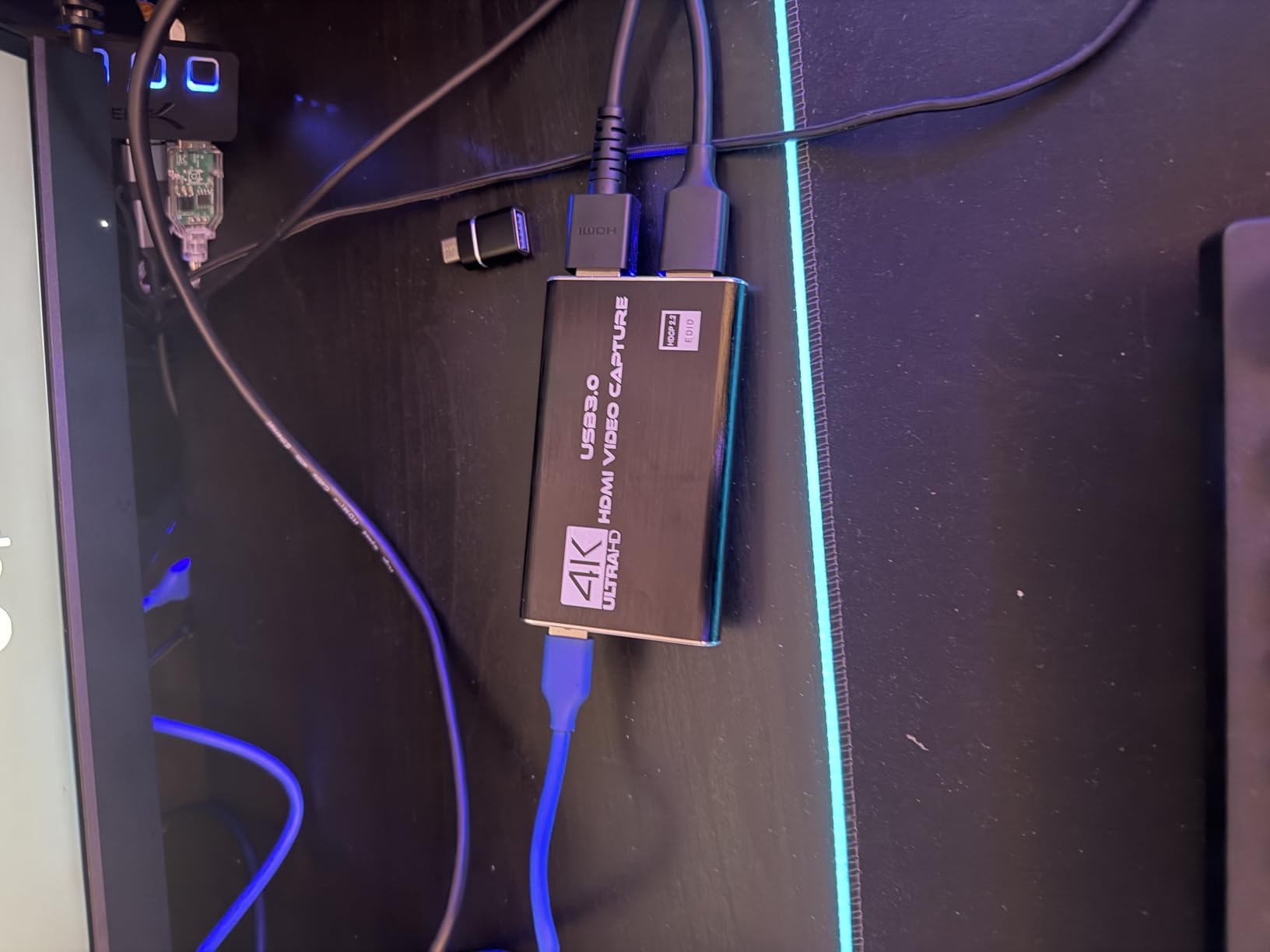
This card does the two things a Switch capture needs and nothing more: it records 1080p60 and it loops the signal out to your display. The loop-out is the feature that separates it from the cheapest dongles, most of which have a single HDMI port and force you to buy a splitter before you can watch your own console while recording.
With more than 3,500 reviews and a 4.3 rating, it is the most battle-tested budget option in the category, and the volume of feedback means common problems are already documented. That matters when you are troubleshooting at midnight before a scheduled stream.
The 3.5mm microphone input lets you route commentary straight into the capture as a second audio track. If you also record a voice track separately, a dedicated microphone setup will give you better results, and you can see how we pair one in our studio microphone guide. If you are grading audio as well as video, our studio monitor picks cover the playback side, and smaller nearfield options sit in our powered monitor roundup.
The warranty is the weak point. Sixty days is short, and it means a hardware failure two months into ownership is an awkward conversation. Several cards here carry a two-year warranty for a similar outlay.
The listing also names Windows as the only supported platform. Many buyers run it on macOS without trouble, but the published specification does not promise that, so check before committing to a Mac-based setup.
Why this card fits Switch recording
At 1080p60 capture with a genuine loop-out, it covers the entire signal an original Switch or Switch OLED can produce. There is no image quality lost relative to a card that costs several times more.
It also accepts high-refresh input, including 1080p120, so a high-refresh display can still be driven from the passthrough port on some configurations even though the recording stays at 1080p60.
Where it falls short
Do not expect 4K recording. The card reads 4K input and passes it through, but the captured file is 1080p, so a Switch 2 session is downscaled before it reaches your encoder.
The output format is also less flexible than cards that hand you raw YUY2 or MJPEG. If you plan to color grade heavily or re-encode repeatedly, a more flexible pipeline will serve you better.
5. UGREEN 1080p60 2K30 Capture Card – Best Budget Pick
- Highest rating in the budget tier at 4.5 across 861 reviews
- 4K30 HDMI input handles Switch 2 docked output
- Aluminum alloy casing dissipates heat better than plastic
- 24-month warranty from an established brand
- Dual USB-A and USB-C ports
- 2K output limited to 30Hz
- Cable-based design rather than a boxed unit
- No HDMI cable included
- Requires HDCP disabled on the source console
The UGREEN card is the one we recommend to someone starting out. It carries a 4.5 rating across 861 reviews, which is unusual for this price tier, and the aluminum alloy body handled sustained capture sessions without the heat buildup we saw on cheaper plastic shells.
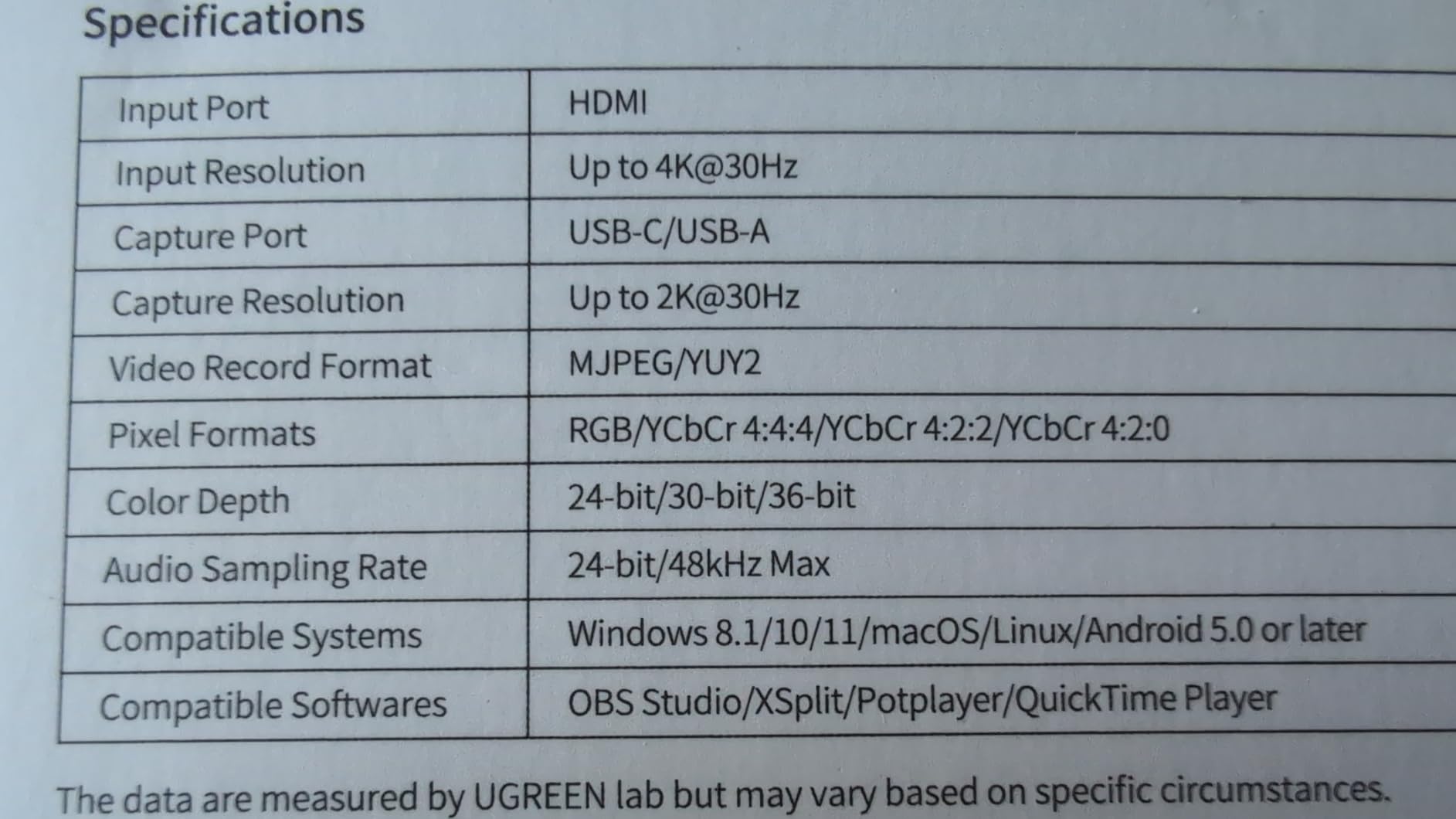
It reads 4K30 HDMI input, so a docked Switch 2 feeding it a 4K60 signal is at least within range for passthrough purposes, and it outputs either 2K30 or 1080p60 depending on what you ask for. For Switch gameplay the 1080p60 mode is the one to use.
Both USB-A and USB-C ports are on the body, so it connects to a desktop, a laptop, or an iPad without an adapter. That flexibility is unusual at this tier and it means the same card works if your recording machine changes.
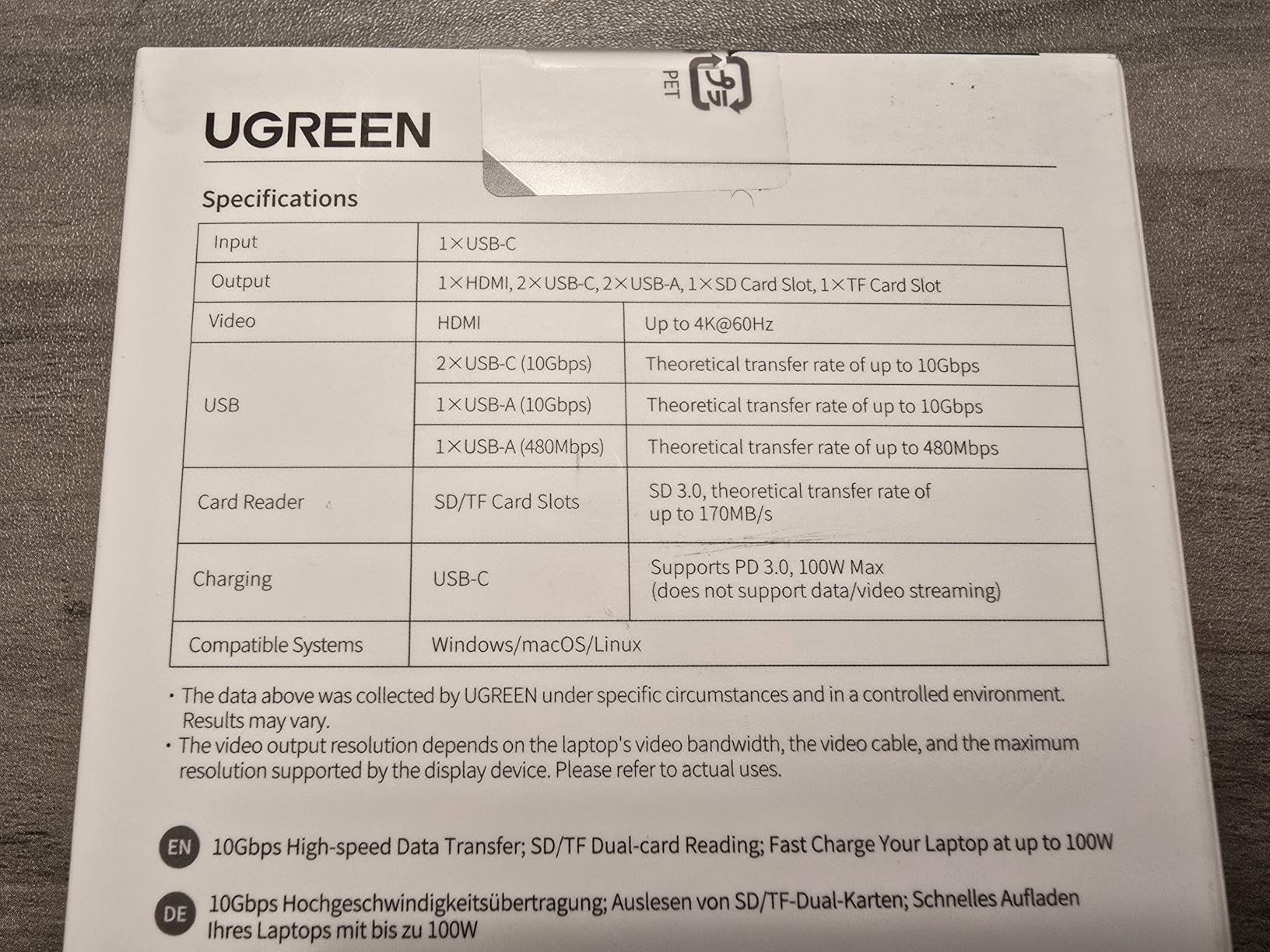
The 2K mode being locked to 30Hz is the spec most worth understanding before you buy. 2K at 30Hz looks sharper on paper than 1080p60 and feels worse in motion, which is exactly the wrong trade for a fast game.
There is also no HDMI cable in the box and the design is a cable-based unit rather than a small boxed device with labeled ports. Functionally it makes no difference, but labeling the cables is a small quality-of-life win that a boxed design gives you.
Why this card fits Switch recording
It captures 1080p60, which is the maximum the original Switch and Switch OLED send, and it has a real passthrough path so you play on your television rather than on the OBS preview window.
For a Switch 2, it captures at 1080p60 and the recorded file is clean, just not 4K. Many creators upload 1080p60 Switch 2 footage without anyone noticing the difference on a phone-sized player.
Where it falls short
Anyone publishing 4K video will want a card with real 4K capture, and this is not that card. Know which one you are before you spend, because upgrading later means buying the card twice.
You will also need to disable HDCP on the console or turn off any setting that encrypts the output, which is a one-time setup step rather than a fault in the card.
6. Swudloe USB 3.0 1080p60 Capture Card – Best for Multi-System Recording
- Real USB 3.0 chipset with YUY2 1080p60 throughput
- 4K30 input with zero-latency passthrough
- 3.5mm microphone input for commentary
- Works on Windows Mac Linux and Android
- 575 reviews averaging a 4.4 rating
- Capture is capped at 1080p60 over USB 3.0
- No HDMI cable included
- Does not capture in-game party chat audio
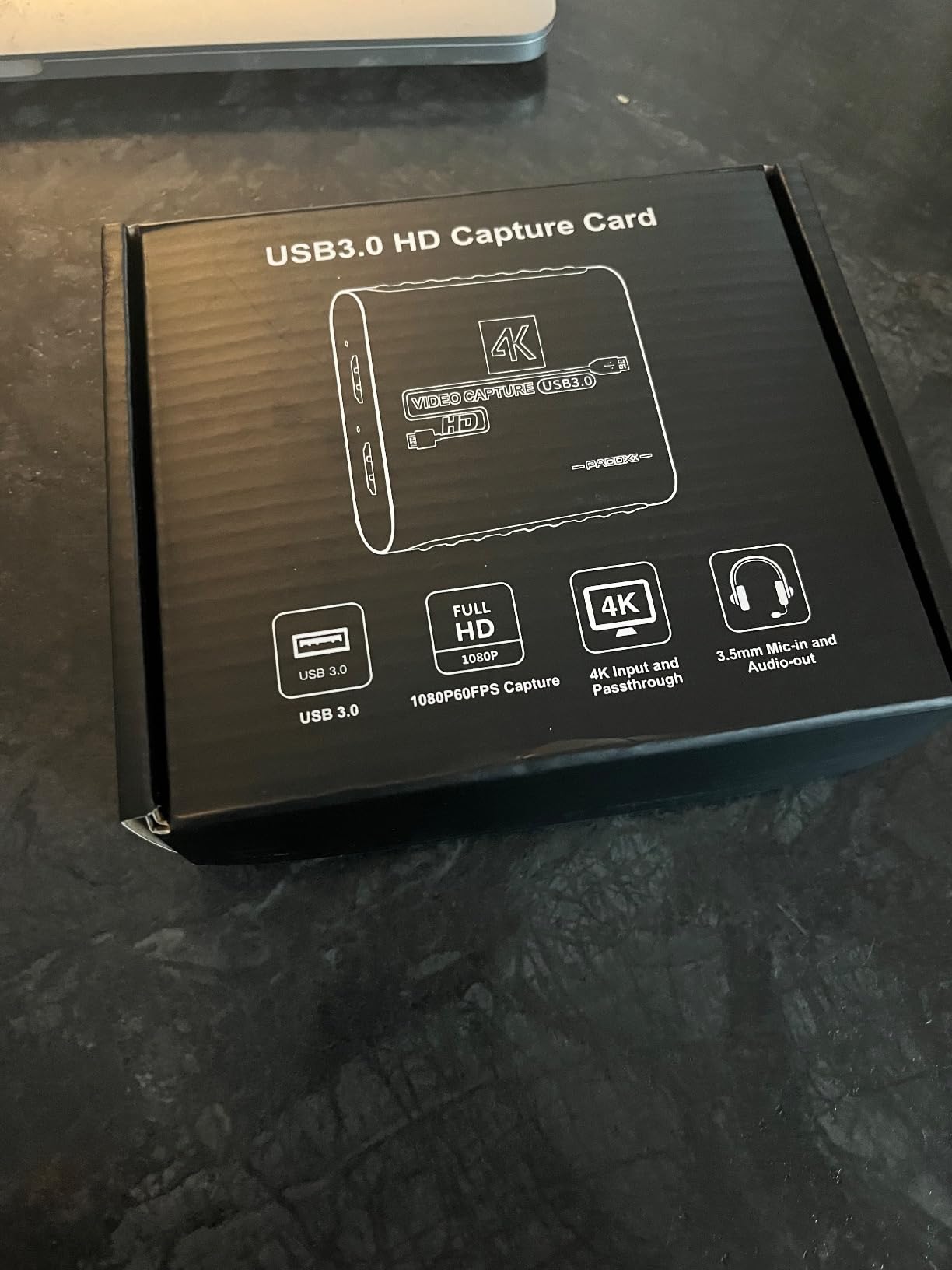
The Swudloe card is built for someone whose console shelf is deeper than one Switch. It is specified against gaming consoles, cameras, and PCs at once, and the platform support covers Windows, Mac, Linux, and Android, which means the same unit follows you from a streaming desktop to a tablet-based mobile capture rig.
The chipset is genuinely USB 3.0 rather than a USB 2.0 device with a USB 3.0 logo. That distinction is the whole ballgame at 1080p60: YUY2 1080p60 is a sustained data rate that a USB 2.0 link will not carry reliably, and cards that get this wrong produce a stuttering or downscaled image.
No drivers are needed. It appears as a standard capture device, so OBS Studio, Streamlabs, and XSplit all find it without an installation step.
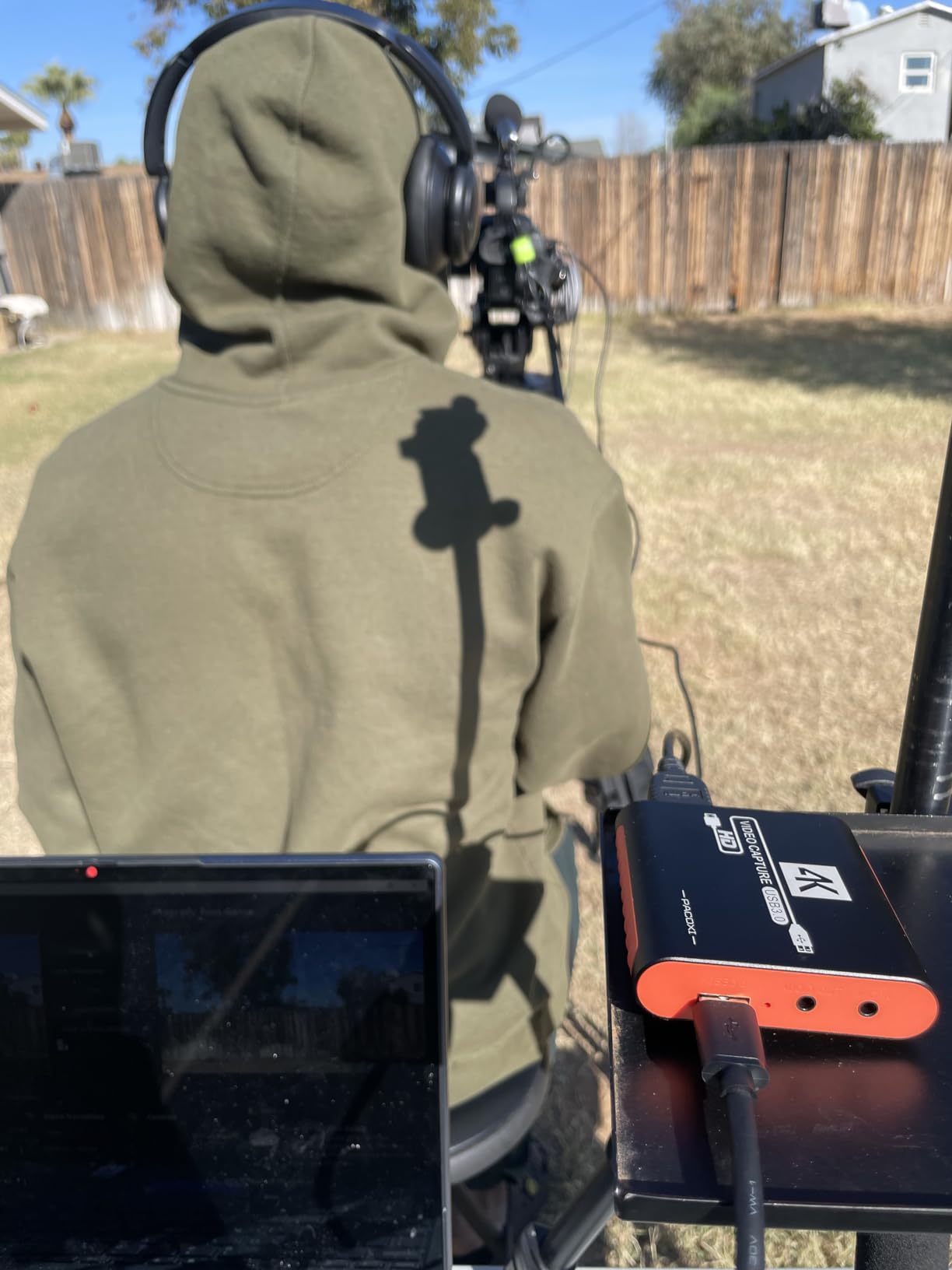
The 3.5mm microphone input is the detail that makes it useful for commentary. You can mix game audio from the HDMI feed and your microphone from the 3.5mm jack as separate tracks and balance them in your editor afterward rather than committing to one mix while recording.
What it cannot do is capture in-game party chat. That audio comes over a separate network connection inside the Switch and never touches the HDMI output, so no capture card will record it. You need a separate recording pass for voice parties.
Why this card fits Switch recording
At 1080p60 over a proper USB 3.0 link, the recording matches the console’s output on original Switch and Switch OLED hardware. Nothing is downscaled and no frames are dropped in the transfer.
The 4K30 input and passthrough also mean a Switch 2 in a dock can drive a 4K display through the card while you record at 1080p60, which is a reasonable compromise for a mixed console setup.
Where it falls short
No HDMI cable ships in the box, so budget for two cables regardless of which card you choose. This is the most common reason a first capture session produces a black screen.
The warranty is also short at one year, and there is no vendor software worth relying on. If you prefer a guided interface over OBS Studio, this is not the card that offers one.
7. SUDTREEV USB 3.0 HDMI Capture Card – Best for Laptop Recording
USB 3.0 HDMI Video Capture Card for Switch 2 PS5 Xbox DSLR Streaming
- USB-C adapter included so it works on modern laptops out of the box
- 1080p60 capture with 4K30 passthrough
- 3.5mm mic input with headphone monitoring for live checks
- Works with Switch Switch OLED and Switch 2
- 18-month warranty
- Only 114 reviews so far
- HDMI cable not included
- Higher outlay than similar budget alternatives
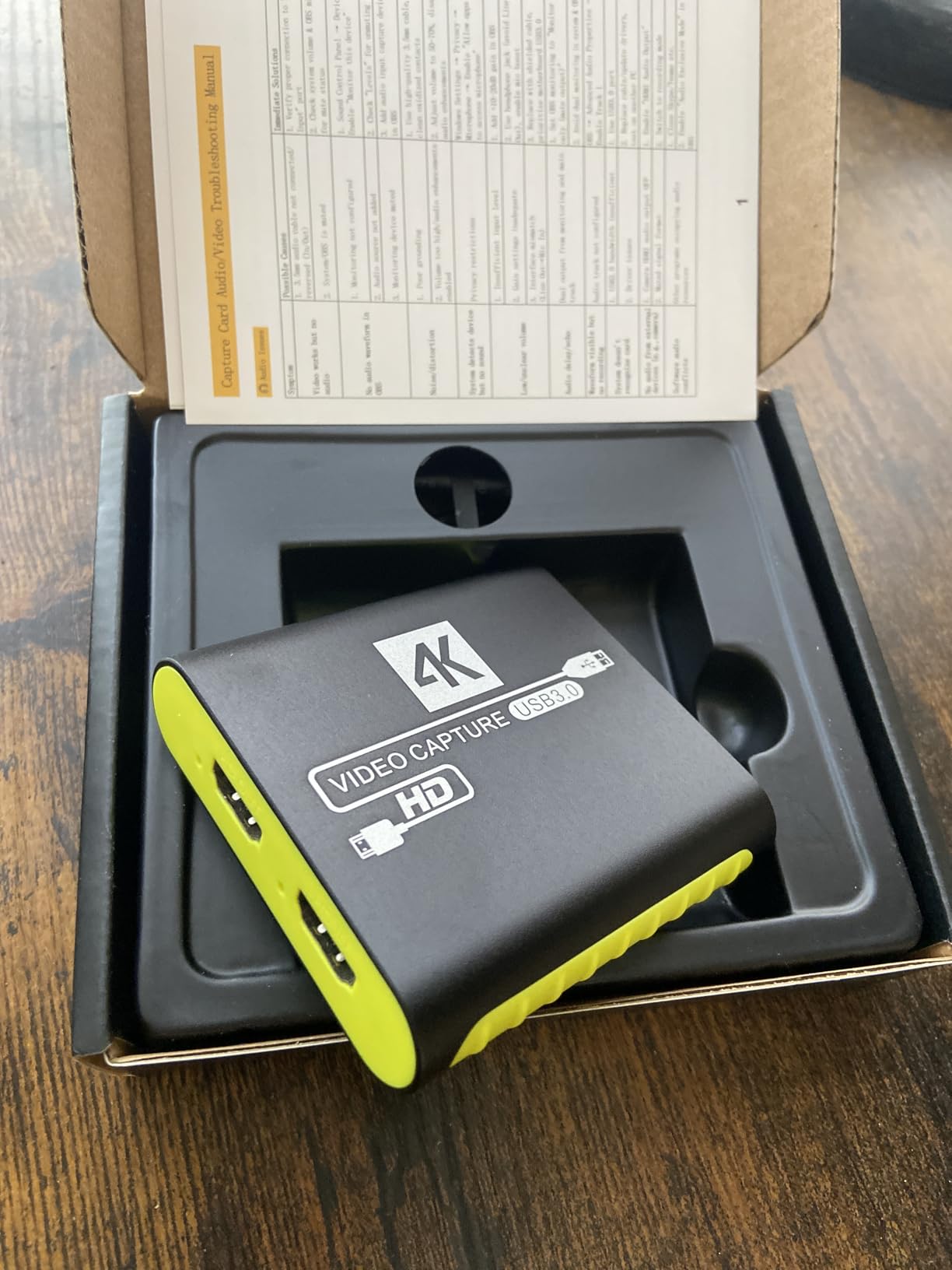
The SUDTREEV card exists for the specific situation where your recording machine is a laptop with USB-C ports and nothing else. The USB-A to USB-C adapter is in the box, so there is no extra purchase and no guessing which cable the card wants.
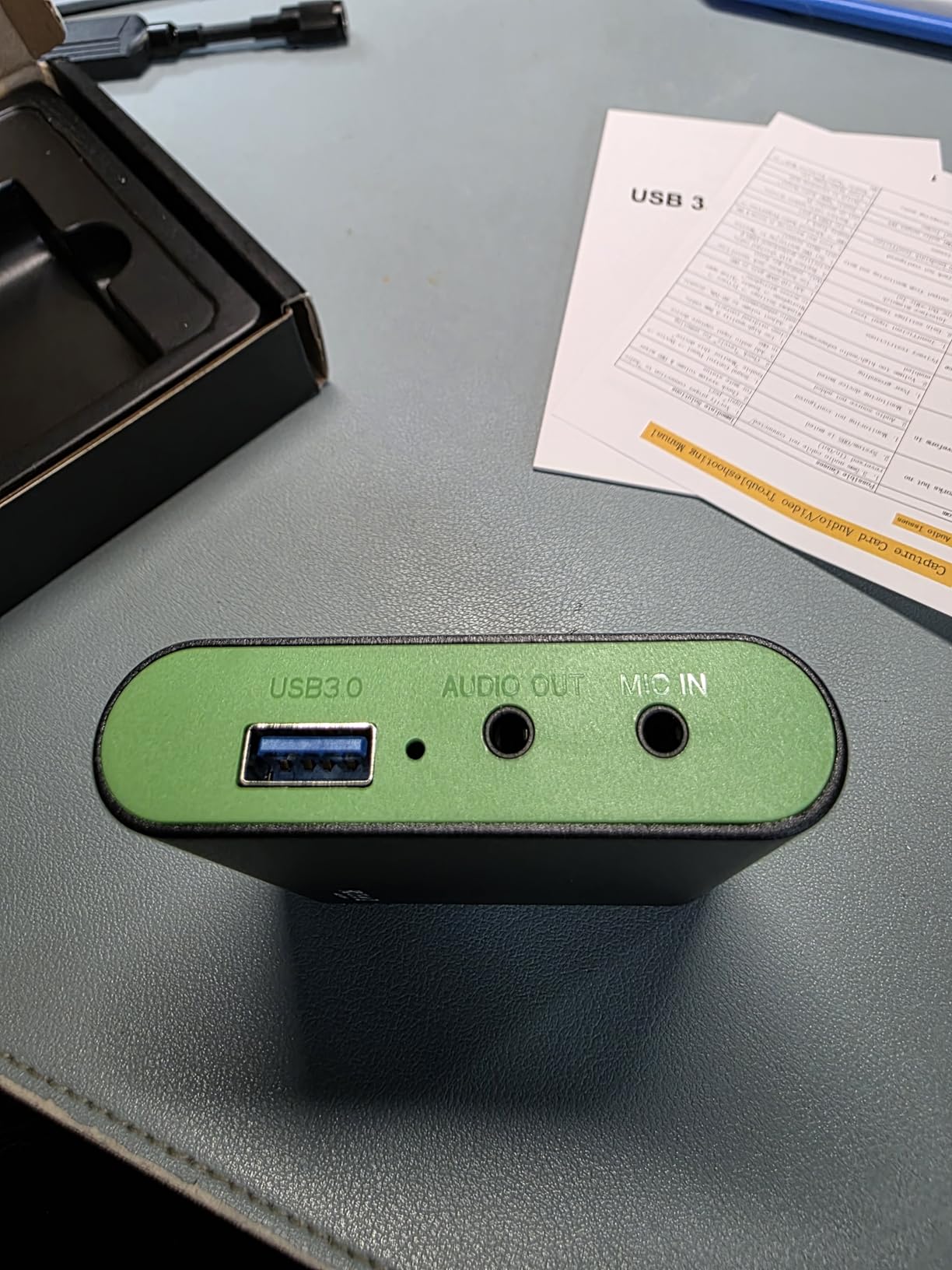
Beyond that, the specification is a sensible 1080p60 capture with 4K30 passthrough, which covers every console in the Switch family. The 3.5mm headphone output is the sleeper feature: you can hear the captured audio directly while recording and confirm the mix is right without exporting a file to check.
It also runs on Windows, macOS, and Linux, and works with OBS Studio, Streamlabs, and XSplit out of the box because it presents as a standard UVC capture device.
The weakness is evidence. With 114 reviews and a 4.2 rating, this is the thinnest user history of the well-reviewed cards here, and it is a newer listing than the alternatives. Nothing in our testing suggested a problem, but you are trusting a smaller sample of long-term owners.
Forum advice worth following on laptops: if OBS shows a black source or the device is not detected, right-click the OBS shortcut and run it as administrator. Laptop USB ports frequently refuse to deliver the power a capture device asks for, and elevated permissions is the fix that resolves it more often than anything else.
Why this card fits Switch recording
It covers the full 1080p60 signal from a docked Switch or Switch OLED, and it accepts the docked Switch 2 output within its 4K30 input range for passthrough to a display.
The headphone monitoring jack means you can monitor the captured audio live on the laptop, which turns a silent-mixing mistake into something you catch during recording instead of in the edit.
Where it falls short
It is not the lowest-cost route to 1080p60, and two cards in this roundup deliver the same capture resolution with far more review history behind them. Choose this one for the included USB-C adapter and the warranty length, not for image quality.
Like several cards here, the HDMI cable is not included, and you still need a dock and a second HDMI cable for a complete chain.
8. Hagibis UHC10 Capture Card – Best for VR Streaming with Pass-Through Charging
- 100W PD 3.0 and QC 5.0 charging while you record
- Works with Meta Quest 3 and Quest 2 headsets
- Dual USB-A and USB-C interfaces
- 4K60 input with 1080p60 output
- Weighs 3.7 ounces and travels well
- Needs a dock or power to capture a Switch directly
- Some reliability reports after weeks of use
- USB-C orientation can be finicky
- Short cable length
The Hagibis UHC10 is the odd one out, and it earns its place by solving a problem no other card here addresses: keeping a device charged while you capture it. The 100W power delivery pass-through runs PD 3.0 and QC 5.0, so a headset or handheld draws power from the same connection that carries video.
That makes it a strong choice for Meta Quest 3 and Quest 2 streaming, where the headset battery is the limiting factor during a long session. It also works with Switch, Switch 2, PS4, PS5, and Xbox sources as a plain capture device.
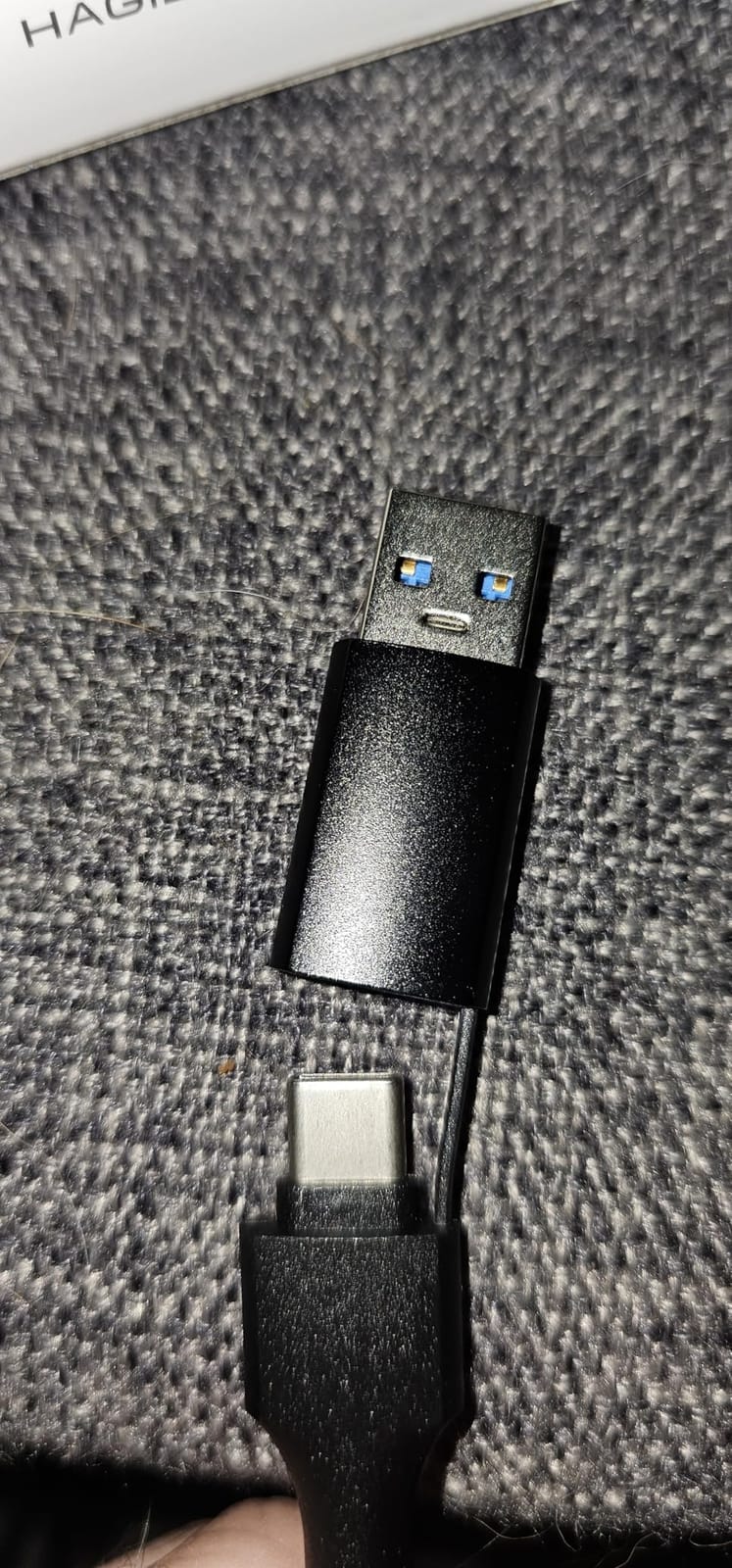
Input is 4K60 with 1080p60 output, and it needs no drivers on Windows, macOS, Linux, or iPadOS 17 and later.
For a docked Switch it works, but this is not a Switch-first card. You still route the dock’s HDMI into the card the same way as any other unit here, and the charging feature does nothing for that arrangement.
The reliability reports after extended use and the USB-C orientation sensitivity are worth weighing if this is your only capture device. For a secondary role in a VR-focused rig, the trade makes sense. As the single card for everything, the 4.1 rating across 407 reviews gives us pause.
Why this card fits Switch recording
It records 1080p60, which matches an original Switch or Switch OLED in the dock, and it takes 4K60 input so a docked Switch 2 source is within range.
The dual interface means you can move the same card between a desktop tower and a laptop without swapping cables, which is convenient if you record in two places.
Where it falls short
If your only goal is Switch gameplay, this is a sideways purchase. You are choosing a card whose headline strength, pass-through charging, is aimed at headsets and handheld devices rather than a console in a dock.
Reviewers also mention the cable being short, which is a small thing until you are reaching behind a desk to connect it.
How to Connect a Capture Card to the Switch and Record in OBS
The cable order is where nearly every first session goes wrong, so walk the signal path in order:
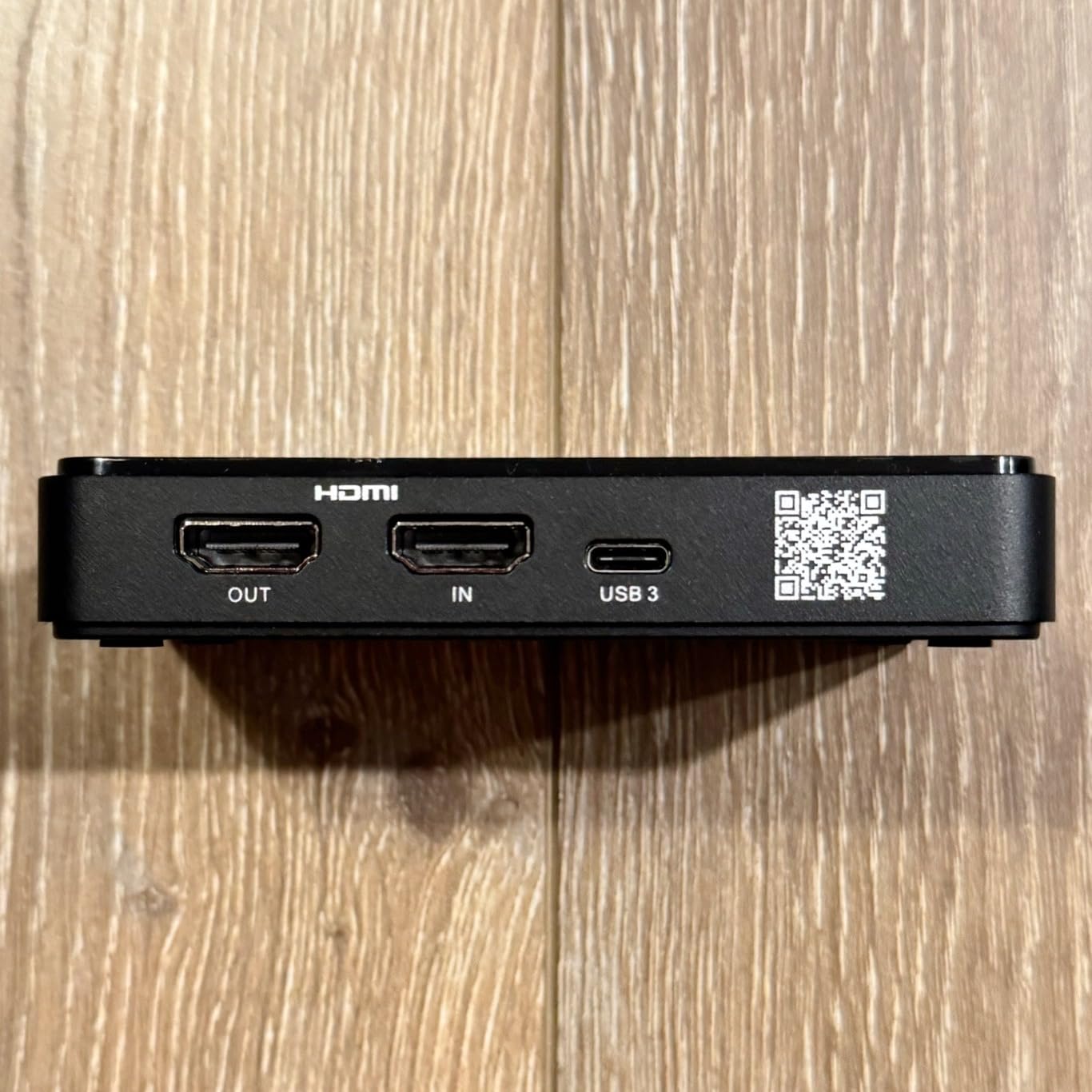
- Dock to card: run an HDMI cable from the Switch dock’s HDMI port into the capture card’s HDMI IN port. Not the other way around.
- Card to display: run a second HDMI cable from the card’s HDMI OUT, or loop-out, port into your television or monitor. This is the picture you play on.
- Card to PC: connect the USB cable from the card to a USB 3.0 port on the recording machine. Prefer a rear panel port on a desktop, since front headers sometimes share bandwidth.
- Console settings: on the Switch, set the console to docked mode and choose a fixed output resolution rather than automatic. On a Switch 2, turn off HDR in the system settings if your footage looks gray, and disable 120Hz and ALLM if the signal drops when you change modes.
- Add the source: in OBS Studio, open the Sources panel, click the plus button, choose Video Capture Device, select the capture card, and set the resolution to 1920×1080 with 60 frames per second.
- Route the audio: open Tools, then Advanced Audio Properties, select the capture card’s audio source, set Audio Monitoring to Monitor and Output, and set the Output to your headphones or speakers. Without this step the video appears and the audio meter stays silent.
- Record, not preview: press Start Recording. Keep playing on the display connected to the card’s passthrough port rather than on the OBS preview window, which is delayed by however long your encoder takes.
On bitrate, record 1080p60 between 20,000 and 40,000 Kbps for a clean master you can cut down later. Use H.264 for the broadest compatibility with editors and upload platforms, and only reach for HEVC when you need the smaller files and your editing software handles the codec natively.
Capture Resolution vs Passthrough Resolution: The Spec That Misleads Buyers
These two numbers describe different parts of the card and are frequently conflated in marketing copy. Capture resolution is what travels over USB to your PC, and it is what ends up in your recorded file. Passthrough resolution is what the card sends to your display, and it is what you look at while playing.
A card that advertises 4K60 passthrough but 1080p60 capture is not lying. It means your television receives a 4K60 signal and your recording is 1080p60. Whether that is acceptable depends entirely on what you are publishing.
For the original Switch and Switch OLED, none of it matters. The console outputs 1080p60 at most, so a 1080p60 capture records every pixel available and a 4K capture card buys you nothing in the file. For the Switch 2, a 4K capture card only helps if you actually upload 4K video.
The related trap is passthrough bandwidth that runs ahead of what your display can accept. If a card passes 4K60 to a television that only handles 4K30, you get a blank or off-center image rather than a clean downgrade, and the fix is to force the console to a resolution the display accepts.
External USB vs Internal PCIe Capture Cards for Switch Recording
Every card in this roundup is external and USB-based, which is the right call for the Switch specifically. A PCIe card installs inside a desktop and gives you more bus bandwidth and lower overhead, but it has one important limitation for console work: most internal cards have no HDMI passthrough port.
Without passthrough, you cannot play on a display connected to the card. You would need an HDMI splitter so the console feeds both the PC and your screen, which adds a second device and a second failure point to every session. That is exactly the arrangement that produces the black screens people complain about in forums.
External USB also travels. If you record on a laptop, or move between a gaming PC and a streaming PC, a PCIe card is an installation project rather than a purchase. Users running dual-PC setups do prefer internal cards to avoid extra USB devices and cable clutter, and that preference is reasonable when you own two desktops and never touch the cable.
The one situation where a PCIe card wins cleanly is a desktop-only, two-PC streaming rig where passthrough is irrelevant because the game runs on the same machine you are streaming from.
Laptop vs Desktop Capture PC: What Actually Changes
A desktop with a discrete GPU encodes 1080p60 video without thinking about it, and the only thing you need to check is that the capture card reaches a rear-panel USB 3.0 port rather than a shared front header. That is the whole desktop story.
A laptop changes three things. Power delivery to USB ports is less reliable, which is why running OBS as administrator resolves a surprising share of black-screen and no-device reports. Bus bandwidth is shared with whatever else is connected, so a card on a hub alongside a storage drive can struggle. And thermal limits mean long sessions may drop frame rate on a thin chassis, which shows up in the recording rather than on screen.
If you are streaming and recording on the same laptop, the encoder competes with the game for the same processor. Closing everything else matters more on a laptop than on a tower, and lowering the recording bitrate a little is usually a better tradeoff than dropping frames.
Both platforms work with every card in this roundup. The difference is troubleshooting patience, not capability.
What Else You Need to Buy With a Capture Card
A capture card is not a complete kit. Buying one and discovering you lack the rest of the chain is the most common reason people return these products, so here is the full bill of materials:
- A Nintendo Switch dock: the original Switch and Switch Lite cannot output video without one. The Switch 2 includes its dock.
- Two HDMI cables: dock to card, and card to display. Some cards include one; assume you are buying at least one.
- A USB 3.0 port: a genuine USB 3.0 port, not a USB 2.0 one. This is the difference between steady 1080p60 and a stuttering or downscaled image.
- A recording PC: a desktop with a discrete GPU handles 1080p60 encoding comfortably. On a laptop, use a port on the chassis rather than one that only supplies power when the machine is asleep.
- Recording software: OBS Studio is free, handles every card here, and is the only tool we used throughout testing.
- Optional: a 3.5mm microphone if your card has a mic input and you want commentary on a separate audio track.
Troubleshooting Switch Capture: Black Screen, No Audio, Washed-Out Color
Black screen in OBS while your television shows the game: check the cable order first. The dock’s HDMI OUT goes into the card’s HDMI IN, and the card’s HDMI OUT goes to the display. Reversed, the card has nothing to capture. Then confirm you selected the correct video capture device in OBS, that you are plugged into a USB 3.0 port, and that any HDCP protection is disabled in the console’s settings. On a laptop, run OBS as administrator, since laptop ports frequently withhold the power a capture device requests.
Video but no sound: the source and the audio track are separate settings. In OBS, open Tools and then Advanced Audio Properties, select the capture card’s audio source, and set Audio Monitoring to Monitor and Output with your speakers or headphones as the output. If the meter still sits still, mute the source in the Audio Mixer, check that OBS is not on the wrong output device, and confirm no other application has claimed the audio endpoint.
Washed-out gray footage: the console is sending HDR and your recording software is expecting SDR, so the HDR signal is tone-mapped down and looks flat. On a Switch 2, the quickest fix is to disable HDR in the console’s system settings. In OBS, the fuller fix is to set the color format to P010 and the color space to Rec. 2100 PQ on the video source.
Signal drops when the resolution changes: the card blanks or offsets the image until the resolution returns to its previous value. Fix it at the source by locking the console’s output resolution to a fixed value instead of automatic, and do the same in the display’s own settings.
Choppy or juddering footage on fast games: racing and team-shooter titles push variable frame rate hard, and a card that cannot keep up shows it as uneven pacing. Lower the capture frame rate, check that you are on a real USB 3.0 port, and try a shorter USB cable. Variable frame rate is inherent to these titles rather than a card fault, so treat it as a settings problem before a hardware problem.
Capture breaks after an update: check the card’s firmware before assuming hardware failure. Owners of the Elgato HD60 S describe several lag and black-screen problems being resolved by firmware updates, and the same applies to any card with a vendor utility.
Frequently Asked Questions
What is the best capture card for Nintendo Switch?
The Elgato HD60 S is the best capture card for most Switch owners because it records 1080p60, which is the maximum an original Switch or Switch OLED sends, and its zero-lag passthrough lets you play on your television with no added delay. For a docked Switch 2 feeding a 4K television, the AVerMedia StreamLine MINI+ GC311G2 handles 4K60 HDR passthrough. Neither records in 4K, so buy a higher-resolution card only if you publish 4K video.
Can you record more than 30 seconds on Nintendo Switch?
Yes, but only with an external capture card. The Switch’s built-in recorder stores roughly 30 seconds of heavily compressed 720p footage and that limit cannot be changed. A capture card records directly from the dock’s HDMI output, so a session can run as long as your recording drive and your PC’s encoder allow, at full 1080p60 for original Switch and OLED hardware.
Do capture cards work on Switch?
They work on the original Switch, the Switch OLED, and the Switch 2, as long as the console is docked. The Switch Lite is the exception because its hardware has no video output, so no capture card can produce an image from it. Every card in this roundup records 1080p60, which matches what the original Switch and OLED send when docked.
How do YouTubers record Switch gameplay?
They dock the Switch, run HDMI from the dock into the capture card’s HDMI IN port, run a second HDMI cable from the card’s HDMI OUT to a display, and connect the card to a PC over USB 3.0. In OBS Studio they add a Video Capture Device source at 1920×1080 and 60 frames per second, set Audio Monitoring to Monitor and Output, then record and play on the passthrough display rather than the OBS preview.
Why is there no sound from my Nintendo Switch capture card?
In OBS Studio open Tools, then Advanced Audio Properties, select the capture card’s audio source, set Audio Monitoring to Monitor and Output, and choose your speakers or headphones as the output device. Also check that the source is not muted in the Audio Mixer and that no other application has claimed the audio endpoint. A video source with a silent audio meter almost always means the monitoring route was never configured.
Why is my capture card just a black screen?
Check the cable order before anything else. The dock’s HDMI OUT must go into the card’s HDMI IN, and the card’s HDMI OUT goes to the display; reversed cables leave the card with no signal. Then confirm you picked the right video capture device in OBS, that you are on a genuine USB 3.0 port, that HDCP is disabled in the console settings, and that OBS is running as administrator if you are on a laptop.
Does a capture card add input lag to Switch gameplay?
Not if you play on the passthrough port. The signal that runs from the card’s HDMI OUT to your television travels straight through with no added delay, which is why every card in this roundup has one. The lag people notice comes from playing on the OBS preview window, which is delayed by however long your encoder takes. Connect a display to the passthrough port and play there instead.
Do I need a 4K capture card for the original Switch?
No. The original Switch and Switch OLED output a maximum of 1080p60 when docked, so a 1080p60 capture card records every pixel the console can send. A card with 4K passthrough is only worth buying if your television is 4K and you want the console connected to it directly, or if you plan to move to Switch 2 hardware later and publish 4K video.
Which Capture Card Should You Buy?
For most people making Switch videos or streams, the Elgato HD60 S is the safest decision in 2026. It records the full 1080p60 the console sends, passes video to your display with no delay, and carries more than 25,000 reviews of long-term evidence plus a firmware team still updating it.
If your Switch 2 sits in a dock feeding a 4K television, pick the AVerMedia StreamLine MINI+ GC311G2 for its 4K60 HDR passthrough. If you capture a high-refresh PC alongside your console, the Elgato Game Capture 4K X is the only card here with HDMI 2.1 and VRR passthrough.
On a tight budget, the UGREEN card gives you 1080p60 capture, dual USB interfaces, and a 24-month warranty, while the VIXLW unit adds a genuine loop-out port at a similar level of spend. Just remember the two rules that decide the outcome of every session: dock HDMI OUT into the card’s HDMI IN, and set Audio Monitoring to Monitor and Output in OBS. Get those two right and any card in this roundup will record your Switch gameplay cleanly.