
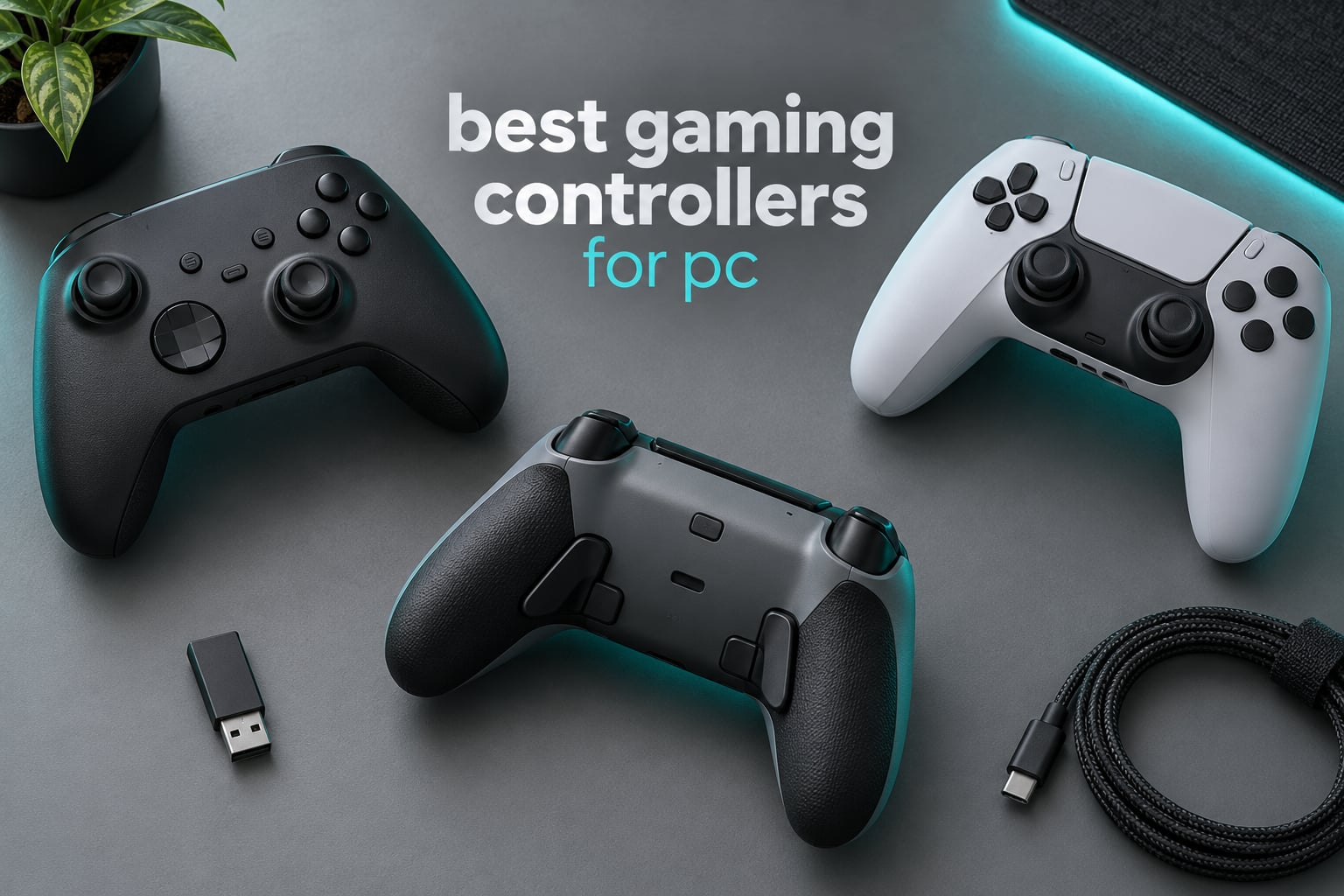
The Xbox Elite Series 2 is the best gaming controller for PC overall in 2026, and the 8BitDo Ultimate 2C is the one to buy if you want to spend as little as possible and still avoid stick drift. That is the short answer. Everything below unpacks twelve pads we compared side by side, from wired budget models to a modular flagship with swappable fight-pad modules, so you can match one to the games you actually play.
A PC controller is not just a console accessory any more. Action RPGs, racing sims, fighting games, sports titles and most modern shooters are built around a gamepad, and Windows treats a modern pad as an Xbox controller the moment you plug it in. No drivers, no launcher, no configuration. The gap between first-party pads and third-party pads has narrowed to taste, price and sensor technology.
That last point drives this whole list. Stick drift is still the number one complaint in PC controller threads, and the fix is sensor hardware rather than a setting: Hall Effect and TMR sticks use magnetic sensing with no moving contact to wear out, while older potentiometer sticks have a wiper that eventually loses contact. Every anti-drift pick below names its sensor type in the first line. Pair these with one of our best gaming monitors for PC if your display is the other half of the setup, or pick from the gaming headsets for PC roundup for the audio side.
We ranked these on four things: how the pad feels in hand over long sessions, whether the stick and trigger sensors are drift-resistant, what the connection options do to input delay, and how much the software actually adds. Where a manufacturer publishes a polling figure, we report it as published rather than treating it as a quality score. We also stayed honest about which picks are overkill, because a large share of PC players will notice nothing at all between a 1000Hz pad and a wired one.
Table of Contents
Top 3 Picks for the Best PC Controllers in 2026

Xbox Elite Series 2
- Swappable sticks
- D-pads and paddles
- Three onboard profiles
- Up to 40 hours battery

GameSir G7 SE
- Hall Effect sticks and triggers
- Removable USB-C cable
- Two lockable back buttons

PlayStation DualSense
- Haptic feedback
- Adaptive triggers in PC titles
- USB-C and Bluetooth to PC and Mac
Every Pick at a Glance in 2026
Twelve pads, one row each. The key-features column is deliberately short: sensor type, connection, and the one feature that separates that model from its nearest rival.
| Product | Specifications | Action |
|---|---|---|
| Xbox Elite Series 2 |
|
Check Latest Price |
| PlayStation DualSense |
|
Check Latest Price |
 PlayStation DualSense Edge PlayStation DualSense Edge |
|
Check Latest Price |
| GameSir G7 SE |
|
Check Latest Price |
 GameSir G7 Pro GameSir G7 Pro |
|
Check Latest Price |
 GameSir Nova Lite 2 GameSir Nova Lite 2 |
|
Check Latest Price |
 8BitDo Ultimate 2 8BitDo Ultimate 2 |
|
Check Latest Price |
 8BitDo Ultimate 2C 8BitDo Ultimate 2C |
|
Check Latest Price |
 Xbox Wireless Controller with USB-C Cable Xbox Wireless Controller with USB-C Cable |
|
Check Latest Price |
 PowerA Wired Controller PowerA Wired Controller |
|
Check Latest Price |
 Logitech G F310 Logitech G F310 |
|
Check Latest Price |
 PDP Victrix Pro BFG PDP Victrix Pro BFG |
|
Check Latest Price |
1. Xbox Elite Series 2 Review – The Most Complete PC Controller You Can Buy
- Six thumbstick styles with four paddles and two D-pads included
- Adjustable-tension sticks and three-step hair trigger locks
- Three onboard profiles with a dedicated switch button
- Works over Xbox Wireless
- Bluetooth and USB-C
- Costs far more than third-party pro pads
- Xbox Accessories app needed for remapping and dead zones
- Dock and accessory tray add bulk
I have gone back to the Elite Series 2 more than any other pad in this list, and it is still the one I recommend when someone asks for a single controller that covers everything. The bundle alone is the pitch: six thumbsticks in three shapes, four paddles, two D-pads, a carrying case and a charging dock. Nothing else here ships that much in the box.
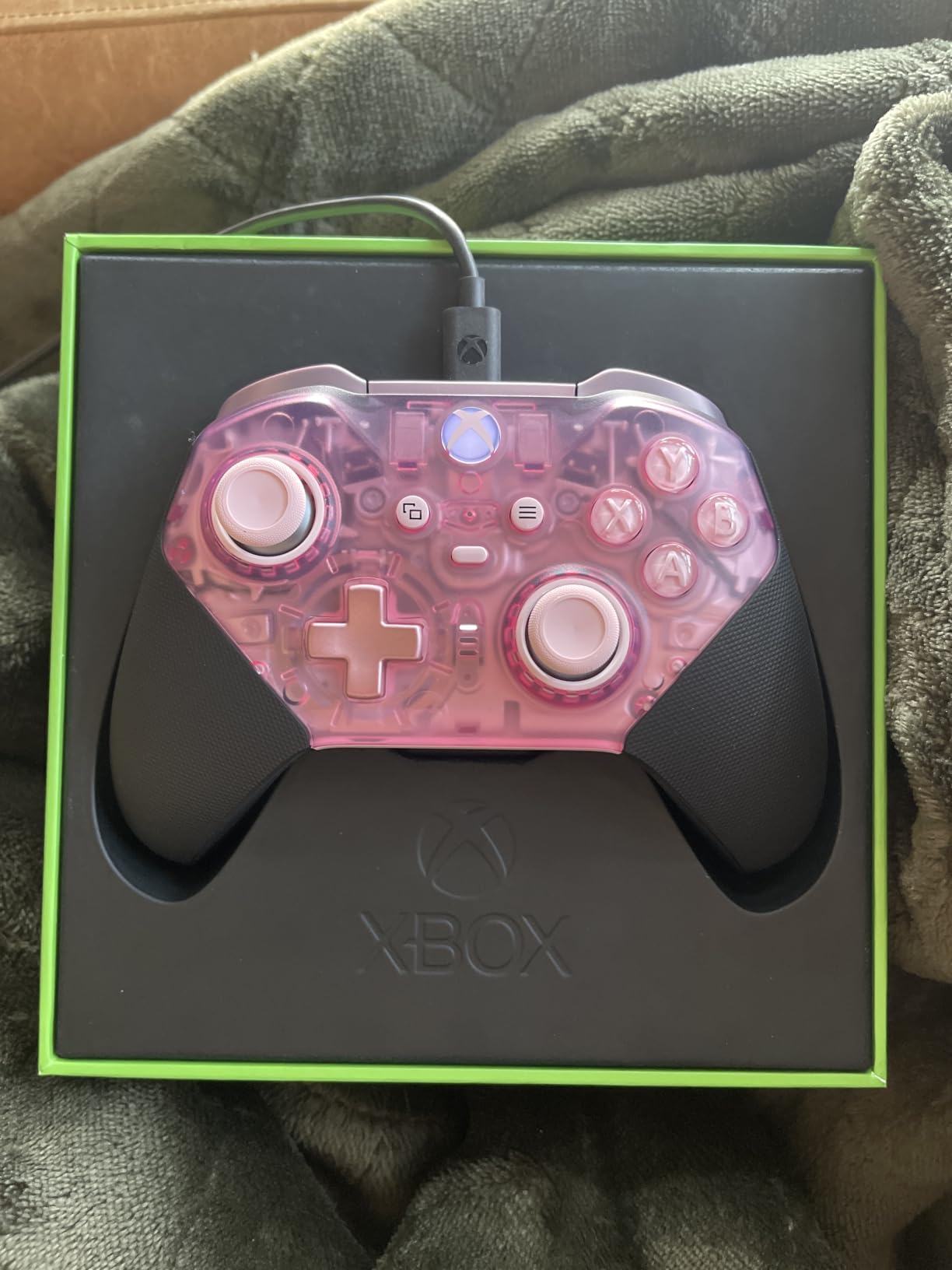
The part that matters more than the accessories is the hardware underneath. Three-step trigger locks shorten the pull so you can fire without losing sight of the reticle, and adjustable-tension sticks let you dial resistance up for precise aim. Three profiles save and swap on the pad itself, so your FPS layout and your racing layout live side by side.
Up to 40 hours of rechargeable battery means you will rarely think about charging. It connects over Xbox Wireless, Bluetooth or USB-C, so the same pad covers a Series X, a Windows PC and cloud play.
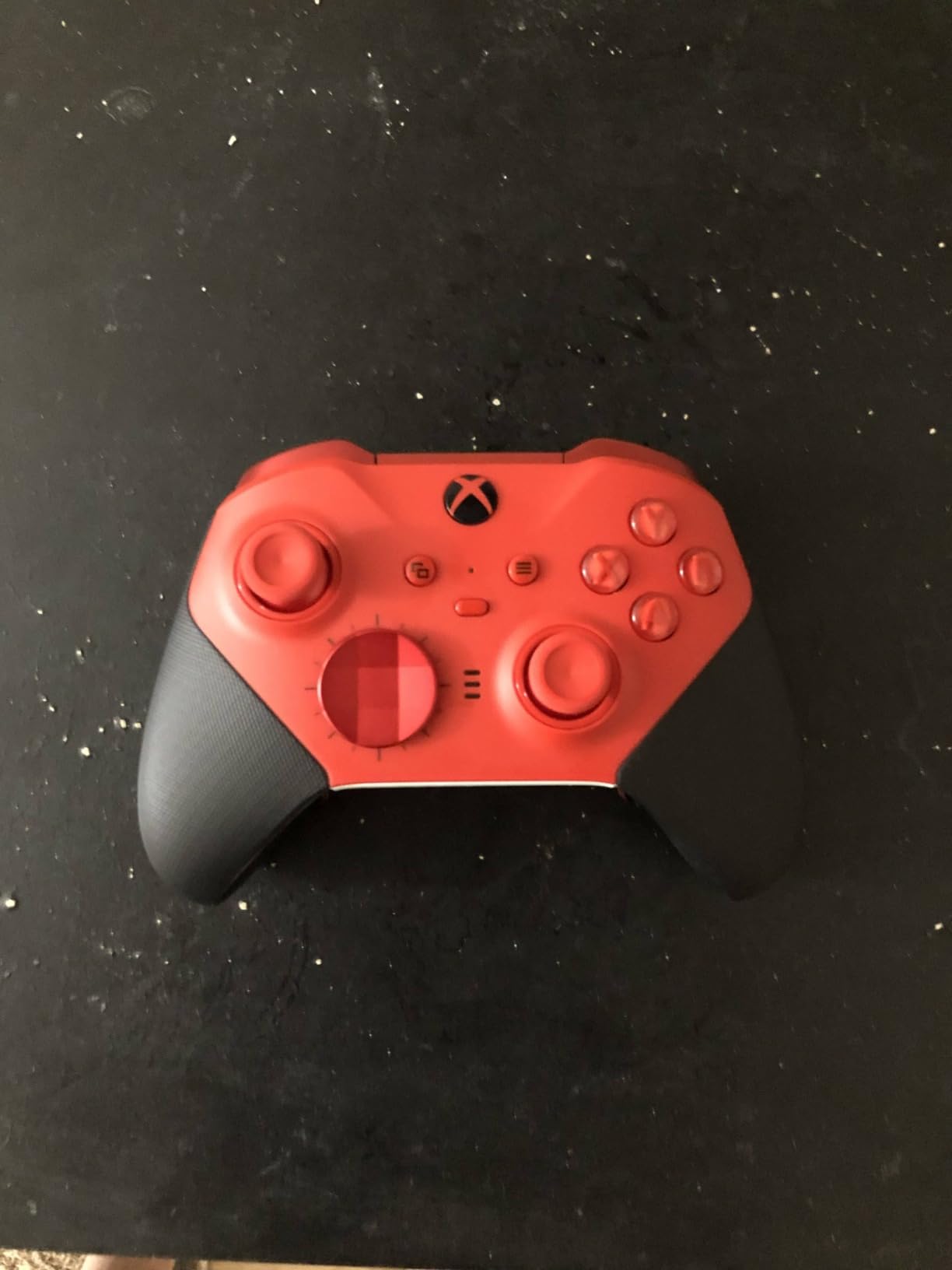
Is the battery and connection setup going to annoy you?
Not on battery. It is rechargeable rather than AA-based, and it reaches Windows over Bluetooth as well as USB-C, so you can move between a console session and a PC session without replugging anything. You do need the Xbox Accessories app for advanced remapping, which is a small tax on the freedom otherwise.
What should you know before paying this much?
The price gap versus a drift-proof third-party pad is the entire argument. If your games are single-player RPGs and story action, a mid-tier pad gives you a similar experience. If you play shooters daily and tune your aim, the swappable parts are the reason this stays at number one.
2. PlayStation DualSense Review – Best PC Controller for Haptics and Adaptive Triggers
- Haptic feedback and adaptive triggers carry into supported PC titles
- Refined layout with improved sticks
- Connects over USB-C or Bluetooth to PC and Mac
- Built-in speaker and microphone with a 3.5mm headset jack
- Not compatible with PS4
- Haptics and triggers are game-dependent on PC
- Potentiometer sticks can wear over time
The DualSense is the best gaming controller for PC if you already own one. Its haptics and adaptive triggers translate into a meaningful number of PC titles, and the hardware is the most refined object in this list to hold for long sessions.
Connectivity is straightforward: USB-C or Bluetooth to Windows and Mac. You can also stream from a PS5 or PS4 to your PC with the PS Remote Play app, which turns an existing console pad into a PC pad without any purchase at all.
The catch is honest rather than hidden. It does not work with PS4, so a PS4 owner is looking at the previous generation pad for that console. And the sticks are conventional rather than magnetic, so drift is a question of when rather than if.
Are the haptics and triggers actually usable on PC?
In supported titles, yes, and they are the reason to choose this over a stick-only pad. Support is uneven across PC games, so treat it as a bonus feature rather than the foundation of your setup. Everything else about the pad works the same on PC as it does on console.
Does it make sense to buy one purely for PC?
Only if haptics matter to you or you want one pad across console and PC. Purely on PC, the Elite Series 2 gives you more hardware for the money and adds battery life and swappable parts you would rarely use.
3. PlayStation DualSense Edge Review – Best for Per-Trigger Travel Adjustment
- Swappable stick modules with three cap styles
- Two sets of mappable back paddles
- Manual trigger travel adjustment per side
- Quick-swap saved profiles
- Premium build and refined ergonomics
- Very high cost for a PC controller
- Setup takes more effort than a plug-and-play pad
- Profile switching is less immediate than Elite-style hardware
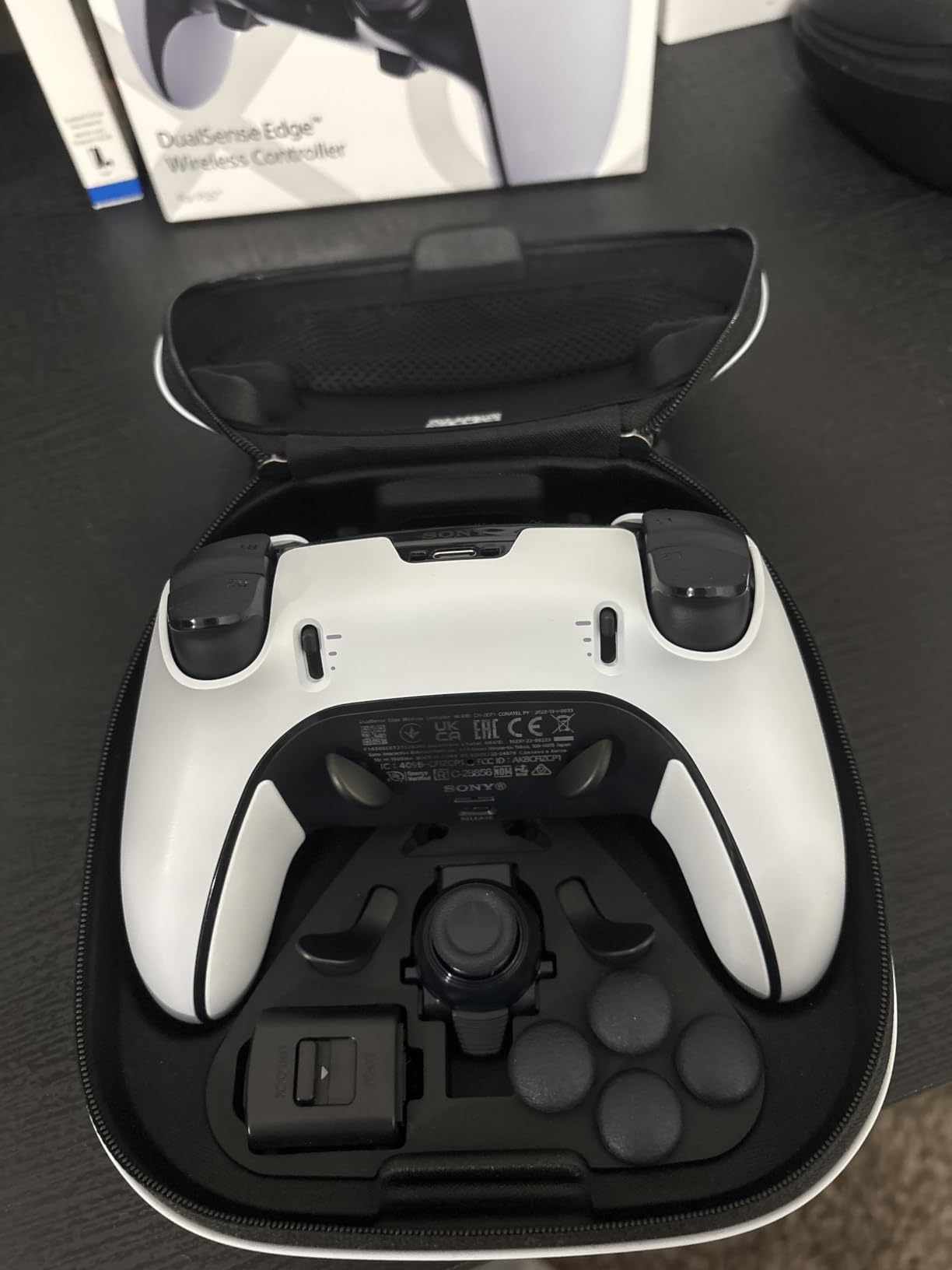
The DualSense Edge is the most fiddly pad in this roundup and the most rewarding if you enjoy tuning. Everything that made the standard DualSense good is here, plus per-trigger travel adjustment and swappable stick modules.
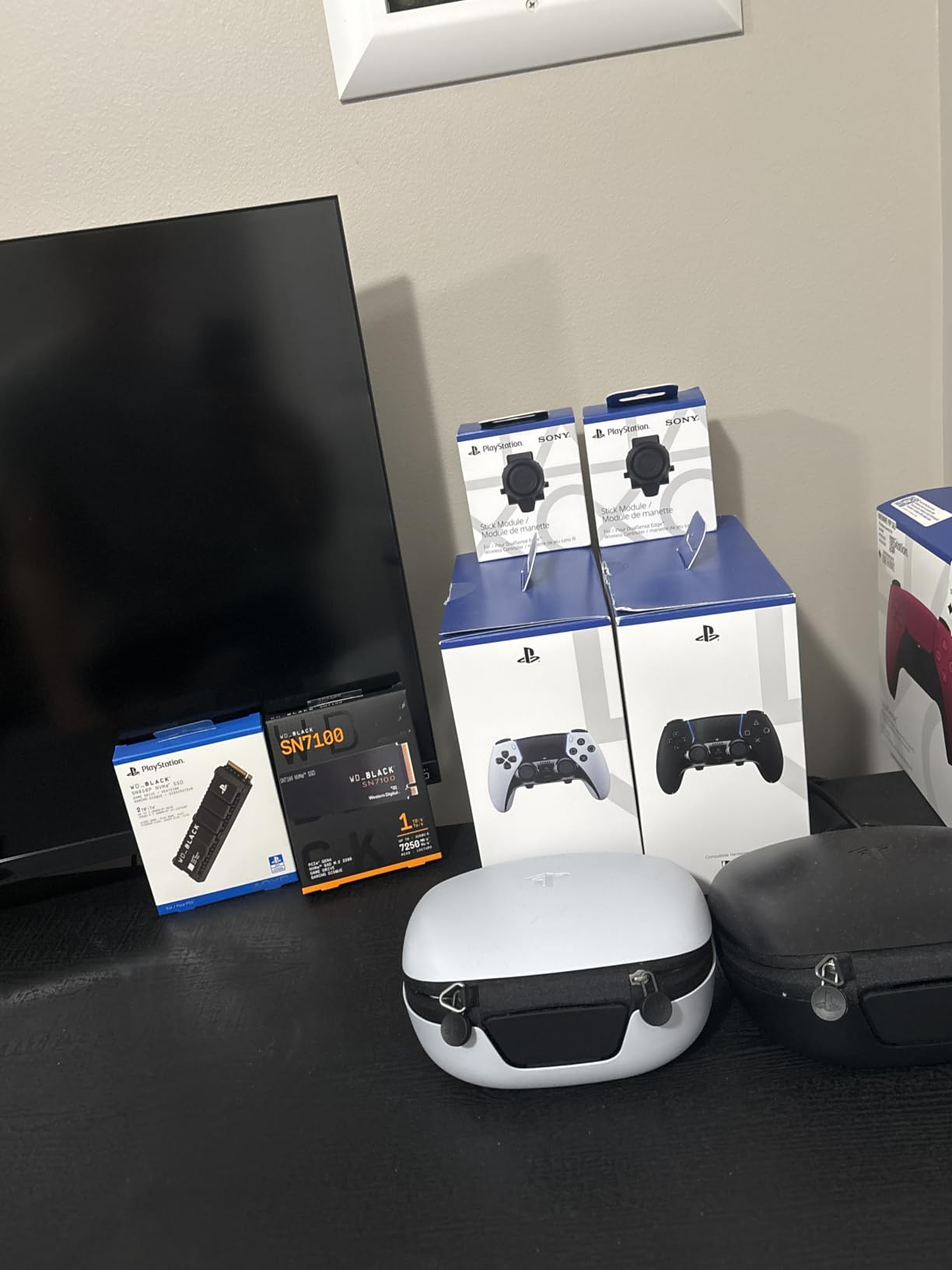
Trigger travel is the feature that changes play the most. Set a short pull for a shooter and a long pull for a racing game, and both feel deliberate instead of compromised. Two sets of swappable back buttons let you keep one configuration for competitive titles and another for everything else.
Three stick cap styles come in the box and the modules swap out by hand. Quick-swap saved profiles hold your preferred configurations, though switching is a menu action rather than the single-button jump the Elite offers.
Is the extra control depth worth the setup time?
If you play shooters or racers and like adjusting your own gear, yes. If you want something that works the moment it is plugged in, no. Expect to spend real time in the configuration app before the pad feels like yours.
Does the price hold up against PC-only flagships?
This is the most expensive controller here, and it is the least PC-specific. The Victrix Pro BFG below costs less and offers deeper modularity, including a six-button fight pad module this pad does not have.
4. GameSir G7 SE Review – Best Value PC Controller with Hall Effect Sticks
- Hall Effect sticks and triggers remove the drift question
- Dome-switch ABXY and D-pad feel close to the official pad
- Removable braided USB-C cable with solid connectors
- Back buttons plus Nexus profiles for remapping and dead zones
- Firmware adds selectable high polling modes
- Some games do not register rear button input
- Headset jack and mic reported unreliable on some units
- Higher polling modes are still flagged as work in progress
If you want one recommendation for the widest group of readers, this is it. The G7 SE combines drift-proof Hall Effect sticks and Hall Effect triggers with a wired connection, which removes wireless latency and battery anxiety in the same stroke.
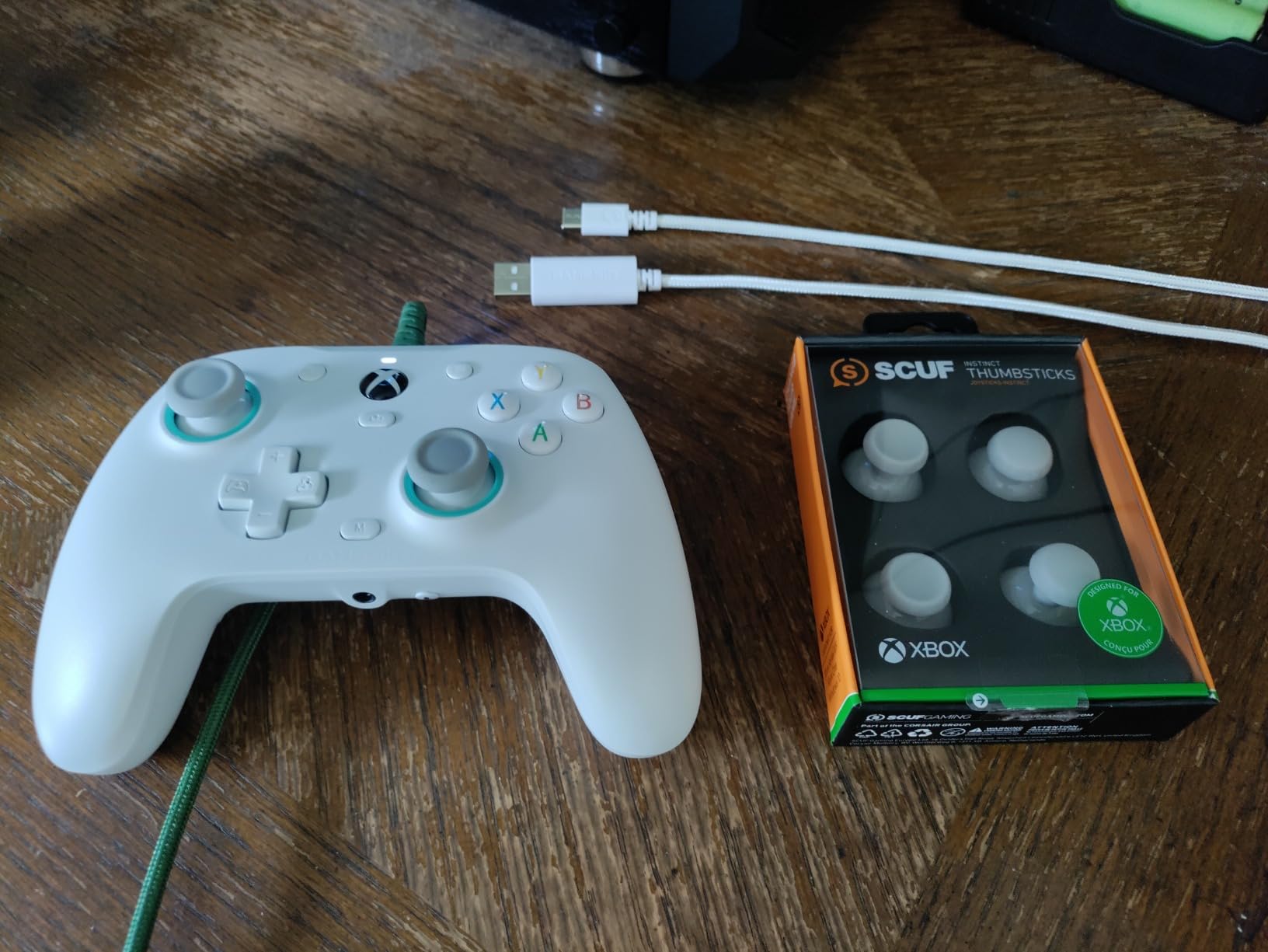
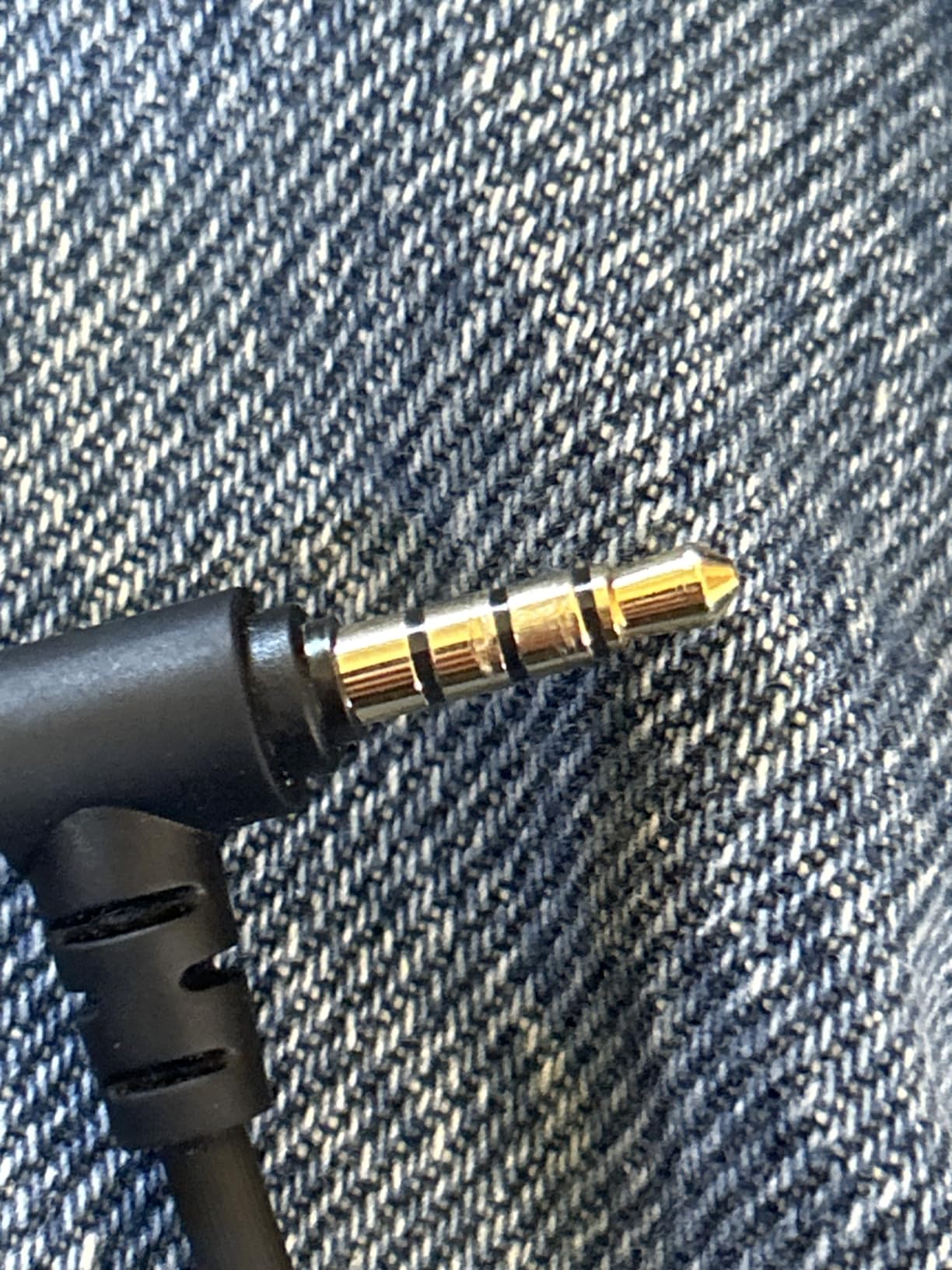
Feel matters more than the spec list, and this pad gets that right. Dome-switch face buttons and a mechanical micro-switch D-pad land close to the official Microsoft controller rather than the mushy membrane feel that spoils budget pads. The 3.5mm audio interface with a mic mute button is a small addition that most rivals at this level skip.
The GameSir Nexus app handles profiles, remapping, dead zones, calibration and firmware. Two back buttons sit on the rear and can be locked out, which is useful in games where a stray press costs you a life.
Does the wired-only design cost you anything day to day?
Only freedom of movement. A removable braided USB-C cable means you can swap it if it frays, and the 2.4 meter-plus length is comfortable from a couch or a desk. Players who need to move around the room should look at the G7 Pro instead.
What are the honest drawbacks?
Some titles do not read the rear buttons at all, which is a software problem rather than a hardware fault. Owners also report headset jack faults and chat audio issues on some units. The added 500Hz and 1000Hz polling modes are flagged as work in progress, so I would leave them off and stay on the standard mode.
5. GameSir G7 Pro Review – Best Anti-Drift Wireless Controller for PC
GameSir G7 Pro Wireless XBOX Controller,TMR Sticks,Windows,Trigger Stops
- TMR sticks give outstanding accuracy with effectively no drift
- Officially licensed Xbox wireless with a fast 2.4G connection
- Adjustable triggers feel crisper than the Elite Series 2
- Box includes dock / case / dongle / spare sticks / extra D-pads
- Clicky optical and mechanical micro switches
- View and menu buttons sit higher and feel awkward
- Only two rear paddles rather than three or four
- Replacement parts and spare faceplates are hard to source
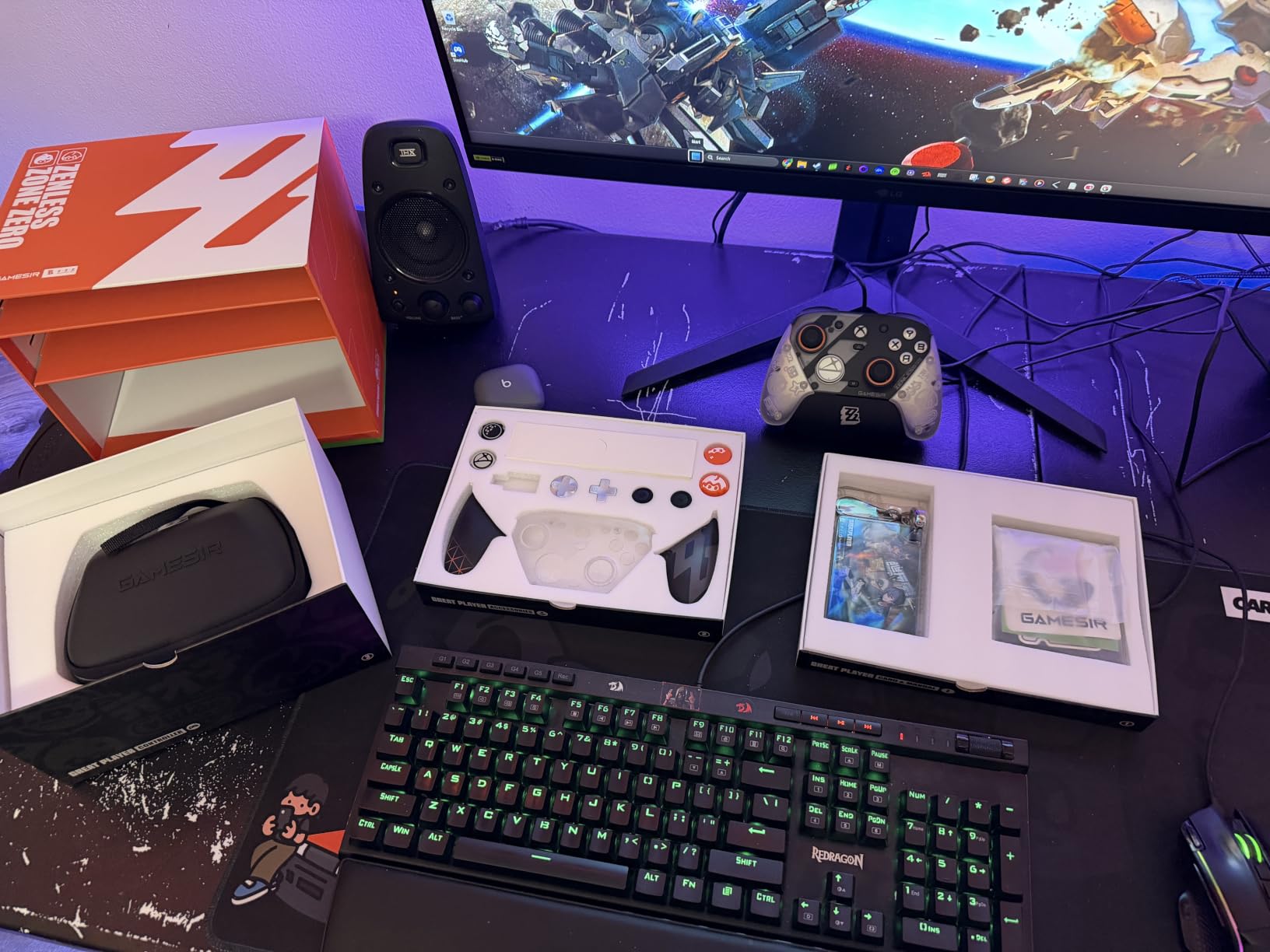
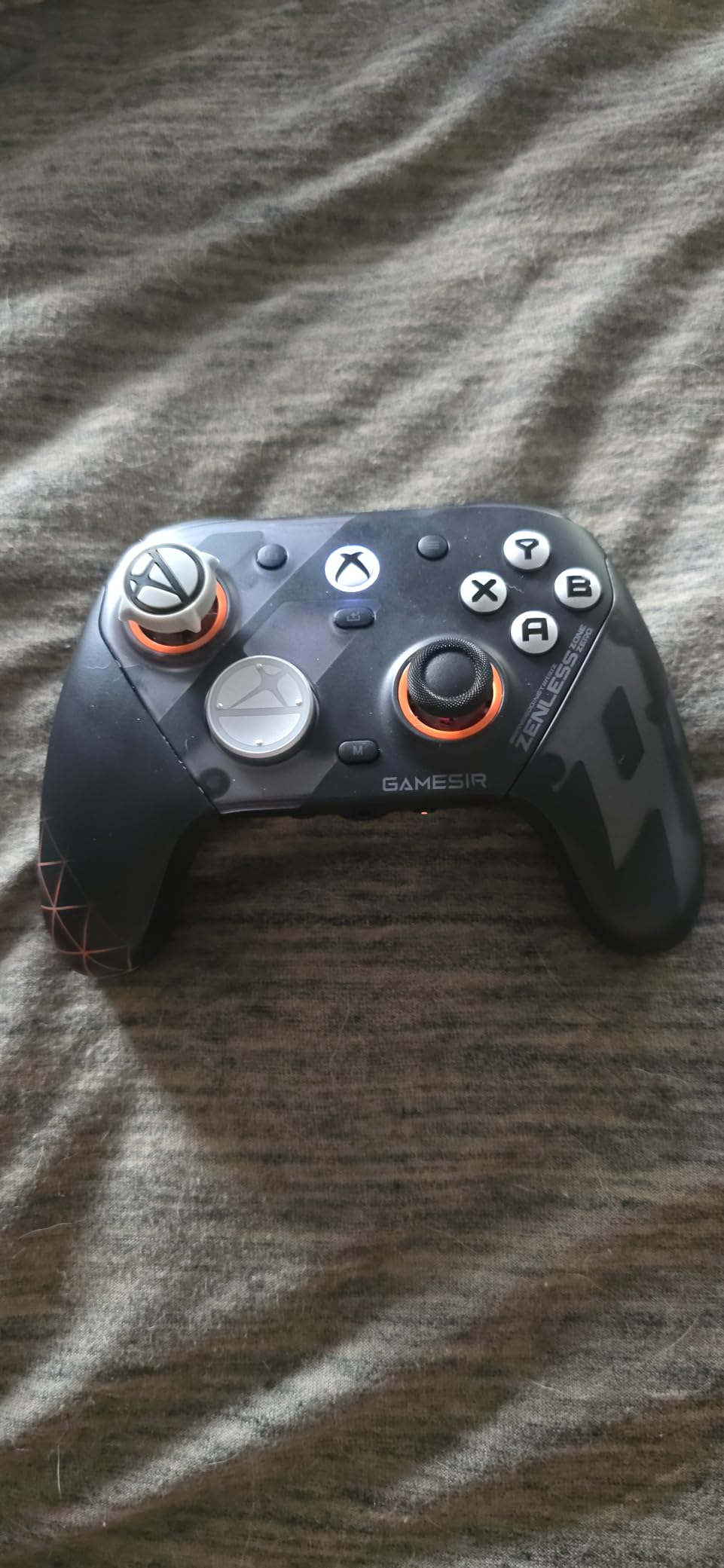
The G7 Pro is what the G7 SE would be if it also did wireless. TMR joysticks use magnetic sensing with effectively no drift, and the pad carries an official Xbox licence, so it pairs over 2.4G with Series X and Series S hardware as well as Windows.
Triggers are Hall Effect and switch to micro triggers, and the press feels noticeably crisper than the Elite Series 2 in side-by-side use. Polling runs at 1000Hz over wired or 2.4G, and optical micro switches on the face buttons give a clean, sharp click.
The box is unusually generous: a charging dock that starts and stops charge automatically, a case, the 2.4G dongle, spare sticks, extra D-pads and magnetic faceplates. Four remappable inputs include mini bumpers plus lockable rear buttons, and the Nexus app covers gyro settings, stick curve and stick-to-mouse mapping.
Is the wireless link as responsive as the wired version?
Over 2.4G it is close. The dongle gives you a stable dedicated link rather than sharing Bluetooth, and polling holds at 1000Hz. If you play at a desk with the pad in your hands, wired still edges it out, but the gap is small enough that most players stop noticing.
What will annoy you in month two?
The repositioned view and menu buttons are the most common complaint, because they sit higher than on a standard Xbox pad and take a few days to unlearn. There are only two rear paddles, so this is not a pad for players who want four. Replacement faceplates and button parts are also awkward to source.
6. GameSir Nova Lite 2 Review – Best Budget Pad for PC, Switch and Android
GameSir Nova Lite 2 Wireless PC Controller Hall Effect Sticks
- Hall Effect sticks with anti-friction glide rings
- 1000Hz polling over 2.4G and wired
- Micro-switch circular D-pad beats membrane designs
- Two-way trigger lock and hair trigger mode
- Multi-platform across PC
- Switch
- Android and iOS
- Small 600mAh battery gives roughly four to six hours and is not user-replaceable
- Bluetooth re-pairing to a new device is awkward
- Wireless dropouts happen occasionally
Most budget pads compromise on sticks first. The Nova Lite 2 does not. You get Hall Effect sticks with anti-friction glide rings at a price that normally buys a potentiometer pad, and 1000Hz polling over both 2.4G and wired.
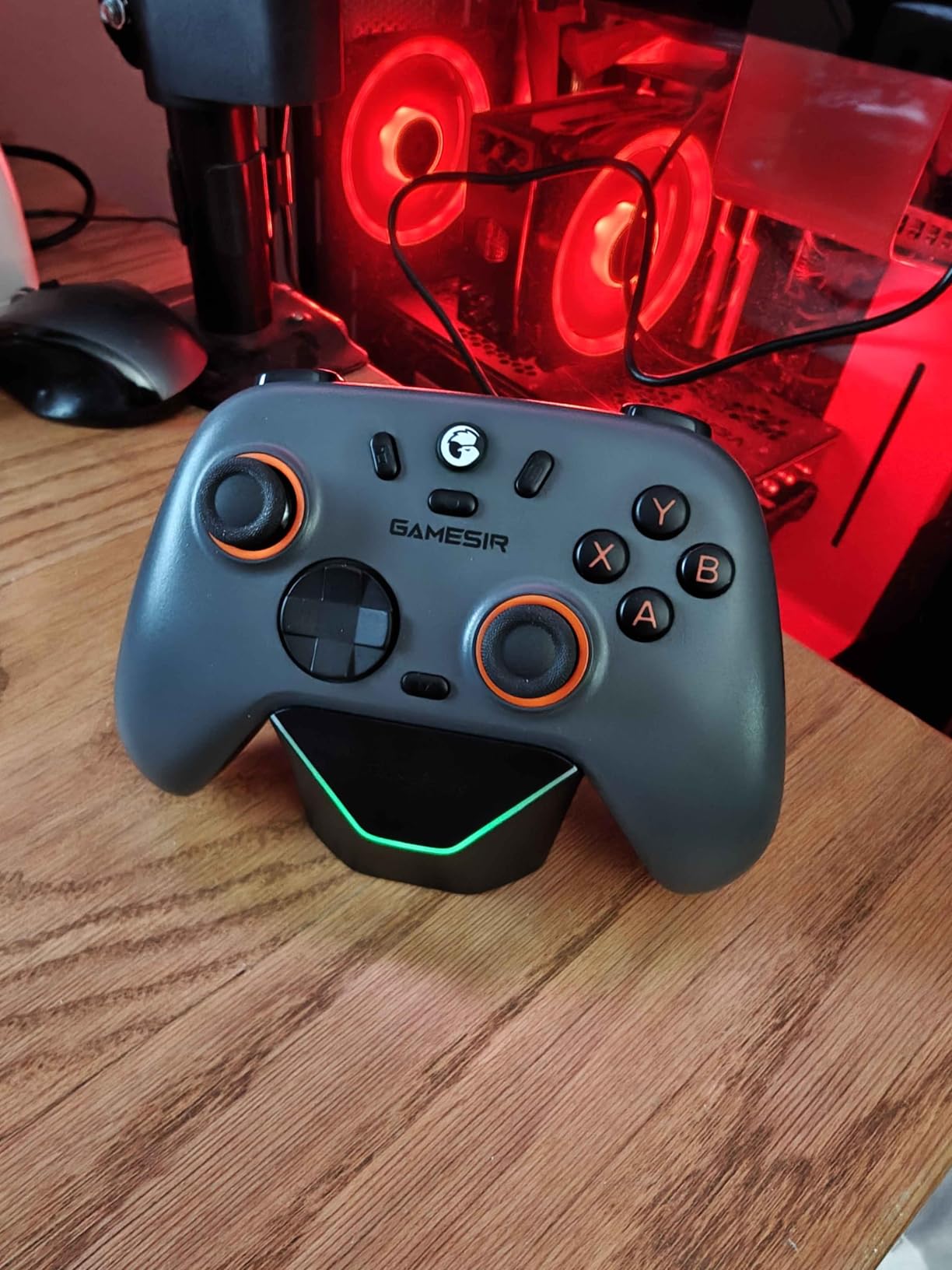
The micro-switch circular D-pad is the quiet win. Membrane D-pads are the most common complaint about cheap controllers, and this one clicks in all four directions with no wobble. Two-way trigger lock plus a hair trigger mode adds control that pads twice the price skip.
Pairing covers PC, Switch, Android and iOS through Bluetooth, the dongle or a cable, with a shortcut for each. Two back buttons support single-button mapping and macro recording, and GameSir Connect on PC handles firmware, dead zones, vibration and button testing.
Can you use this all day without charging it?
No, and that is the real limitation. The 600mAh battery is small and not user-replaceable, so expect a few hours of wireless play per charge. Wired mode works indefinitely, which is why the most common owner advice is to just use the cable.
Is Bluetooth pairing a problem if you own several devices?
It can be. Owners report that re-pairing to a new device is awkward and may need a firmware rollback, and wireless dropouts happen occasionally. If you only ever connect to one PC, this stays hidden. If you juggle a Steam Deck, a Switch and a laptop, expect a few minutes of faffing.
7. 8BitDo Ultimate 2 Review – Best Cross-Platform PC Controller
8Bitdo Ultimate 2 Wireless Controller for PC, Apple, Steam & Android, Black
- TMR sticks for high sensitivity and durability
- 8Speed 2.4G wireless claims sub-1ms latency and a 10m range
- 1000Hz polling over 2.4G and wired
- Switchable Hall Effect linear and tactile triggers
- Two rear paddles plus extra R4/L4 bumpers
- Advanced remapping depends on the software
- Bundled dock adds desk clutter
- Rear paddles take practice to reach alongside the top bumpers
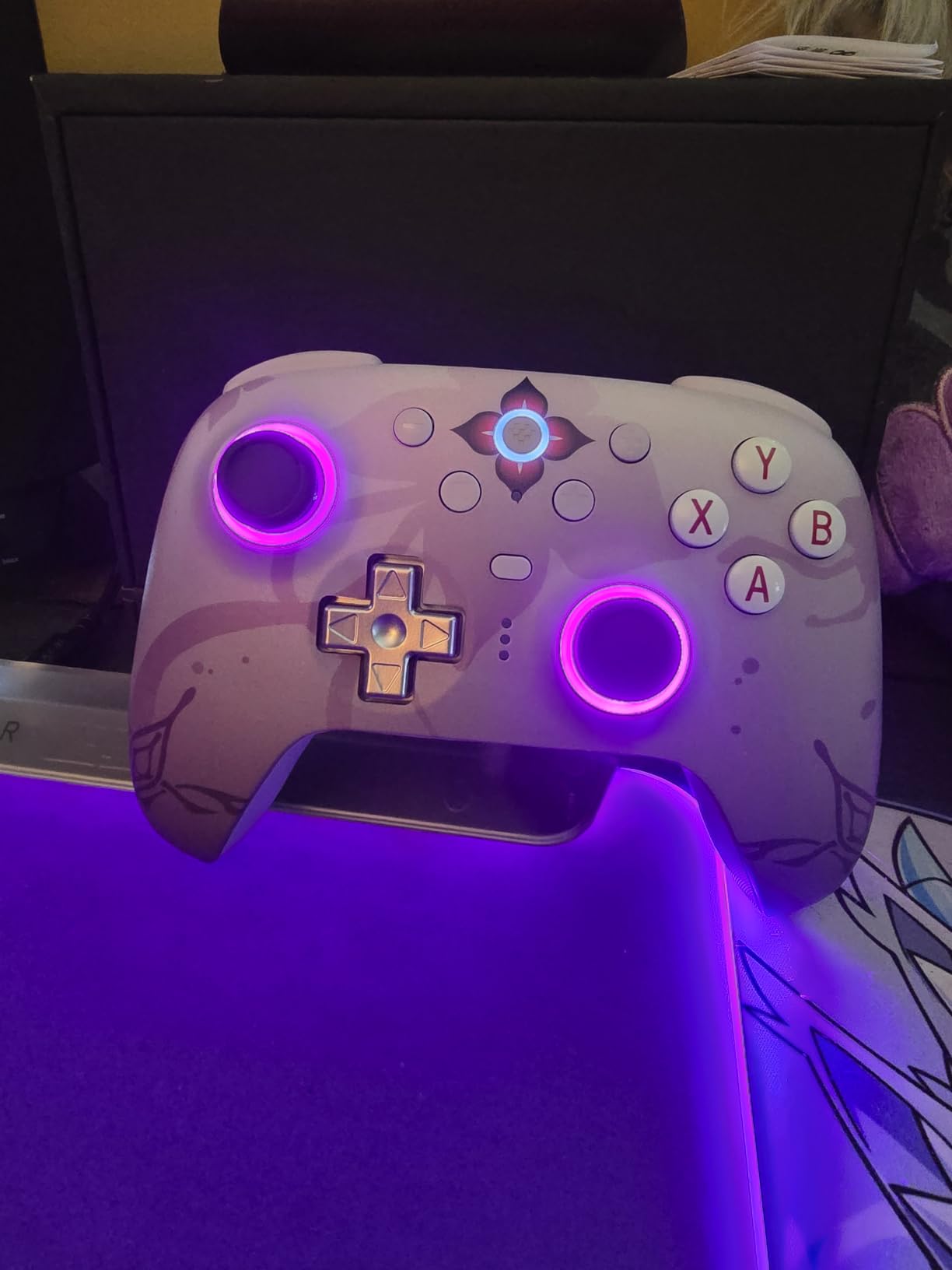
The 8BitDo Ultimate 2 is the pick if your gaming spans PC, Apple hardware, Steam and Android. Owners repeatedly single out 8BitDo pads for comfort and for not having to think about stick drift, and this model adds TMR sticks and a bundled dock.
The 8Speed 2.4G wireless is the headline number here, with a sub-1ms latency claim, a 10m range and interference resistance. Polling runs at 1000Hz over 2.4G and wired. The trigger mode switch is genuinely useful, letting you move between linear Hall Effect travel for shooters and non-linear tactile stops for racers.
Two pro rear paddles plus extra R4/L4 bumpers give you a fuller layout than most pads in this price band, and the multifunctional charging dock with USB-C adapter means the pad is always topped up and always connected.
Is it worth the software learning curve for a beginner?
Partly. Basic play needs nothing beyond plugging in. Advanced remapping of the rear paddles and motion control does need 8BitDo Ultimate Software, and that is the piece new owners mention as the setup hassle. The dock also takes up desk space if you would rather not have it.
How does it feel for long sessions?
This is where 8BitDo has built its reputation. Ergonomics and grip are the reasons owners cite for staying with the brand, and they hold up across a standard desktop or a Steam Deck session. The rear paddles need practice to reach without moving your hand off the top bumpers.
8. 8BitDo Ultimate 2C Review – Best Budget PC Controller for Handheld PC Pairing
- Hall Effect sticks and triggers mean no drift
- 1000Hz polling over 2.4G and wired with no perceptible lag
- Plug-and-play on PC as an Xbox controller
- Long battery life per charge
- Extra L4/R4 bumpers remappable on the controller
- No 3.5mm headset jack
- so plan on a wireless headset
- No rear paddles - the extra inputs sit on the top edge
- Runs small and feels light in larger hands
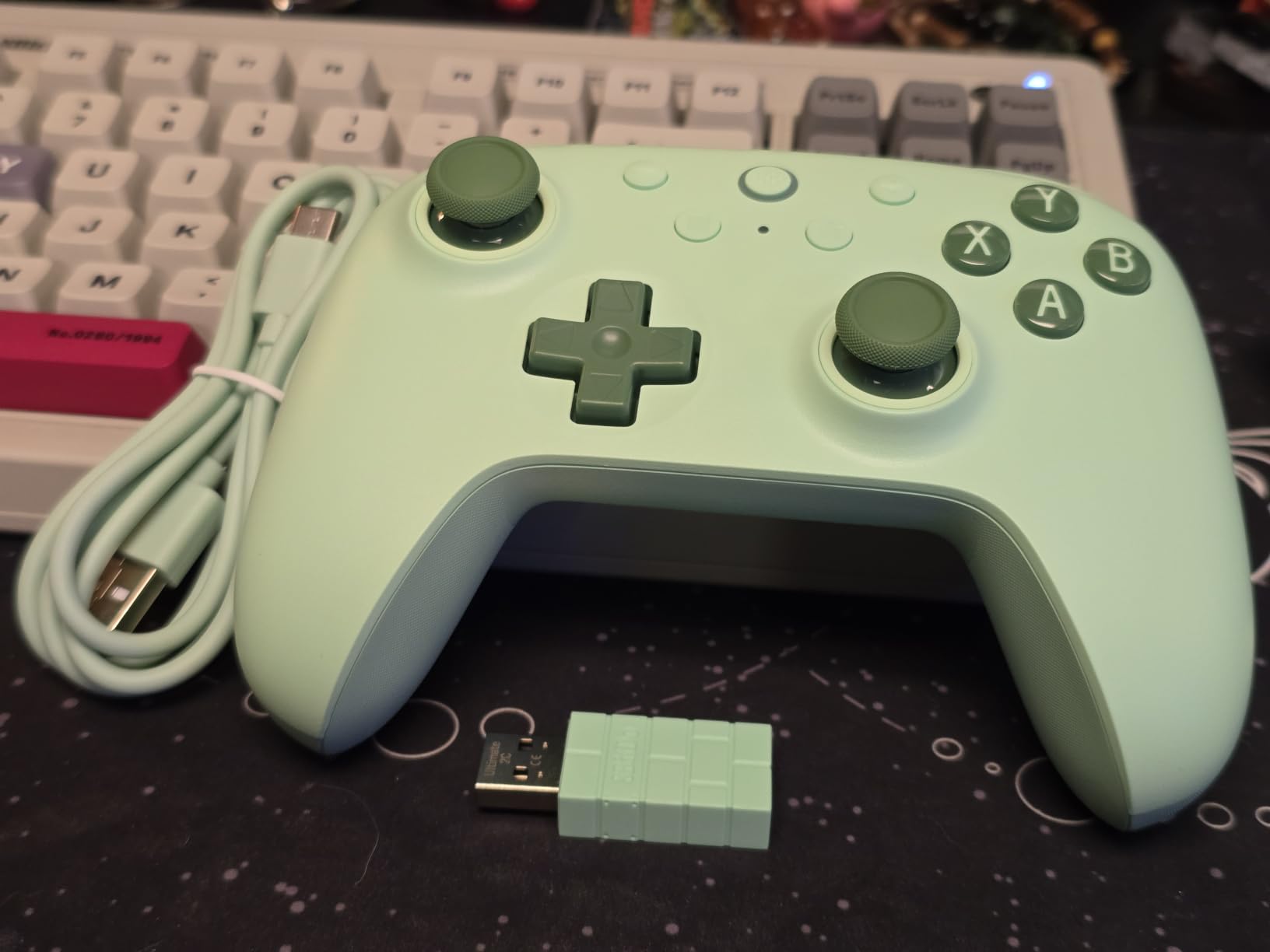
Owners describe the Ultimate 2C as the best budget PC controller, and the reason is simple: Hall Effect sticks and Hall Effect triggers, 1000Hz polling, and plug-and-play behaviour on Windows, with no software required.
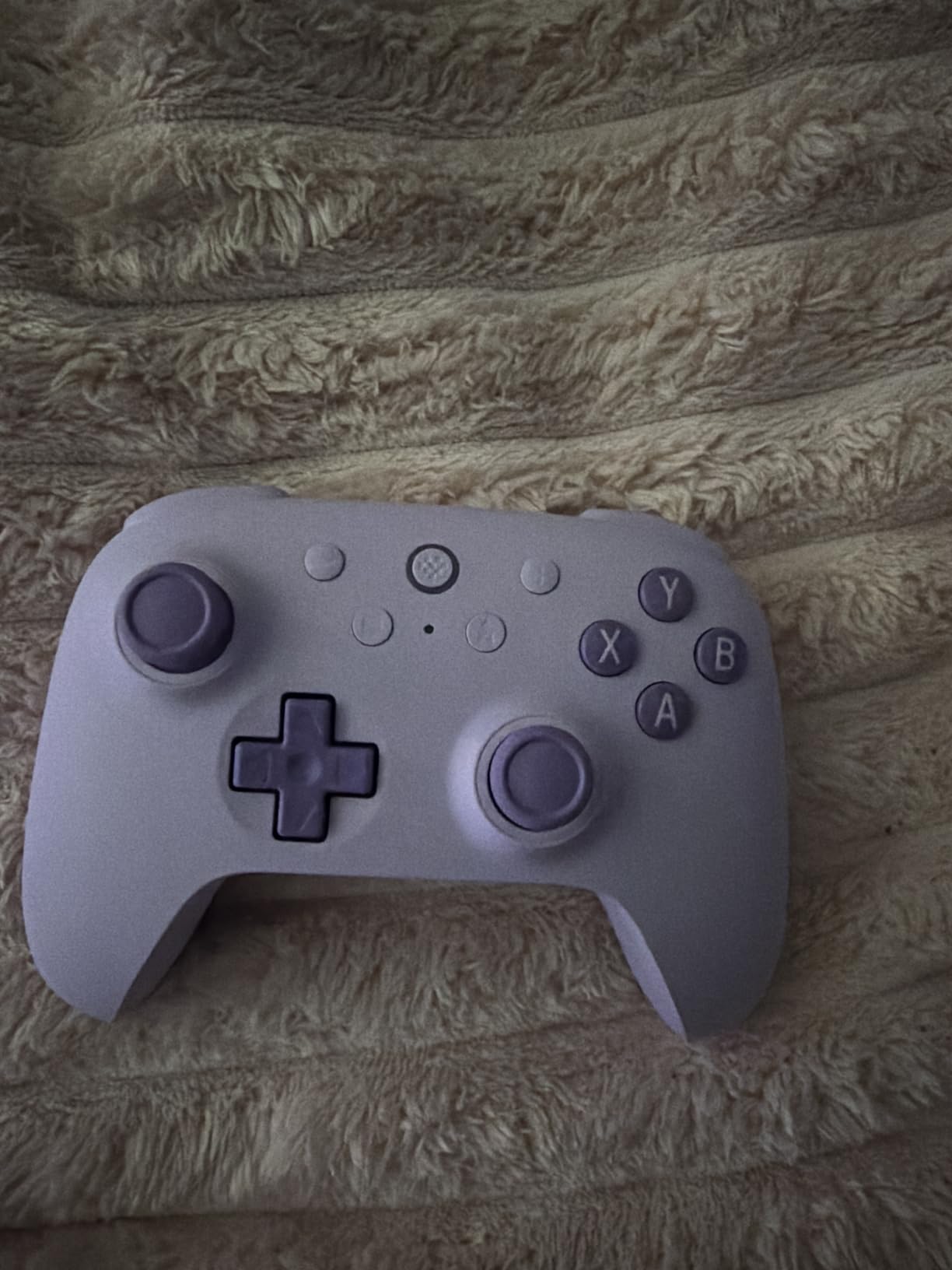
The extra R4 and L4 bumpers on the top edge remap directly from the controller, so you can assign jump, crouch or weapon slots without opening anything. Wear-resistant metal joystick rings sit around the sticks, which is the part that usually ages badly on cheaper pads.
At 280 grams and with a compact footprint, it is one of the few pads here that suits a Steam Deck or other handheld PC as a companion rather than a burden. Battery life is measured in weeks of casual play per charge.
Will the size work for you?
This is the pad to try in a shop if you have larger hands. Owners with big hands describe it as running small and feeling light next to a full-size pad. Hand size is the one factor no spec sheet covers, and it decides whether this is comfortable or merely cheap.
What are you giving up?
There is no 3.5mm headset jack, so a wireless headset is the practical route. The extra inputs sit on the top edge instead of on paddles under the index fingers, which makes it a weaker fit for competitive shooters. It also does not work with the 8BitDo charging dock.
9. Xbox Wireless Controller with USB-C Cable Review – Best Plug-and-Play PC Pad
- 9-foot USB-C cable included for instant wired PC play
- Works immediately across the Xbox app and Steam with no adapters
- Up to 40 hours on standard AA batteries
- Textured triggers
- bumpers and back case
- 3.5mm audio jack and app-based remapping
- Uses replaceable AA batteries rather than an internal pack
- Single 3.5mm audio jack with no headset included
- Remapping still requires the Xbox Accessories app
This bundle exists to solve a first-gamer problem: you do not own a cable. The 9-foot USB-C cable is in the box, so you can sit back from a monitor or a TV and play on PC immediately, then switch to Bluetooth when you want to move around.
Everything else is the current-generation official Xbox pad. Sculpted surfaces, textured triggers, bumpers and back case, a hybrid D-pad for precise directional input, and a 3.5mm audio jack. It also pairs with mobile devices, handhelds, Smart TVs and supported VR headsets through Xbox Cloud Gaming.
Does it work on PC without any setup?
Yes. Windows treats it as an Xbox controller the moment it is plugged in or paired, so the Xbox app, Steam and other PC titles all recognise it with no adapter or driver. Remapping is the only feature that needs the Xbox Accessories app.
Why are AA batteries still worth knowing about?
They are the one design choice that dates this pad. Forty hours on standard AA batteries is genuinely long, and you can carry spares, but a rechargeable pack like the one in the Elite Series 2 is more convenient if you keep the pad docked. Players who want the newest hardware should compare the Elite pad instead.
10. PowerA Wired Controller Review – Best Second Pad for PC and Xbox
PowerA Wired Controller for Xbox Series X|S – Black, gamepad, wired video game controller, gaming controller, works with Xbox One and Windows 10/11
- Zero input lag over the wired 10-foot USB-C connection
- Officially licensed for Xbox Series X and S and Windows 10/11
- Anti-friction rings inside the sticks
- Impulse Triggers with haptic motors and dual rumble
- Lightweight and comfortable for long sessions
- Wired only with no wireless or battery option
- No rear paddles or extra remappable buttons
- Potentiometer sticks rather than Hall Effect
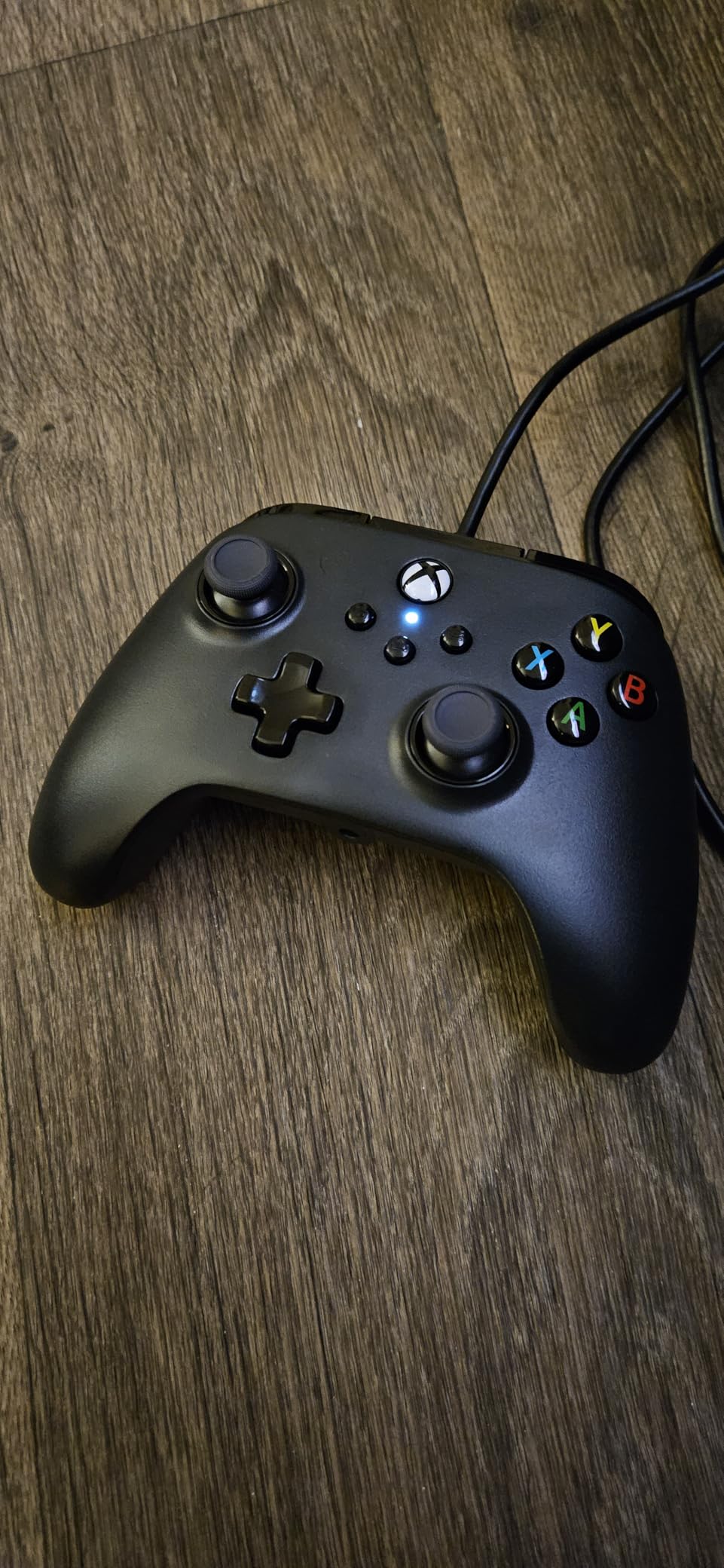
A second controller is the most common upgrade nobody plans. This PowerA wired pad is the cheapest way to have one for local multiplayer, for a partner playing beside you, or simply as a backup when your main pad needs charging.
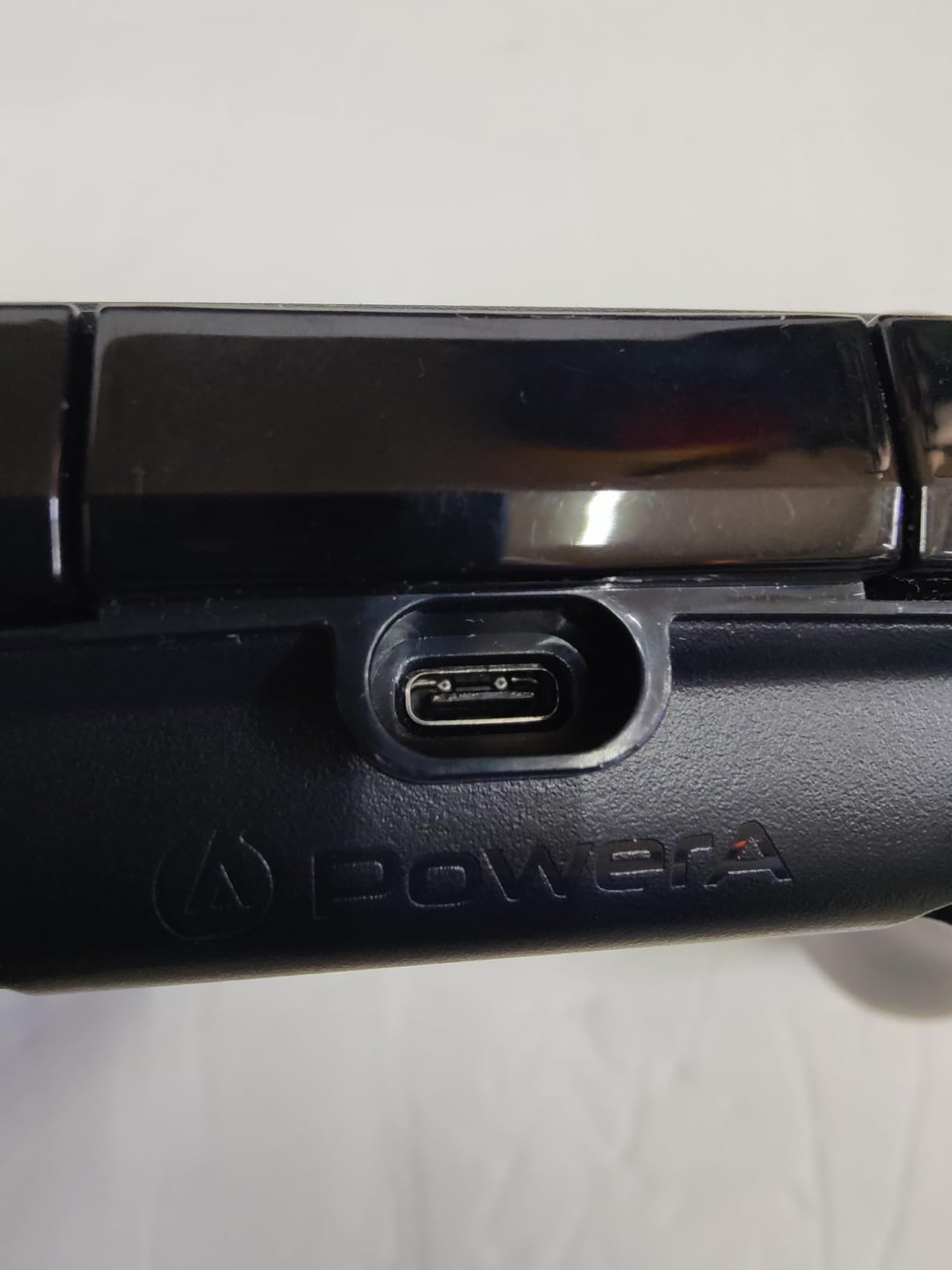
The 10-foot USB-C cable is the specification that matters here. It reaches from a couch to a TV or monitor without an extension, and because it is wired there is no wireless interference, no pairing step and no input lag to think about.
It is officially licensed for Xbox Series X and S and works on Xbox One and Windows 10 and 11. Impulse Triggers with built-in haptic motors and dual rumble motors give more feedback than bare budget pads, and the 3.5mm stereo jack means both players can use headsets. A two-year limited warranty is unusual at this end of the market.
Is it good enough as a main controller?
For co-op games, party titles and couch play, yes, and the haptic triggers help. For a competitive shooter, no. There are no rear paddles, the layout is plain by modern standards, and the analog sticks use conventional potentiometers that will wear over time.
Why not just buy a second wireless pad?
Because battery management gets complicated with two pads on one desk, and wireless adds a failure mode you do not need for a secondary controller. If you want the second pad to be wireless instead, the Nova Lite 2 or the Ultimate 2C cover that at a similar level.
11. Logitech G F310 Review – Best Entry-Level Wired PC Controller
Logitech G F310 Wired Gamepad Controller Console – Blue/Black
- Floating D-pad rests on four switches for fast direction changes
- Familiar Xbox 360-style layout with no learning curve
- Very low cost with plug-and-play USB
- Profiler software maps buttons to keyboard and mouse commands
- Six-foot cord allows leaning back from the monitor
- Wired only with no wireless support
- Lightweight plastic build with conventional potentiometer sticks
- No headset jack
- paddles or modern rumble
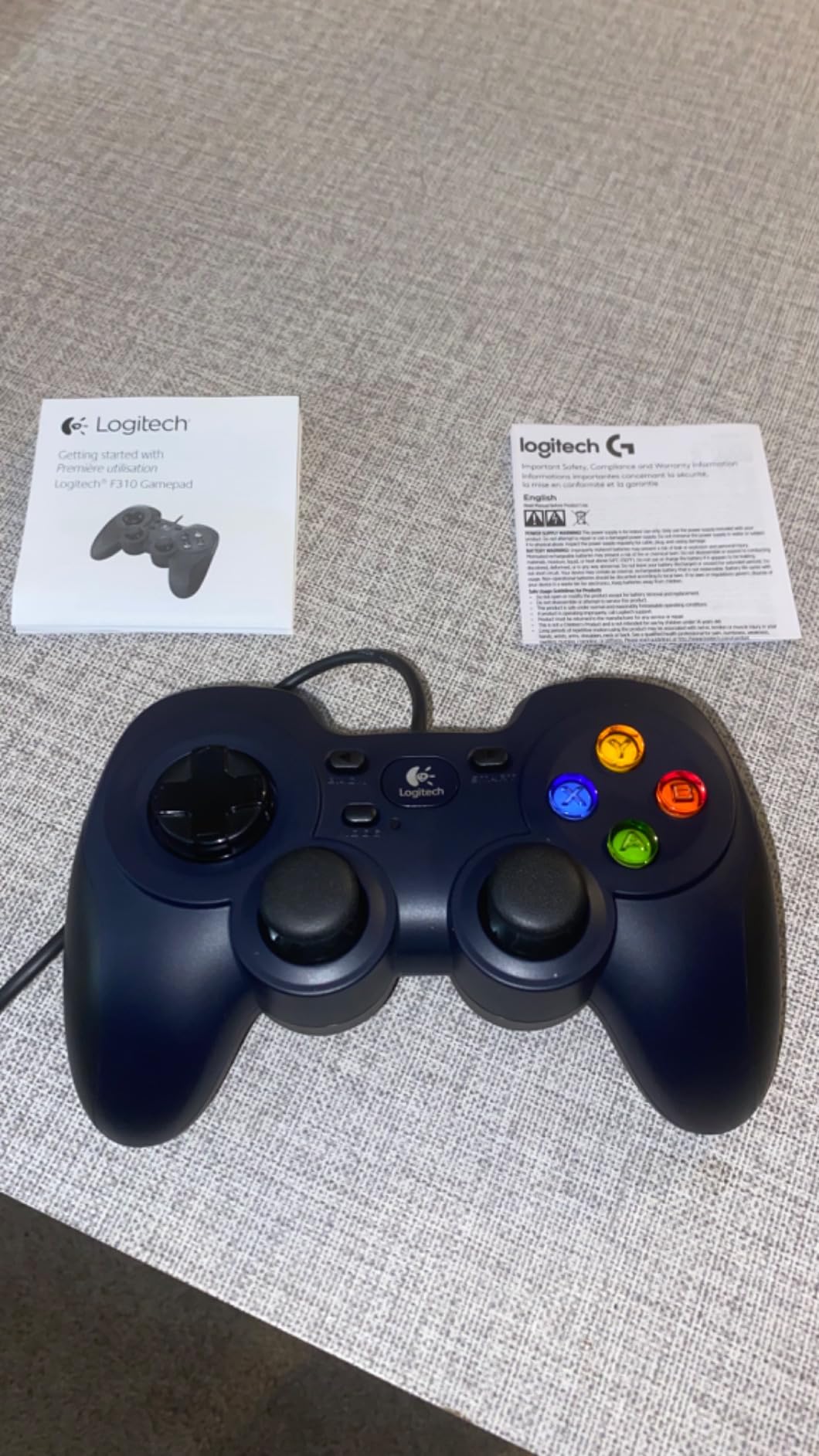
Long-term Linux community threads still name the F310 as an old favourite that simply works, and the reason has not changed. It is a wired USB pad with a familiar Xbox 360 layout and no setup whatsoever.
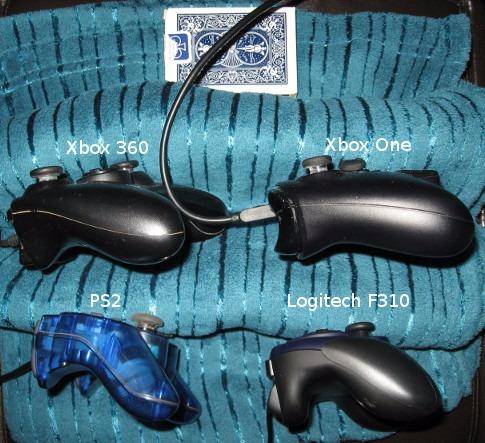
The floating D-pad is the detail that separates it from cheaper membrane pads. Instead of rocking on a single pivot, it rests on four switches, so diagonal inputs and fast direction changes register cleanly. That matters in platformers, retro titles and fighting games.
Ten programmable buttons and an 8-way programmable D-pad, plus Logitech Profiler software that maps buttons to keyboard and mouse commands in games that do not support controllers natively. The six-foot cord is enough to lean back from a monitor.
Is it still a sensible choice in 2026?
For the first controller in a household, an emulator setup, or a game that simply needs any working pad, yes. It has been selling for years at a price almost nothing else matches, and 21,000 owners have rated it. Beyond that, you are trading haptics, drift resistance and extras for the price.
What are the trade-offs?
There is no 3.5mm headset jack, no paddles and no modern rumble, and the sticks are conventional potentiometers with no drift protection. Remapping needs the Profiler software installed first. Those limits are fine for a second pad and frustrating as a daily driver.
12. PDP Victrix Pro BFG Review – Best PC Controller for Fighting Games
- Modular design with swappable sticks
- three D-pads and a six-button fight pad
- Back buttons fully remappable rather than locked to ABXY
- Very low latency over the 2.4G dongle
- Clutch Triggers with five stops and hair trigger mode
- Solid build with good weight and strong rumble
- Hall Effect sticks are an optional extra module and can feel stiff
- Very sensitive triggers that cause unintended actions
- Back paddles sit close together
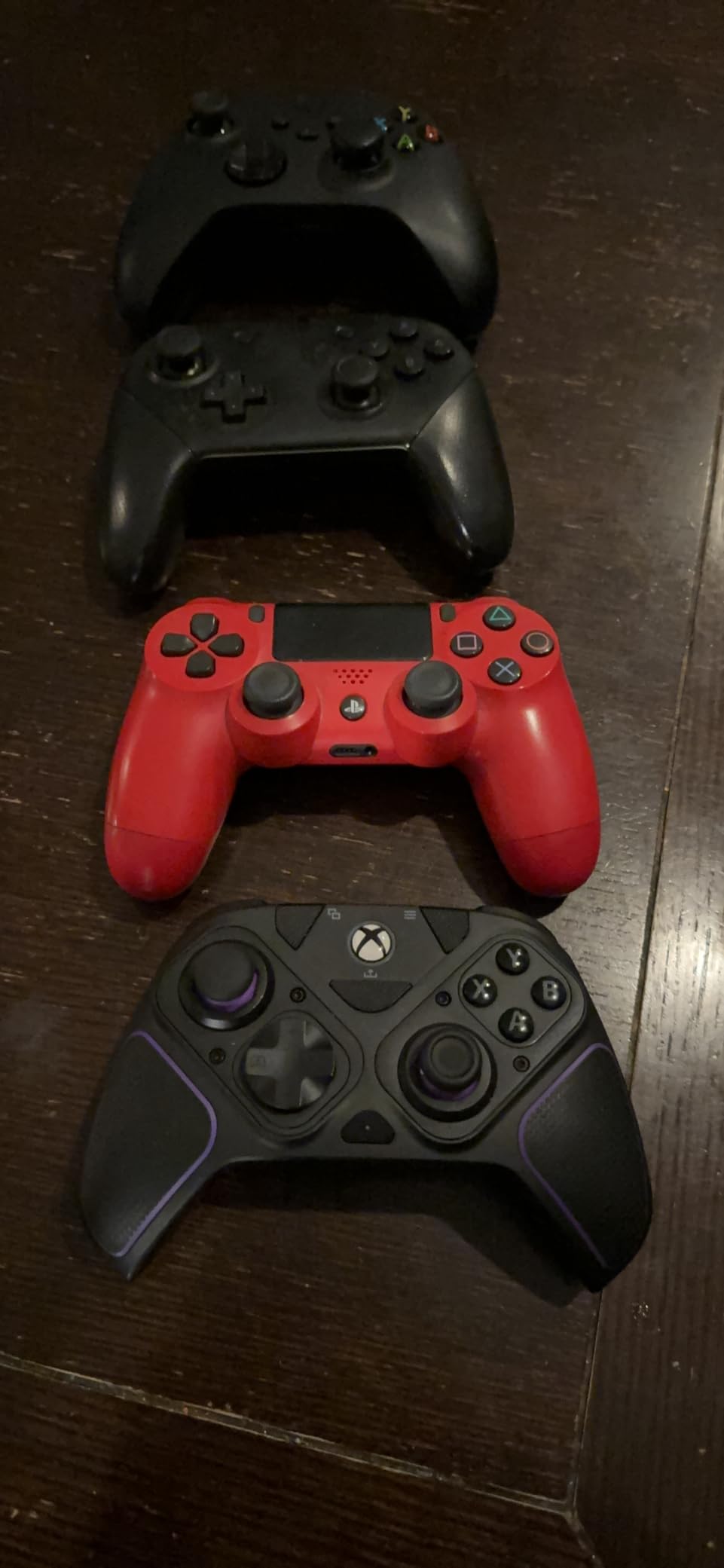
The Victrix Pro BFG is the only pad here with a six-button fight pad module. For Street Fighter, Tekken, Guilty Gear and Mortal Kombat, that module changes the shape of the whole fight because it gives you the face-button layout those games were designed around.
The modularity runs deeper. A reversible left-hand module, a standard right-hand module, four interchangeable sticks, three D-pads and four gates mean the pad can be rebuilt for a different grip style or a different game without buying a new controller. Clutch Triggers carry five trigger stops plus a hair trigger mode for shooters and racers.
Four back buttons are fully remappable, not restricted to the face buttons the way Elite paddles are. It supports 2.4G dongle, Bluetooth and wired, and owners report the dongle is among the fastest wireless links they have used. Built-in Dolby Atmos comes with a lifetime spatial surround subscription.
Is the module system worth learning?
For fighting-game players, absolutely, and for everyone else it is a bonus rather than the reason. Rebuilding the pad takes minutes once you have done it twice. The trade-off is that the optional Hall Effect stick module costs extra and some owners find it stiff compared with the standard sticks.
What should you watch out for?
The triggers are very sensitive and owners report unintended actions from a light touch. The back paddles sit close together and need disabling if you keep catching them. The Victrix Control Hub app can be laggy and reconnect slowly, and the pad arrives with a strong chemical smell that clears after airing out.
How to Choose a PC Gaming Controller in 2026
Six questions decide which pad from this list is right for you. Answer them in order and the choice takes about a minute.
1. Which stick technology should you insist on?
A potentiometer stick measures position with a moving contact, or wiper, that wears out and eventually leaves the stick reporting movement when you are not touching it. That is stick drift, and it is the most reported controller complaint on PC.
Hall Effect sticks replace the wiper with a magnetic sensor, so there is no contact to wear. TMR, or tunnel magnetoresistance, works on the same magnetic principle with a different sensing element, and manufacturers describe it as even more sensitive with effectively no drift. Either solves the problem; the question is only which you can afford.
For this roundup, every pick from number four onwards uses magnetic sensing. The two cheapest pads here do not, which is the single clearest dividing line between the budget and mid tiers.
2. Does polling rate matter to you?
Polling rate is how often the controller reports your inputs to the PC. A 1000Hz pad checks eight times more often than a 125Hz one. The difference in real time to an average player is small, and it is effectively invisible unless you play competitive shooters on a high-refresh display.
My advice is to treat anything above 1000Hz as a marketing figure, and to check that 1000Hz modes are stable before relying on them. The lower polling modes on some pads are flagged as work in progress by owners, so the default mode is often the better choice.
3. Wired, 2.4GHz or Bluetooth?
Wired gives the lowest delay and needs no charging, but it ties you to a cable length. A 2.4GHz dongle gives a dedicated wireless link with very low delay and the widest compatibility, which is why most competitive pads include one. Bluetooth is the easiest to pair but has the highest variable delay and the occasional dropout.
Our picks split along those lines deliberately. Buy wired if you play seated at a desk or want zero thinking. Buy 2.4GHz if you move between a couch and a desk and hate cables. Save Bluetooth for handheld pairing, where the simplicity wins.
4. Xbox layout or PlayStation layout on PC?
Most Windows games default to Xbox button prompts, so an Xbox-layout pad shows the correct face buttons out of the box. A PlayStation-layout pad shows the wrong symbols unless you look up the equivalent each time. Steam Input and reWASD can remap, but that is friction the Xbox layout does not have.
What Sony’s layout does offer is symmetry. Every function mirrors across the centre line, which helps in games that ask you to use all four face buttons at once. Both are legitimate choices; the Xbox layout is simply the lower-friction default on a PC.
5. Which extras do you actually need?
Back paddles matter for competitive shooters, where you bind jump, crouch or weapon swaps to your index fingers. Trigger stops matter for racing sims, where a shorter pull gives finer throttle control. A six-button fight pad module matters for fighting games. A dock matters if you want the pad always charged and always ready.
If you play one genre well, pay for the extra that genre rewards. If you play everything a bit, the Elite Series 2 bundle covers more of these boxes than anything else here. Our pro controllers for competitive gaming guide goes deeper on the paddled end of the market.
6. Before you buy anything, use what you own
If you already have a DualSense, a DualShock 4, an Xbox pad or a Switch Pro controller, Steam Input on PC can remap buttons, set per-game profiles, adjust stick curves and add gyro aiming to games that never supported it. That software alone can rescue an older pad.
Budget third-party adapters exist for pairing console pads over Bluetooth on Windows. Test your existing pad for a week with Steam Input before spending on new hardware, because a large share of controller regret is really a software problem.
Who should not buy a premium controller?
If you play story-driven RPGs, strategy games and single-player action on a 60Hz or 144Hz monitor, you will not perceive polling differences, haptics refinements or trigger travel settings. A mid-tier pad with magnetic sticks is the sensible ceiling for you, and spending beyond that buys comfort rather than performance.
Flagship hardware earns its place for competitive shooters, racing sims and fighting games, where measurable input differences translate into measurable outcomes. On everything else, the money is better spent on the rest of the rig, such as one of our gaming PCs for 4K picks. Elite Series 2 owners who want to see what the platform is capable of can read our Elite controller roundup.
Frequently Asked Questions
Which controller is best for Windows PC?
The Xbox Elite Series 2 is our best overall pick for Windows in 2026. It ships six thumbsticks, four paddles, two D-pads and a charging dock, has adjustable stick tension, three-step hair trigger locks and three saved onboard profiles. If you want to spend far less, the GameSir G7 SE offers Hall Effect sticks and triggers over a wired connection for a fraction of the outlay.
What controllers do pros use on PC?
Competitive players tend to converge on three categories: officially licensed Xbox-layout pads with paddles, wired pads from brands like GameSir, and adaptable third-party pads used with remapping software. What matters most is magnetic sticks, a stable wired or 2.4G link, remappable rear buttons and a D-pad that does not mush out. Brands like GameSir and 8BitDo come up most often in competitive forums, with the caveat that most players buy the standard edition rather than the flagship variant.
Are Xbox or PS5 controllers better for PC?
Xbox-layout controllers are the lower-friction default on PC, because Windows and most PC games show Xbox button prompts natively. A DualSense shows PlayStation symbols until you look up the equivalents or remap them. Sony’s layout is fully symmetrical, which helps in games demanding all four face buttons. Choose Xbox layout for zero setup, DualSense for haptics and adaptive triggers in supported PC titles.
Are 8BitDo controllers better than Xbox controllers?
Not universally, but they win on specific points. 8BitDo pads such as the Ultimate 2 and Ultimate 2C use TMR and Hall Effect sticks, which remove the drift problem owners report with first-party pads, and they cost less. Official Xbox pads win on build consistency, resale value, battery design and bundled accessories. For comfort over long sessions, 8BitDo owners consistently rate their pads highly.
Which PC controller has the least stick drift?
Controllers with magnetic stick sensors drift far less, because there is no moving contact to wear out. Hall Effect and TMR sticks both fall into that group, and every mid-tier pick in this roundup uses one of them. If you already own a potentiometer pad, Steam Input dead-zone calibration can reduce the effect, but it does not stop the underlying wear. Prevention means choosing magnetic sensing rather than cleaning a wiper.
Is a Steam controller worth it now?
It depends on whether you value single-pad multi-source control and deep customisation. Steam Input can remap any pad, layer shift modes, adjust stick curves and add gyro aiming to games that never supported it, which some players consider a better experience than any hardware upgrade. If you already own a comfortable pad, that software layer is often the cheapest upgrade available to you.
Which PC Controller Should You Actually Buy?
The best gaming controllers for PC in 2026 come down to your games and your hands. The Xbox Elite Series 2 is the recommendation for most people because its swappable sticks, D-pads, paddles, adjustable triggers and three saved profiles cover every category on this list in one object.
For a cheaper route to the same core benefit, the GameSir G7 SE gives you drift-proof Hall Effect sticks and triggers with zero wireless fuss, and the 8BitDo Ultimate 2C is the pick if you want that protection on a tight budget or on a handheld PC. Fighting-game players should look at the Victrix Pro BFG for its six-button module, and racing sim fans at the G7 Pro for its trigger stops and dock.
Whatever you choose, decide on stick sensor technology first and connectivity second. Those two answers remove most of the wrong purchases in this category.