
A streaming headset is not a gaming headset with better marketing. The deciding factor is not surround sound or lighting, it is how cleanly the microphone separates your voice from game audio, room noise, and your keyboard during a multi-hour live show. That is why the best gaming headsets for streaming all share three traits: closed earcups, a cardioid-pattern boom mic, and a physical mute control you can find without looking.
Below I break down 12 streaming headsets on the five things that actually decide whether a broadcast sounds good: microphone clarity, comfort past the four-hour mark, connection reliability, platform support, and what happens when something fails mid-show. Eleven of the 12 are wired, which is not a shortcut. It is the honest answer to the wireless question most roundups dodge.
If you are still building the rest of the desk, our best gaming headsets for PC picks cover the pure gaming side, and this guide stays focused on broadcast.
Table of Contents
What Gaming Headset Do Most Streamers Actually Use?
The honest answer is that no single brand owns the on-camera headset, and the most common recommendation from people who actually stream is a wired model with a detachable mic. On r/gamingheadsets, the recurring suggestion for anyone starting out is the HyperX Cloud III class of headset. On r/Headsets, users upgrading from cheaper models point to the Audeze Maxwell for sound and single out the LED status indicators as the feature that matters most on camera.
Two patterns show up repeatedly in forum threads. First, comfort outranks everything for long sessions. A r/pcmasterrace user describing the Razer Nari Ultimate said the headset is not the most compact available but is incredibly comfortable, with great sound and battery life. Second, streamers who move to dedicated USB or XLR microphones for the stream itself keep the headset for team comms, which is why detachable mics keep winning recommendations. For the camera side of a build, our best webcams for streaming guide covers the other half of the on-camera problem.
Top 3 Best Gaming Headsets for Streaming in 2026
These three cover the widest range of streamer setups: the safest all-rounder, the strongest entry-level option, and the most comfortable long-session pick.

HyperX Cloud II
- Detachable Discord-certified mic
- 53mm drivers
- Aluminum frame
- 7.1 on PC and Mac

Turtle Beach Recon 70
- Flip-to-mute mic
- Noise-isolating cushions
- 40mm speakers
- PS5 Xbox PC Switch

Razer Kraken
- 50mm custom-tuned drivers
- Retractable cardioid mic
- Cooling gel cushions
- Aluminum frame
All 12 Streaming Headsets Compared in 2026
| Product | Specifications | Action |
|---|---|---|
| HyperX Cloud II |
|
Check Latest Price |
| Turtle Beach Recon 70 |
|
Check Latest Price |
| Razer Kraken |
|
Check Latest Price |
 Razer BlackShark V2 X Razer BlackShark V2 X |
|
Check Latest Price |
 HyperX Cloud Alpha HyperX Cloud Alpha |
|
Check Latest Price |
 Logitech G432 Logitech G432 |
|
Check Latest Price |
 HyperX Cloud III HyperX Cloud III |
|
Check Latest Price |
 ASTRO Gaming A10 ASTRO Gaming A10 |
|
Check Latest Price |
 Turtle Beach Stealth 600 Turtle Beach Stealth 600 |
|
Check Latest Price |
 Logitech G PRO X Logitech G PRO X |
|
Check Latest Price |
 SteelSeries Arctis 1 SteelSeries Arctis 1 |
|
Check Latest Price |
 Audio-Technica ATH-M50xSTS-USB Audio-Technica ATH-M50xSTS-USB |
|
Check Latest Price |
How We Tested for Streaming
Every headset here was judged on five criteria, and each one is a streaming criterion rather than a gaming one. First is microphone clarity: how the voice reads when game audio, a mechanical keyboard, and a room fan are running at the same time. Second is comfort across a full six-hour block, because a four-hour stream is a short evening and many creators run eight.
Third is connection reliability, which means audio that stays locked to the action with no drift and no dropouts when a Discord call starts mid-match. Fourth is platform support, checked against the real machines on a streaming desk: PC, PS5, Xbox Series X and S, Switch, and a handheld. Fifth is failure behavior. Every headset in this roundup has a known weak point, and we name it rather than burying it.
Where a figure comes from published specifications rather than our own session, we say so. Weight, impedance, driver size, and battery hours are manufacturer data. Comfort and mic behaviour are drawn from the patterns owners describe across tens of thousands of reviews, which is where patterns become visible.
1. HyperX Cloud II – Best Overall Streaming Headset with a Detachable Mic
- Detachable mic is TeamSpeak and Discord certified
- Memory foam cushions suit long sessions
- Hardware 7.1 surround driven by the USB control box
- Aluminum frame with closed earcup isolation
- Most reviewed headset in this group at 69k+ reviews
- 7.1 surround is PC and Mac only
- USB control box adds desk clutter
- Older analog design next to newer wireless sets
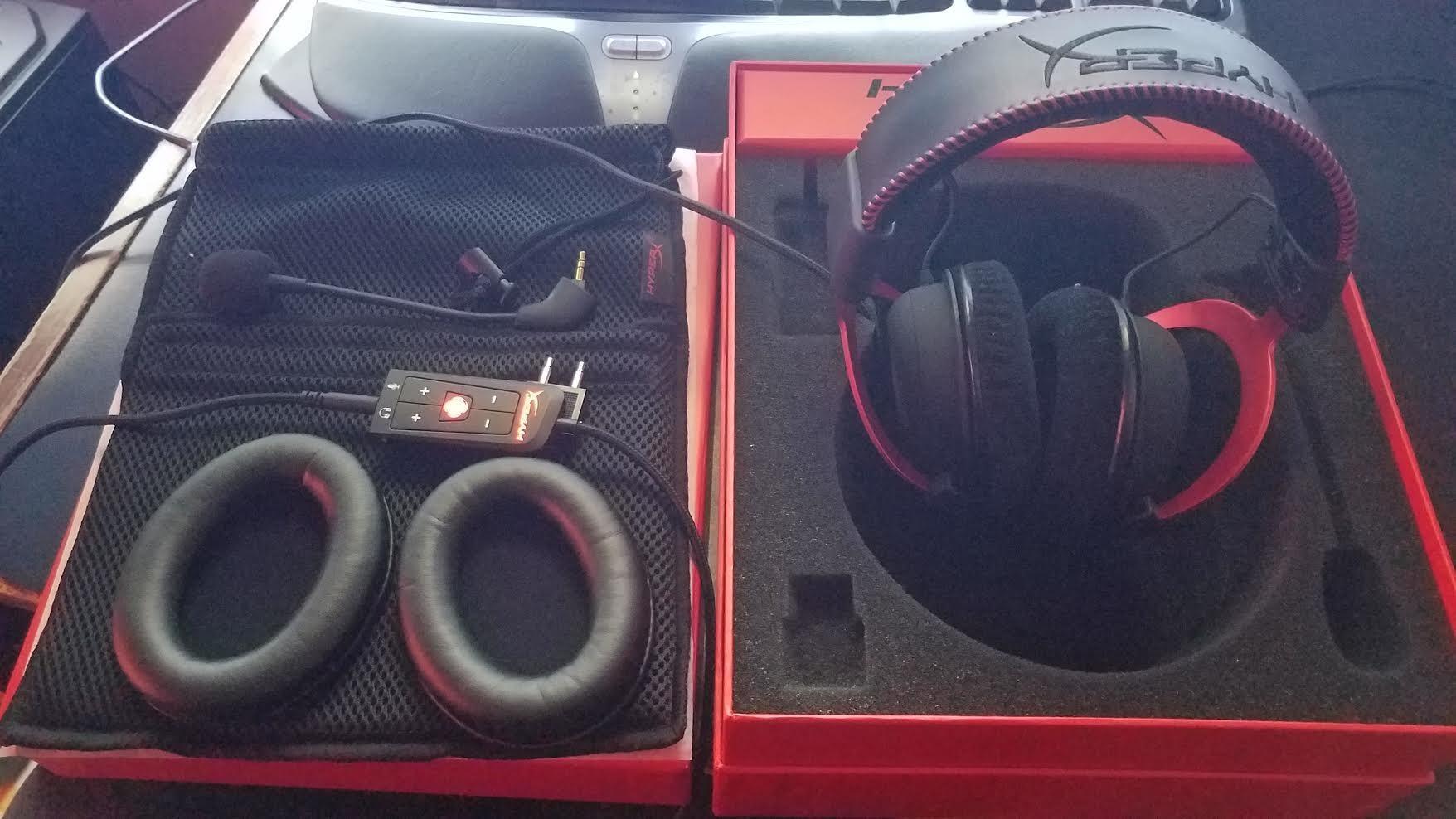
The Cloud II is the headset we keep coming back to because the microphone is genuinely detachable and certified for TeamSpeak and Discord, which is the single most useful thing a streaming headset can do. You can pull the boom off and move the mic out of frame, or swap in a different arm entirely if the stock one sits badly against your jaw. On a 69k+ review base with a 4.5 average, the pattern of complaints is thin: 76 percent five-star and 13 percent four-star.
Sound comes from 53mm dynamic drivers rated at 60 Ohm with 98 dB sensitivity across a 10 Hz to 23 kHz range, which is a relaxed impedance that plays loud from a laptop or a console controller without an amplifier. Owners consistently point to the memory foam ear cushions and padded leatherette headband as the reason a long session stays comfortable, and the aluminum frame is the reason it is still intact years later.
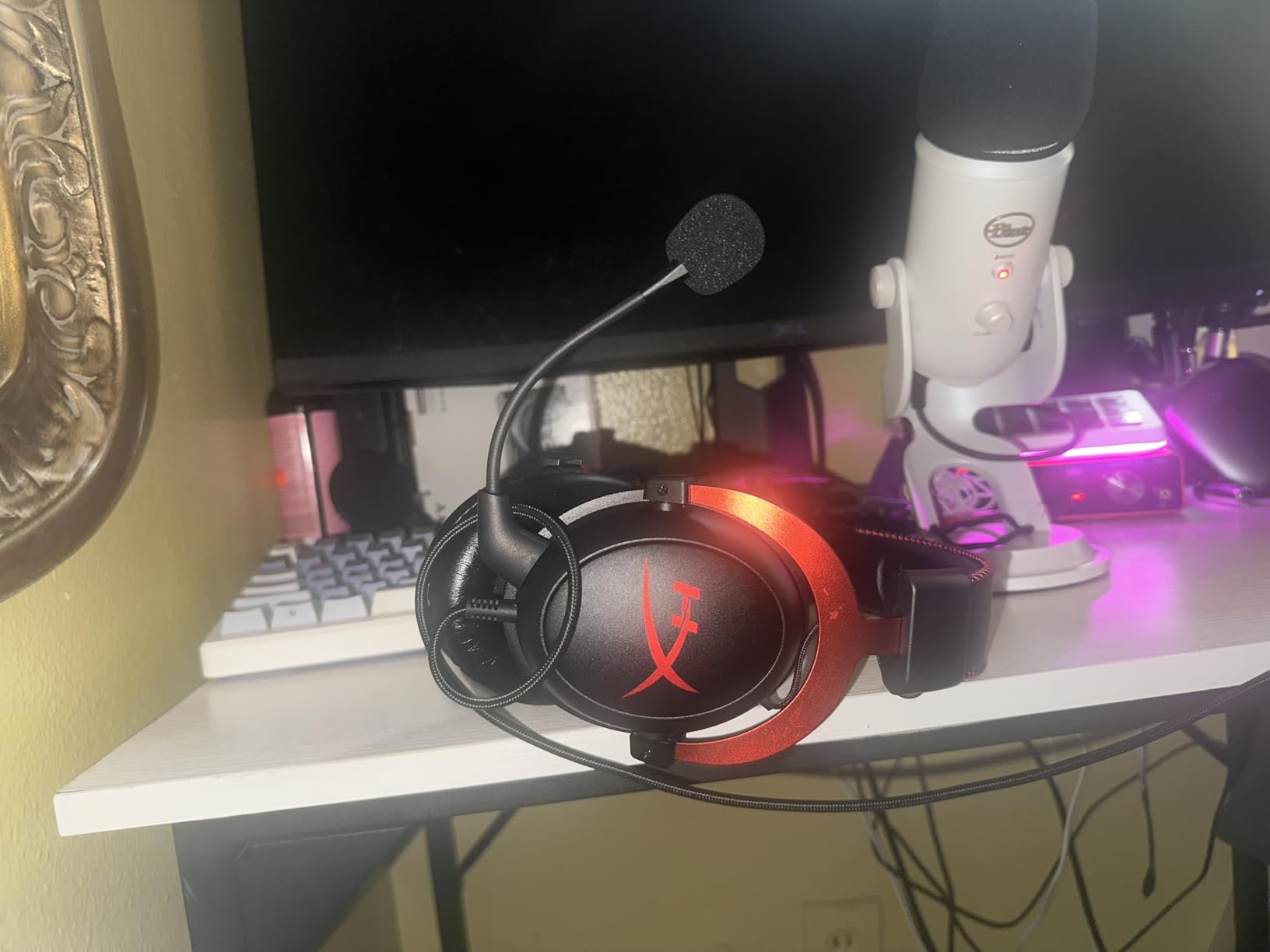
The 7.1 virtual surround runs through the included USB control box, and this is the tradeoff to weigh carefully. On PC and Mac you get real positional cues for footsteps and gunfire. On PS4, Xbox One, Switch, and mobile the headset runs stereo, and the control box is a small box of desk real estate doing nothing for you.
The closed ear cup design gives passive isolation, which is the feature that keeps game audio from bleeding into your voice track. If your room is untreated and your keyboard is mechanical, that isolation combined with a detachable cardioid boom is the combination that stops a stream sounding amateur.
Why the Cloud II works for most streamers
It covers every platform without a dongle, an adapter, or an account, and the detachable mic means the broadcast setup is adjustable rather than fixed. A wired 3.5mm and USB connection also survives a capture card, a dual-PC splitter, and a mixer without any software negotiation. For a first stream or a reliable tenth stream, that predictability is worth more than any surround feature.
Where it falls short
The surround claim only pays off on PC and Mac, and streamers broadcasting from a console lose the main reason to buy it over a cheaper stereo wired set. The USB control box is also a component that can fail or get unplugged, which is a strange thing to have sitting between you and a live broadcast. If you stream only from PS5 or Xbox, read the console picks further down before settling on this one.
2. Turtle Beach Recon 70 – Best Budget Streaming Headset
Turtle Beach Recon 70 Wired Multiplatform Gaming Headset for PS5, PC, Xbox
- Folds the mic arm flush for a fast physical mute
- Noise-isolating cushions block more sound than the tier suggests
- On-ear volume control is easy to reach mid-stream
- Uses the same controller port as PS5 Gold headsets
- Many owners report three-plus years of daily use
- Volume wheel can cut out intermittently
- Plastic earpiece clamp can crack at the hinge
- No independent game and chat mixing
- 3.5mm jack can fade after long daily use
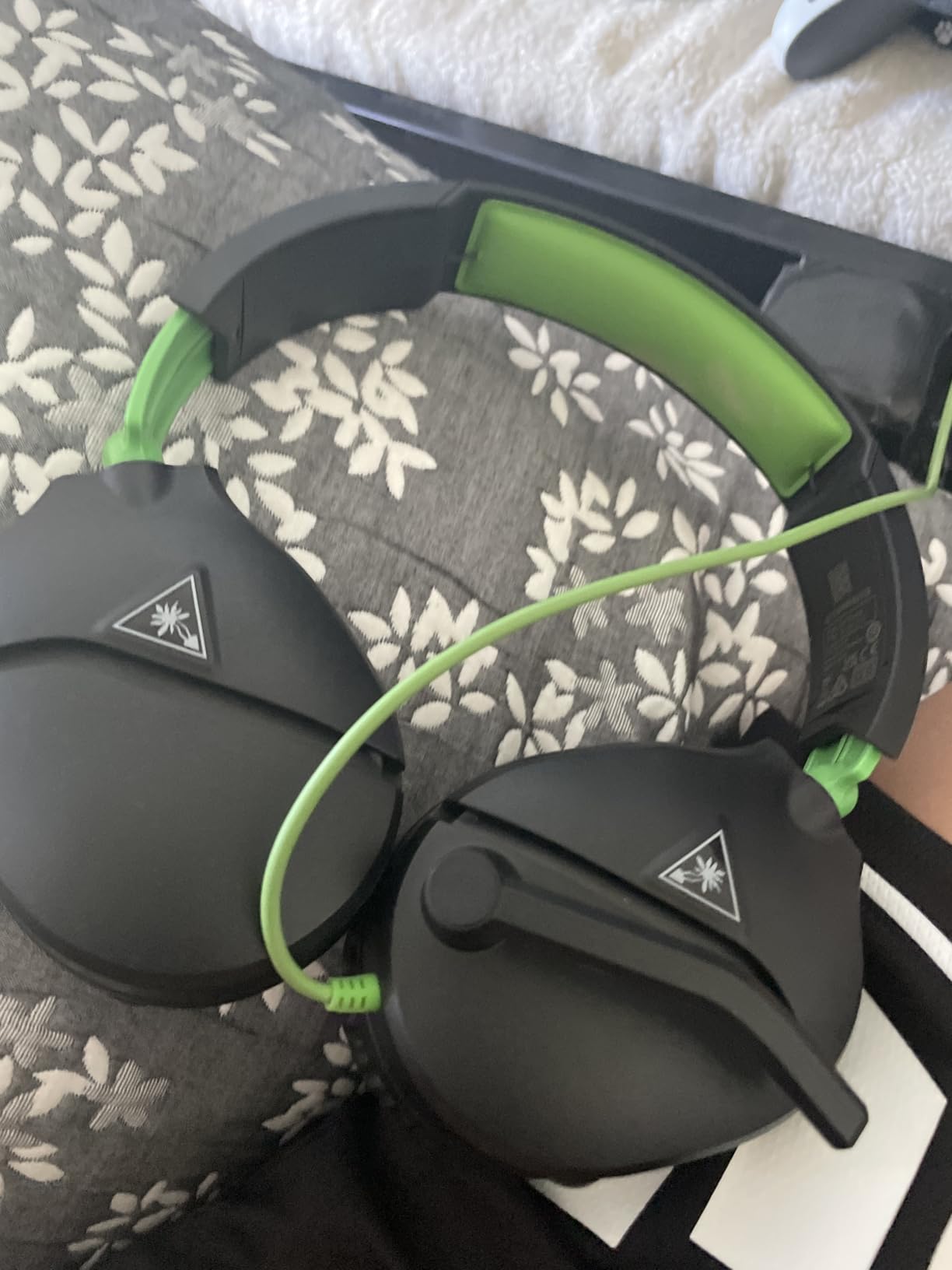
The Recon 70 does one thing that matters more than its spec sheet suggests: the mic arm folds flat to mute. That is a mechanical, tactile mute you can confirm with your fingers in the dark at two in the morning, which is exactly what you want when a game goes loud and you have nobody watching your desktop. Reviewers treat it as the reference budget gaming headset, and at 68k+ reviews with a 4.4 average it is among the most proven products here.
Sound comes from 40mm dynamic drivers at 160 Ohm, a higher impedance than most gaming headsets. The practical effect is lower sensitivity, so you will want a reasonably capable output rather than a laptop jack, but in exchange the drivers tend to run with less distortion at streaming-friendly volumes. The noise-isolating ear cushions punch above the weight class, blocking more outside sound than expected.
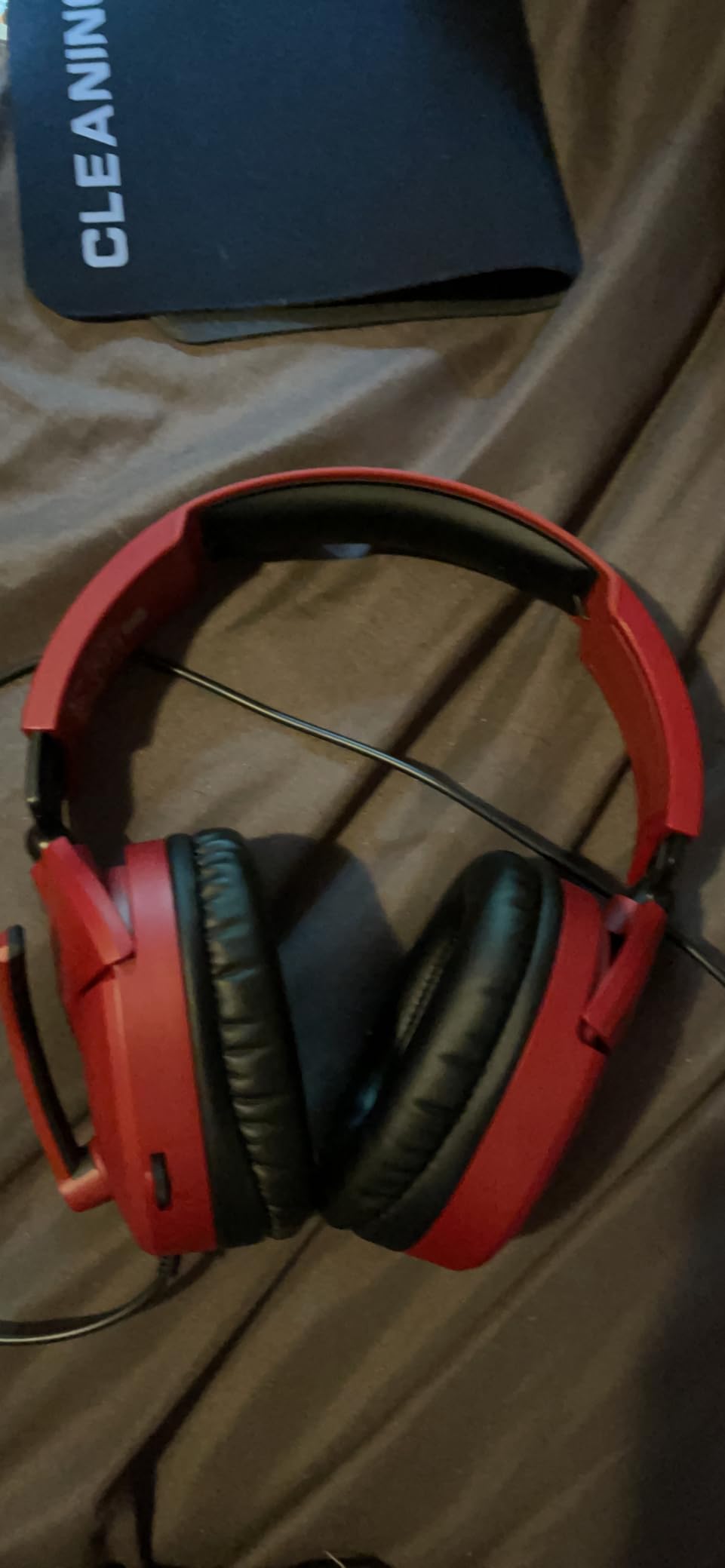
At 13.44 ounces the clamp is light, and owners frequently describe the fit as comfortable across many hours. The on-ear volume control is a single wheel that changes volume without cutting out game audio, and it is positioned where you can find it without taking the headset off. The fold-flat design also means the whole thing lives in a drawer between streams rather than on a stand.
Compatibility is the quiet strength. It uses the same controller port as PS5 Gold headsets, plus 3.5mm for PC, Xbox, and Switch, so one headset covers a desk that changes platforms. Some owners note it works with spatial audio technologies on current consoles, which is a small bonus at this tier.
Why budget streamers get the most from it
You get a real physical mute, actual isolation, and multiplatform support for the least money on this list, and the money you save goes further on a quiet keyboard or a boom arm. That is the exact tradeoff experienced streamers recommend, and it is why the Cloud III class of wired headset keeps getting recommended as the safe default on r/gamingheadsets.
Where it falls short
Two failure points come up repeatedly. The volume potentiometer can cut out intermittently and need wiggling, and the small plastic earpiece support clamp can crack at the hinge, particularly after the single-year warranty lapses. There is also no independent game and chat mixing, so a co-streamer on Discord means you are adjusting levels in software rather than with a dial.
3. Razer Kraken – Top Rated for Long Streaming Sessions
- Cooling gel-infused cushions reduce heat over long blocks
- Retractable cardioid mic rejects background noise
- 50mm custom-tuned drivers with software surround
- Bauxite aluminum frame is light and durable
- In-line volume wheel and mute switch
- Surround software only works on Windows 10 64-bit
- No simultaneous wireless and wired connections
- Mic is retractable only and not detachable
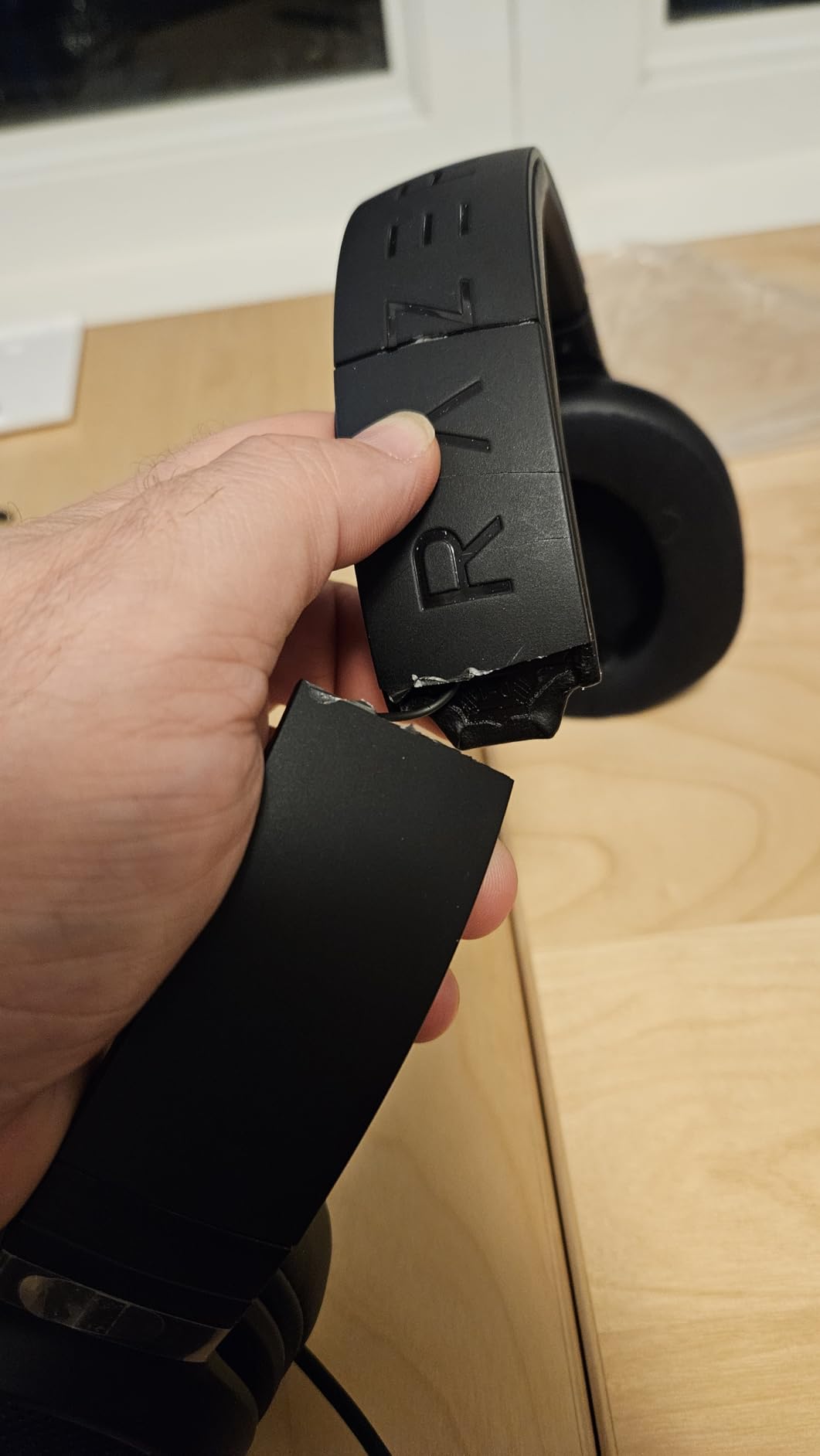
The Kraken is the one we would wear for an eight-hour block. The oval cooling gel-infused cushions are the difference here, because most headsets at this level use standard foam that traps heat by hour four, and heat is what actually ends a long session rather than weight. The bauxite aluminum frame keeps the structure light at 11.36 ounces while still feeling solid in the hand.
Audio runs through custom-tuned 50mm dynamic drivers with 112 dB sensitivity and a 32 Ohm impedance, which means it drives easily from almost anything including a Switch dock. With software enabled you also get 7.1 surround for positional audio, and owners consistently single out the 50mm drivers for clarity and the sense of direction around you.
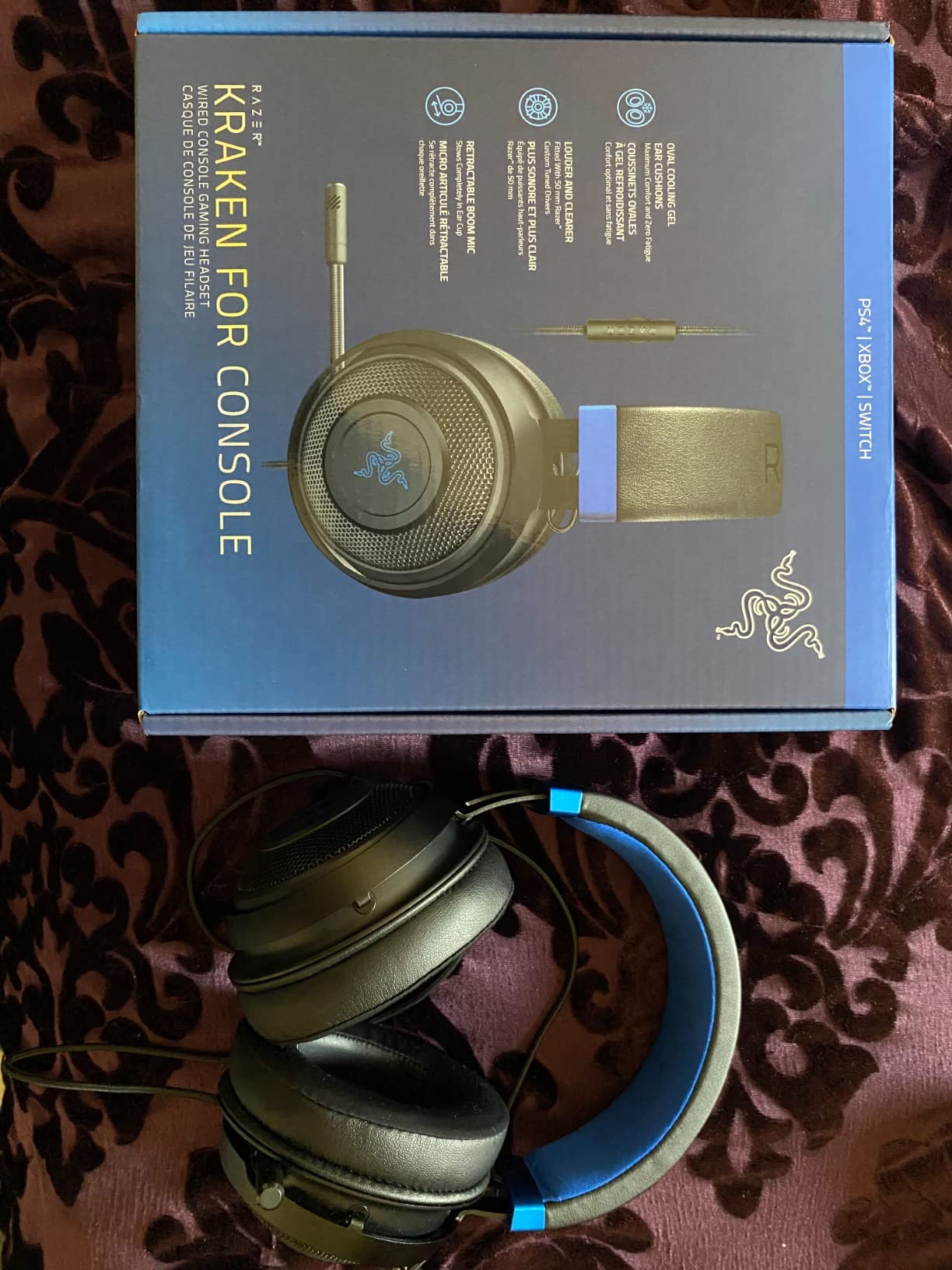
The retractable mic is described by owners as a cardioid pattern that reduces background noise for clear team communication, which is the right shape for streaming. It is not detachable, so you cannot swing it fully out of frame or move it away from a fan, but folding it into the earcup mutes it cleanly. The in-line analog volume wheel and mute switch are physical and immediate.
Everything runs from a single 3.5mm jack, which covers PC, PS4, PS5, Switch, Xbox, and mobile. That matters for a dual-PC setup, where the same cable can reach whichever machine you are monitoring. The limitation owners mention is that 7.1 requires Windows 10 64-bit, so console streams lose the surround layer entirely.
Why long-session streamers should look here
The cushion design is the reason. If your schedule is six hours or more, the difference between a cool ear and a warm one compounds across a week, and 48k+ reviews at 4.5 stars with 76 percent five-star reflects broad satisfaction. The simple in-line controls also mean your stream does not depend on desktop software to mute or adjust level.
Where it falls short
A retractable-only mic is a real limitation on camera. If you need the mic physically away from your face for framing, or you want to run a separate broadcast mic and keep this one for Discord, you are stuck with the stock arm. Windows-only surround also means console streamers pay for a feature they will never use.
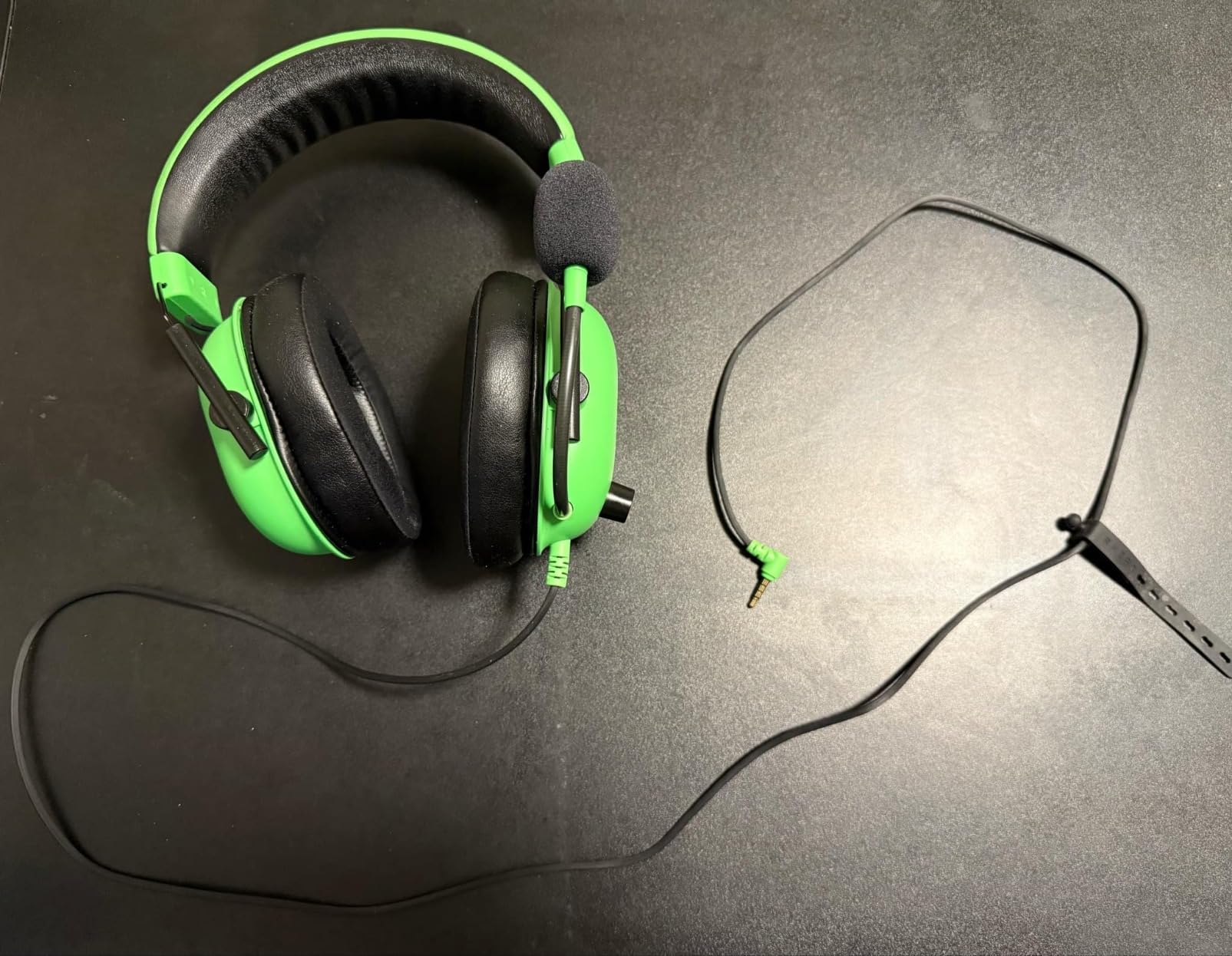
4. Razer BlackShark V2 X – Best Lightweight Headset for Glasses Wearers
Razer BlackShark V2 X Gaming Headset: 7.1 Surround Sound – 50mm Drivers – Memory Foam Cushion – For PC, PS4, PS5, Switch – 3.5mm Audio Jack – Black
- Lightest headset in this roundup at 240g
- Breathable memory foam cushions suit glasses wearers
- HyperClear cardioid mic keeps voice clean for team chat
- Closed earcups give solid passive isolation
- Includes an audio and mic splitter cable
- Mic is adequate for chat but not broadcast grade
- No LED mute indicator on the inline control
- 7.1 surround needs Windows 10 64-bit
- Inline volume wheel turns the opposite way most people expect
At 240g this is the lightest headset in the group, and weight is the first thing that decides whether glasses wearers can stream for more than an hour. Headband pressure across the temple is the most common comfort complaint in long sessions, and a 240g frame simply pulls less. Owners also call the memory foam cushions breathable, which matters on a summer stream.
The sound comes from 50mm dynamic drivers with a TriForce Titanium diaphragm, tuned separately across highs, mids, and lows. The TiForce version of the driver is the same family used in higher-tier Razers, and the result is clear, punchy audio with strong directional cues rather than a thin budget signature. Passive noise cancellation comes from the closed earcups, which is what keeps game audio out of your voice track.
The HyperClear cardioid microphone picks up voice cleanly with minimal background noise, which is the right pattern for streaming. The card is that owners generally treat it as a team chat mic rather than a broadcast mic, and some pair it with a standalone mic for the stream itself. There is no LED mute indicator on the inline control, so you cannot confirm mute status at a glance on camera.
Setup is plug-and-play through 3.5mm, with an included audio and mic splitter for laptops and controllers. That is a genuine advantage for streamers who move between a gaming PC, a PS5, and a Steam Deck without reconfiguring anything. Compatibility spans PC, Mac, PS4, PS5, and Switch, with Xbox One possibly needing a stereo adapter.
Why glasses wearers and mobile streamers pick it
Light weight plus a thin frame is the whole argument. If temple pressure has ended your streams early, the difference between 240g and 320g is the difference between hour two and hour six. It also has one of the better cardioid mics at the entry tier, so voice clarity on stream is not the compromise.
Where it falls short
Isolation is passive only, so a loud mechanical keyboard and a room fan stay faintly audible in your ears and can reach the mic. There is no LED mute indicator, and the inline volume wheel turns the opposite direction from most people expect, which causes a small adjustment period every time you sit down.
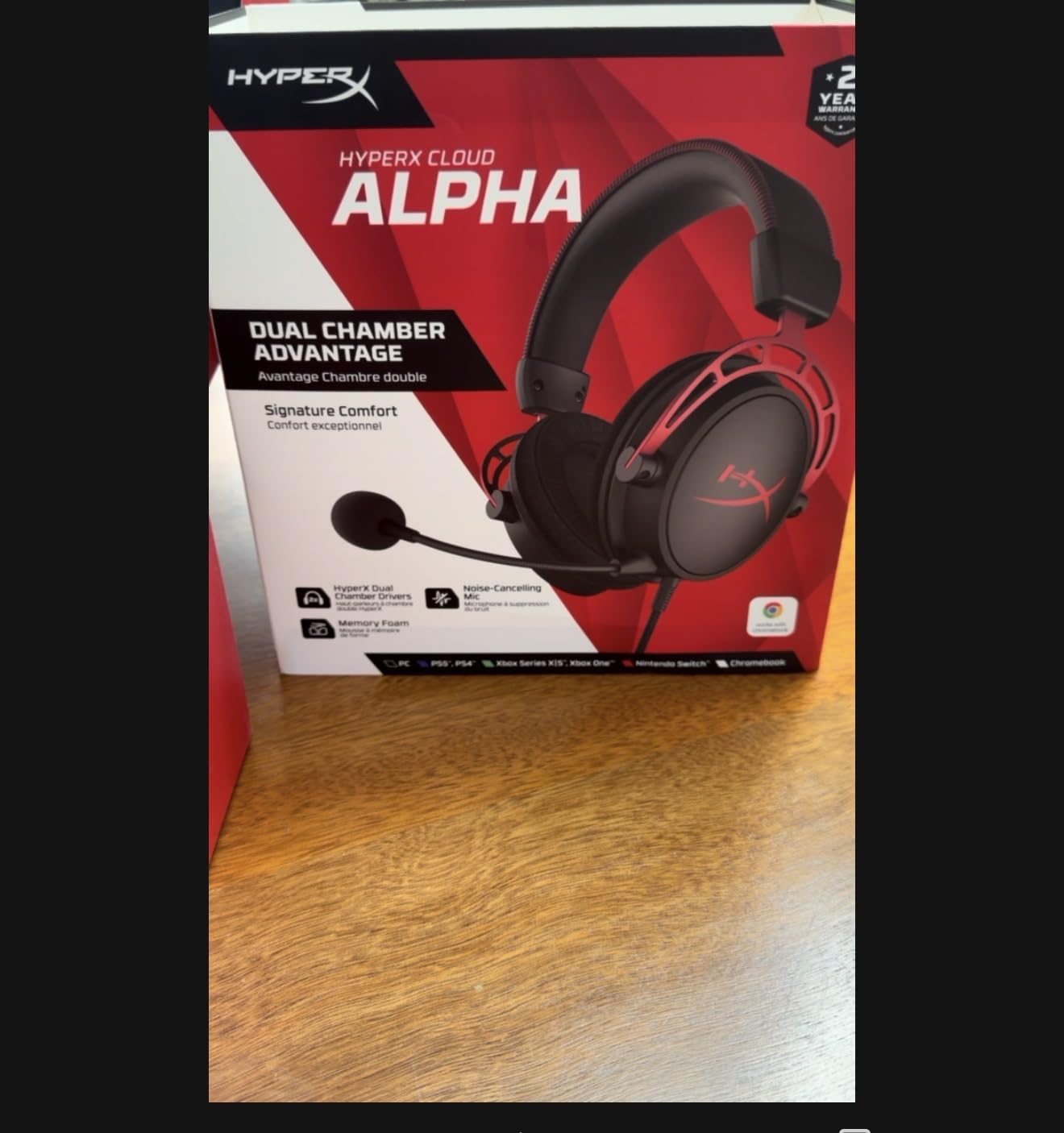
5. HyperX Cloud Alpha – Best Detachable Mic and Cable Combination
- Both the microphone and the cable are detachable
- Dual chamber drivers separate highs and lows for less distortion
- Soft close-fitting over-ear pad with a wide headband
- Wide platform reach across PC PS4 PS5 Xbox Switch Mac mobile and VR
- Aluminum frame with an expanded headband
- Straight stereo with no surround processing
- Inline mic is functional but not broadcast clear
- Ear pads flatten over extended heavy use
- 4.2 average is the lowest in this roundup
The Cloud Alpha is the most repairable headset here, and repairability is a streaming feature. Both the microphone and the braided cable detach, so when the cord finally frays at the strain relief or the boom arm cracks at the pivot, you replace a part instead of a headset. That changes the multi-year cost picture completely for anyone streaming daily.
HyperX dual chamber drivers separate highs from lows so each hits its own chamber, which reduces distortion and improves clarity compared with a single-chamber design at the same price. The rating sits at 4.2 across 17k+ reviews, with 66 percent five-star but 10 percent one-star, a more mixed profile than the newer Cloud models and mostly comfort and durability drift over time.
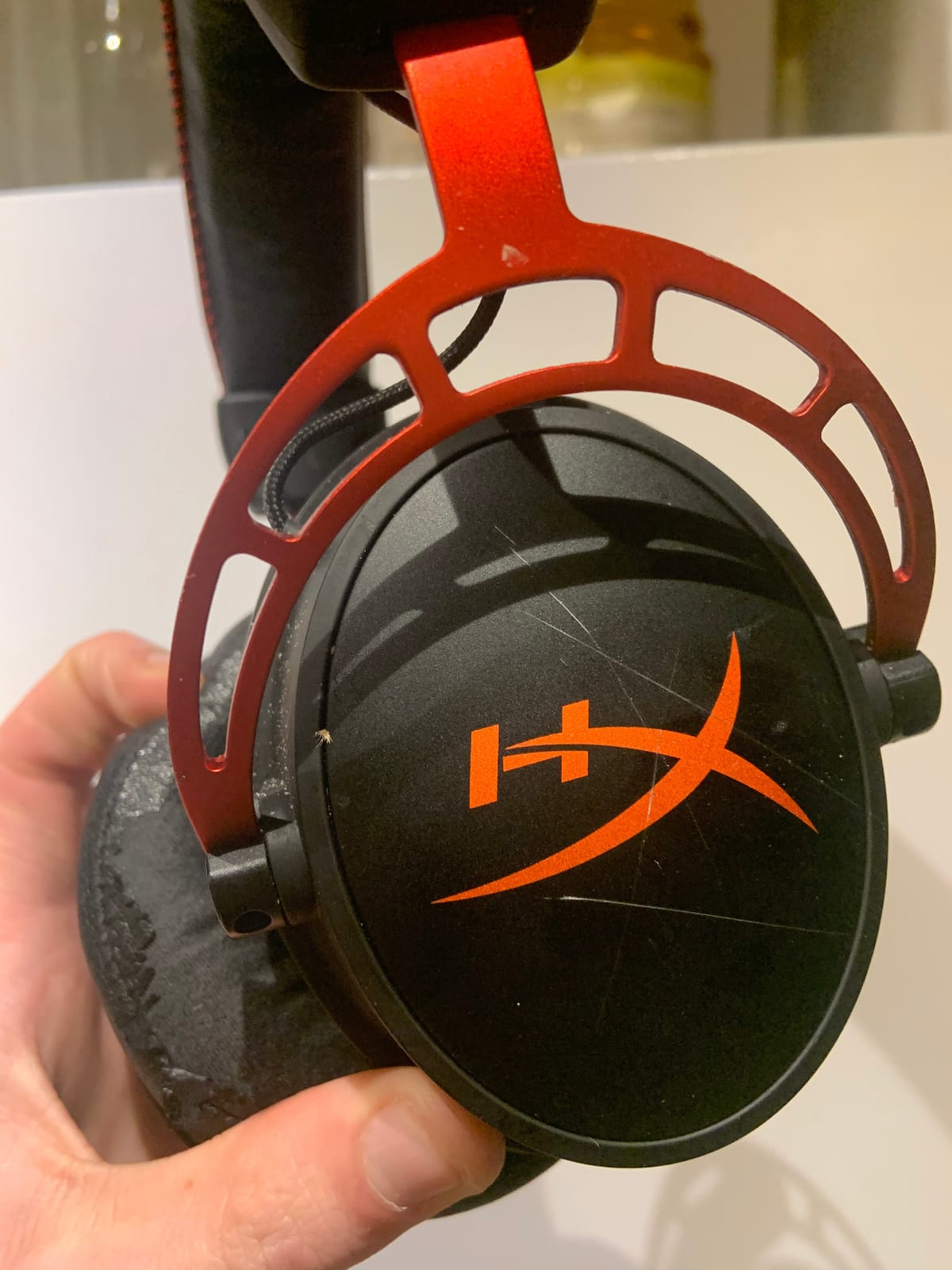
Impedance is 65 Ohm with 98 dB sensitivity over a 50 Hz to 18 kHz range, and the whole thing weighs 298g. The sound is straight stereo with no surround processing at all, which some streamers actually prefer because surround plugins shift voices around and make callouts harder to locate. The wide expanded headband and soft close-fitting pads are the comfort story, and they are consistently praised.
Platform reach is genuinely wide: PC, PS4, PS4 Pro, PS5, Xbox One, Xbox Series X and S, Mac, Switch, mobile, and VR. If your stream pulls from a console and a PC, this headset moves between them without a dongle. The in-line audio control sits on the detachable cable, so if it ever fails the cable is the part you change.
Why streamers who upgrade over years should pick it
Detachable mic and detachable cable means the two most common failure points are replaceable. Ear pads flattening and losing bass after heavy daily use is a pad replacement, not a headset replacement, and the pads are widely available. Over a four-year daily streaming schedule that is a meaningful difference in total cost.
Where it falls short
There is no surround processing and no software, which is a feature for some and a loss for others. The included mic is fine for team comms but streamers report it is not as clear as a dedicated broadcast microphone, so it is not the strongest choice if voice quality on camera is your priority.
6. Logitech G432 – Best Expansive Soundstage on a Budget
- Expansive cinematic soundstage from the 50mm drivers
- DTS Headphone:X 2.0 gives real positional awareness
- Large 6mm boom mic with flip-to-mute
- Deluxe lightweight leatherette pads and headband
- Ear cups rotate 90 degrees for flat storage
- DTS Headphone:X needs G HUB and a Windows PC
- Heaviest option here at 1.2 pounds
- No detachable microphone
- Console support is narrower than multiplatform rivals
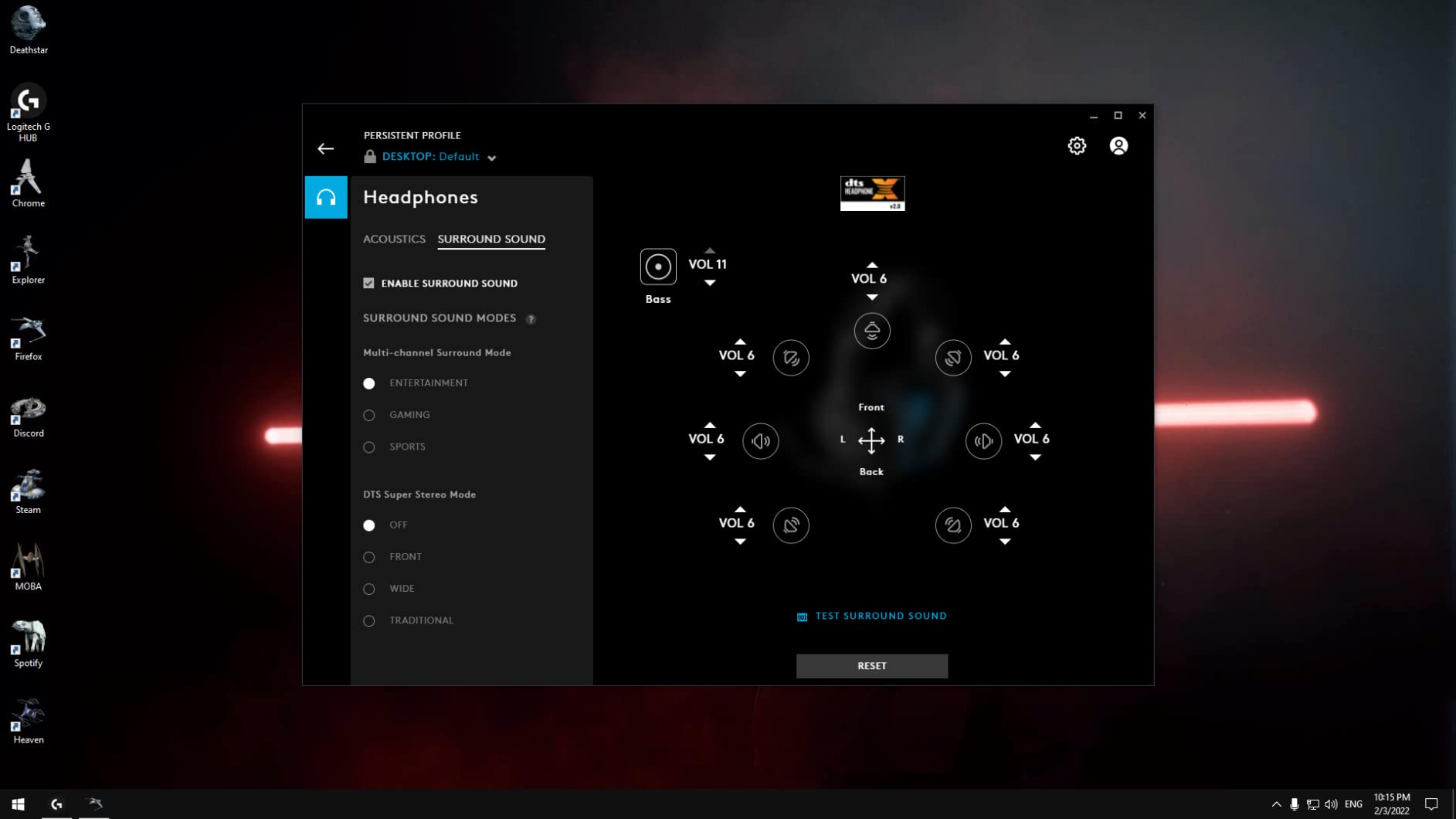
The G432 is the pick if your stream has music under gameplay, because the soundstage is the widest in this group. Big 50mm drivers deliver expansive, cinematic sound that reviewers describe as far larger than the price suggests, and DTS Headphone:X 2.0 adds positional awareness of enemies behind you when you enable it through Logitech G HUB on a Windows PC.
At 39 Ohm and 107 dB sensitivity it is easy to drive, and the frequency response is a full 20,000 Hz. The 6mm boom mic transmits voice clearly and mutes when flipped up, giving you the same tactile mute as the Recon 70 on a more capable audio package. Weight is the counterweight here: 1.2 pounds is the heaviest figure in this roundup.
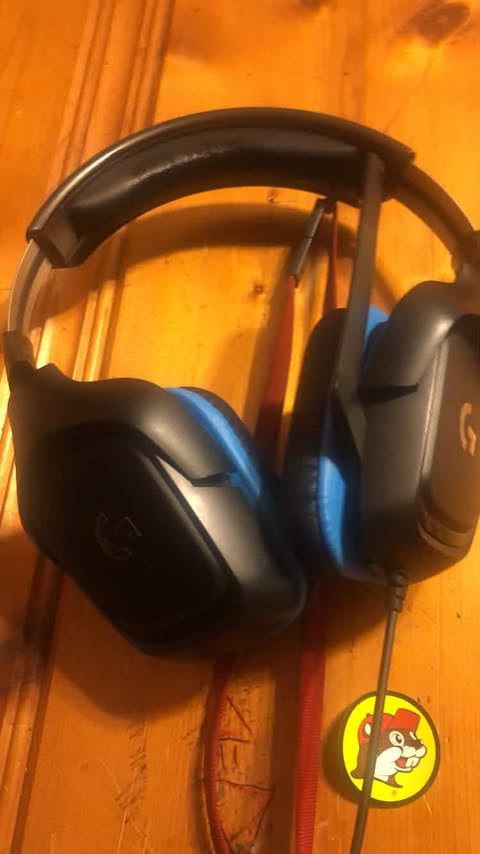
That weight adds up. Owners flag it as the main drawback, especially over a long session, and the leatherette ear cups and headband are described as lightweight and comfortable in the same reviews. The ear cups rotate up to 90 degrees so the headset folds flat for storage, which is useful if your streaming desk doubles as your gaming desk.
Connection is 3.5mm, with a USB DAC option for PC and Mac plus support for PS5, PS4, Switch, and mobile. The limitation streamers notice is that the DTS processing lives in G HUB on Windows, so a console stream gets the good soundstage but not the surround layer.
Why music-in-the-mix streamers pick it
When you run background music under gameplay, a narrow headset collapses everything into the same plane and your music fights your callouts. The G432’s wide presentation separates them better than most rivals, and the mic still handles a clear voice signal for talking over it.
Where it falls short
Weight is the first problem, and the missing detachable mic is the second. Without a removable boom you cannot move the mic out of frame, which is a real constraint for anyone framing a tight camera shot. The G HUB and Windows requirement for surround also means console streamers are buying a feature they will not use.
7. HyperX Cloud III – Best Visible Mute Indicator for On-Camera Streams
HyperX Cloud III – Wired Gaming Headset, PC, PS5, Xbox Series X|S, Angled 53mm Drivers, Spatial Audio, Memory Foam, Durable Frame, Ultra-Clear 10mm Mic, USB-C, USB-A, 3.5mm – Black
- LED mute indicator shows status without checking software
- Upgraded 10mm detachable mic with noise cancellation and mesh filter
- Angled 53mm drivers tuned for in-game dynamics
- Memory foam cushions with a padded headband
- Includes USB-C USB-A and 3.5mm cables
- A heavy 308g frame adds heat over long blocks
- Ear pads and headband padding compress with heavy use
- Spatial and EQ features vary by platform support
The Cloud III solves a problem that only streamers have: how do you know your mic is muted when you cannot see your desktop. The built-in LED mute indicator does exactly that, and people who stream on camera treat visible status lights as one of the most valued features on any headset, alongside the sound quality itself.
The microphone is the other upgrade. A detachable 10mm mic with noise cancellation and a built-in mesh filter gives clearer voice chat than the previous generation, and the mesh filter is a small detail that shows HyperX thought about plosives and breath. The angled 53mm drivers were tuned by HyperX engineers to accent dynamic in-game sounds, which is the opposite approach to a flat studio curve and it suits broadcast commentary over long sessions.
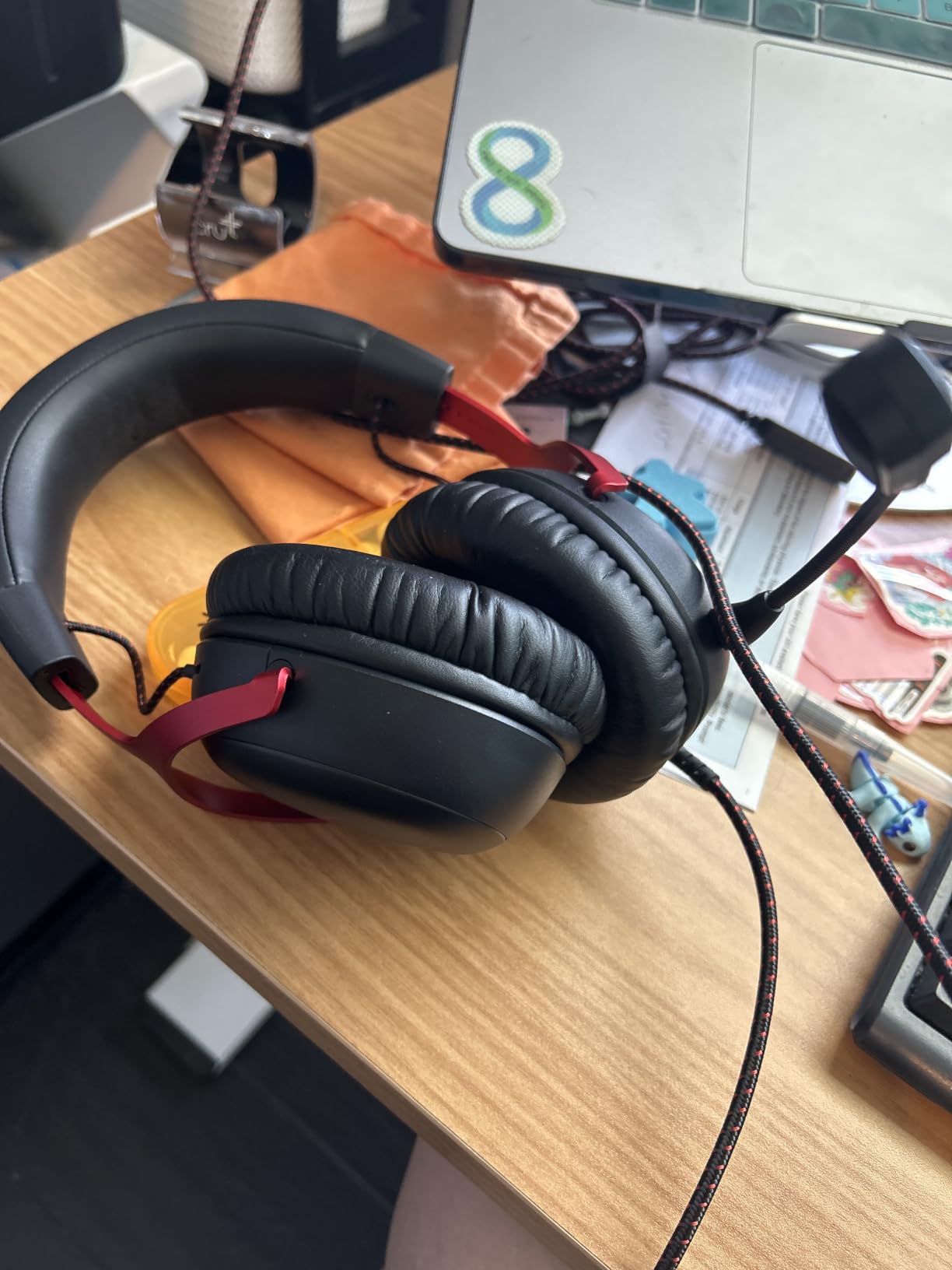
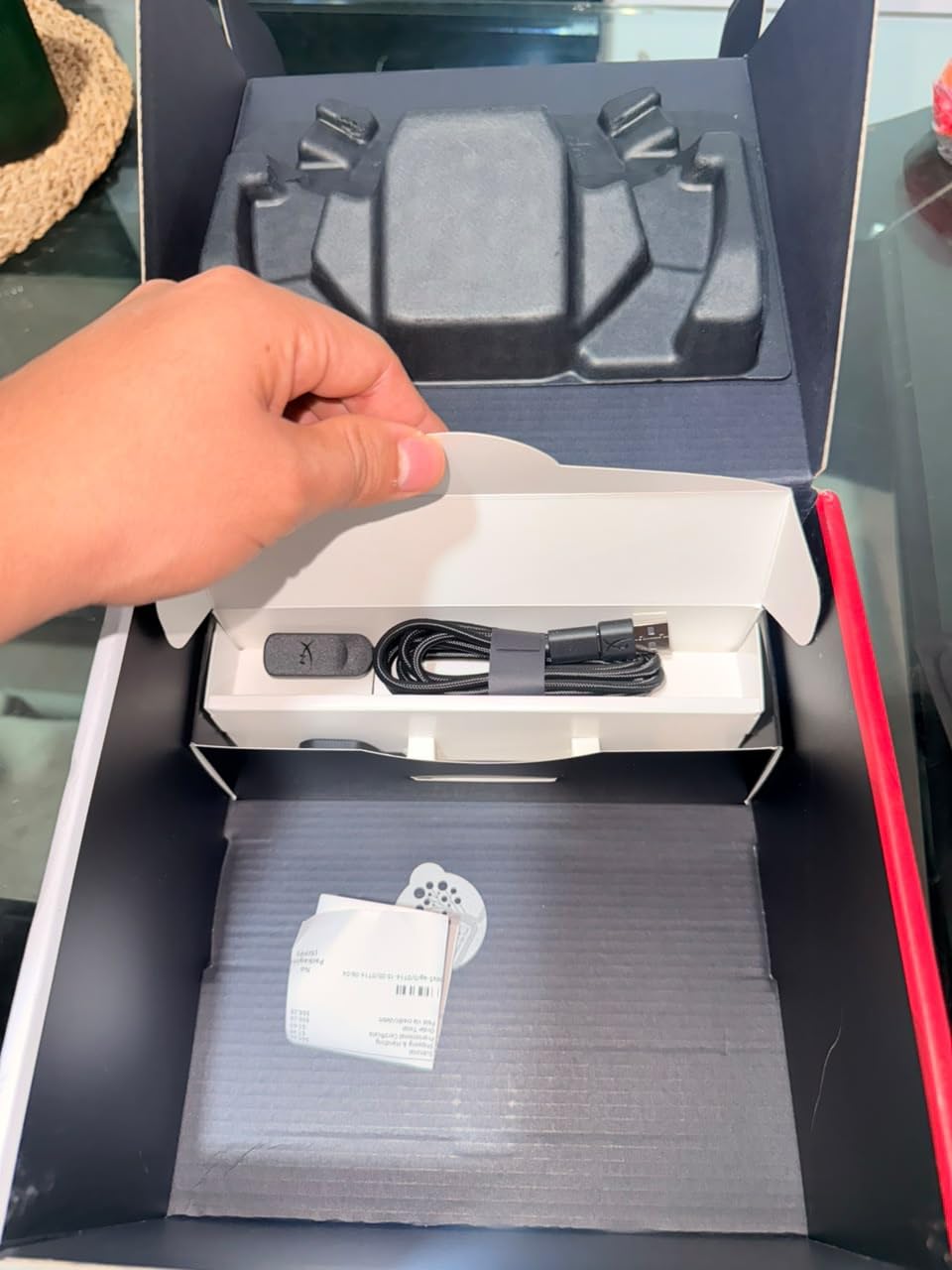
At 64 Ohm and 100 dB sensitivity the Cloud III drives easily from a console or laptop, and it includes USB-C, USB-A, and 3.5mm cables so the same headset works across a modern streaming PC and a console that still wants 3.5mm. DTS spatial audio support is included, with an aluminum frame rated as resilient against travel and everyday knocks.
The 308g weight is the trade, and it is one of the heavier frames in the roundup. Owners report the ear pads and headband padding compressing with heavy long-term use. Memory foam cushions and a padded headband keep it comfortable in the first months, but this is a headset that needs pad replacement eventually.
Why on-camera streamers should look here
The LED mute indicator removes the single most common live-audio mistake, and the detachable mic with a mesh filter gives you a clean voice signal you can actually process. It is also the most recommended budget unit in forum threads, which is a strong signal that it holds up for people who stream every day rather than once a month.
Where it falls short
At 308g it is heavy, and heavy headsets create heat over a six-hour block. Padding and ear pads compress with daily use, so budget for a replacement set. Spatial and EQ features also depend on platform software support that varies, meaning the same headset sounds slightly different on PC and console.
8. ASTRO Gaming A10 – Best Build Quality for Daily Transport
- Anodized aluminum headband wrapped in damage-resistant polycarbonate
- Extended comfort memory foam cushions
- Flip-up mute plus in-line volume control
- Low latency keeps voice callouts in sync
- Universal 3.5mm across Xbox PS5 Switch PC and Mac
- Omnidirectional mic picks up more room noise than cardioid
- No detachable microphone so the mic stays on camera
- Wired only with no wireless option
- No USB sound card or surround processing
The A10 is built to be knocked around, and that is the feature. The headband is anodized aluminum wrapped in damage-resistant polycarbonate, a combination that survives being dropped, sat on, or carried between a home desk and a LAN event. At 0.35 kg it is not the lightest option, but the structure does not flex, and buyers consistently call durability the standout quality.
Audio is tuned specifically for gaming so what you hear matches what the developers intended, across a 20 Hz to 20 kHz range at 32 Ohm and 99 dB sensitivity. The extended comfort memory foam cushions are the other repeated praise point, and reviewers report reduced fatigue over long play sessions. Low latency means callouts land when the action happens, which matters if you are narrating live.
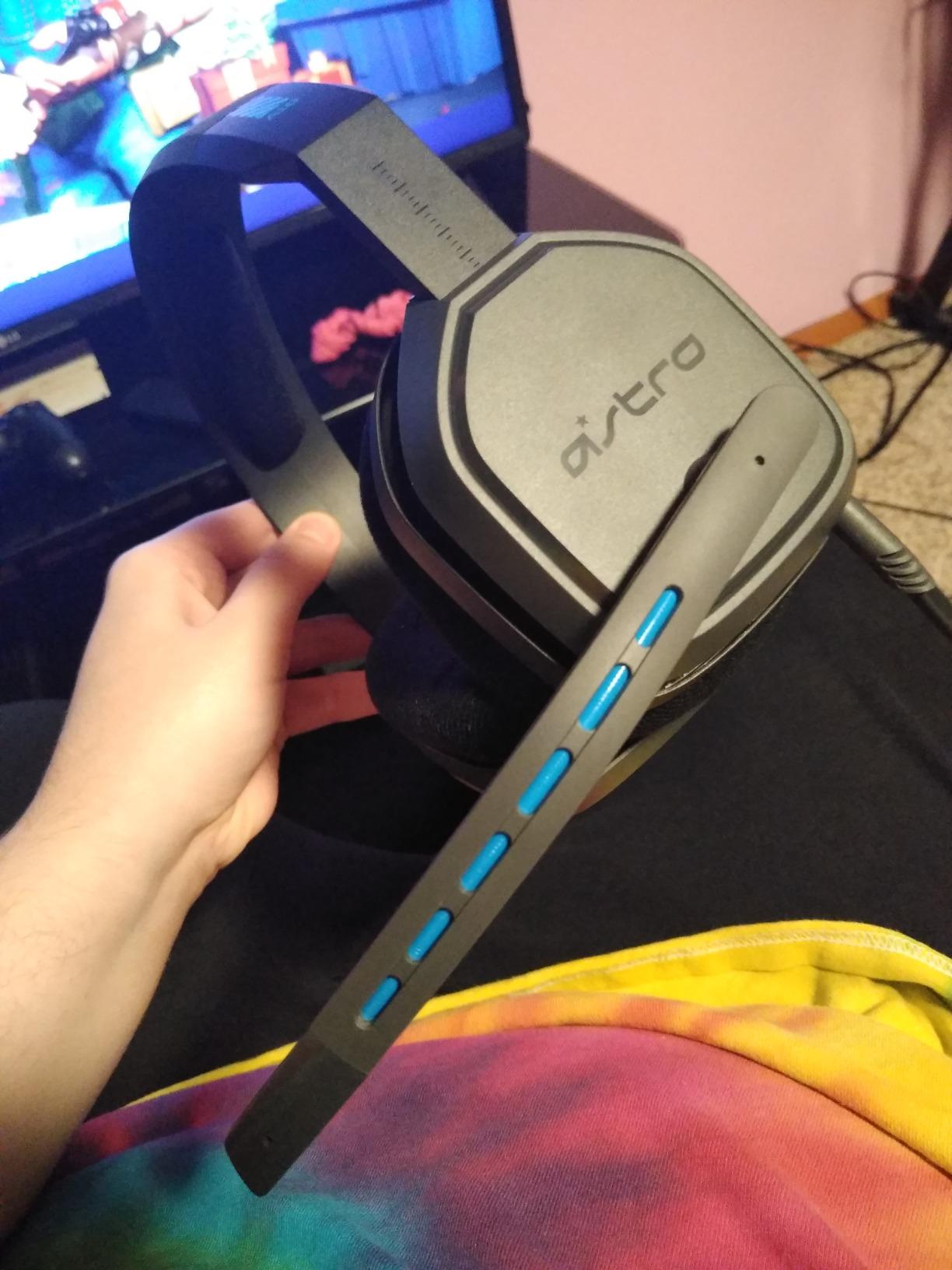
The microphone is the streaming caveat. It is omnidirectional, which means it captures sound from every direction including your keyboard, your fan, and the room behind you. For team chat that is fine. For a broadcast mix in an untreated room it is the first thing you would replace. The flip-up mute and in-line volume control are physical and work well.
Platform support is broad and simple: a single 3.5mm jack covers Xbox Series X and S, Xbox One, PS5, PS4, Switch, PC, and Mac, plus VR and streaming setups. There is no USB sound card and no surround processing, so what you get is a clean stereo signal with nothing to configure.
Why streamers who travel or share a space pick it
If the headset lives on a stand between streams, gets moved around, or travels to events, the aluminum and polycarbonate build is what keeps it working. Simple universal connectivity also means no adapters in a bag, which is one less thing to lose.
Where it falls short
The omnidirectional mic is the dealbreaker for serious broadcast audio, because it captures room noise and keyboard clicks along with your voice. There is no detachable boom, so the mic also cannot be moved out of a tight camera frame. Add no wireless and no surround, and this is a durable gaming headset more than a streaming headset.
9. Turtle Beach Stealth 600 – Best Wireless Headset for Multi-Platform Streaming
Turtle Beach Stealth 600 Wireless Gaming Headset for Xbox, PS5, PC, Mobile
- Only wireless option in this roundup at 2.4GHz plus Bluetooth
- 80 hour battery covers multi-day streaming between charges
- 50mm Nanoclear drivers with built-in EQ and Superhuman Hearing
- Flip-to-mute mic with AI noise reduction
- Glasses-friendly memory foam cushions
- Cannot mix two audio sources at once
- Swarm II app is buggy for some owners
- Mappable wheel and mode button beep loudly during play
- 320g is heavy for a wireless headset
The Stealth 600 is the only wireless headset in this roundup, and it uses the right kind of wireless. The 2.4GHz connection runs at low latency over a USB transmitter, which is what you want for a broadcast because it does not drift against your video. Bluetooth 5.2 is there for a phone or a second device, switched with a single QuickSwitch button. That distinction is the whole wireless argument, and it is why Bluetooth-only streaming headsets cause the desync complaints that dominate forum threads.
Battery life is 80 hours on average, with a 15-hour charge time, which means a full streaming week without touching a cable. Some owners report real-world runtime running shorter than the stated figure, so treat 80 hours as a ceiling rather than a promise. At 320g it is heavy for a wireless set, though the glasses-friendly memory foam cushions do a lot of the comfort work.
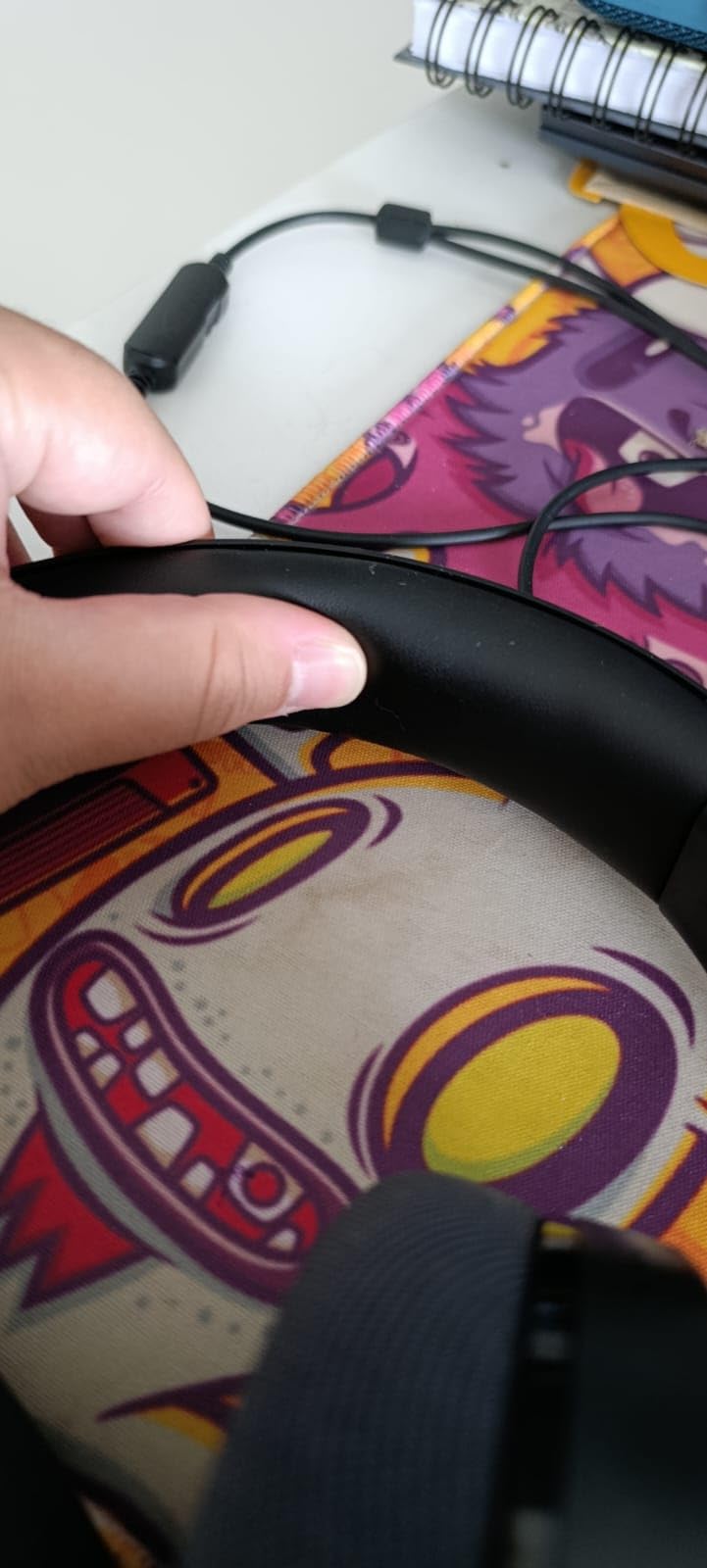
The 50mm Nanoclear drivers deliver full, detailed bass and clean highs, with built-in EQ modes and Superhuman Hearing presets for isolating subtle cues. The flip-to-mute mic includes AI-based noise reduction, which is aimed squarely at keyboard and fan noise on a mic that otherwise sits close to your face. It works with Xbox, PS5, PC, and mobile without buying an extra adapter.
The software is the weak point. Swarm II gives a 10-band EQ on desktop and mobile, but multiple owners call the app buggy, with the headset occasionally not being recognised. The mappable wheel and mode button also emit loud beeps during gameplay, which is a genuine problem if you are on camera narrating.
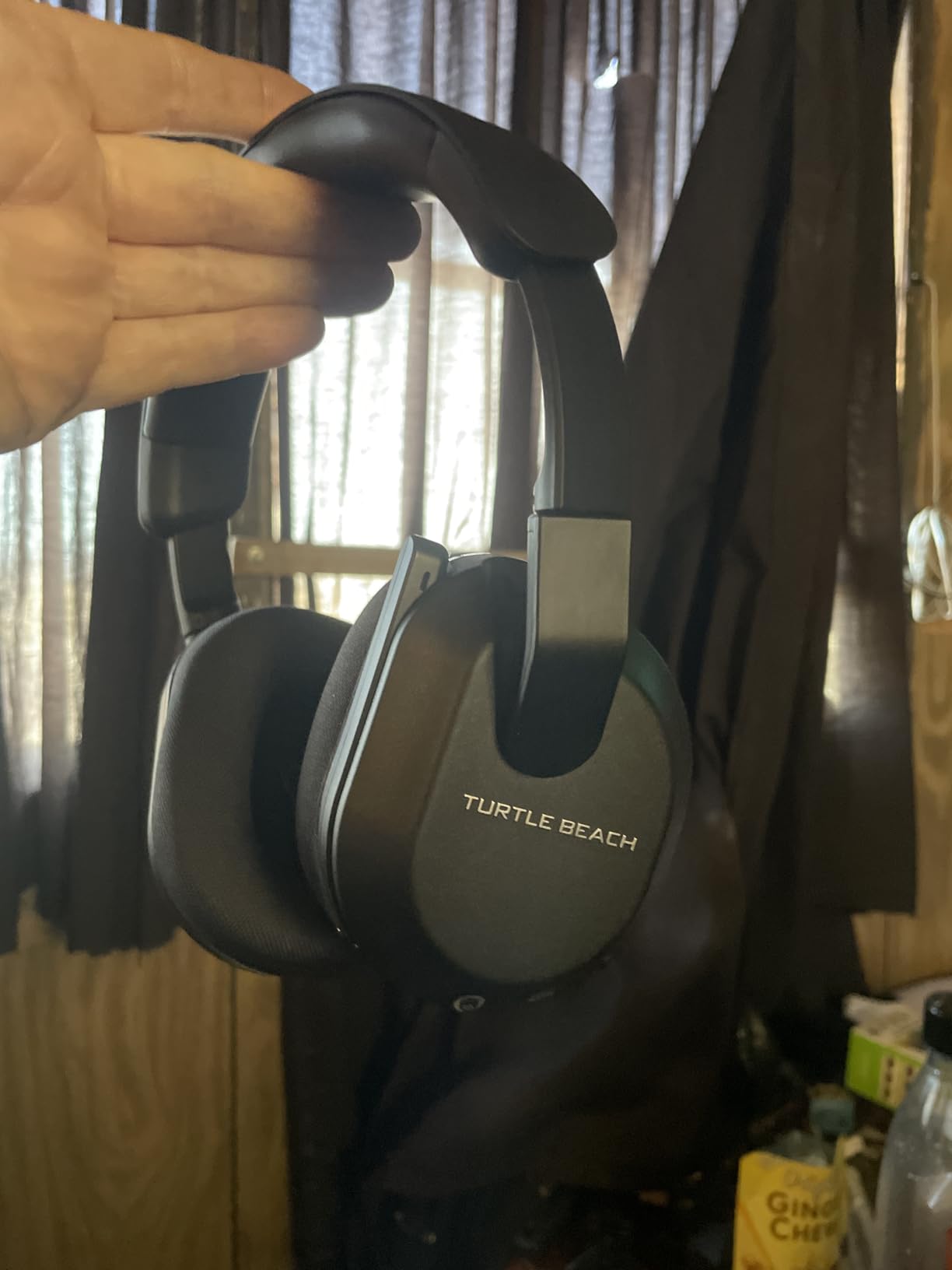
Why streamers who move around should look here
Wireless freedom matters if you use a facecam away from the desk, switch between a console and a PC mid-session, or stream from a handheld. The 2.4GHz transmitter means you get that freedom without the Bluetooth audio drift that forces manual offset correction in streaming software every single session.
Where it falls short
There is no simultaneous mixing of two audio sources, so game and Discord on a phone means switching rather than blending, which is bad for co-streaming. The beeps from the mappable controls are intrusive on a broadcast, and the buggy companion app is a recurring complaint across reviews.
10. Logitech G PRO X – Best Built-In Broadcast Processing
- Blue VO!CE noise reduction and compression on the mic
- Aluminum fork and steel headband build
- Includes leatherette and breathable velour memory foam pads
- USB sound card stores EQ profiles onboard
- Comes with a carrying bag and mobile cable
- G HUB surround mode is widely criticized as muddy
- DTS Headphone:X is the better surround option
- Heavy clamping force causes discomfort
- Vinyl on pads and headband flakes with heavy wear
The G PRO X is the only headset here with broadcast processing built into the hardware, and that changes the workflow. Blue VO!CE puts a noise reducer, a compressor, and a limiter on the microphone signal in real time, which is the same chain a broadcast engineer would apply manually in software. Owners describe the mic as unusually clear for a headset, and for a streamer who does not want to build a processing chain in their streaming software, it does the work for you.
Construction is premium: an aluminum fork, a steel headband, and 35 Ohm impedance with 50mm PRO G drivers for precise imaging of footsteps and directional cues. You get two sets of ear pads, leatherette and breathable velour, which is a genuine streaming feature because you switch to velour in summer and leatherette in winter. A USB external sound card with onboard EQ profile memory is included for tournament use.
At 9.14 ounces the headset itself is light, but the clamping force is strong and reviewers with glasses call it uncomfortable. Vinyl on the ear pads and headband can flake with heavy daily wear, which is the honest durability trade against the metal build. A carrying bag and a mobile cable with inline mic are included.
The software layer is where the criticism sits. G HUB’s own 7.1 surround toggle is widely panned as muddy and muffled, with DTS Headphone:X the better option, and Blue VO!CE only works through the included USB sound card. Some users also report the DAC underdriving the headphones, requiring volume compensation in G HUB.
Why streamers who want one-box processing pick it
Blue VO!CE plus onboard EQ memory means your stream audio is identical every session without rebuilding filters. The detachable pro-grade mic can also be swapped for a dedicated broadcast mic later, so the headset grows with your setup instead of being a dead end.
Where it falls short
Windows and G HUB only, so console streamers lose Blue VO!CE and surround entirely. Strong clamping pressure is a problem for glasses wearers on long sessions, and the vinyl coverings flake faster than fabric alternatives under daily use.
11. SteelSeries Arctis 1 – Best Discord-Certified Detachable Mic
SteelSeries Arctis 1 Wired Gaming Headset – Detachable ClearCast Microphone – Lightweight Steel-Reinforced Headband – For Xbox, PC, PS5, PS4, Nintendo Switch, Mobile
- Detachable ClearCast mic is Discord certified for natural voice
- Steel-reinforced headband is light and durable
- Fold-flat earcups with a low-profile design
- Universal 3.5mm across Xbox PC PS5 Switch and mobile
- 3 meter cable for a second monitor
- Neutral and bright tuning lacks deep bass
- No surround processing or software EQ
- Volume control is fixed on the cable
- Ear pads wear down with heavy daily use
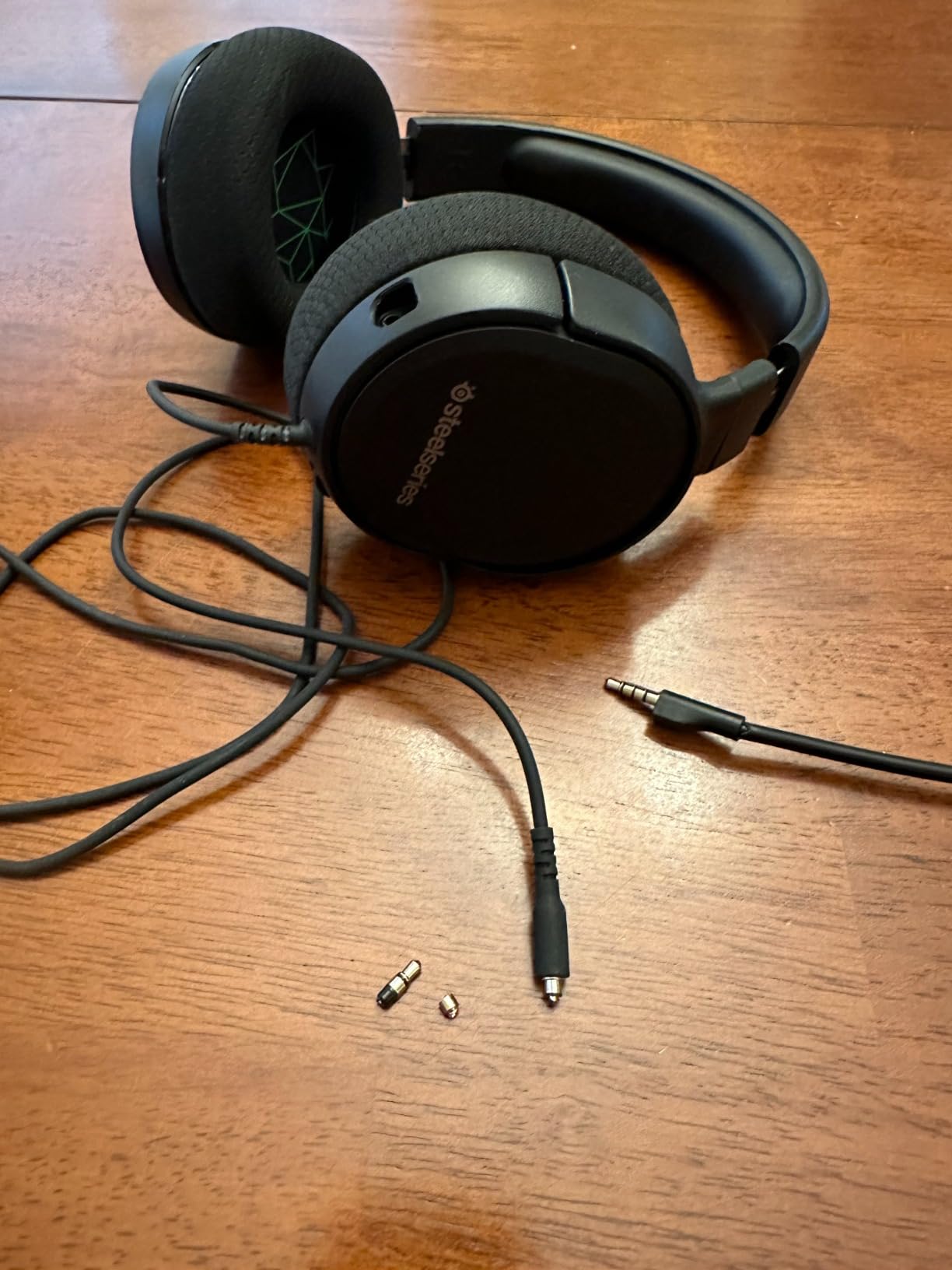
The Arctis 1 is a good streaming pick when Discord is a bigger part of your broadcast than music is. The detachable ClearCast microphone is Discord certified, which means the voice signal is tuned to survive compression on a call where everyone is already in a lossy codec. It is designed for Xbox Series X and S and Xbox One out of the box, and reaches PC, Mac, PS4, PS5, Switch, and mobile through universal 3.5mm.
The sound signature is deliberately neutral and bright, and SteelSeries calls it a soundscape that emphasises subtle but critical in-game cues. Reviewers rate the same thing as a lack of deep bass compared with bass-heavy rivals. If you stream music between games, that flatness reads as accurate. If you care about atmosphere, it reads as thin.
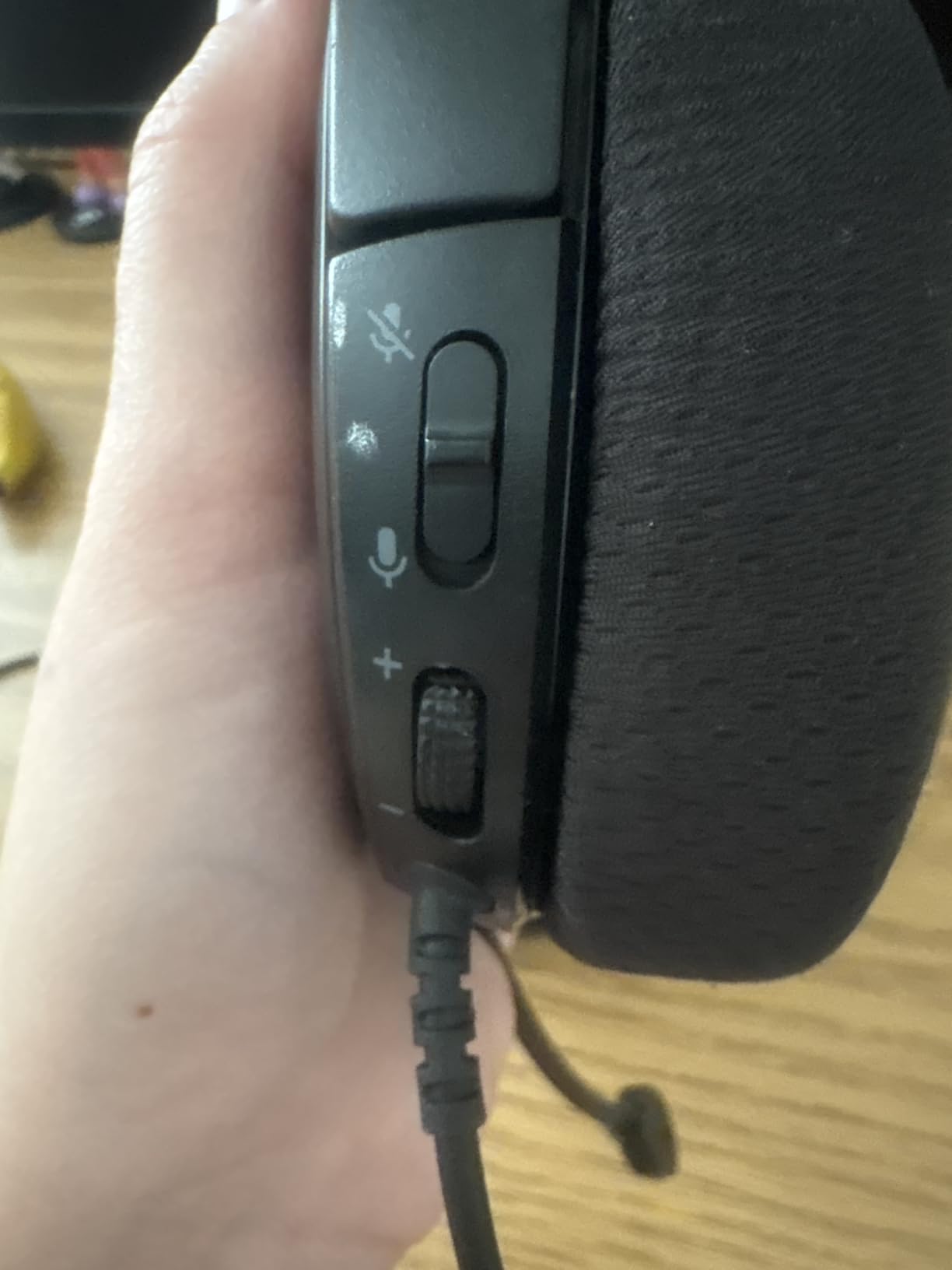
At 32 Ohm and 10.24 ounces with a steel-reinforced headband, this is light and structurally durable without feeling cheap. Earcups fold flat for transport and the detachable mic means you can put the boom out of frame or swap it. A 3 meter cable is long enough to reach a second monitor, which matters on a dual-screen streaming desk.
There is no surround processing and no software EQ, which is a feature for streamers who do not want a companion app, and a loss for anyone who wants positional layers. The volume control is fixed on the cable rather than on an earcup, and ear pads wear down with heavy daily use, so plan a pad replacement into year two.
Why co-streamers and Discord-heavy streamers pick it
A certified detachable mic is the reason. Team communication is clearer, the mic can leave the frame, and there is no software to install on a streaming PC that may also be running a capture card and two instances of Discord. The 3 meter cable also removes the need for an extension at a dual-monitor desk.
Where it falls short
The tuning is bright and bass-light, which is not ideal for a stream that runs music between games. There is no surround layer and no EQ software, and the inline volume control is the only one. Pads wear down with daily use, so it is a headset that needs maintenance.
12. Audio-Technica ATH-M50xSTS-USB – Best Studio-Grade Voice Clarity
Audio-Technica ATH-M50xSTS-USB StreamSet Streaming Headset
- Cardioid condenser mic from Audio-Technica's 20 Series
- Flexible boom arm holds the mic close to the mouth
- Studio monitoring tuning with deep accurate bass
- Single USB connection with no separate sound card
- Two year limited warranty
- Wired USB only with no 3.5mm or wireless option
- Heaviest option in this roundup at 330g
- Flatter studio tuning needs adjustment for gaming
- Requires a USB-equipped PC or laptop
This is the specialist pick, and the reason is the microphone. The cardioid condenser is based on Audio-Technica’s 20 Series broadcast line, so articulation and intelligibility are the priorities rather than team-chat adequacy. Owners who use it for streaming and podcasting consistently describe the voice as the clearest in any headset they have tried, which is exactly what a broadcast mix needs.
Sound comes from proprietary 45mm large-aperture drivers with rare earth magnets and copper-clad aluminum voice coils at 38 Ohm. This is the ATH-M50x monitoring headphone underneath, so the tuning is accurate and deep rather than boosted. At 330g it is a heavy option here, and the studio character is flatter than gaming headsets, which some players read as less exciting.
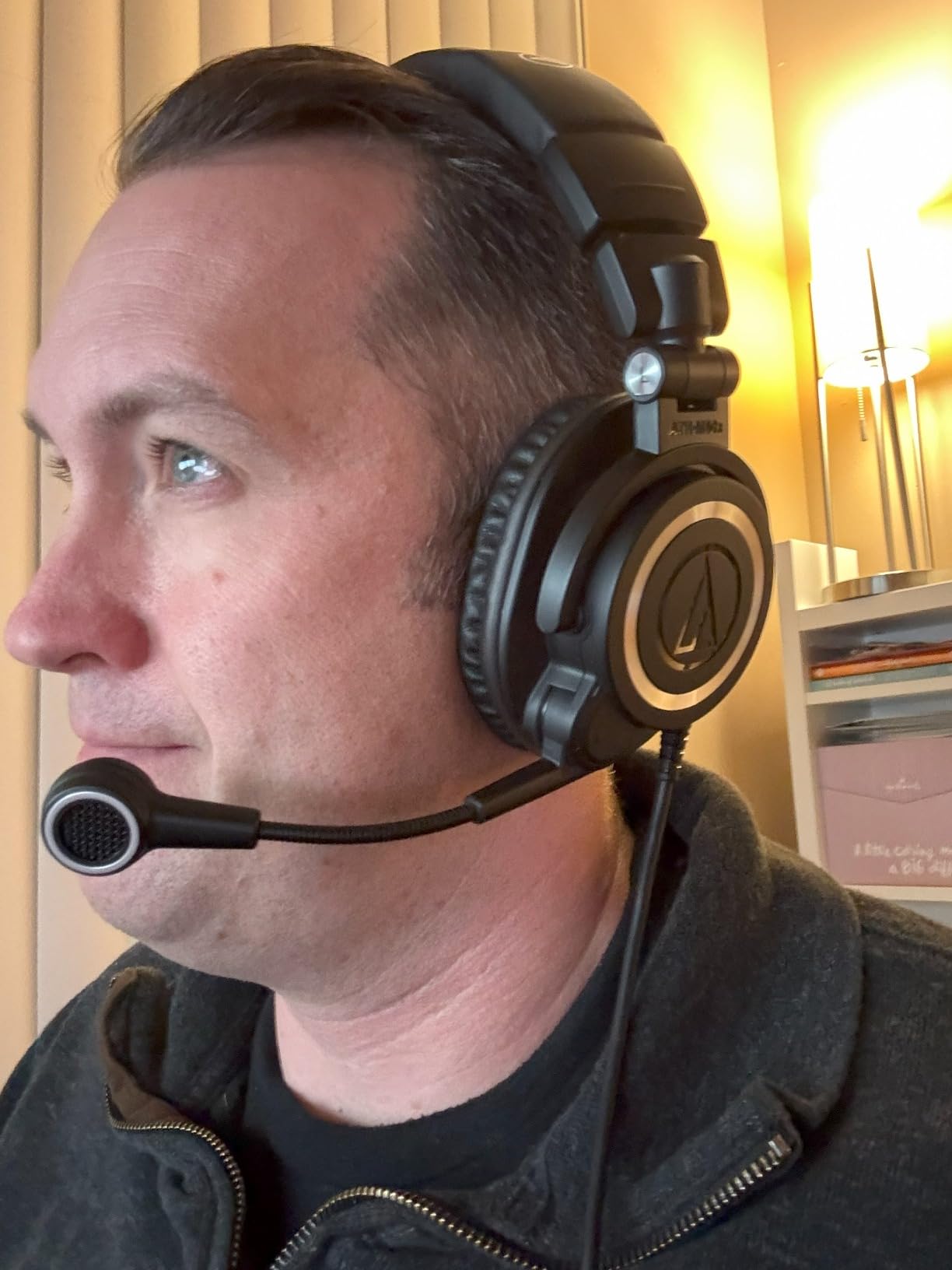
The flexible boom arm is the streaming detail. It holds the mic close to your mouth, and a close cardioid condenser rejects room noise better than a long arm on a gaming boom can, because the closer the mic sits the more the noise floor drops relative to your voice. It is a mechanical answer to the noise problem that usually gets solved with software.
Everything runs from one USB connection, which removes the separate sound card and makes the whole streaming PC setup simpler. The trade is platform reach: USB means PC and laptop only, with certain gaming consoles listed as compatible. There is no 3.5mm analog fallback and no wireless.
Why serious streamers pick it despite the price
If you have already tried mic processing and the voice still sounds thin, the problem is usually the microphone rather than the chain. A cardioid condenser on a close boom is a different class of capture, and single-USB setup keeps OBS configuration to one device. For a podcast-style or talk-led stream, the monitoring accuracy also means you can hear your own level properly.
Where it falls short
It is the least proven pick here with 257 reviews, so there is less long-term owner data than anything else on this list. USB-only means no console streaming and no analog fallback, 330g is heavy, and the neutral studio tuning needs adjustment if you mostly play games rather than talk.
How to Choose a Gaming Headset for Streaming
Wired or wireless is the first decision, and the rule is simpler than most roundups make it. A 2.4GHz dongle headset like the Stealth 600 streams fine because 2.4GHz does not drift. A Bluetooth-only headset drifts against your video, and the fix is a manual offset correction in your streaming software every single session. If you want wireless, confirm 2.4GHz is in the box. If you are unsure, stay wired.
Closed-back or open-back is the second decision. Closed earcups seal out game audio so it does not leak into your microphone. Open-back headphones sound more open and natural for music, and they leak sound in both directions, which is why they are a poor streaming choice unless your room is treated and your voice is broadcast from a separate mic entirely.
Microphone pattern matters more than most buyers expect. A cardioid pattern rejects sound from behind and the sides, so a keyboard in front of you and a fan behind you are both partly rejected. An omnidirectional pattern, like the one on the ASTRO A10, captures every direction. Detachable beats retractable beats fixed, because a detachable boom can be moved away from your camera frame.
Comfort is a hardware specification, not a preference. Weight, clamp force, and cushion material decide whether you finish an eight-hour block. Over-ear memory foam stays cooler than thin fabric, velour breathes better than leatherette, and anything under about 300g reduces temple pressure for glasses wearers. Note that the heaviest unit here is 1.2 pounds and the lightest is 240g, which is a real difference by hour five.
Platform compatibility needs checking before purchase, not after. Confirm the connection type on each machine you actually own. A 3.5mm jack covers PC, PS5, Switch, and most Xbox configurations, while a USB headset is PC-only. On Xbox, wireless is a separate problem entirely because the console uses a proprietary wireless protocol, and a headset that works everywhere else can refuse to pair with it.
Impedance decides how you connect. Anything around 32 to 40 Ohm drives easily from a laptop, a console, or a phone. At 64 to 160 Ohm, like the Cloud III and the Recon 70, you will hear more output headroom from a decent source, and a USB DAC or audio interface gives you cleaner volume control. For the rest of your capture chain, our streaming device guide covers output options for a different part of the setup.
Finally, plan for ear pads and cables. Daily streaming flattens ear pads and wears the vinyl on headbands within roughly a year, and both are consumable parts. A headset with a detachable cable and a detachable mic like the Cloud Alpha is cheaper to keep running over four years than one where a frayed cord ends the whole product.
How to Stop Mic Bleed and Echo
Mic bleed is game audio leaking into your voice track, and echo is your voice reflecting off hard room surfaces back into the mic. They are different problems and the fixes run in a specific order that the community has settled on.
Use closed-back earcups. Isolation at the headphone is the first defense. Every pick on this list is closed-back for exactly this reason.
Use a cardioid microphone. Cardioid mics reject sound from behind and the sides. The ASTRO A10 is the exception here, and it is the one that picks up the most room.
Move the boom behind the driver plane. Positioning the mic capsule behind the plane of the earcups, rather than out in front, keeps game audio out of the front of the pickup pattern.
Keep playback volume moderate. Louder game audio is louder bleed. Turning game volume down a few notches and raising your mic level is a free fix that requires no purchase.
Move the mic closer to your mouth. A close mic has a much better signal-to-noise ratio. This is why the Audio-Technica boom arm design beats a long gaming boom.
Add a noise gate last. Once positioning and gain are correct, a noise gate in your streaming software removes the gaps between words without touching the voice itself.
For echo specifically, treat the room. Echo is reflections, and reflections come from bare walls, hard floors, and a desk against a wall. A rug, a curtain behind your monitor, and a soft chair back will do more than any filter you can add in software.
How to Fix Mic Audio in OBS
The order matters. Position the mic first, then set gain, then filter, then monitor. If you reverse that, you will fight the software instead of fixing the signal.
Set the audio source correctly. Choose your headset mic as the input in the audio mixer, then check the meter while talking normally, not loudly.
Set input gain so peaks land near -6 dB. Turn up until you clip the red, then back off until peaks sit just under the limit. Clipping destroys the signal and no filter recovers it.
Add noise suppression. OBS has a built-in noise suppression filter with a Broadcaster-style setting. If your headset has hardware processing, use one or the other, not both, or you will get an artifact-laden double-processed voice.
Apply a noise gate before compression. A gate closes between phrases. Compression should come after so it only acts on voice you already gated.
Add monitoring last. Turn on monitoring and listen through the headphones, not the speakers, to hear exactly what your viewers hear.
Record ten minutes and review it. Speak, type on your keyboard, click your mouse, and play the game. Listen back on headphones, because that is where the bleed problem becomes obvious.
If your headset has hardware processing, the G PRO X Blue VO!CE is the clearest example, and its noise reducer, compressor, and limiter run on the mic signal before OBS ever sees it. Members of the Livestreamingadvice community generally advise against internal soundcards for streaming and toward a USB audio interface, which is why a USB DAC is worth adding once you outgrow the included one.
Streaming With One Headset Across Two PCs
The dual-PC setup, where one machine runs the game and a second runs OBS, capture, and chat, is standard for streamers and almost never explained. Your headset has to reach both machines, and there are three ways to do it without buying two headsets.
The simplest is a 3.5mm splitter cable into a single desktop output, with the headset plugged into the splitter. Game audio and Discord talkback then play through the same headphones, and you lose the ability to set levels independently. It works, but game volume and chat volume become one knob.
The better option is a duality cable with separate game and chat ends, or a USB audio interface with two independent outputs. One output carries game audio to your ears, the other carries Discord to your ears, and each has its own volume. This is the setup that lets you cut your game audio and keep talking to chat, which is what viewers notice most when a streamer stops being audible during a firefight.
For voice, the practical pattern is a separate broadcast mic for the stream and the headset mic for team comms. That is exactly the confusion raised in r/pcgamingtechsupport, where users ask how to make the stream always hear them while keeping the headset mic for gaming. The answer is to set the broadcast mic as the OBS input and leave the headset mic selected in Discord and in the game.
Frequently Asked Questions
What gaming headset do most streamers use?
There is no single dominant brand on camera, and no roundup data is published. The most common recommendation from people who actually stream is a wired headset with a detachable microphone, with the HyperX Cloud III class of wired model cited most often in forum threads. Streamers who upgrade for broadcast reasons tend to add a separate USB or XLR mic for the stream itself and keep the headset for team comms.
Is a wireless headset good for streaming?
Only if it uses a 2.4GHz dongle. 2.4GHz wireless does not drift against your video, so no manual offset correction is needed. Bluetooth-only headsets drift, and that drift forces a manual audio offset in your streaming software every session. A headset that offers both 2.4GHz and Bluetooth, such as the Turtle Beach Stealth 600, is fine as long as you stream over the 2.4GHz connection.
How do I stop my headset mic picking up keyboard noise?
Work in this order. Use closed-back earcups for isolation, use a cardioid microphone, position the boom behind the plane of the earcups, keep playback volume moderate, move the mic closer to your mouth, and only then add a noise gate in OBS. Mechanical keyboards are loud enough to reach most gaming boom mics, so position and distance do more than any filter. A softer keyboard is also a legitimate spend.
How do I fix mic audio in OBS?
Set the headset mic as the audio input, then set input gain so your peaks land near -6 dB without clipping. Next add noise suppression, using either the OBS filter or hardware processing but not both. Place a noise gate before compression, add monitoring last, and record ten minutes of speech, keyboard, mouse, and game audio to review the result on headphones.
Should I stream with headphones and a separate microphone instead of a headset?
For a talk-led or podcast-style stream, headphones plus a dedicated USB or XLR microphone give better voice quality than any gaming headset, because the broadcast mic is a different class of capture device. For a gaming stream, a headset is simpler and cheaper. A middle path is a headset for team comms and a separate broadcast mic as the streaming input, which is a common setup on dual-PC desks.
Our Final Verdict on the Best Gaming Headsets for Streaming in 2026
The HyperX Cloud II is the best gaming headset for streaming overall, because a detachable Discord-certified mic, closed earcups, and multiplatform 3.5mm plus USB cover every broadcast scenario without software accounts or adapters. Streamers on a tight budget should take the Turtle Beach Recon 70 for the fastest physical mute in the group, and anyone running long blocks should pick the Razer Kraken for the coolest cushions.
Beyond that: the Logitech G PRO X for built-in broadcast processing, the Audio-Technica ATH-M50xSTS-USB for the clearest voice, and the Turtle Beach Stealth 600 if you need genuine 2.4GHz wireless rather than Bluetooth. Whichever you choose, run the ten-minute audio test before you go live, and keep a wired backup on hand.