
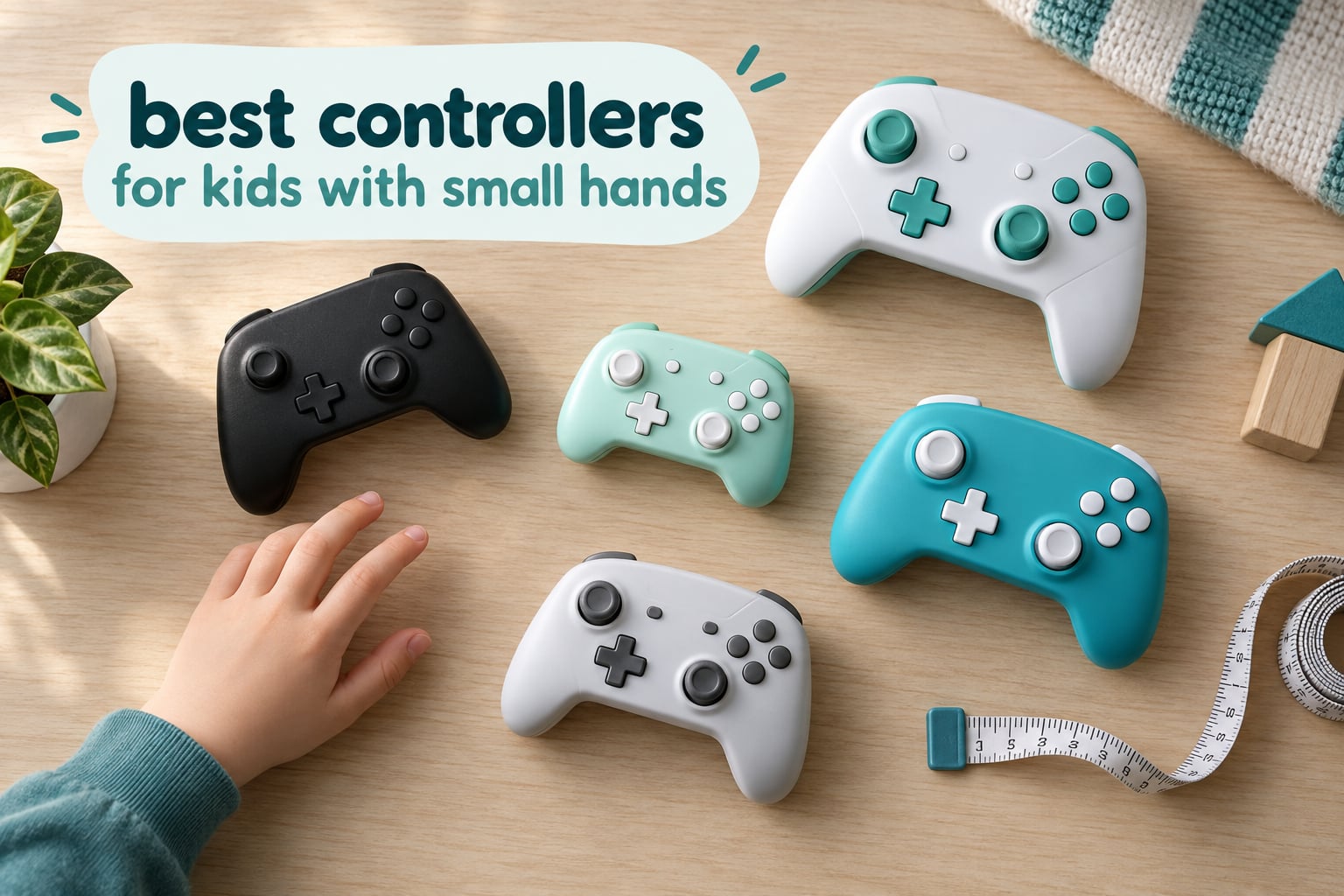
There is no single best controller for kids with small hands, because the right answer depends on three things: how small the hands actually are, which device the child plays on, and whether the pad needs analog sticks at all. A four-year-old on a Nintendo Switch and a ten-year-old on a PC need very different controllers.
We compared ten compact controllers on weight, dimensions, platform support, connection type and durability, then sorted them against the hands they actually fit. The clearest result: the smallest usable pads weigh under 30 g and carry a D-pad but no analog sticks, while anything that includes real sticks and triggers starts around 80 g and still fits a child’s grip well under the age of ten.
For parents comparing gear for their own kid, the fit matters more than the spec sheet. A full-size adult pad forces small fingers to stretch across the grips and up to the shoulder buttons, which turns play into an endurance test. Our picks below keep every control within reach and skip the premium features a young player will never use. If you also care about smaller-hand comfort in other gear, our hands-free travel carry picks follow the same logic of sizing down without losing function.
Table of Contents
Top 3 Picks for Kids With Small Hands
These three cover the most common situations. The Zero 2 is the lightest and most portable option, the Micro is the best-rated of the small pads, and the Lite 2 is the one to buy when a child needs analog sticks without adult-sized grips.
Quick Overview: Every Controller in This Guide
The table below is the short version of our research. Weight is the single best predictor of fit, so it comes first, followed by size class and platform support.
| Product | Specifications | Action |
|---|---|---|
 8BitDo Zero 2 Keychain Mini Controller 8BitDo Zero 2 Keychain Mini Controller |
|
Check Latest Price |
 GameSir Nova Lite 2 Wireless Controller GameSir Nova Lite 2 Wireless Controller |
|
Check Latest Price |
 8BitDo Micro Pocket Mini Gamepad 8BitDo Micro Pocket Mini Gamepad |
|
Check Latest Price |
 8BitDo Lite 2 Bluetooth Gamepad 8BitDo Lite 2 Bluetooth Gamepad |
|
Check Latest Price |
 GameSir Tegenaria Lite Wired Controller GameSir Tegenaria Lite Wired Controller |
|
Check Latest Price |
 LeapFrog Level Up and Learn Controller LeapFrog Level Up and Learn Controller |
|
Check Latest Price |
 PowerA Nano Wired Comfort Grip Controller PowerA Nano Wired Comfort Grip Controller |
|
Check Latest Price |
 ShanWan Keychain Sized Mini Gamepad ShanWan Keychain Sized Mini Gamepad |
|
Check Latest Price |
 HyperX Clutch Tanto Mini Wired Controller HyperX Clutch Tanto Mini Wired Controller |
|
Check Latest Price |
 AceGamer Wireless Pocket Controller AceGamer Wireless Pocket Controller |
|
Check Latest Price |
1. 8BitDo Zero 2 — the Lightest Pad for the Smallest Hands
Best for: children aged roughly 3 to 6, and any setup where the controller has to fit in a coat pocket.
8Bitdo Zero 2 Bluetooth Gamepad Keychain Sized Mini Controller for Switch/Switch 2, Windows, Android (Turquoise Edition)
- Lightest controller in this guide at 22.68 g
- Pairs quickly over Bluetooth and usually stays paired
- Solid buttons with clicky shoulder bumpers
- Doubles as a Bluetooth keyboard for study apps
- Only 16 buttons
- so it suits 2D and retro titles
- Awkward for adults and older children
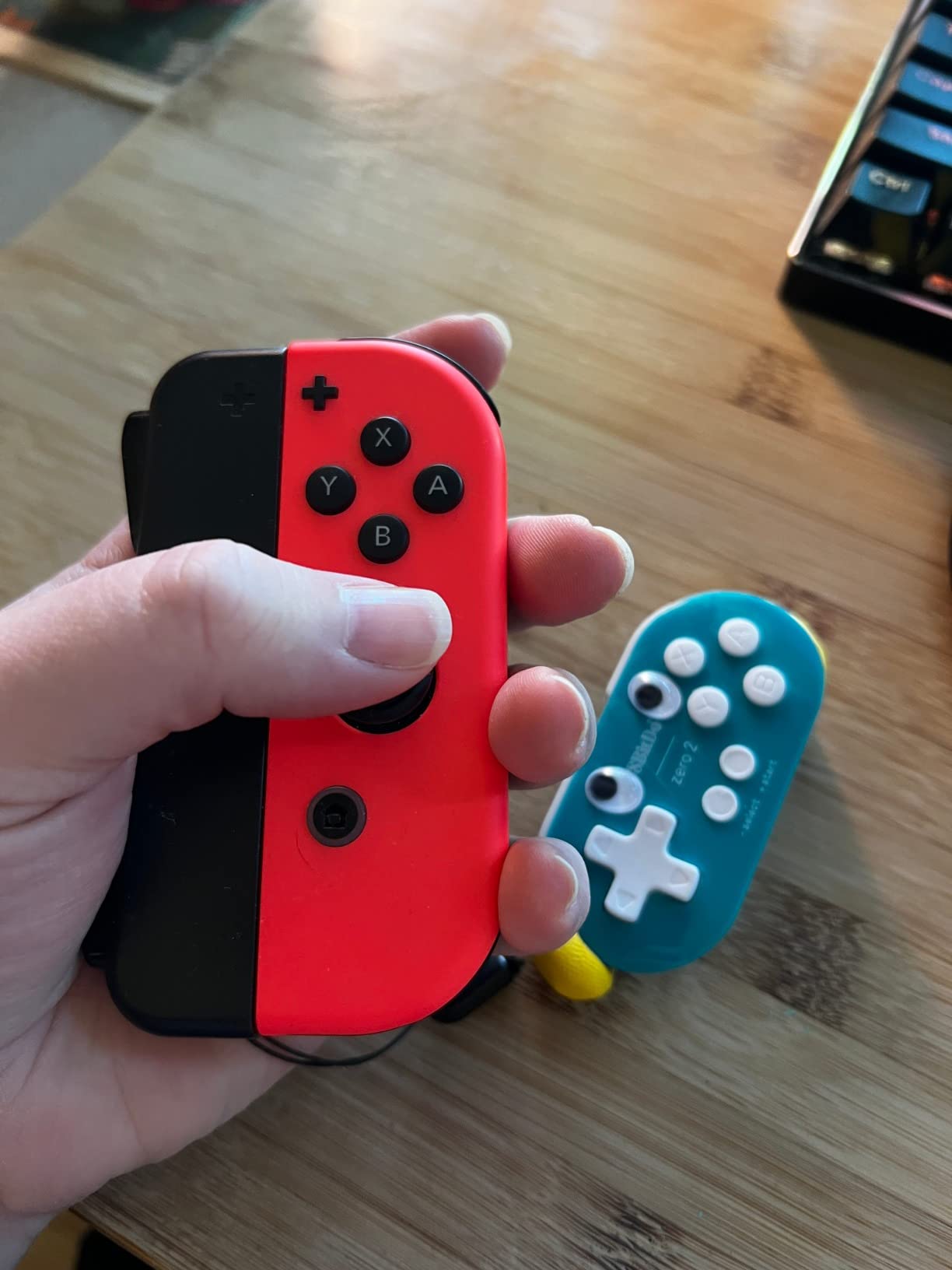
The Zero 2 is 22.68 g and measures 4.33 by 1.5 by 2.17 inches, which is a genuinely keychain-sized body rather than a standard pad scaled down. It is the lightest controller we tested and the only one here that disappears into a pocket next to a Switch Lite case.
Owners consistently report fast Bluetooth pairing that survives a reconnect, and they like the feel of the L and R bumpers, which reviewers describe as clickier than a Joy-Con. A large share of buyers repurpose it as a study remote, page turner or presentation clicker using keyboard mode, which is a clever way to justify the purchase to a sceptical parent.
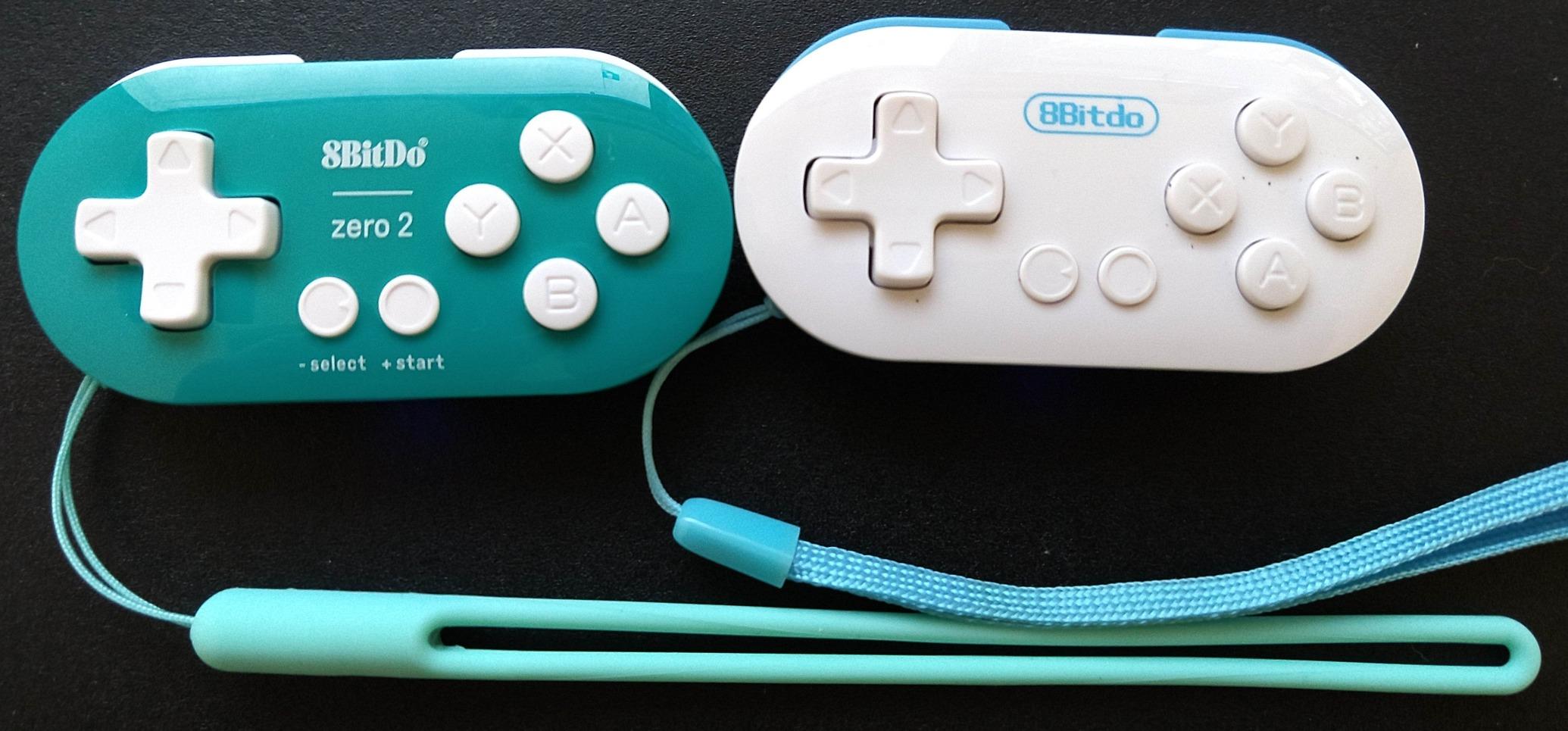
What it cannot do is run modern action games. With 16 buttons and no analog sticks, it is built for NES and SNES-style titles, platformers and retro emulators. One common request in the reviews is that face buttons occasionally remap themselves, and the bundled micro-USB cable is short enough that charging needs a specific spot.
It also holds one paired device at a time, so a child bouncing between a Switch and a tablet will be re-pairing more than you would like. We think that trade is fine for a four-year-old and frustrating for an eleven-year-old.
When the Zero 2 is the right call
Buy it for a child who is still working out platformers, or as a second controller for a toddler who joins a parent for one-player retro games. At 22.68 g it is the first controller we would hand to a three-year-old.
Keyboard mode also makes it the most useful pick for learning apps on a tablet, where a full gamepad is wasted weight.
When to skip the Zero 2
Skip it the moment your child asks for 3D games, fighting games or anything with twin sticks. The 16-button layout is the limit, and no pairing trick removes it.
It is also a poor fit for small-handed adults who want long sessions, since reviewers report two-handed play feels awkward. If that is you, read on to the Lite 2 and the Tegenaria Lite instead.
2. GameSir Nova Lite 2 — Hall Effect Sticks on a Full-Size Layout
Best for: kids aged 10 and up, and anyone who wants drift-free sticks without the premium price.
GameSir Nova Lite 2 Wireless PC Controller Hall Effect Sticks
- Hall Effect sticks and triggers remove drift entirely
- Mechanical circular D-pad suits retro and fighting games
- Quick Bluetooth pairing with easy device switching
- Solid build and comfortable weight
- 600mAh battery gives roughly 4-6 hours
- Re-pairing to a new device is fiddly
- Full-size compact layout is not built for very small hands
This is the most capable pad in the guide, and the least suited to a toddler. The Nova Lite 2 carries Hall Effect joysticks and triggers, a 1000Hz polling rate over 2.4G and wired modes, a mechanical circular D-pad, dual asymmetric rumble motors and two remappable back buttons with macro recording.
Long-term owners running it 20 hours a week report that it still feels new after eight months. The GameSir Connect PC app and the mobile app handle firmware, dead zones, curves and vibration, so a parent can tune it once and forget about it.
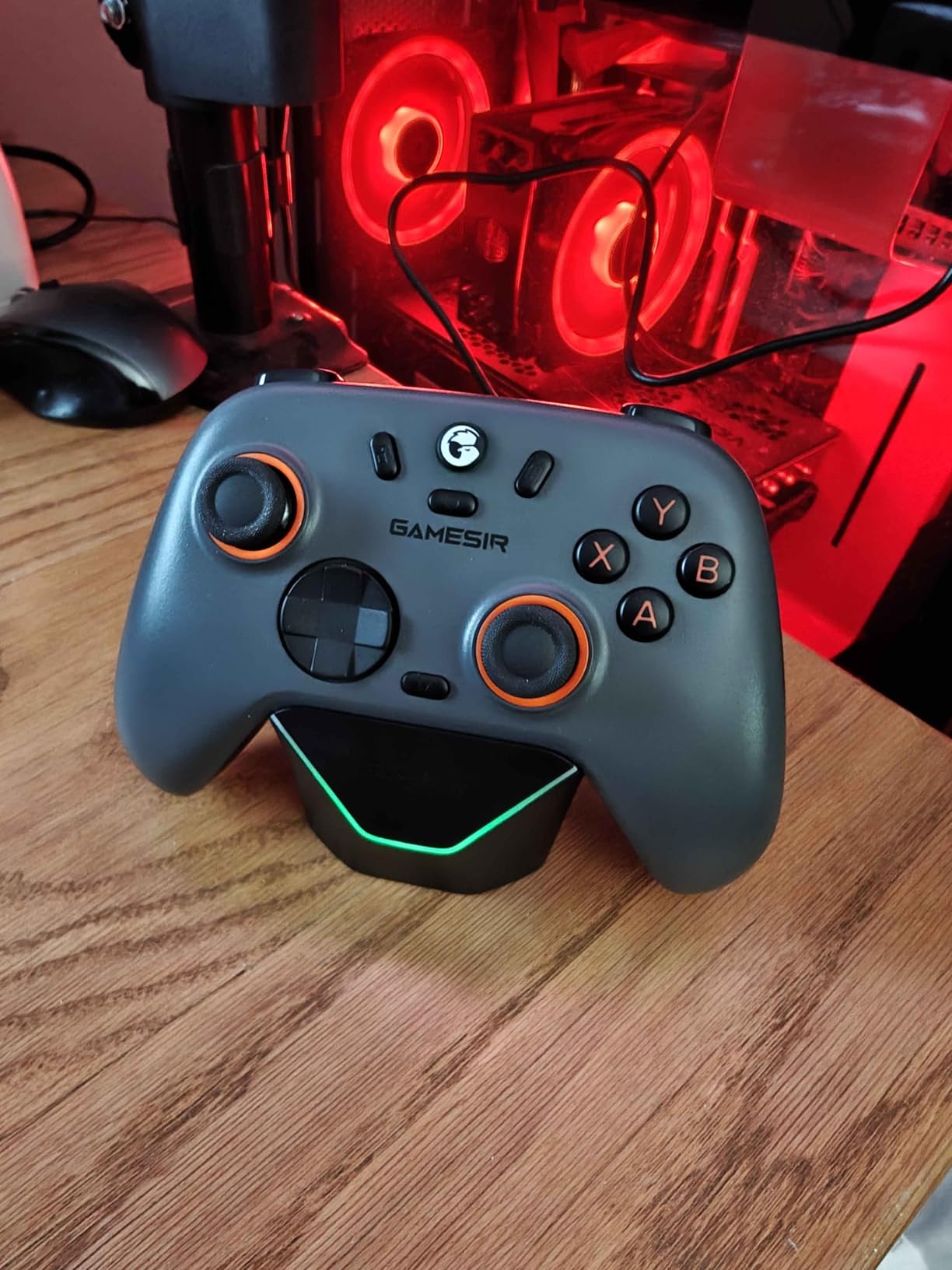
The two real drawbacks are battery and pairing. The non-replaceable 600mAh battery delivers closer to 4 to 6 hours than the advertised figure, and moving to a new device means a fiddly re-pair rather than a clean switch. Some reviewers also report occasional Bluetooth dropouts.
Most importantly for this article, the Nova Lite 2 is a full-size compact layout. Reviewers say so directly: it is not designed for very small hands. Treat it as the pre-teen and teen option.
Who should buy the Nova Lite 2
A 10-to-14-year-old who plays on Switch, PC or Steam Deck and wants sticks that will not drift in three years. It also suits a parent who will keep the controller long after the child outgrows it.
If your child plays on two devices in one room, the 2.4G dongle and Home plus button combinations make switching quick once the initial pairing is done.
Who should pass
Any child under about eight whose hands cannot wrap the grips comfortably. The bulk that buys it Hall Effect reliability is wasted if the pad is a stretch to hold.
Also pass if long sessions without a charger are likely. The battery capacity is the most common complaint in the reviews.
3. 8BitDo Micro — a 25-Gram Pad Built for Retro Play
Best for: 2D platformers, retro emulators and virtual console libraries, plus travel.
- Exceptionally light at 24.8 g for long play
- Owners rate it 4.5 with 77 percent five-star
- Pocketable next to a Switch or handheld
- Solid build and rechargeable battery
- No analog sticks
- so 3D titles are out
- 16 buttons limits it to 2D and retro games
The Micro weighs 24.8 g, carries 16 buttons and measures 3.94 by 1.97 by 0.5 inches. At a 4.5 average with 77 percent five-star ratings, it is the best-rated of the tiny D-pad pads in this guide.
Buyers praise the featherweight build above everything else. It is comfortable for long sessions, small enough to carry alongside a Switch or handheld, and the rechargeable battery removes the charging anxiety that comes with AAAs.
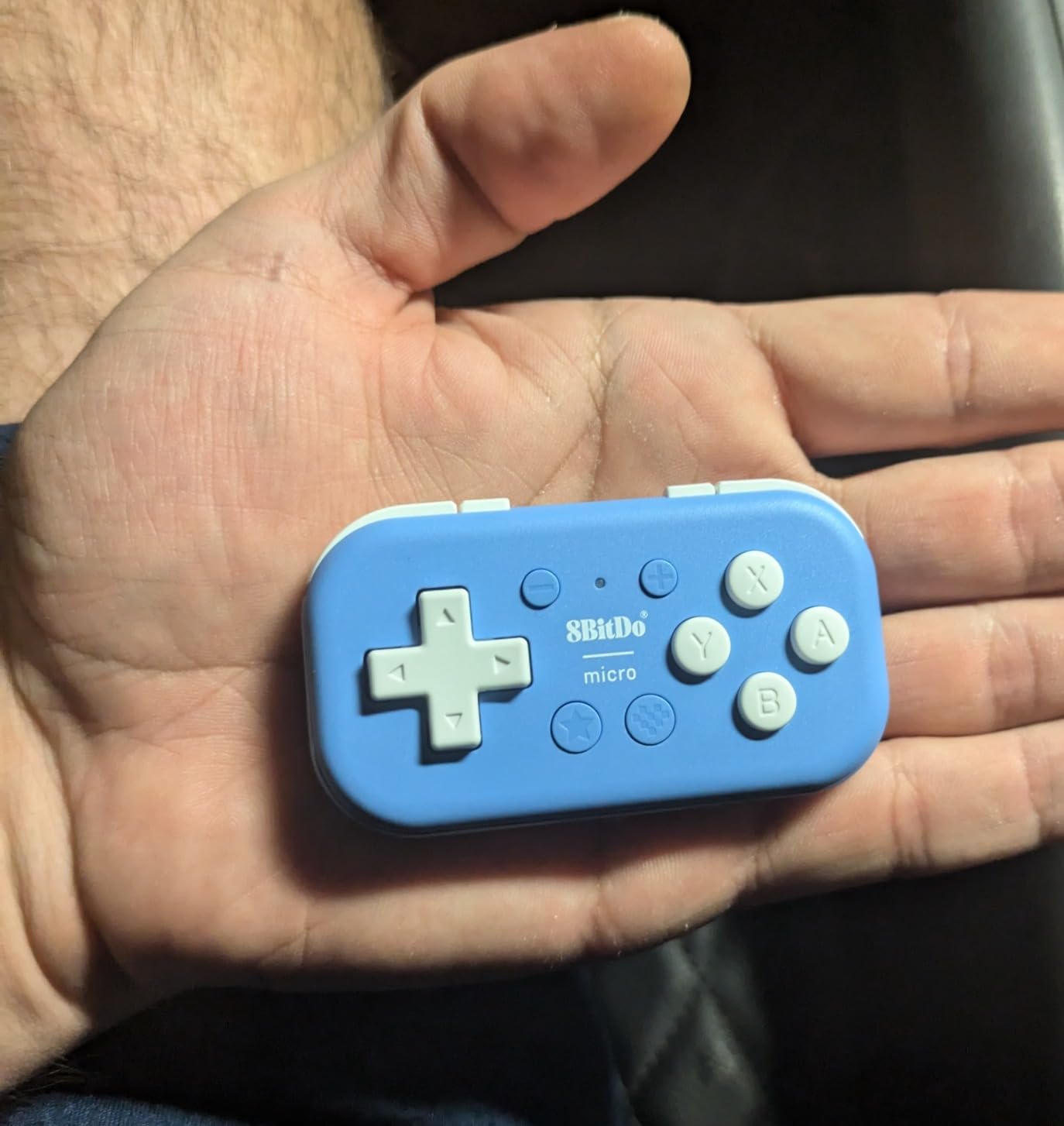
The consensus limitation is the absence of analog sticks. That confines it to retro, platformer and virtual console titles, which is exactly what a young child is likely to play but a ten-year-old is not. Forum regulars also flag that the tiny body can feel cramped for adult hands even though it is the lightest option here.
Unlike the Zero 2, the Micro is 3.94 inches across the short axis, so it sits a little better in a palm. The difference is small, but it is why we would pick the Micro for a child who will actually grip the pad rather than tap it.
Why the Micro edges out the Zero 2
Both are D-pad-only 16-button pads, and both work on Switch and Android. The Micro scores higher with owners, sits slightly larger in the hand, and lists Switch 2 and Raspberry Pi support in the product details.
If your child plays mostly two-dimensional games, the rating gap between 4.5 and 4.2 is the difference between a pad that feels solid and one that feels like a novelty.
Where the Micro falls short
Any game with a camera, a second stick or twin triggers is out of reach. That rules out most modern console games and every first-person shooter.
It is also a gift that ages out quickly, so buy it as a travel and retro controller rather than as the child main pad.
4. 8BitDo Lite 2 — Real Sticks and Triggers in a Compact Shell
Best for: the widest range of Switch games on a controller sized for small hands.
8BitDo Lite 2 Bluetooth Gamepad for Switch, Switch Lite, Android and Raspberry Pi (Pink)
- Genuinely compact at 80 g while keeping analog sticks
- Fits Switch Switch Lite Android and Raspberry Pi
- Rumble
- motion controls and turbo included
- Rechargeable over USB-C
- Small sticks and buttons feel cramped in long sessions
- Fewer controls than a standard Pro Controller
- Motion controls can drift for some users
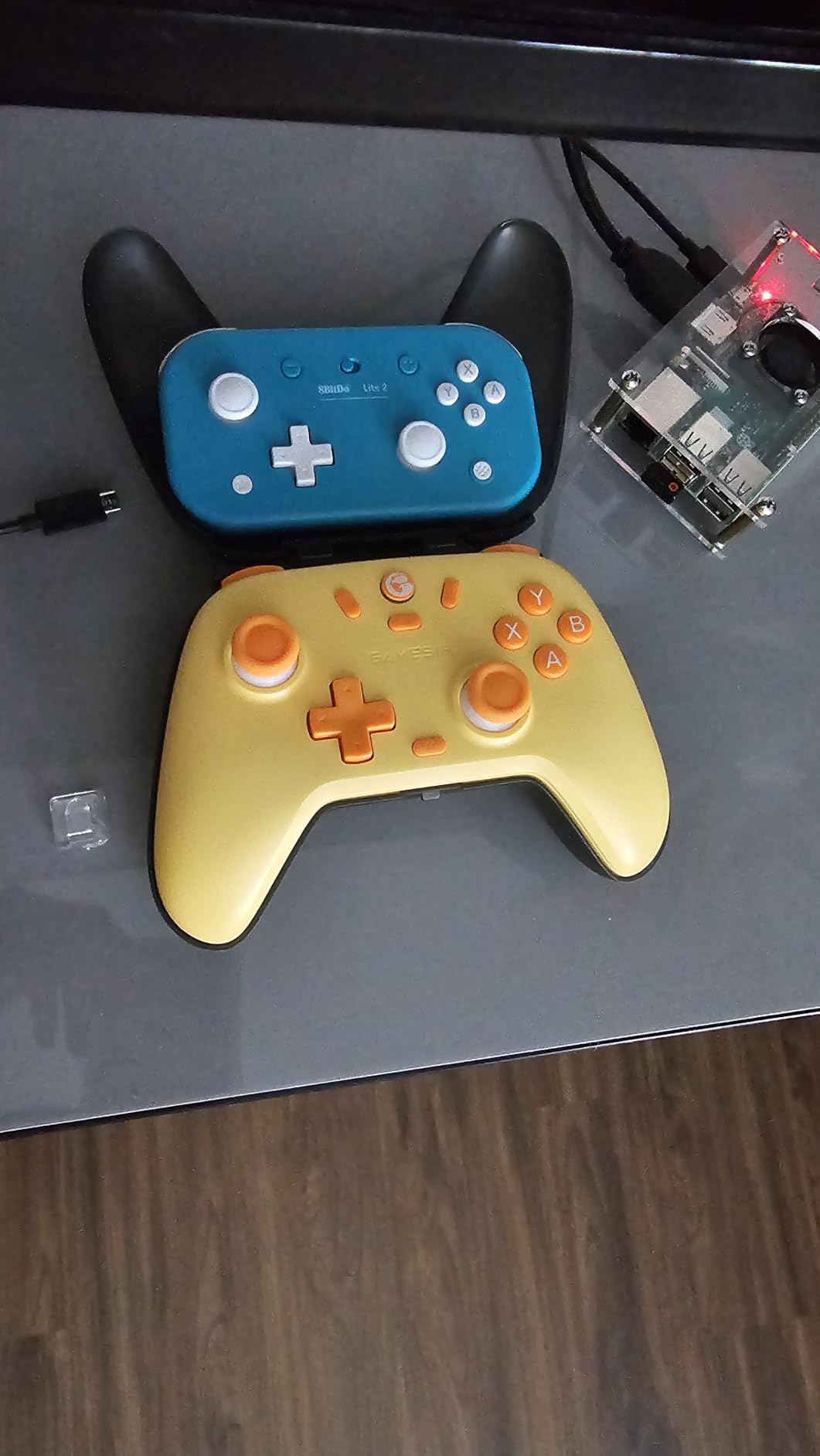
The Lite 2 is the balance point of this entire guide. At 80 g it is nearly four times heavier than the Zero 2, yet it still fits a child aged roughly six to ten because the shell is genuinely compact rather than trimmed-down adult hardware.
It keeps real analog sticks, shaped trigger buttons, rumble vibration, motion controls and customizable turbo input. That means most Switch games work without remapping, which is the feature parents consistently ask for and rarely find on micro pads.
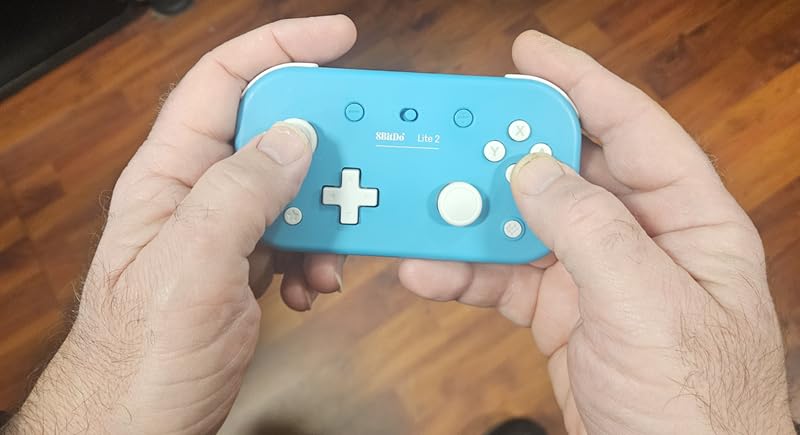
Wireless Bluetooth, USB-C and a rechargeable battery round out a package that covers Switch, Switch Lite, Android and Raspberry Pi. Reviewers also point out that adults like it as a travel controller precisely because it is small.
The trade-offs are honest ones. Small sticks and buttons feel cramped over long sessions, and there are fewer controls than a standard Pro Controller, so a few Switch titles still need motion or remapping. Some users report slight motion control drift.
One pairing caveat worth knowing
A Switch 2 owner on a gaming forum reports that both the 8BitDo Lite and the 8BitDo Ultimate refused to connect to the new console despite prior research. If your family just upgraded, test the pairing on day one while the return window is open.
Everything else about this controller lands where parents expect it to. It is the pick we would buy for a first real gaming console.
When to move up or down instead
Move up to the Nova Lite 2 past age ten, when drift resistance and back buttons start to matter more than shell size. Move down to the Micro if the child is only playing 2D games and cannot work the small sticks.
Skip it if your child plays primarily on a TV far from the Switch, since 16 buttons and a compact D-pad will feel tight on a couch.
5. GameSir Tegenaria Lite — Wired Hall Effect Value in a Retro Shape
Best for: wired setups, drifting-averse parents and kids who play 2D and platform games.
- Hall Effect anti-drift sticks at this price are hard to beat
- Wired connection means zero lag and no batteries
- PlayStation-style layout with a good membrane D-pad
- Auto-detects PC Switch Android and iOS
- Membrane buttons feel soft rather than clicky
- Sticks are average for competitive shooters
- Cable length is short for couch play on some models
The Tegenaria Lite is the wired option in this roundup, and it uses that cable as a feature. With 1000Hz polling over USB, input lag is effectively nil, and there is no battery to charge, no pairing to fail and nothing to lose in a cushion.
Its 90s-inspired PlayStation-style layout is the quiet strength. Reviewers call the membrane D-pad genuinely good for retro and 2D titles, and the 12-button layout keeps fingers spread naturally for a child.
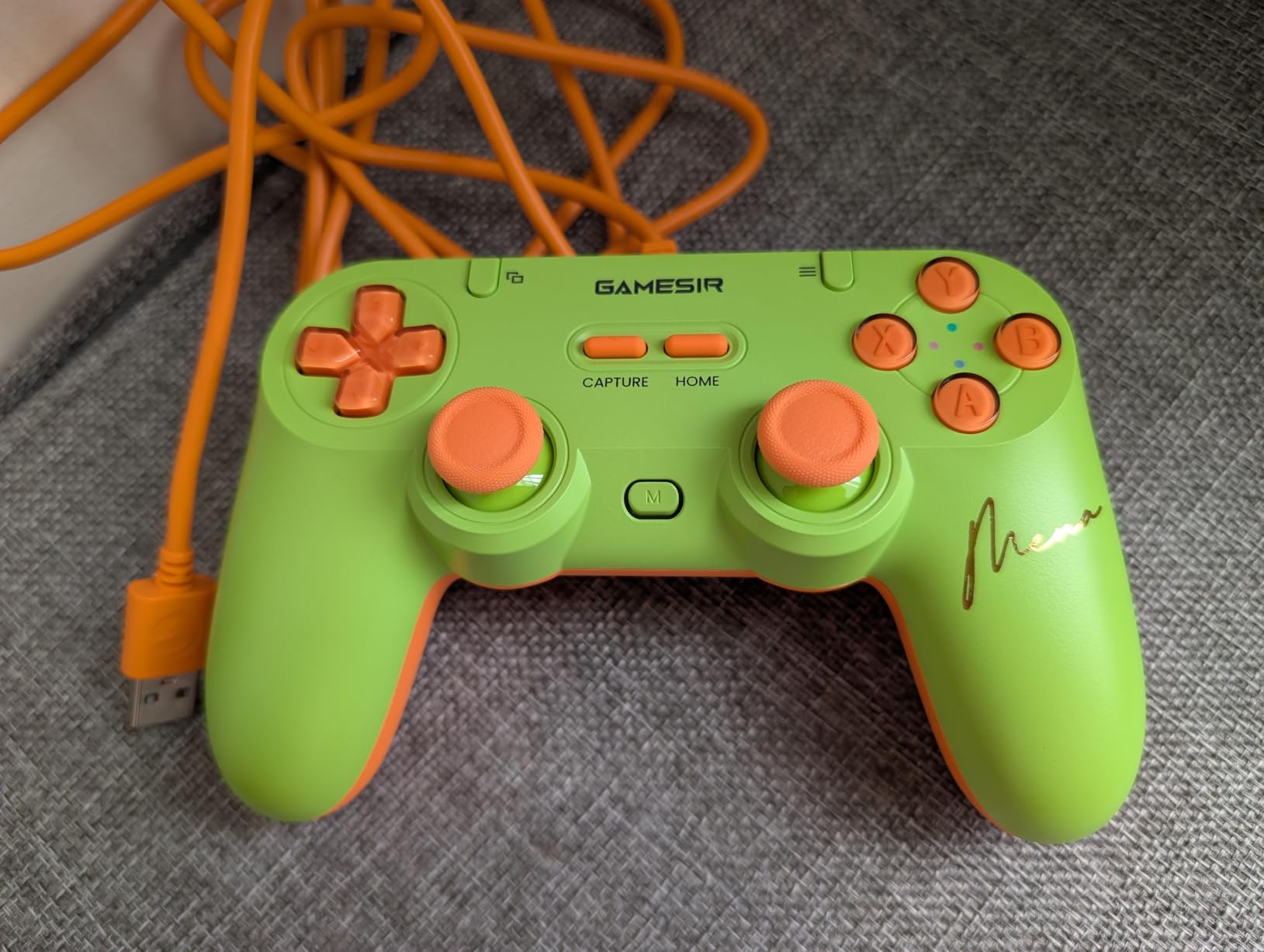
Hall Effect anti-drift sticks with 360-degree control remove the failure mode that ruins cheap pads, and dual asymmetric rumble motors plus two mappable back buttons add modern function. Multi-platform auto-detection handles Xbox, DS4, Switch and Android modes without menu diving.
The complaints are consistent. Membrane buttons feel soft to anyone used to mechanical switches, stick precision is average for competitive shooters, and the cable can be short for couch play. A few buyers also report quality control variance with sticks arriving stiff.
Why a wired pad suits small kids
Forum threads consistently favour wireless because children trip, tangle, chew and yank cables. That is a fair argument, and it is why the Zero 2, Micro and Lite 2 all lean wireless.
The counter-argument is rage-quit physics. A tethered controller gets thrown, and the throw pulls the console across the surface. If your child has that habit, place the console out of reach and choose wireless. If they do not, this pad simply cannot lose a connection.
Where it is the wrong fit
It is not built for very small hands. At 0.28 kg with a 6.42-inch body, this is a compact adult-shaped pad that suits children from about seven upward.
Travel is the other weak point, since the cable is the thing you least want to pack. Parents who fly often will find our hands-free travel bag roundup useful for the same reason.
6. LeapFrog Level Up and Learn — a Toddler Toy, Not a Gamepad
Best for: children aged 6 months to 3 years who are not yet ready for a screen-based console.
- Highest average rating in the guide at 4.8 with 85 percent five-star
- Chunky animal buttons genuinely suit tiny hands
- Peek-a-boo tiger and click dial add real play value
- Builds fine motor skills through play
- Educational toy with no connection to any console or screen
- Only demo batteries are included
- 90-day warranty is short
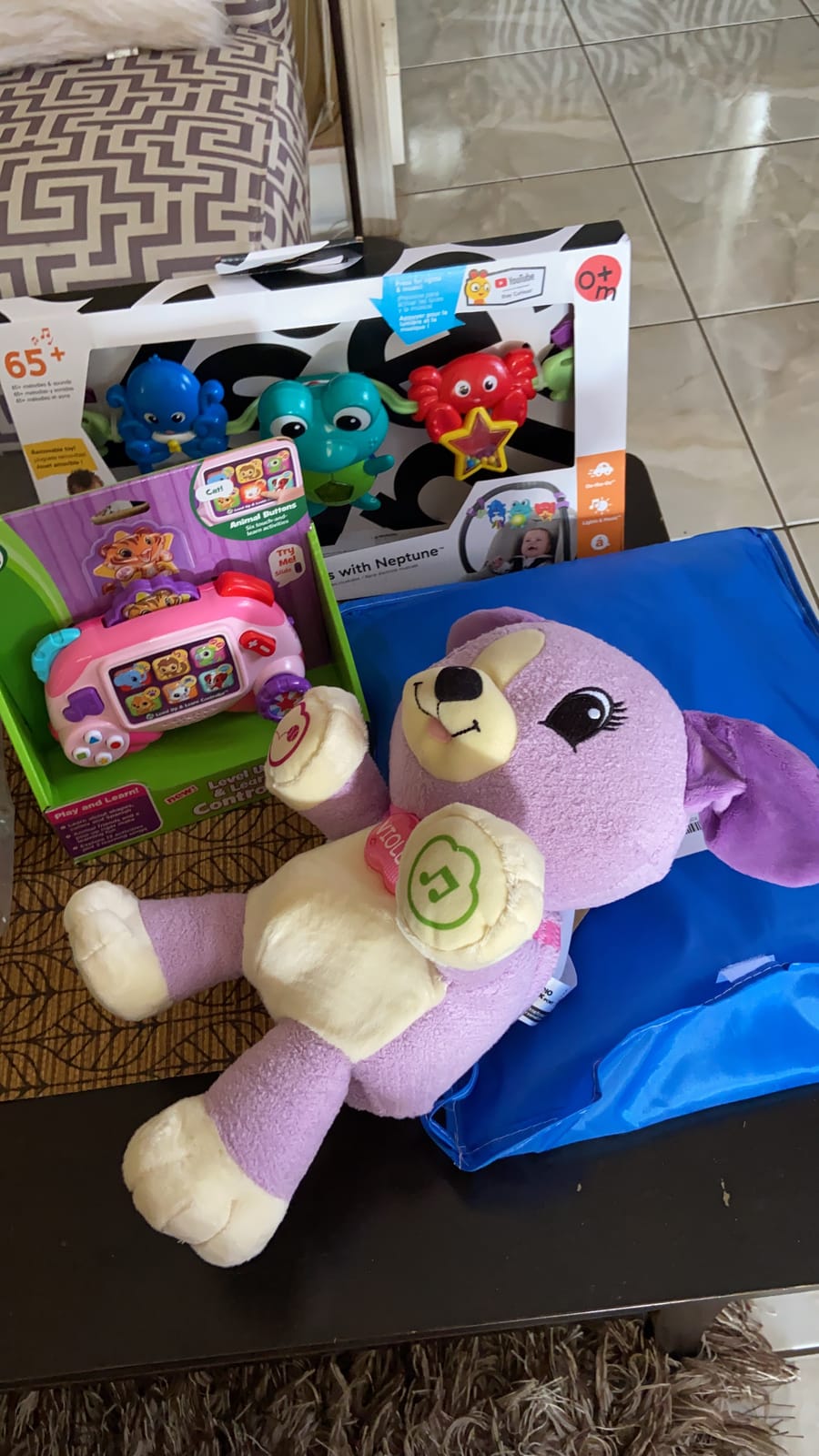
We include this one deliberately, because parents searching for a controller for the smallest hands often mean a toddler, and this is the honest answer for that age. The LeapFrog Level Up and Learn Controller is an electronic learning toy, not a gaming controller. It never connects to a console or screen.
What it does offer is six animal buttons with sounds, ABCs, counting, opposites, rhyming and Spanish content, a four-direction joystick that toggles between animal selection and exploration, and a red shoulder button that pops up a peek-a-boo tiger. A click dial, buttons and volume switch round out fine motor practice.
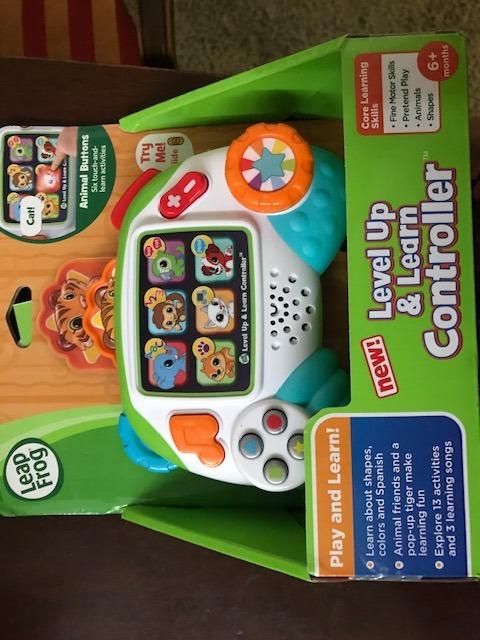
At a 4.8 average with 85 percent five-star ratings, it has the highest owner satisfaction of anything in this guide, and it was designed for hands that cannot yet wrap a normal grip. The 6-plus-months age range and the plastic build are appropriate to the audience in a way a gamepad is not.
Plan on supplying your own batteries. The 2 AAA cells in the box are for demonstration only, and the 90-day manufacturer warranty is short for a gift that will get chewed.
When to choose it
Choose it when the child is under three, when screen time is the thing you are trying to avoid, or when you want something that develops grip and button recognition before a console ever enters the picture.
Owners consistently praise the chunky animal buttons and the peek-a-boo tiger for engaging babies and toddlers, and the single-player design removes all pairing and account questions.
When to move on
Move on the day your child asks to play a real game. Nothing here connects to a Switch, a TV or a tablet, so it cannot be a step toward console gaming.
If you want the very smallest hands on a real screen, the Micro or the Zero 2 is the jump to make instead.
7. PowerA Nano Wired Controller — a Small Grip With a Switch Case Attached
Best for: Switch Lite and Switch OLED owners who want one small purchase to cover travel.
PowerA Nano Wired Controller with Comfort Grip – Pokemon: Sweet Assortment, Protection Case for Nintendo Switch
- Comfort grip and rubberized texture genuinely help small hands
- Bundled case holds 9 game cards and 2 microSD cards
- Integrated play stand for tabletop play
- Officially licensed Pokemon artwork kids recognise
- Wired only with no wireless option
- Five buttons is a very small layout
- Lower review volume than the other picks
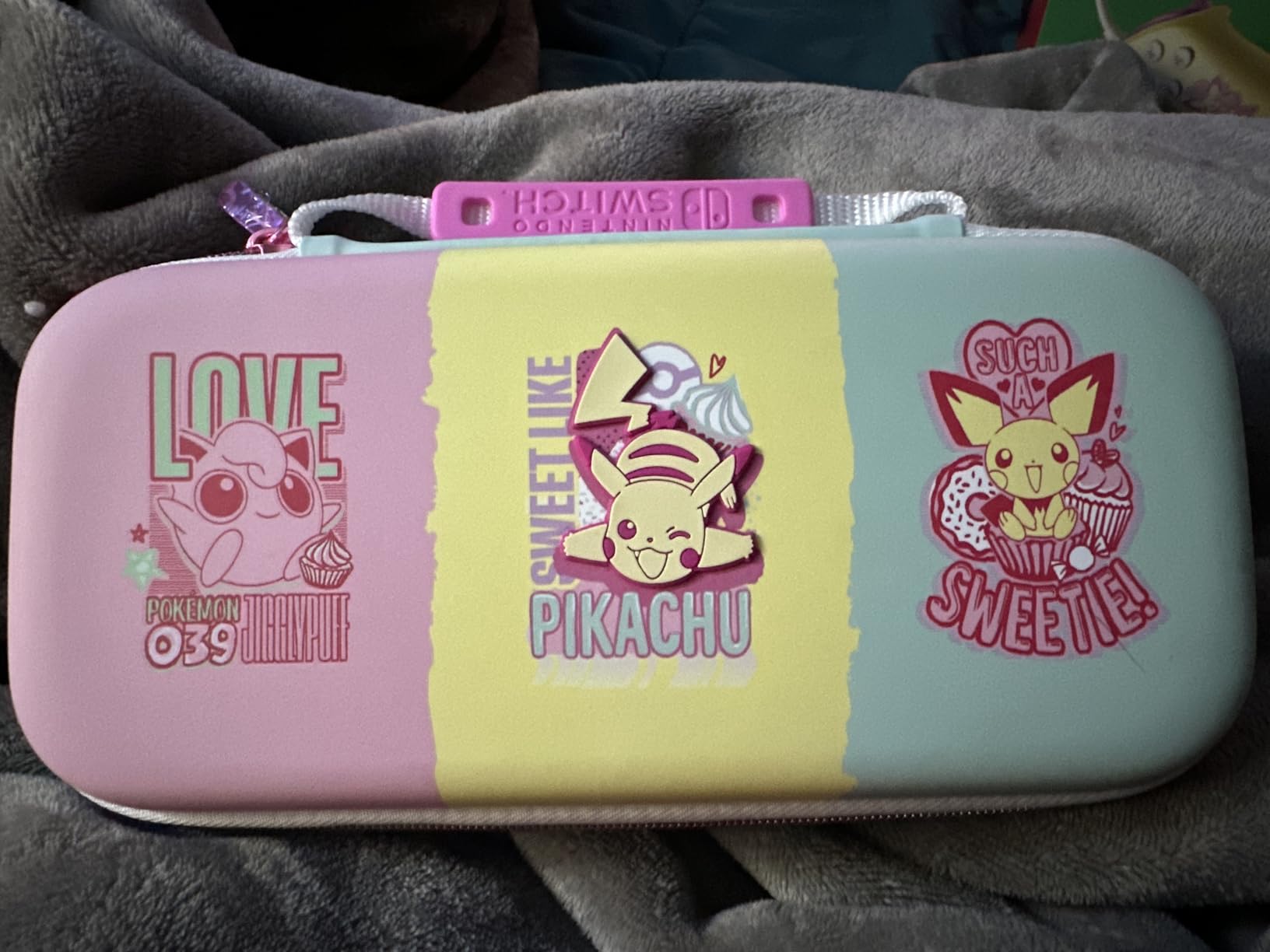
The PowerA Nano bundle is unusual because the case is the deal. You get a compact Joy-Con comfort grip controller with rubberized grips, an electroplated D-pad and an 8ft USB cable, plus a protective case that fits every Nintendo Switch system, holds 9 game cards and 2 microSD cards, and doubles as a play stand.
For a family that travels, that combination removes a separate purchase. The grip texture is what reviewers single out most: it genuinely helps small hands hold the pad, which is the entire point of this guide.
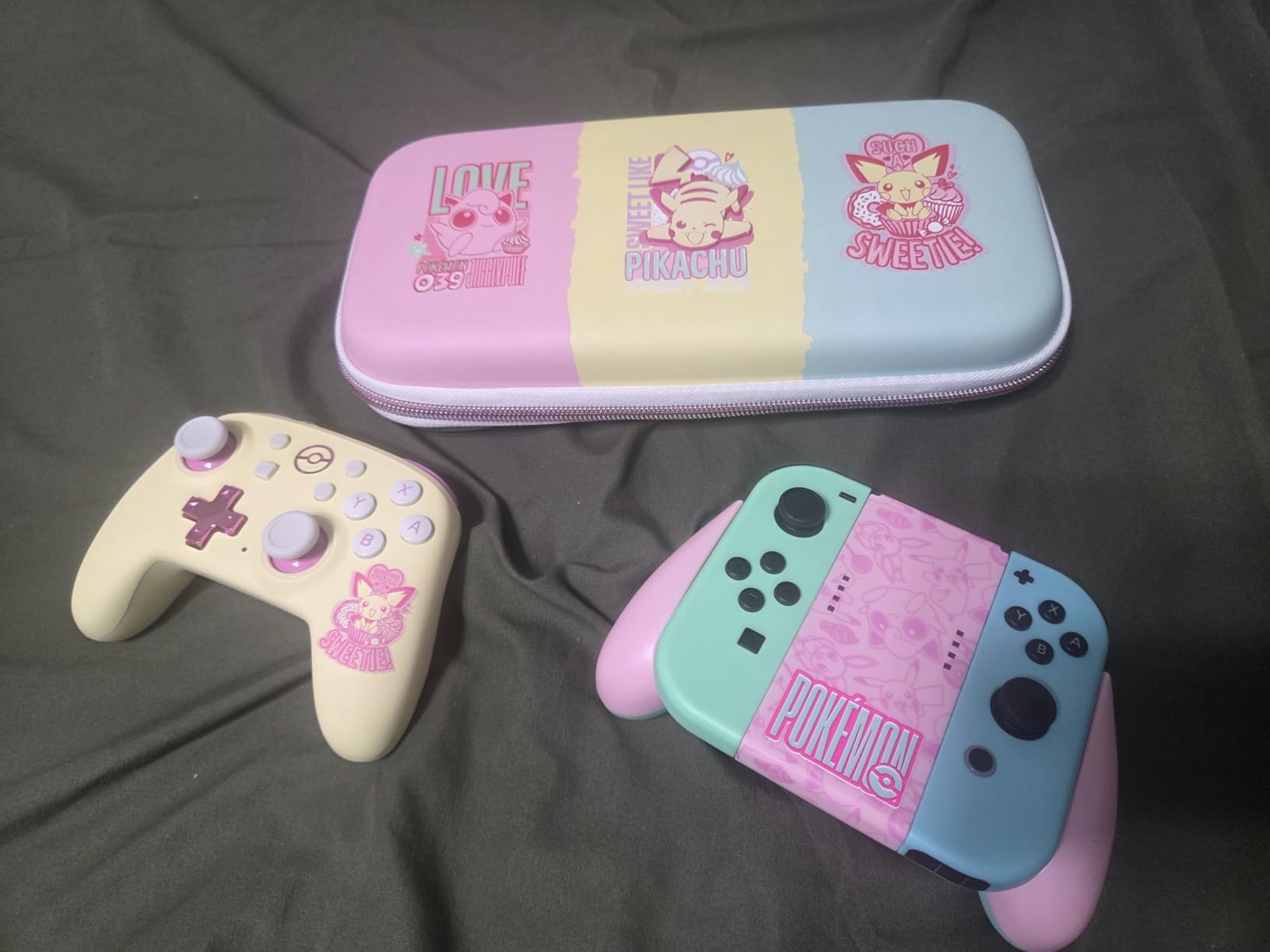
It is officially licensed by Nintendo, and the Pokemon artwork is a real draw for younger players who recognise the characters. At a 4.6 average with 84 percent five-star ratings, satisfaction is high, and the two-year limited warranty is longer than most controllers in this list offer.
The limitation is the connection. It is wired only, so there is no wireless option and no battery to manage. With 5 buttons, it also has one of the smallest layouts here and works best with platformers and 2D titles.
Why the bundle changes the decision
Judged as a controller alone, this is a basic 2D pad. Judged as a controller plus a Switch case with card storage and a stand, it is a two-in-one that a travelling family actually needs.
It also suits households where the Switch lives in a bag rather than under a television, since the stand makes tabletop play practical.
When it is the wrong buy
Skip it if the console stays docked. A wired pad with 5 buttons is a poor match for a television setup where a child wants freedom of movement and a full button set.
Its review volume is also the second-lowest here, so you are buying on design and licensing rather than a deep body of owner feedback.
8. ShanWan Keychain Mini Pad — Multi-Mode but Pairing-Fustrating
Best for: retro and emulator play on a strict budget, with a wrist strap attached.
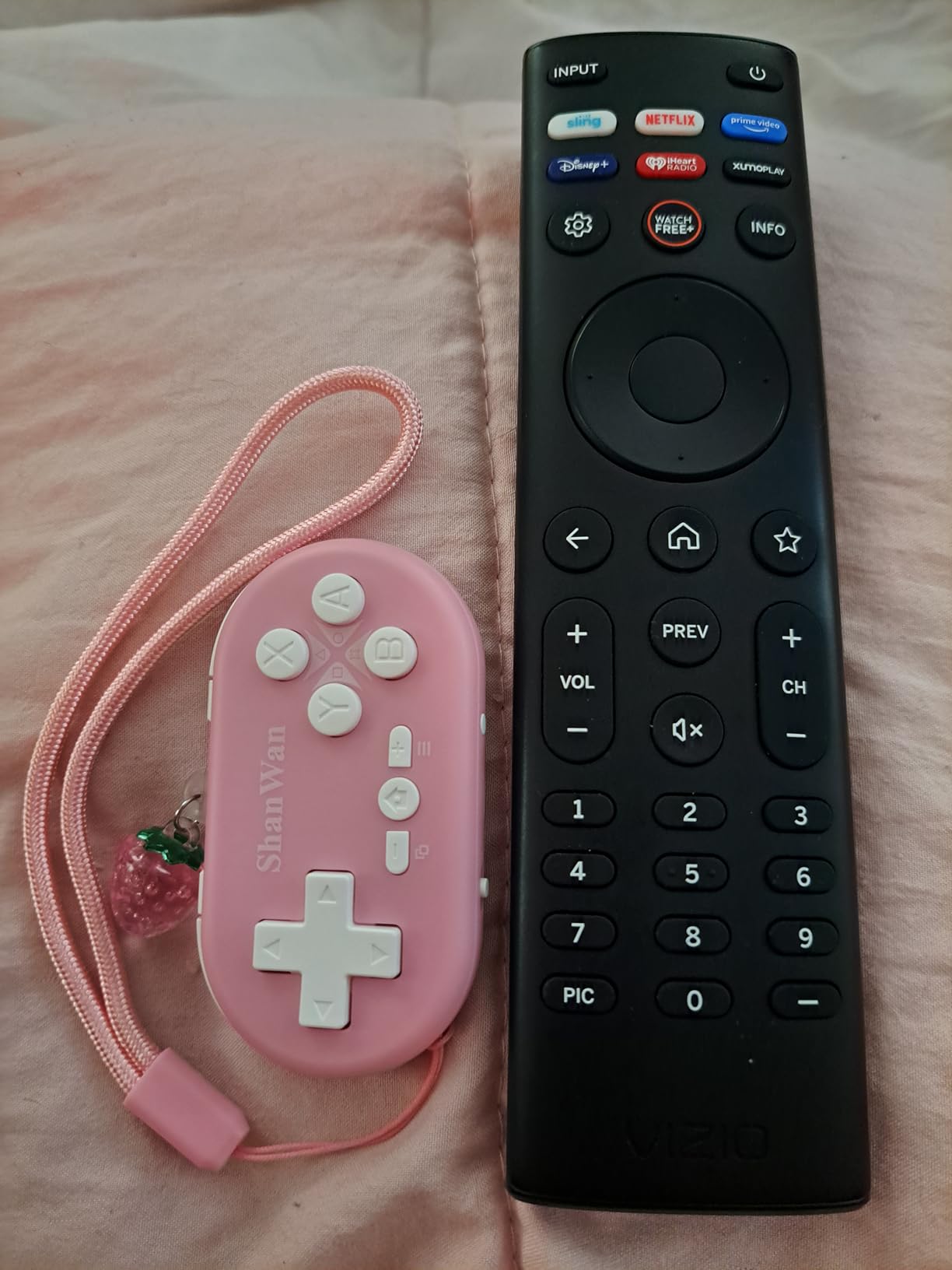
ShanWan Bluetooth Gamepad Keychain Sized Mini Controller for Switch, Windows, Android, iOS & PS4(pink )
- Genuinely fits in one hand for very small hands
- Multiple input modes for Switch Xbox and PlayStation
- Works well as a retro handheld companion
- Matching wrist strap and compact cute design
- No analog sticks at all
- PS4 pairing is unreliable despite being advertised
- Some buyers must re-pair after every power-on
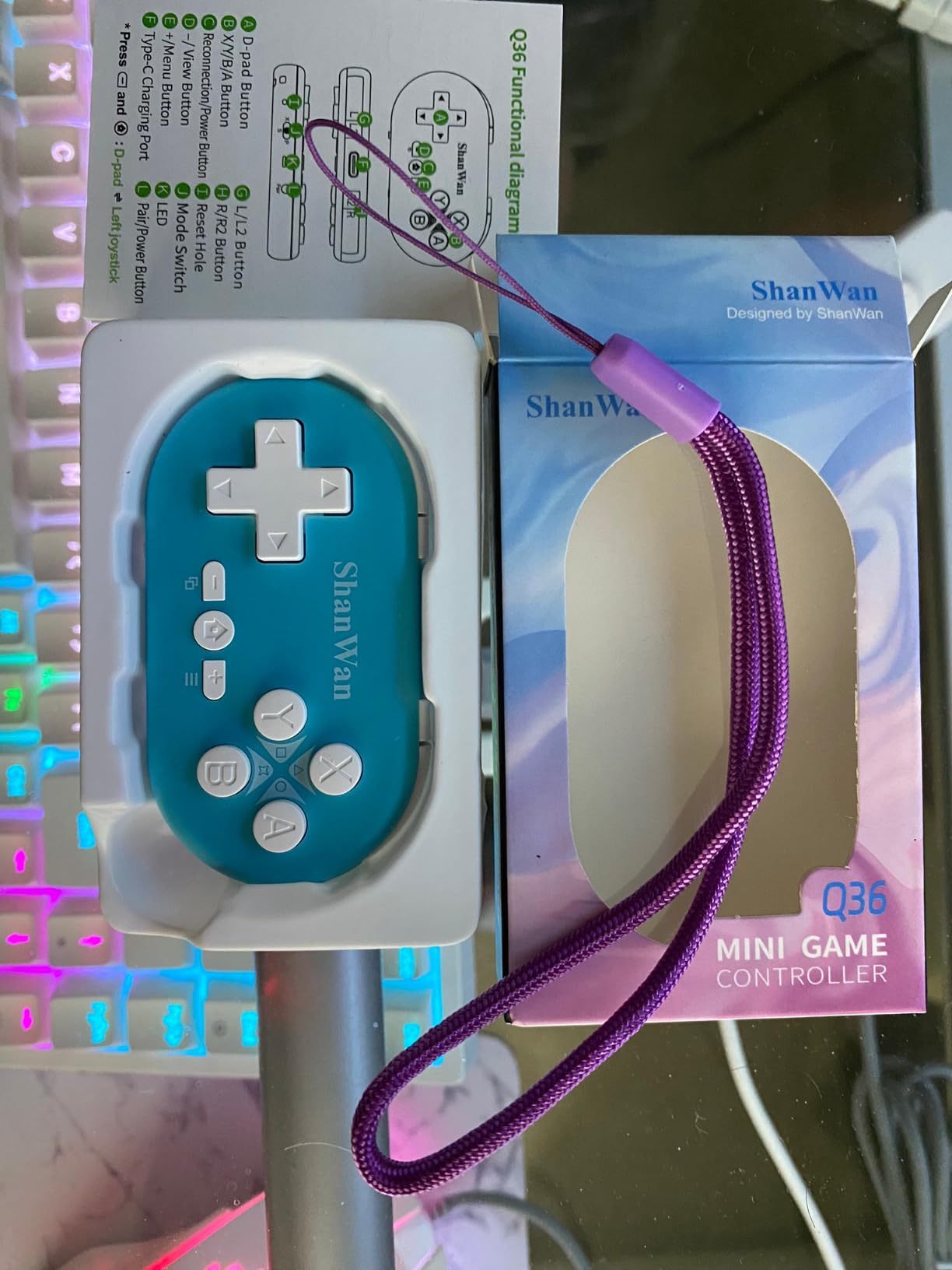
The ShanWan is 30 g with 17 buttons across a 2.83 by 1.57 by 0.55 inch body, making it the most compact shape in this guide. It genuinely fits in one hand, which is why buyers with very small hands gravitate to it despite the mixed feedback.
It supports Xbox, Switch and PlayStation input modes, so one pad can cover a console, a phone and a retro handheld. The 180mAh battery takes about an hour to charge and delivers roughly 5 hours of play, with a reliable signal stated at 10 meters.
What holds it back is consistency. At a 4.1 average it sits below most pads in this guide, with 56 percent five-star but a notable cluster of two-star and one-star reviews. The recurring complaints are the total absence of analog sticks, unreliable PS4 pairing and needing to re-pair after every power-on.
Key mapping for productivity apps also needs manual remapping, and a small number of buyers report connection failures outright. Treat the wrist strap as essential rather than decorative.
When the multi-mode support earns its place
A child who plays retro titles on a Switch, a phone and a laptop can use one device instead of three. The single-hand fit is also excellent for a child who cannot yet grip with both hands.
Forum and marketplace concern about unauthorized sellers is worth taking seriously with niche brands, so buy from a direct listing and keep the return window open.
When to choose something else
Choose something else if your child plays modern mobile or console games, since no analog sticks means those titles are simply unplayable. Anything requiring a stable connection over PS4 should also avoid it.
For the same tiny footprint with a better rating, the 8BitDo Micro is the safer purchase.
9. HyperX Clutch Tanto — the Lightest Licensed Mini Xbox Controller
Best for: Xbox Series X|S and Xbox One households with a child aged 4 to 10.
HyperX Clutch Tanto – Mini Wired Gaming Controller for Xbox Series X|S Licensed Compact Full Featured Wired Black
- Explicitly designed for younger gamers and smaller hands
- Full Xbox feature set with sticks triggers bumpers and rumble
- At 165 g it is the lightest full-featured mini Xbox controller
- Clicky responsive buttons with a solid build
- Wired only and many buyers want a wireless version
- Analog sticks are conventional pots that can drift
- Compact size can bother adults in long sessions
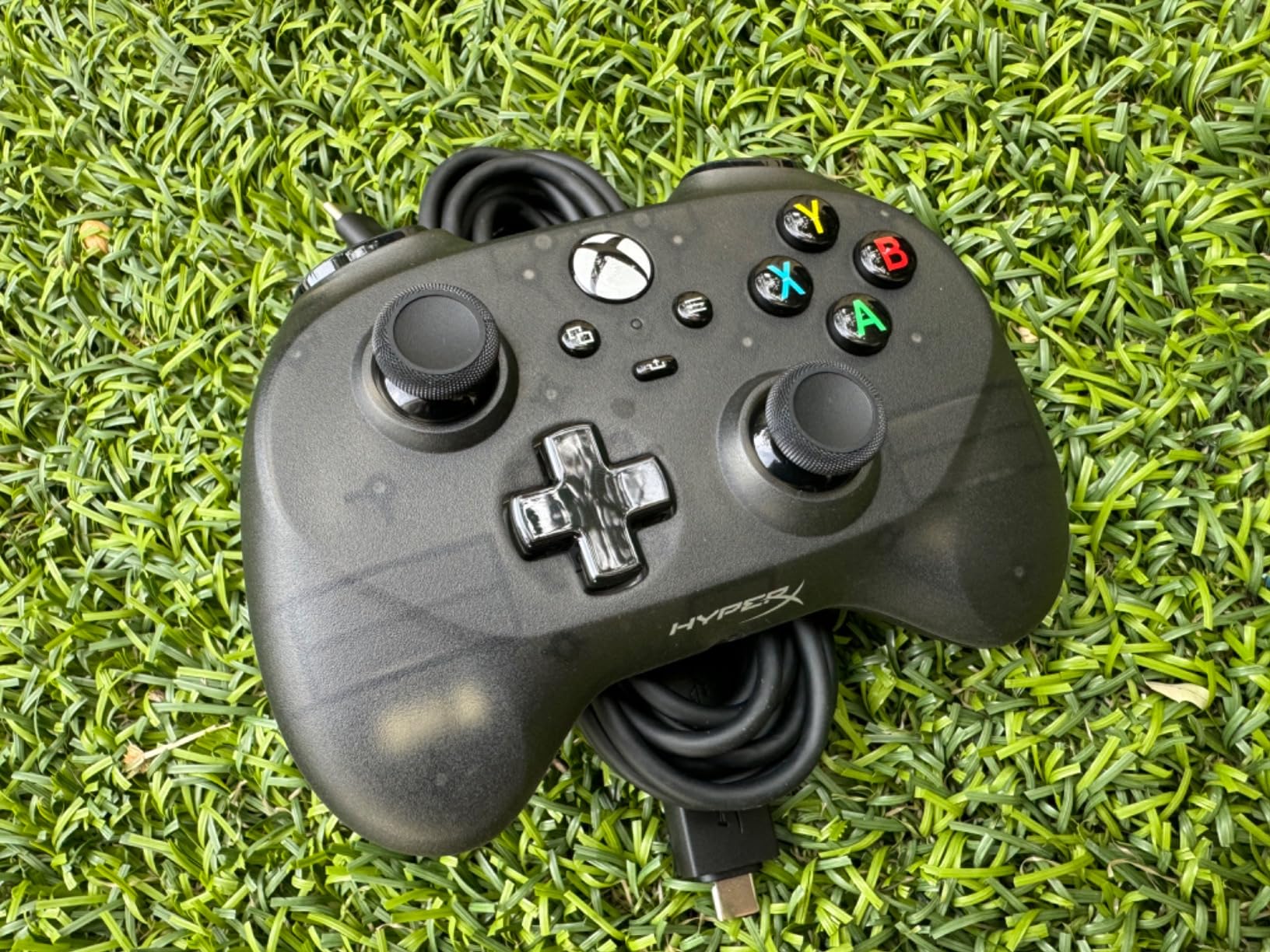
Yes, kid-sized Xbox controllers exist, and the Clutch Tanto is the clearest example. It is officially licensed for Xbox Series X|S and Xbox One, weighs 165 g, and keeps every standard button, input and rumble motor in a compact body built for younger gamers.
Parent reviewers validate the fit claim repeatedly. Multiple reviews describe it as ideal for 4-to-5-year-olds and for children across the 3-to-12 range, with responsive triggers, tactile bumpers and a durable, weighty feel that survives ordinary handling.
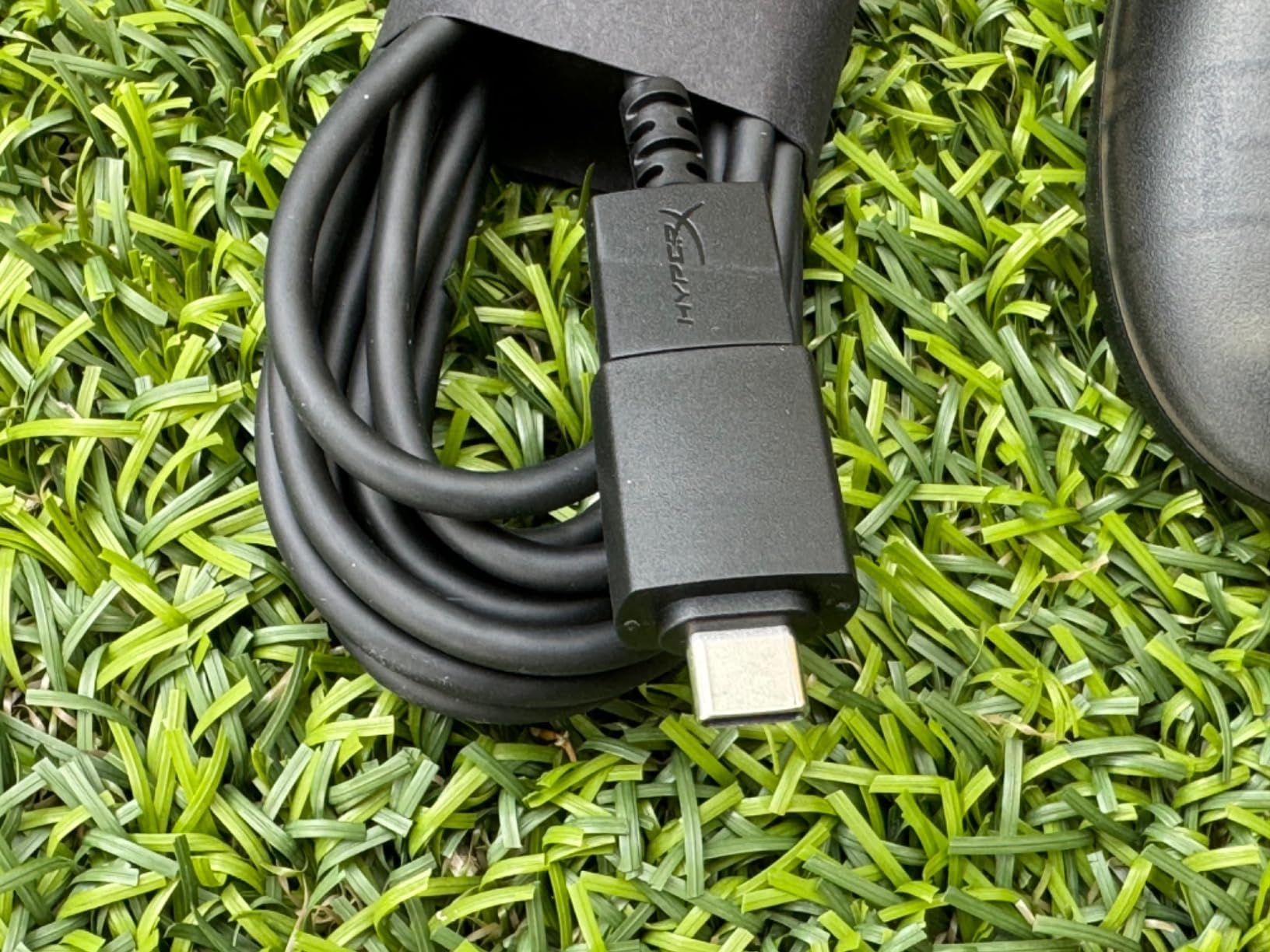
It also works beyond Xbox. The included USB-A to USB-C adapter and cable mean the same pad functions on PC, Steam Deck and Android, which turns one purchase into a multi-device controller. The two-year HyperX warranty is among the longest here.
The recurring critique is stick drift. The sticks are conventional potentiometers, and several owners hope HyperX releases a Hall Effect revision. There is also no wireless version, and the compact shape can become uncomfortable for adults in long sessions.
Why this is the Xbox answer
Microsoft does not sell a small official pad, so the realistic options are Joy-Con style third-party designs or licensed mini hardware. The Tanto is the licensed route, and it keeps the full control set rather than cutting buttons.
At 165 g it is the lightest controller here that includes analog sticks, triggers and rumble together, which is why it beats the Nova Lite 2 for a younger Xbox player.
When drift becomes a problem
If your child plays often enough to wear the pots smooth, budget for a stick module replacement or a Hall Effect alternative. Parents who play the same games for years tend to migrate to drift-free sticks eventually.
It is also wired, so plan cable routing if a child is a yanker or a trip hazard.
10. AceGamer Wireless Pocket Controller — Retractable Sticks Built for Travel
Best for: families who play on the Switch, a Steam Deck, a tablet and a phone with one pad that travels.
- Retractable lift-and-lock joysticks protect the sticks in transit
- Very light at 3.3 oz and pocket sized
- Broad support for Switch 2 Lite PC Steam Deck iOS Android
- User-replaceable battery
- rare at this size
- Android button mapping often fails to bind in emulators
- ABXY interchange does not work on Android
- Pairing can need retries and Switch 2 wake does not work
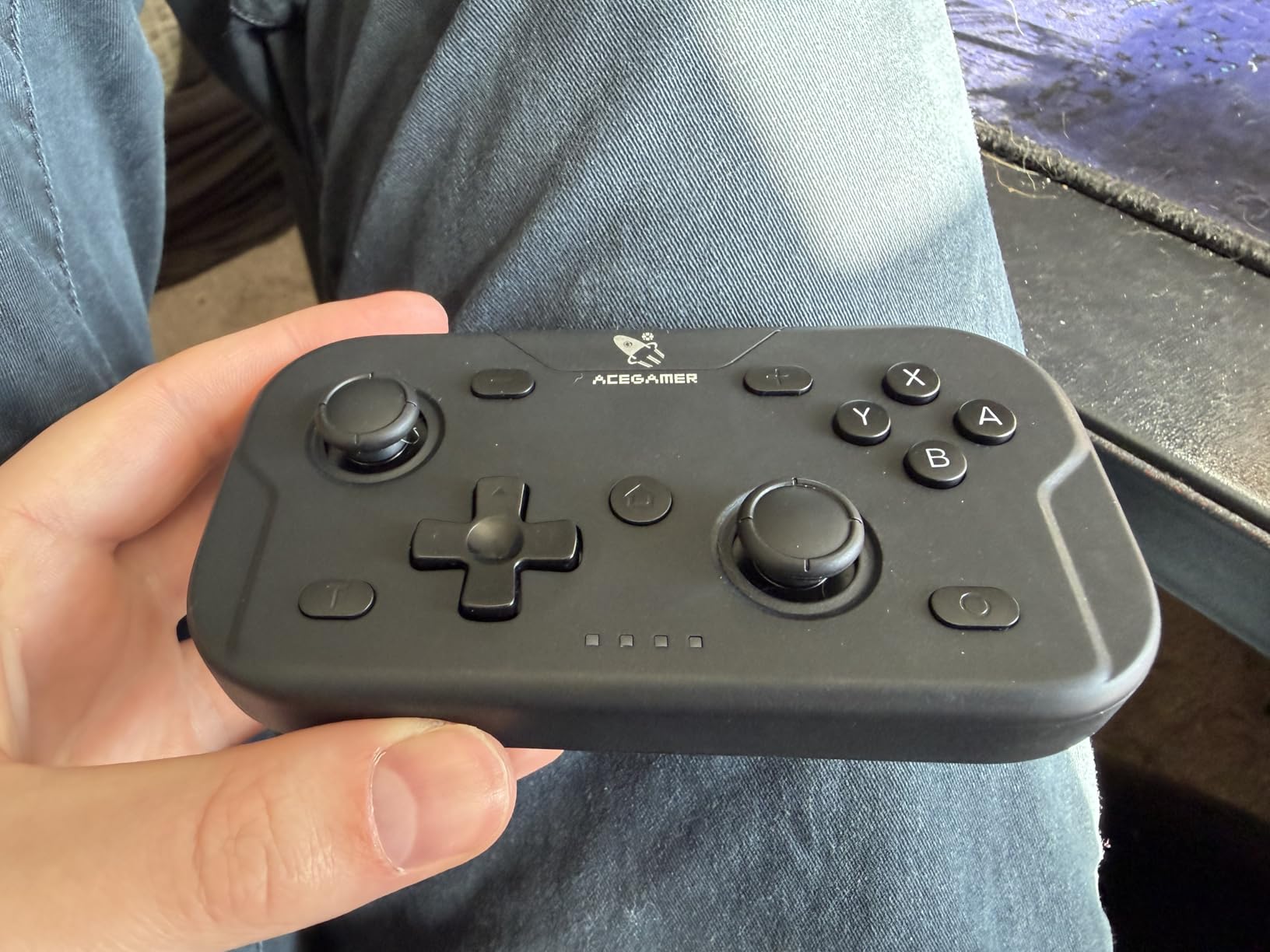
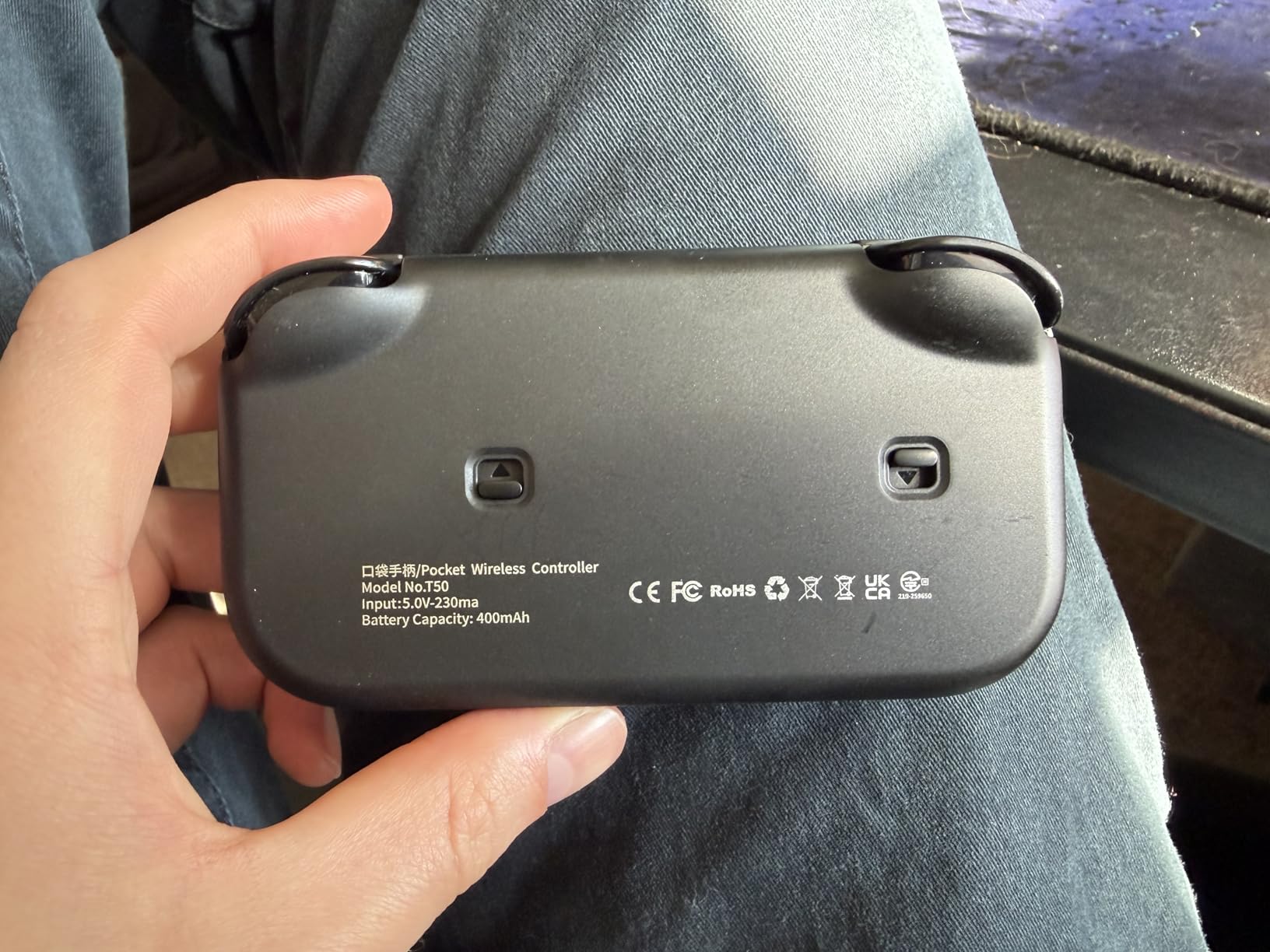
The AceGamer Pocket is the most travel-oriented controller in the guide. At 4.7 by 2.6 by 1.2 inches and 3.3 oz, it is small enough for a pocket, and its defining feature is a lift-and-lock joystick design that retracts the sticks so they cannot bend in a bag.
Platform coverage is the widest here: Switch, Switch 2, Switch Lite, PC, Steam Deck, iOS, Android, tablets and phones. It includes 360-degree analog sticks with a 6-axis gyroscope, dual motor vibration, 1000Hz polling, assignable turbo at 5Hz, 12Hz and 20Hz, and ABXY value interchange between PC and Switch layouts.
A user-replaceable battery is unusual at this size and removes the most common small-controller complaint. Performance on Switch 2 is reported as low lag with adjustable vibration, and the box includes a charging cable and manual.
At a 4.0 average with a 13 percent one-star share, it is the lowest-rated item here, and the complaints are almost entirely Android-specific. Buttons and stick directions frequently fail to bind in emulators, the A/B X/Y swap does not function on Android, and the advertised Switch 2 wake-from-rest does not work. Turning it off is fiddly and pairing can need retries.
What makes the lift-and-lock design worth it
Retractable sticks are the single most practical feature on any controller that lives in a backpack. Parents travelling with a Switch or a Steam Deck reported that this is the feature they notice first after a few trips.
The replaceable battery and Switch 2 support make it a strong second controller for a family that plays handheld most of the time.
When to choose something else
Choose something else if Android is the main device. Mapping failures in emulators are consistent enough that we would not build a child’s daily setup on it. The soft trigger feel is also noticeable at this size.
For a cleaner multi-platform experience with sticks that stay put, the Nova Lite 2 or the Lite 2 are the safer buys.
How to Measure Your Child’s Hands Before You Buy
Measure before you shop, because the size classes overlap and only your child’s hand settles it. Lay the child’s hand palm down on a flat surface with the fingers together, then measure from the crease of the wrist to the tip of the middle finger. That palm length is the single most useful number.
Under 11 cm points to micro pads such as the Micro or the Zero 2. Between 11 and 13 cm points to compact pads with sticks, like the Lite 2 or the Clutch Tanto. Above 13 cm and a full-size compact pad such as the Nova Lite 2 fits properly.
Second measurement: hand span, thumb tip to little-finger tip with the hand fully spread. Compare that against the controller’s listed width, not its length, because the span is what determines whether the child can hold the pad without squeezing.
Third check: the reach test. Have your child hold the pad the way they would during play and ask whether they can roll their index finger onto a shoulder button without moving their whole arm. If not, the pad is too large regardless of what the spec sheet says.
If you also outfit for trips, sizing the same way works elsewhere. Our hands-free travel bag guide and the hand-care routine for cold months both start from the same measure-first habit.
What Is the Smallest Video Game Controller You Can Buy?
The 8BitDo Micro is among the smallest controllers on the market, at 24.8 g and 3.94 by 1.97 by 0.5 inches, with 16 buttons and Bluetooth connectivity for Switch, Android and Raspberry Pi. The 8BitDo Zero 2 is lighter at 22.68 g and even narrower at 1.5 inches wide, and the ShanWan pad is the shortest at 2.83 inches. All three rely on a D-pad rather than analog sticks.
For a direct answer to parents: if the question is which is the smallest, the Zero 2 wins on weight and the ShanWan on footprint. If the question is which is the best of the tiny pads, the Micro’s 4.5 rating across more than 2600 reviews is the reason we recommend it over the alternatives.
Do Kid-Sized Xbox Controllers Actually Exist?
They do, and the HyperX Clutch Tanto is the strongest example: officially licensed for Xbox Series X|S and Xbox One, 165 g, 5.1 by 3.6 by 1.8 inches, with the full standard control set including analog sticks, triggers, bumpers and rumble. It also works on PC, Steam Deck and Android over USB-C.
Microsoft does not sell a small official pad itself, so the practical choices are licensed mini hardware like the Tanto or third-party compact designs. For wireless play on Xbox with small hands, the Nova Lite 2 is the alternative, though reviewers note it is a full-size compact layout rather than a child’s pad.
Wired or Wireless: Which Is Safer for Young Kids?
Wireless, for most households. Forum discussions consistently favour wireless pads because children trip over, tangle, chew and yank cables, and because a cordless controller cannot be used to drag a console off a shelf during a rage-quit throw.
Wired wins on reliability. The Tegenaria Lite and the PowerA Nano have nothing to charge and nothing to pair, and a 1000Hz wired connection has effectively no input lag. If your child is calm with games and the console sits out of arm’s reach, wired is the simpler choice.
Our own rule: wireless under about age eight, especially with a handheld console, and wired or docked above that if the child plays long sessions near a television where the cable can be routed along the wall.
Pairing and Setup: Why Small Controllers Refuse to Connect
Most pairing failures come down to input mode rather than hardware. On Switch and Switch 2, hold the Home button and press Plus then Minus to cycle modes, and watch the LED pattern change until it matches the console. On PC, hold the pairing button and select the pad in the Bluetooth menu before launching a game.
On Android, connect the device first and open the game before pairing, because many games grab the first controller that appears. For tablets, check that the game supports a controller at all, since mobile titles often ignore external input entirely.
Know the failure signs. A pad that pairs on a phone but not a console is usually in the wrong mode. A pad that needs re-pairing every power-on, as some buyers report with the ShanWan, is a hardware characteristic rather than a setup error. And a Switch 2 owner on a gaming forum reports that both the 8BitDo Lite and the 8BitDo Ultimate would not connect to the new console, so test any upgrade purchase inside the return window.
One more caution from the forums: for lesser-known mini-controller brands, buy from a direct listing. There is documented counterfeit and fake-review activity around some marketplace sellers in this niche.
Which Size Class Fits Which Age?
Ages 3 to 5 need a micro pad or a learning toy. D-pad-only designs at 22 to 30 g are right, and the LeapFrog controller is the honest pick if a screen is not yet part of the plan.
Ages 6 to 9 are the sweet spot for compact pads with analog sticks. The Lite 2 and the Clutch Tanto cover this band, and a Hall Effect option such as the Tegenaria Lite protects against early drift.
Ages 10 to 12 can often handle a full-size compact pad. The Nova Lite 2 fits here, with Hall Effect sticks and back buttons that start to matter.
Teens and adults with small hands generally do best in a full-size pad rather than a cheap mini, which is the consistent conclusion across gaming forum threads. Well-shaped standard hardware beats a thin mini controller over a long session.
How We Picked and Tested
We compared all ten controllers on five criteria: weight and dimensions against the hand measurements parents can take at home, platform support including Switch 2, PC, Steam Deck, Android and iOS, connection type and what that means for a household, control layout against the age bands, and durability signals from owner reviews over months rather than weeks.
Numbers came from the manufacturer and retail listings, including the 22.68 g and 24.8 g weights, the 165 g HyperX figure, the 0.28 kg and 0.43 kg GameSir weights, and the 3.3 oz AceGamer weight. Ratings and review counts are the current figures attached to each listing, and every pick has more than 200 reviews behind it.
Where owners disagree, we said so. Battery life, pairing friction, drift and button crowding are the four complaints that came up across almost every product here, and we would rather you know about them before the box arrives.
Frequently Asked Questions
What is the best game controller for kids?
The best game controller for kids is usually a compact pad rather than a full-size one. For children under six, a D-pad-only micro pad such as the 8BitDo Micro at 24.8 g is the best fit. From six to ten, a compact pad with real analog sticks such as the 8BitDo Lite 2 or the HyperX Clutch Tanto works best. Match the controller to the child’s hand size and the device they play on rather than to a brand.
What controller is better for smaller hands?
A mini or compact controller is better for smaller hands, and the key measurement is palm length. Under 11 cm from wrist crease to middle fingertip suits micro pads without analog sticks. Between 11 and 13 cm suits compact pads with analog sticks, shaped triggers and rumble. Above 13 cm and a full-size compact pad fits properly. A well-shaped standard pad often beats a cheap mini over long sessions.
What is the smallest video game controller available?
The 8BitDo Micro is among the smallest controllers available, weighing 24.8 g and measuring 3.94 by 1.97 by 0.5 inches with 16 buttons and Bluetooth for Switch and Android. The 8BitDo Zero 2 is lighter at 22.68 g, and the ShanWan pad has the shortest body at 2.83 inches. All of these are D-pad-only designs for 2D and retro games.
Do they make kid-sized Xbox controllers?
Yes. The HyperX Clutch Tanto is officially licensed for Xbox Series X|S and Xbox One and weighs 165 g, with the full control set including analog sticks, triggers, bumpers and rumble. It also works on PC, Steam Deck and Android over USB-C. Microsoft does not sell a small official pad itself, so this licensed mini hardware is the most direct option.
Should a kids’ controller be wired or wireless?
Wireless is usually safer for young children because they trip over, tangle, chew and yank cables, and a corded controller can be used to drag a console off a surface during a rage-quit throw. Wired pads are simpler and more reliable since there is no battery to charge and no pairing to fail, and a 1000Hz wired connection has effectively no input lag. Many families choose wireless under about age eight and wired above it.
Best Controllers for Kids With Small Hands: The Final Word
Start with the 8BitDo Zero 2 if your child is under six and plays 2D games, because at 22.68 g it is the lightest and most portable option in this guide. Move up to the 8BitDo Micro if you want the best-rated of the tiny pads, and to the 8BitDo Lite 2 the moment real analog sticks and shaped triggers matter.
For Xbox households, the HyperX Clutch Tanto is the licensed answer at 165 g with the full control set. For a multi-device family that travels, the AceGamer Pocket covers Switch 2, PC, Steam Deck and phones, provided Android is not the main device. And for a child not yet ready for a screen, the LeapFrog controller rated 4.8 by owners is the right age-appropriate choice.
Measure the hand first, buy once, and keep the return window open until pairing works on the device you actually own.