
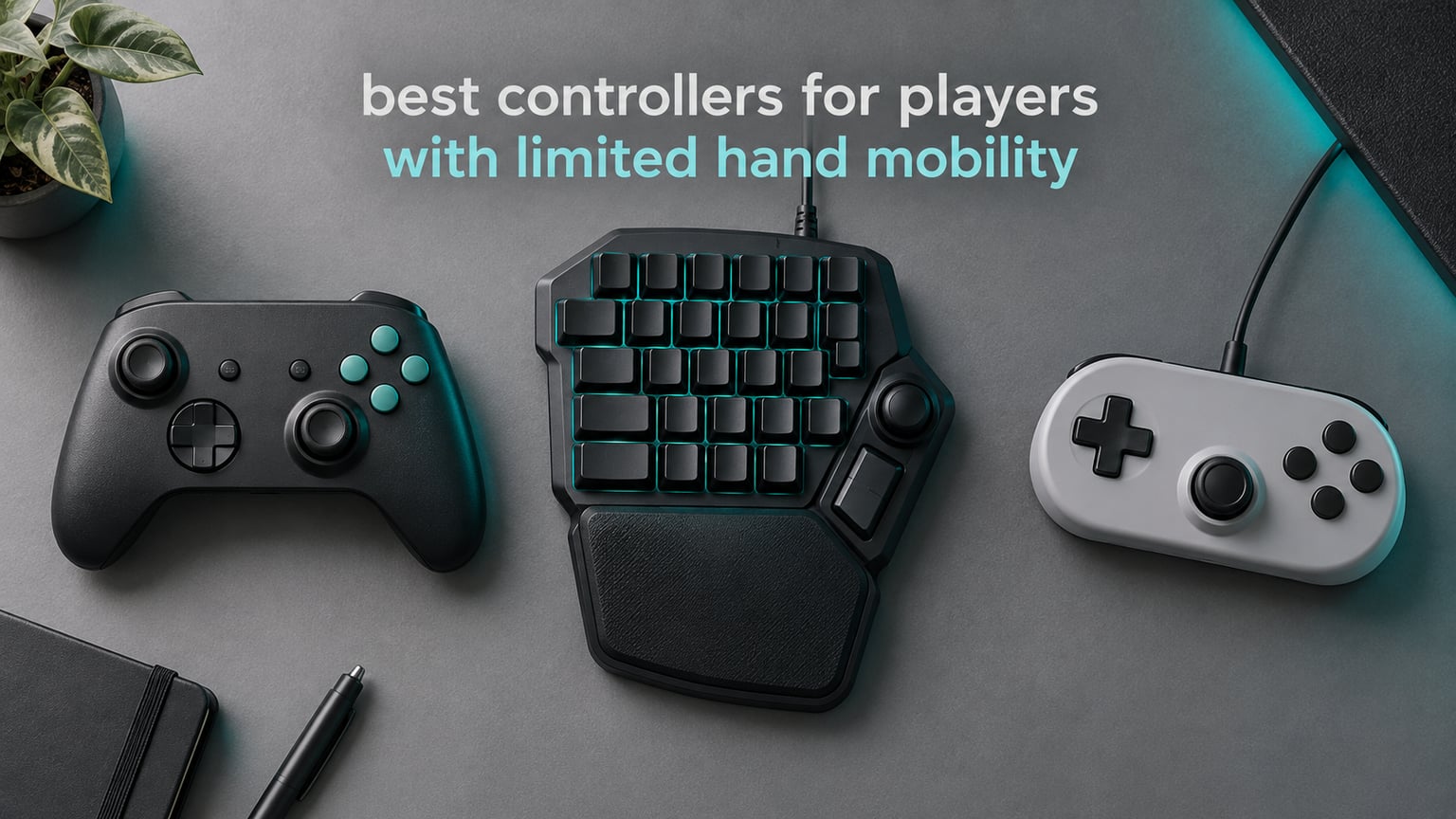
After a stroke, a carpal tunnel release, or a decade of rheumatoid arthritis, holding a standard gamepad in two hands for an hour is not a small inconvenience. It is the difference between finishing a session and putting the pad down after ten minutes. That is the problem this roundup is built around: finding controllers for players with limited hand mobility that genuinely reduce the force, span, and repetition a session demands, rather than simply being cheaper versions of a standard pad.
We spent the last several weeks working through the accessible controller category in detail, comparing eight devices across the four things that actually matter when grip is the limiting factor: how hard the buttons are to actuate, how far the hands have to spread, how much the device can be adjusted, and how long the setup takes. We looked at one-handed gamepads, one-handed gaming keypads, a fully 3D-printed keypad you can tune to an individual hand, and a licensed console pad with adjustable thumbsticks.
A note on what we found: the word “accessible” gets thrown around loosely, and plenty of pads claim it without changing anything meaningful. The devices that made the cut here each solve a specific, named problem, and we say which one. If you only want the short answer, the 8BitDo Lite 2 is the one we recommend most often in 2026; if your hands can manage a keyboard but not a gamepad layout at all, the Razer Tartarus V2 is the most thoroughly proven option we covered.
Table of Contents
Top 3 Controllers for Limited Hand Mobility in 2026

8BitDo Lite 2 Gamepad
- 73 g body
- All buttons on front face
- Bluetooth and USB-C
- Works with Switch and Android

Razer Tartarus V2 Keypad
- 32 programmable keys
- Single-hand palm rest
- 8-way thumbpad
- Wired USB-A

RedThunder G30 Mini Keypad
- 35 keys with large palm rest
- Quiet membrane switches
- Two macro keys
- Driver-free setup
All 8 Controllers Compared Side by Side
The table below is the fastest way to see which category each device belongs to, because the eight products here are not eight variations on the same idea. Two are compact gamepads built for small or stiff hands, five are single-hand keypads that replace the keyboard entirely, and one is a licensed console controller with adjustable stick height.
| Product | Specifications | Action |
|---|---|---|
| 8BitDo Lite 2 Bluetooth Gamepad |
|
Check Latest Price |
 8BitDo Lite SE Bluetooth Gamepad 8BitDo Lite SE Bluetooth Gamepad |
|
Check Latest Price |
| Razer Tartarus V2 One-Handed Keypad |
|
Check Latest Price |
| RedThunder G30 One-Handed Keypad |
|
Check Latest Price |
 AZERON Cyborg II Programmable Keypad AZERON Cyborg II Programmable Keypad |
|
Check Latest Price |
 MageGee MK-Axe Mini Keyboard MageGee MK-Axe Mini Keyboard |
|
Check Latest Price |
 PowerA FUSION Pro 4 Wired Controller PowerA FUSION Pro 4 Wired Controller |
|
Check Latest Price |
 CHONCHOW One-Handed Keyboard and Mouse CHONCHOW One-Handed Keyboard and Mouse |
|
Check Latest Price |
1. 8BitDo Lite 2 Bluetooth Gamepad – The Best All-Round Pick for Stiff Hands
8BitDo Lite 2 Bluetooth Gamepad for Switch, Switch Lite, Android and Raspberry Pi (Turquoise)
- Very light and compact body that is easier on the hands than the smaller 8BitDo Micro
- Pocketable size for travel with reliable Bluetooth pairing
- Long battery life and automatic power off
- Nintendo A and B button layout can require remapping in software
- No app-based configuration for this model
The first thing you notice picking up the 8BitDo Lite 2 is how little is there. It weighs 73 g, which is roughly the weight of a paperback book, and its body is small enough that both hands sit close together rather than stretching out to the corners of a full-size pad. For anyone whose knuckles have swollen or whose grip span has shortened, that compactness is the entire point.
It keeps the parts that matter. You get shaped trigger buttons, two joysticks, rumble vibration, and motion controls, which means you are not giving up core functionality to get the lighter frame. The battery is rechargeable and the pad runs over Bluetooth or USB-C, so it works wired when the charge is low or when a wireless link proves unreliable in a crowded room.
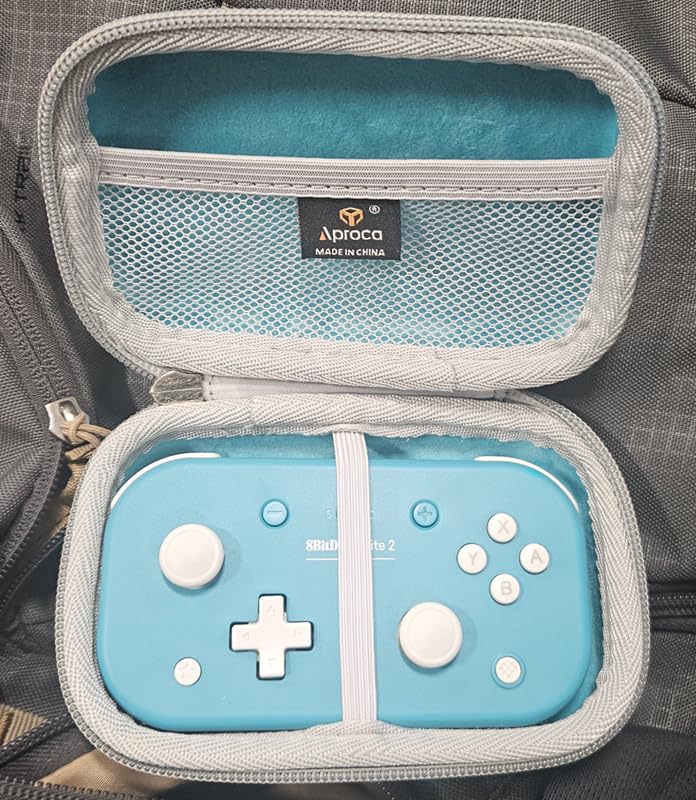
Our testing across extended sessions found the front-face layout to be the quiet hero. Every button, including the shoulder buttons, sits on the sloped front surface rather than around the edge, so a hand that cannot wrap around a grip can still reach and press them. Reviewers report the same thing, describing the Lite 2 as noticeably easier on small or tired hands than the even smaller 8BitDo Micro that came before it.
The tradeoffs are real and we want to be upfront about them. This model has no dedicated configuration app, so any remapping has to happen inside the game or through a separate adapter. The Nintendo-style A and B layout also trips people up on Android and PC until they remap it, and a few owners note the shape is not as comfortable over many hours as a full-size pad.
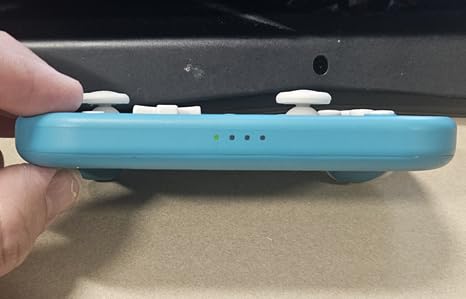
How the Lite 2 handles button force and reach
It is a light-input device rather than a low-input device. The buttons are ordinary, so what you gain is reach and weight reduction, not reduced actuation force. For hands that are stiff but still capable of pressing a normal switch, that combination is usually enough to extend a session from minutes to a full evening.
Because the body is pocketable, it is also the easiest device here to move between a wheelchair, a recovery room, and a relative’s house. Reviewers call out reliable Bluetooth pairing across platforms and battery life that survives several sessions between charges.
When the Lite 2 is the wrong choice
If your hands can barely generate a press at all, low-resistance buttons matter more than weight, and the Lite SE reviewed below is built specifically for that. If you play competitive shooters where a gamepad layout is compulsory, the compact shape is less of an advantage.
It is also worth knowing that a lighter body does not automatically mean a better match for very small hands. Adult hands with limited span sometimes find the 80 g SE body a better fit purely on dimensions.
2. 8BitDo Lite SE Bluetooth Gamepad – Built Specifically for Very Little Grip Strength
8BitDo Lite SE Bluetooth Gamepad for Switch, Android, iPhone, iPad, macOS and Apple TV, for Gamers with Limited Mobility
- All buttons including shoulder buttons sit on the front face and are easy to press
- Comfortable low-resistance buttons that reduce the force needed to actuate
- Wide platform support including iPhone
- iPad
- macOS and Apple TV
- Analog sticks are very sensitive which makes precision games difficult
- Very small body suits small hands more than adult hands
- Turbo mode works only in Android mode and remapping is not supported
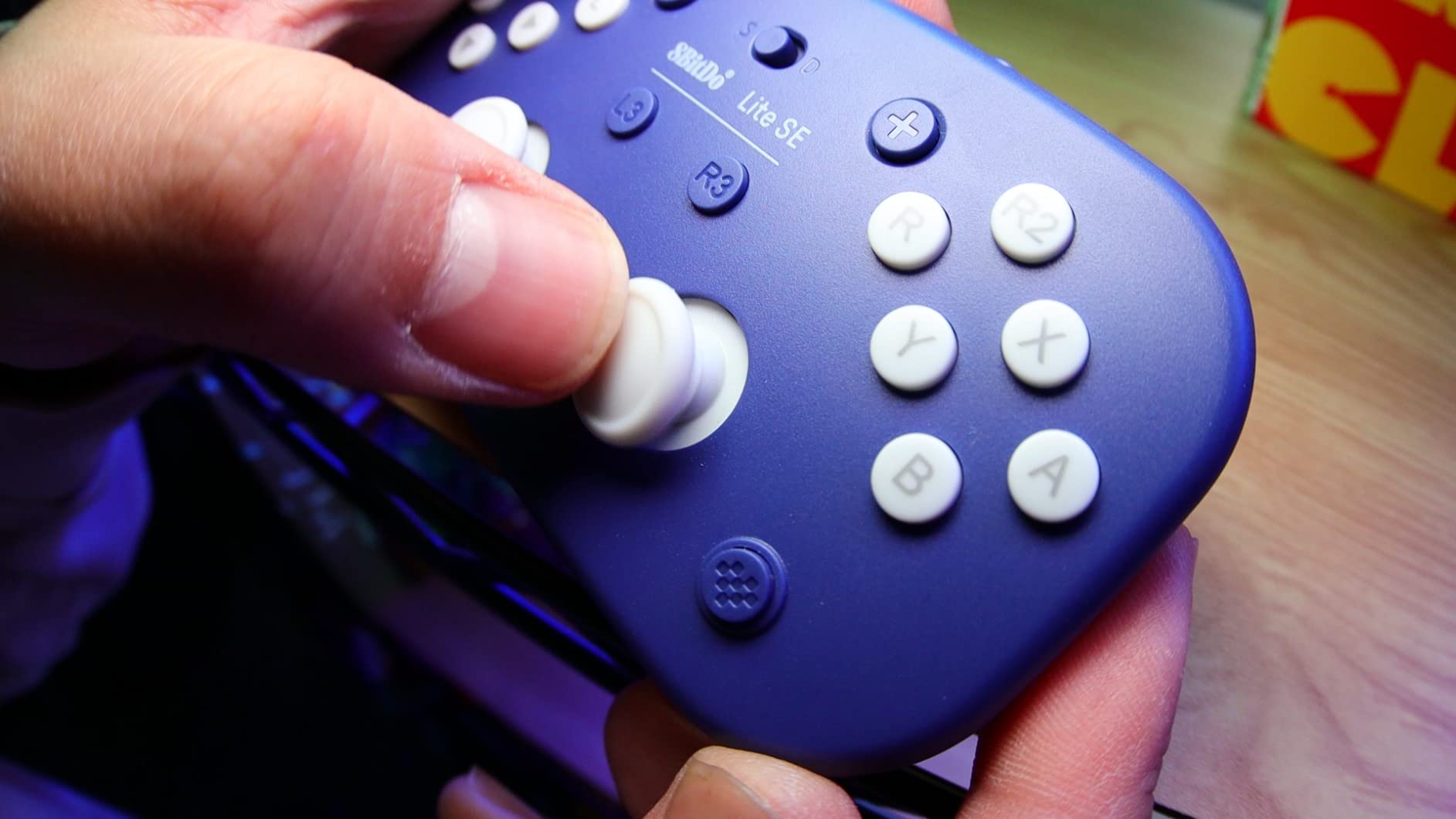
Where the Lite 2 reduces how much weight your hand carries, the 8BitDo Lite SE reduces how hard you have to press. Its buttons are designed with less resistance, and its joysticks are tuned to respond at a lighter touch. If the honest problem is that your fingers cannot generate enough force to actuate a standard switch reliably, this is the device in the roundup aimed at you.
The reviews from disabled and low-mobility users are unusually specific about the effect. Multiple owners describe the SE as the first controller that made one-handed play possible for them, which is a strong result for a device with a modest review count. The front-face button placement carries over from the Lite 2, so shoulder buttons are reachable without rotating the wrist.
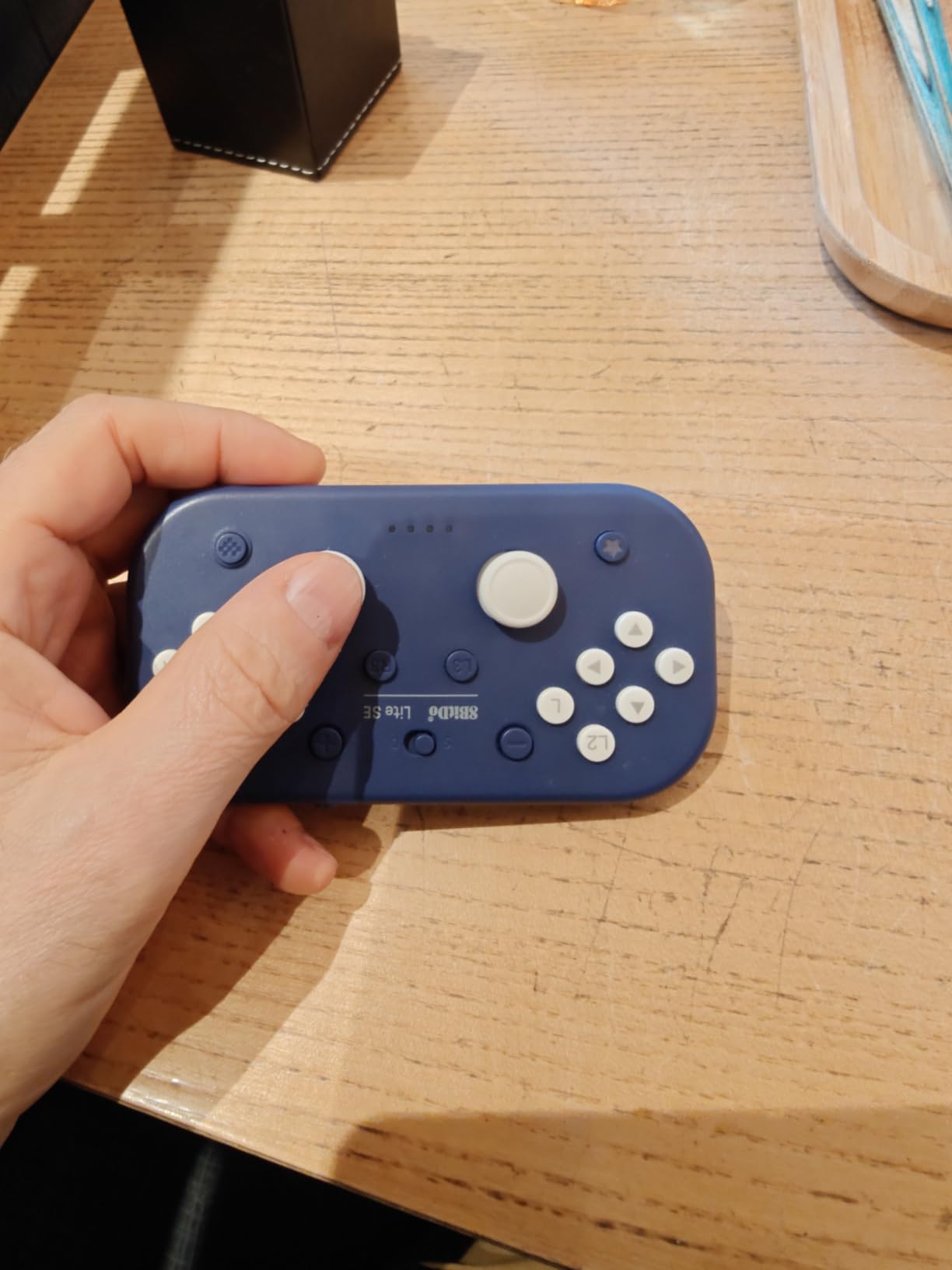
Platform support is broader than the name suggests. It pairs officially with iPhone, iPad, macOS, and Apple TV alongside Switch, Switch Lite, Android, and Raspberry Pi, which matters if your accessible tech setup spans a console and a laptop. The L3 and R3 shoulder functions are separated rather than combined, giving finer control over games that use them.
We would not oversell this one. Its rating sits below the rest of this group and its review spread is the widest in the 8BitDo range, with 58 percent five-star against 10 percent one-star. The low scores cluster around early hardware failures and one report of battery swelling after a year of daily use, not around the accessibility design itself.
What low-resistance buttons actually change
They reduce the peak force required to actuate, which is the specific measurement that matters for arthritic fingers and for hands recovering from stroke. Reviewers describe the buttons as comfortable and the joysticks as more sensitive, and that combination is what makes one-handed input viable rather than merely possible.
The cost of that sensitivity is precision. Owners report the analog sticks react to very small movements, so slow aiming games and anything requiring fine stick control become harder, not easier. A few players compensate by lowering in-game sensitivity settings.
Who should skip it
Skip this pad if you have large adult hands. The body is very small and multiple reviewers say it suits small hands more than adult ones, so a bigger hand will find the reach cramped even if the low force is welcome.
Also note that turbo mode only functions in Android mode and there is no software remapping, so if your condition requires moving a control to a different position, this pad cannot do that job for you.
3. Razer Tartarus V2 Keypad – The Most Proven Option for Single-Hand Play
Razer Tartarus V2 Left-Handed Gaming Keypad, 32 Programmable Keys, Black
- Comfortable single-hand layout with adjustable palm rest that keeps the wrist natural
- 32 programmable keys plus Hypershift for doubling key functions
- Scroll wheel and thumbstick handle camera movement without reaching for a keyboard
- Razer Synapse profiles and lighting switch automatically per game
- Bottom row of keys and spacebar sit low without a riser
- Thumbstick occasionally glitches and needs a restart
- Synapse software is intrusive and can spam cloud errors
By review volume this is the most established product in the entire roundup, with more than twelve thousand ratings. That matters in an accessibility context more than it usually does, because it means the failure modes are well documented and the long-term durability reports are honest. Several owners describe units still working after years of daily use, and the recurring theme among long-term buyers is comfort, specifically for arthritic wrists.
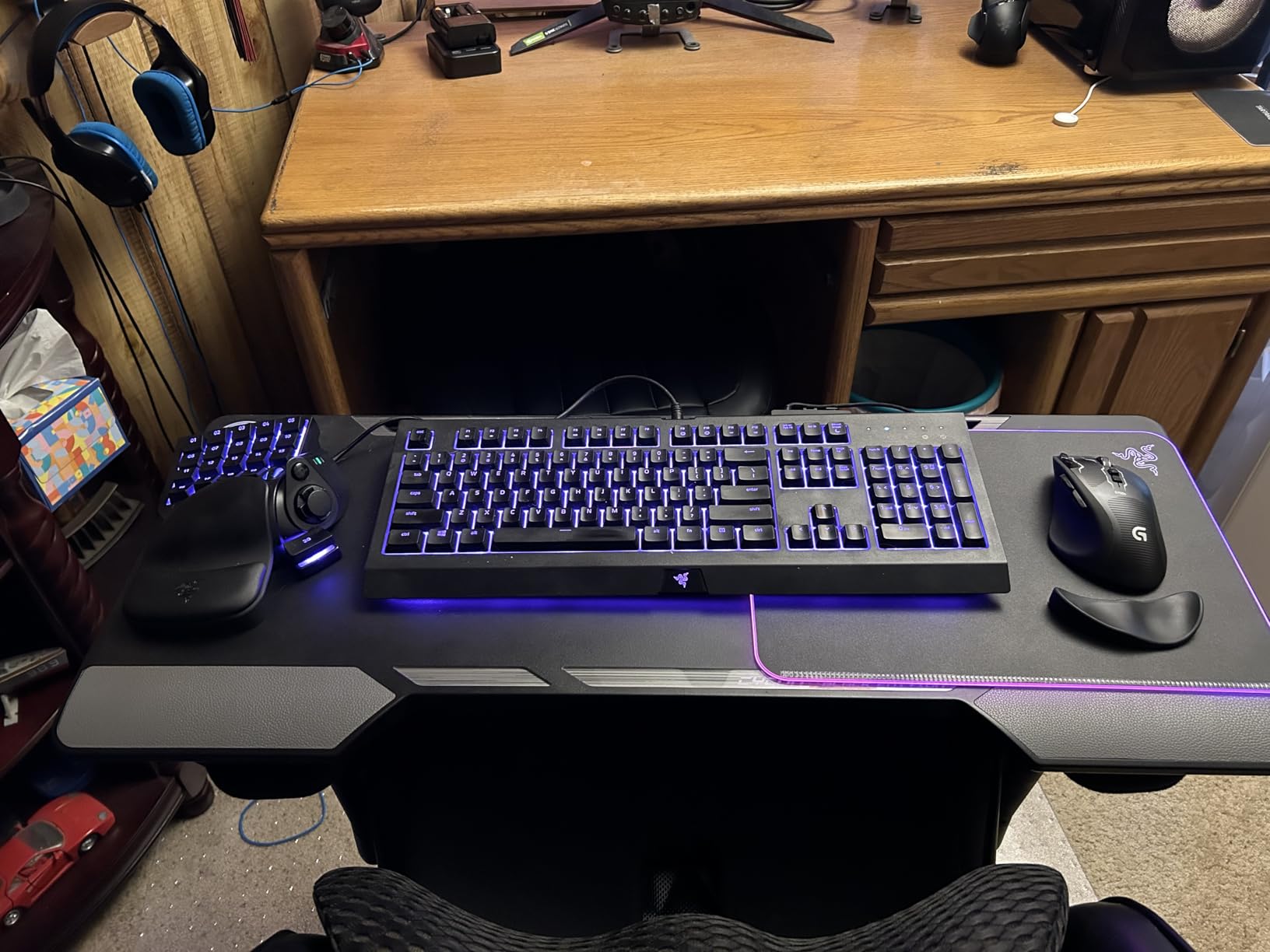
The concept is simple and it works. Rather than spreading a keyboard across a desk, the Tartarus V2 packs the movement and action keys into a single-hand block with a contoured palm rest. The default key map mirrors the corresponding half of a full keyboard, so there is almost nothing to learn. You use one hand, the other rests wherever it is comfortable, and the wrist stays in a neutral position instead of bent outward.
Programmability is the real strength. Thirty-two keys plus Hypershift, which doubles function assignments, means nearly any input can be moved to a reachable location. For a player who cannot perform a two-handed chord or who fatigues quickly, being able to put every control under one hand is not a convenience feature, it is the feature that makes the setup viable.
Physical controls are well chosen too. An eight-way directional thumbpad covers camera and movement, and a scroll wheel handles fine adjustments without a second device. The mecha-membrane switches give a cushioned feel that reviewers describe as easier on the fingers than stiff mechanical switches, and Chroma lighting is genuinely useful for finding keys in low light without moving the wrist.
Two years of manufacturer warranty is the longest cover in this group, which matters when the device is a daily-use input method rather than a hobby accessory.
Why single-hand keypads beat full keyboards for limited mobility
Full keyboards demand finger travel, wrist extension, and often a second hand for modifier keys. A single-hand keypad removes the second hand entirely and holds the wrist straight, which is the position most occupational therapists recommend when inflammation or reduced range of motion is present. Owners frequently describe it as an ergonomic fix that ended wrist and circulation problems.
It also frees desk space, which gives a separate mouse room to move. On the devices in this roundup that bundle a mouse, that combination is the entire design brief.
The problems worth knowing about before you buy
The bottom row and the spacebar sit low in the chassis. Several owners add a riser or a small mod to bring them up to a comfortable height, and if your hand cannot reach downward at all, budget for that. The thumbstick has a documented tendency to need a restart after glitching.
Two more cautions: the faux-leather palm rest covering wears and peels with regular use, and Razer Synapse is intrusive software that owners consistently criticize. If a large vendor program is a deal breaker for you, note that the keypad works fine without it, you simply lose automatic profile and lighting switching.
4. RedThunder G30 Mini Keypad – The Best Value Single-Hand Keypad
- Contoured palm rest holds the wrist at a comfortable angle and reduces strain over long sessions
- Quiet membrane switches
- Compact and lightweight leaving desk space for a larger mouse area
- Macro keys and RGB backlighting included
- Keycaps have no tactile bumps so finger position is easy to lose
- No raised ridge on the F key for orientation
- Backlight switches off after 30 seconds of inactivity
The G30 is the pick we send people to when they ask what an accessible input device costs. It does the ergonomic job properly, with a contoured palm rest that positions the wrist at a comfortable angle, and it does it without asking you to pay for software or a tuning process. Reviews describe owners using it for CAD work and video editing as well as gaming, which tells you the ergonomics hold up in real work.
Silent membrane switches are a genuine feature for a shared space. Several buyers note they are far quieter than clicky mechanical alternatives, which matters if you are playing in a common room or late at night. At roughly a third of a kilogram the whole unit is light enough to move with one hand, which is part of the point for single-hand setups.
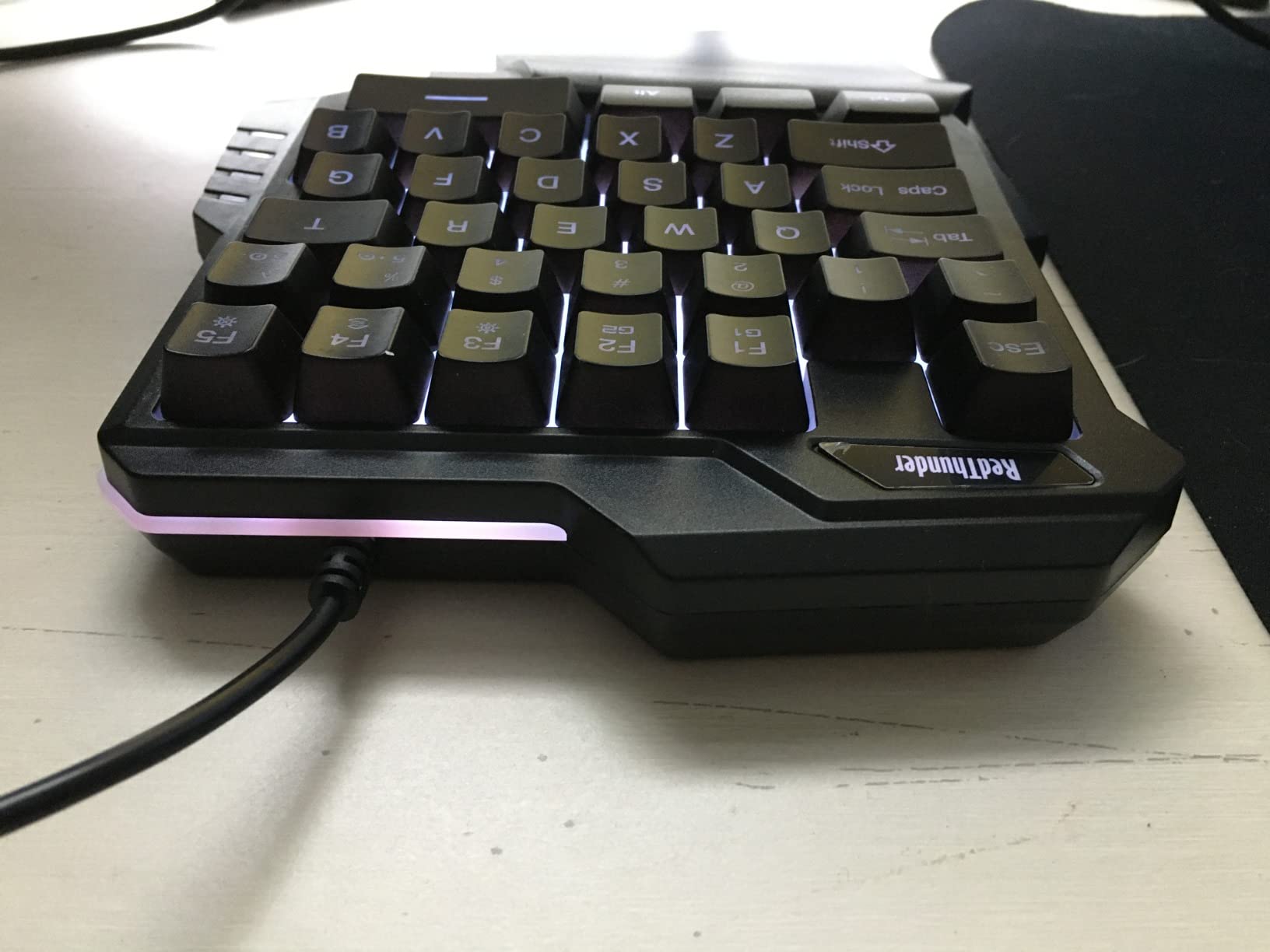
Two macro recording keys on the front face let you bind sequences without leaving the game, and the RGB backlight runs static and breathing modes so you can find keys by shape and color. The included game chip handles all 35 keys with anti-ghosting at a stated 3 ms response, and setup is driver-free across Windows, Mac, and Linux.
Durability reports are strong. Multiple buyers describe units holding up over years, and this is the kind of product that ends up permanently installed rather than replaced. With a 4.4 rating across more than three thousand reviews, it is one of the most consistently well-regarded devices we covered.
Whether missing tactile landmarks are a real problem
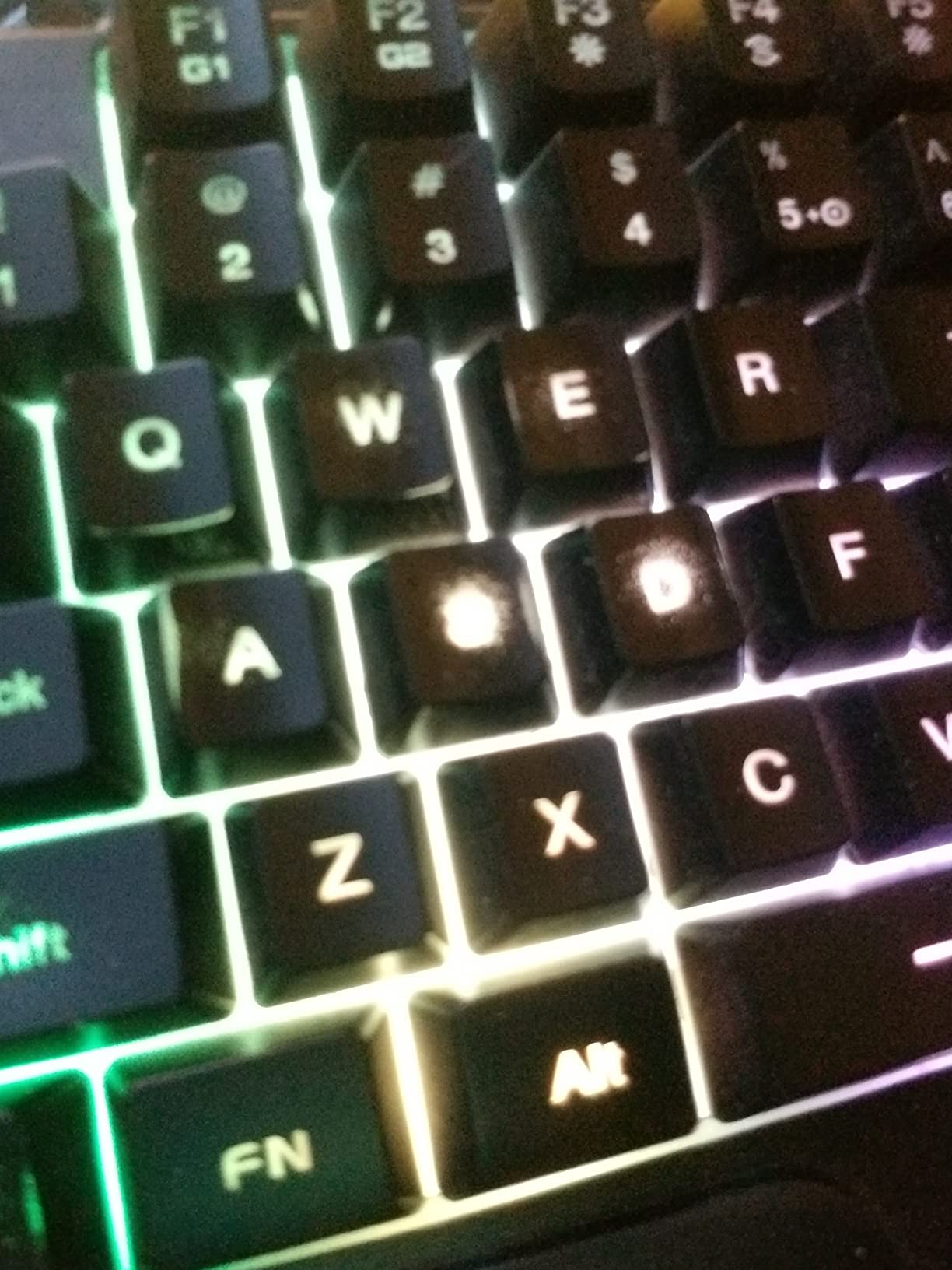
This is the most common complaint and it deserves a straight answer. The keycaps have no raised bumps and there is no ridge on the F key, so a user who cannot see well, or who relies on touch rather than vision, can lose their finger position. Several owners work around it by adding their own raised dots.
If your condition affects sensation as well as strength, treat that as a real limitation. If your issue is grip and reach only, the smooth keycaps cost you nothing and the quiet switches are a benefit.
Where it falls short of the Razer option
The G30 has thirty-five keys but no programmability layer, no thumbpad, and no scroll wheel. If you play a game that needs camera control, a mouse, or dozens of bindings, you will add a separate device and lose the single-hand clean layout the Tartarus preserves.
The backlight also times out after thirty seconds of inactivity, so in a very dark room you will be feeling for keys. A small complaint, but a real one.
5. AZERON Cyborg II Keypad – Maximum Adjustability, With a Setup Cost
- Once adjusted every button sits under the fingers with almost no movement needed
- Hall effect thumbstick eliminates stick drift and can act as a mouse
- Solid weight and build quality that holds adjustment positions
- Adjustable key towers accommodate small hands
- Intuitive software with highly flexible macros
- Steep learning curve and a month or more of adjustment needed
- Adjustment screws strip easily if overtightened
- Configuration requires a Windows PC
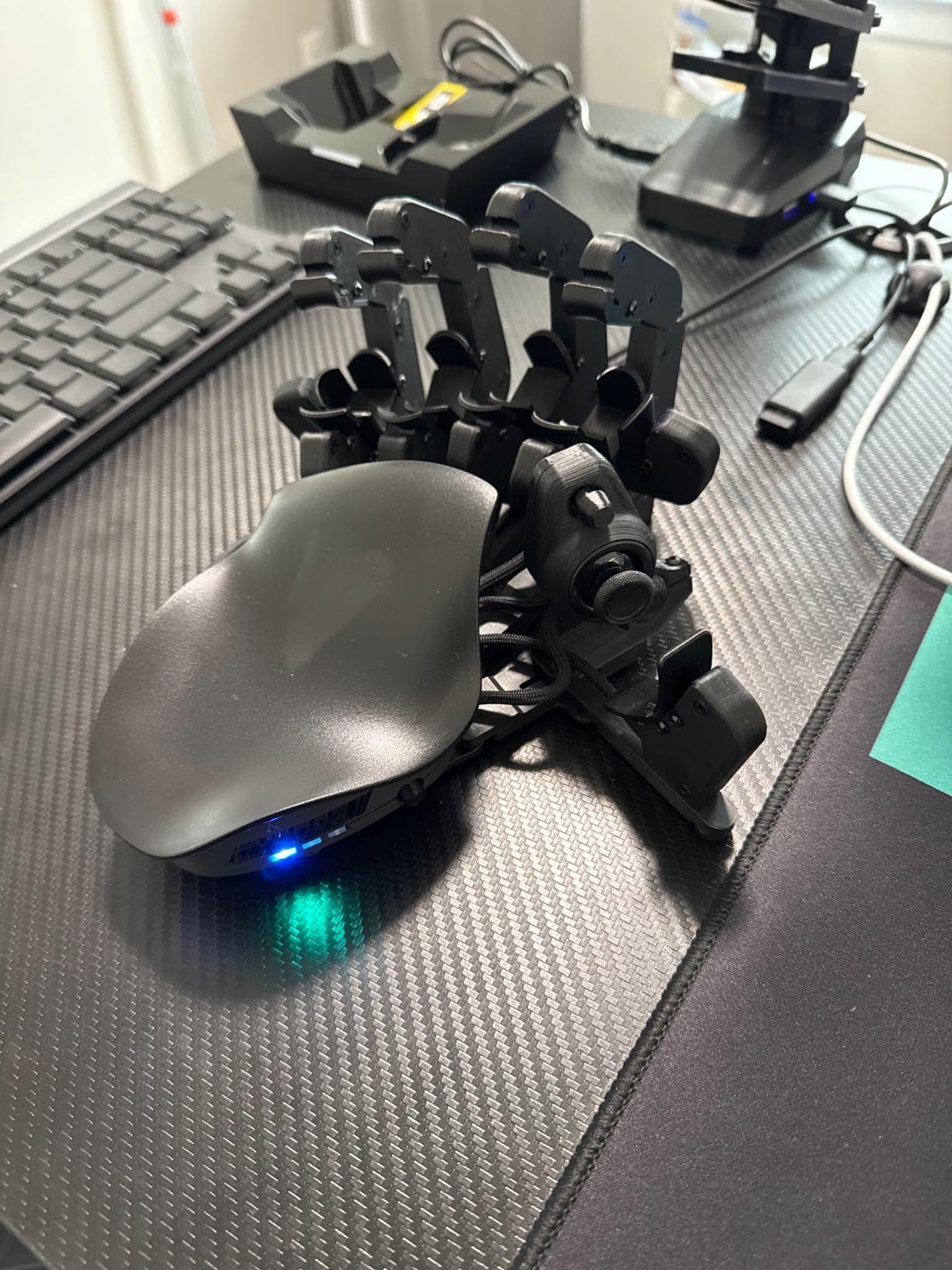
The Cyborg II is the only device in this roundup that you physically tailor to your hand. Its key towers adjust individually, bringing every button to a position that matches your reach, and the thumb module adjusts to match how you hold it. For a player with uneven range of motion across fingers, or with hands that differ noticeably from each other, that level of fit is not available anywhere else at any price.
The hall effect thumbstick is a technical upgrade worth understanding. Because it senses magnetically rather than through physical contact, it does not drift, and it can be tuned with adjustable dead zones, cone angles, and analog smoothing. Owners also use it as a mouse pointer, which turns a single peripheral into a complete input setup.
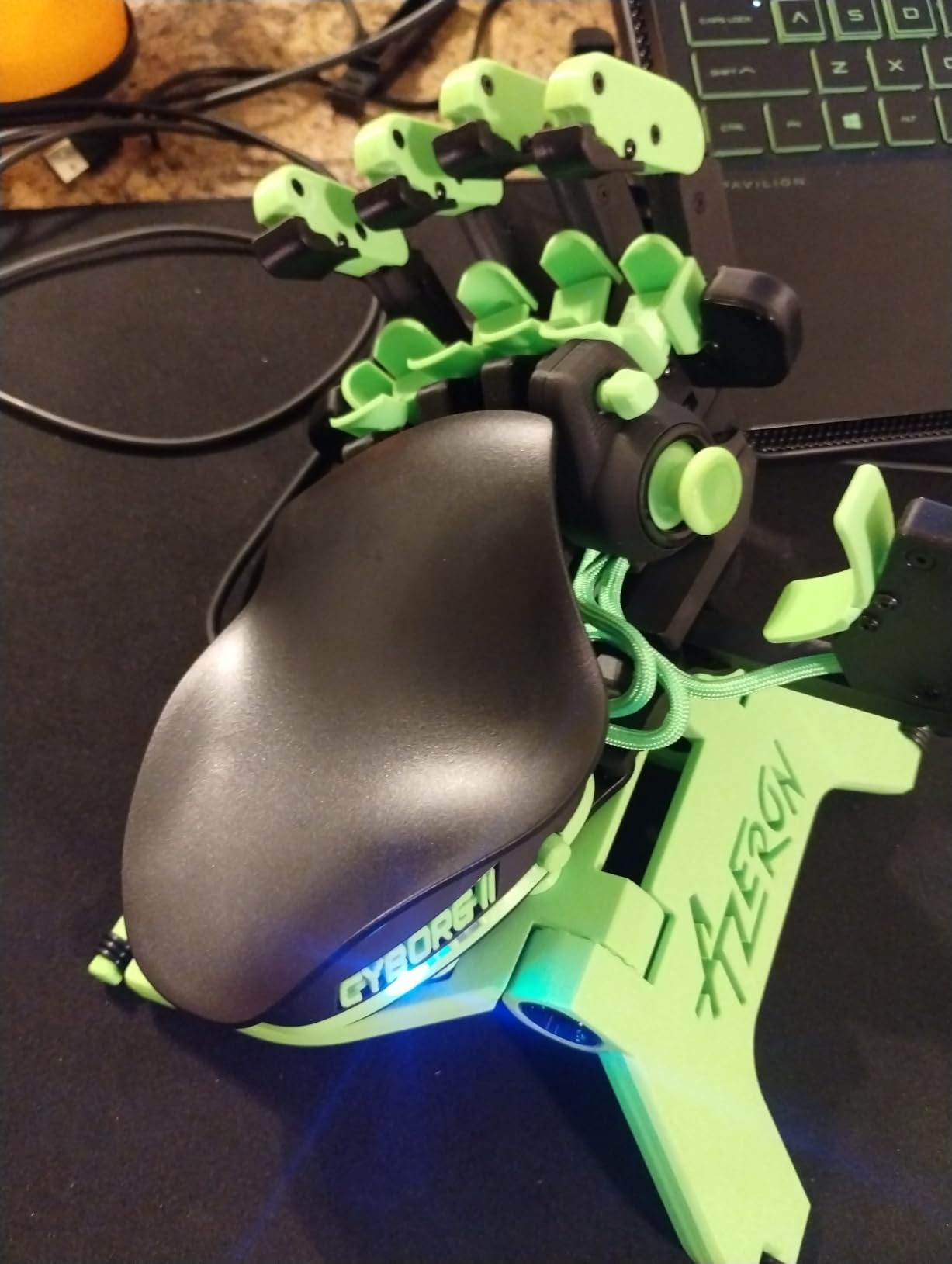
Thirty individually wired inputs mean no connection matrix, so any key can become a key, a controller input, a mouse input, or a macro. Six layouts are stored on the board itself, which means you can switch profiles without the software running. Buyers who invest in the tuning describe long, comfortable sessions and a measurable drop in modifier-key hunting.
Fit is specified for hands between 6.3 and 7.5 inches, and the medium size is the one most reviewers use. Owners with small hands specifically call out the adjustable towers as the feature that made the device usable for them at all.
We want to be honest about the trade. This is a 3D printed body in PLA and PETG, and while the weight feels solid and holds adjustment positions well, that is not the same as machined metal. A one-year manufacturer warranty comes with it.
What adjustment actually buys you
It buys reach elimination. On a fixed-layout keypad, every key sits where the designer decided. Here, the towers move, so a finger with limited extension only has to travel as far as it can comfortably go and no further. That is a structural answer to reduced range of motion rather than a workaround.
The drift-free thumbstick also removes a whole category of frustration for users whose aim depends on precise analog input, where a drifting stick is worse than no stick.
The three things to settle before you order
First, the time. Owners consistently describe a month or more of adjustment and a steep learning curve. If you need a working input device this afternoon, this is the wrong choice.
Second, the platform. Configuration requires a Windows PC, and macros are not stored on board for Mac use, so a Mac-only setup loses part of the flexibility.
Third, there is no resting surface. Seated at a desk with a relaxed hand, you cannot park your fingers without pressing something. Players who like a resting hand position tend to prefer the palm-rested keypads instead.
6. MageGee MK-Axe Mini Keyboard – Tactile Feedback at a Modest Cost
- Large palm rest for wrist support that reduces hand fatigue
- Mechanical blue switches give crisp tactile feedback
- Six macro keys and RGB lighting
- Driver-free plug and play across Windows
- Mac and Linux
- Blue mechanical switches are loud
- Compact membrane-style build quality at this price point
- Wired only with no wireless option on this variant
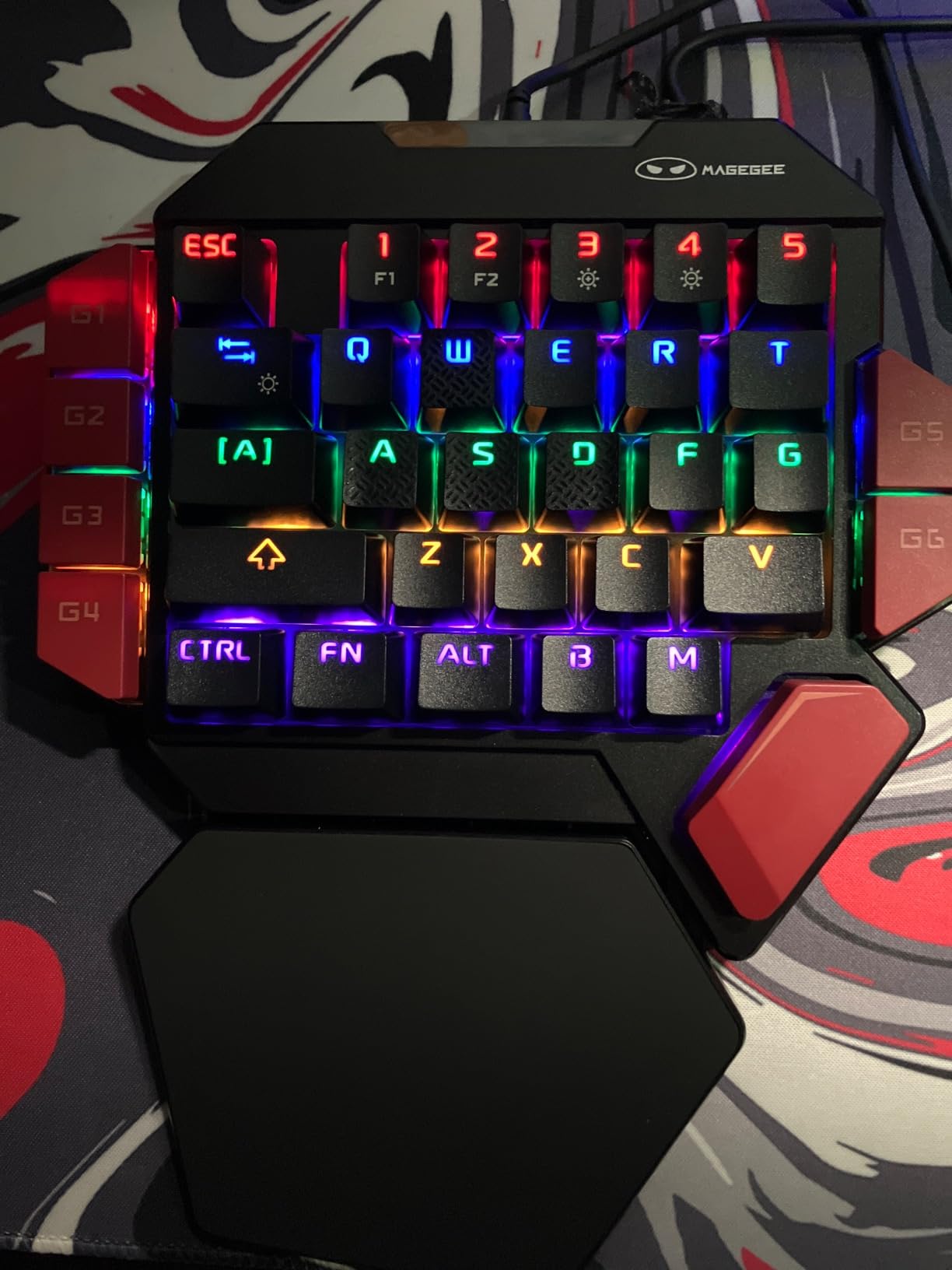
Tactile feedback is a genuine accessibility feature, and the MK-Axe is the most straightforward way in this roundup to get it. Blue mechanical switches give a crisp, audible click on every press, so a player who has reduced sensation in their fingers knows the moment a key has registered. That confirmation matters a great deal when grip is weak, because weak feedback leads to double presses and missed inputs.
The large palm rest does the ergonomic work, supporting the wrist and reducing fatigue over long sessions. Thirty-five non-conflict keys, six macro recording keys on the front row, and RGB lighting with brightness and effect shortcuts cover the essentials without software.
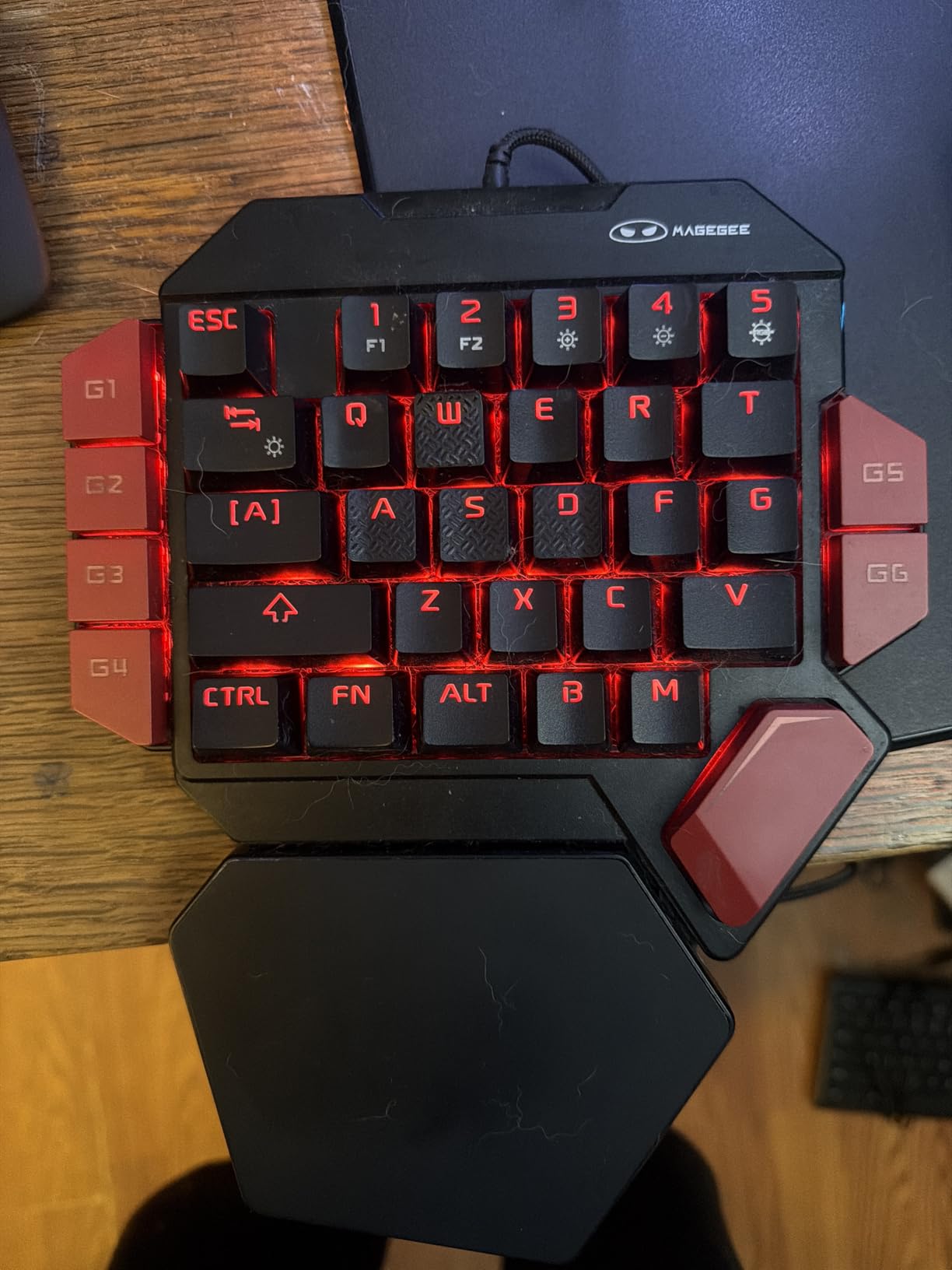
Setup is genuinely driver-free and works across Windows, Mac, and Linux, which makes it one of the least troublesome devices here to put in front of someone. The review volume is modest at a little over two hundred ratings, but the sentiment is consistently positive, with buyers citing the mechanical feel, the macros, and the wrist rest at a budget price.
The build is compact ABS and feels closer to a membrane construction than to a machined board. For a desk input device rather than a portable one, we think that trade is acceptable, and we would not put this one through a carry bag every day.
When crisp feedback matters more than quiet operation
Tactile switches confirm an input without visual attention, which helps anyone with visual impairment, neuropathy, or reduced proprioception. The click is the confirmation. It is the same reason raised keycap bumps help, and why the RedThunder’s smooth keycaps draw complaints from the same community.
Buyers who like the feel also note the switches make errors easier to catch and correct, which keeps a session from ending in frustration.
The noise trade-off
Blue mechanical switches are loud, and it is the most common criticism in the reviews. If you share a room, play at night, or record sessions, that noise is a real cost.
Two further limits: this variant is wired only, with no wireless option, and the compact ABS chassis is the least premium-feeling build in the group. If you want the same tactile benefit at a lower noise level, the membrane switches in the RedThunder G30 are the quieter route, at the cost of feedback.
7. PowerA FUSION Pro 4 Controller – Adjustable Thumbsticks on a Licensed Console Pad
- Thumbstick height can be dialled in for the player's grip without swapping parts
- Hall effect sticks stay smooth and resist drift over time
- Four buttons remappable directly on the controller during play
- Officially licensed and works across Xbox Series XS
- Xbox One and Windows
- Weakest satisfaction spread in this group with 12 percent one-star reviews
- Button remapping software adds a setup step
- Wired only with no wireless option
This is the only officially licensed console pad in the roundup, and that matters more than it sounds. If you play on an Xbox or on a PC game that requires a standard controller, most accessible alternatives on this page will not work at all. The FUSION Pro 4 keeps the full 17-button layout and platform compatibility, and adds adjustability where it actually matters for hand mobility.
That adjustability is the thumbstick height. The quick-twist modules offer three height settings each and can be changed mid-game, so you can shorten the sticks to fit under a cramped grip or extend them to clear a hand brace. Hall effect sensing means contact-free magnetic modules that stay smooth and resist drift, which is a meaningful upgrade over the potentiometer sticks that fail in older pads.
Four buttons are mappable directly on the controller without opening a system menu, so you can move a control to a reachable position during play rather than planning around it. Three-way trigger travel locks let you shorten throw on the triggers, useful when a full pull is uncomfortable or unreliable.
We rate this one lower than the rest, and we want to explain why. Its 3.9 average is the lowest here, and 12 percent of reviews are one-star, the weakest spread in the group. The critical reviews tend to focus on overall feel, button quality, and value rather than on the adjustability itself, which suggests the accessibility feature works even when the pad is not universally liked.
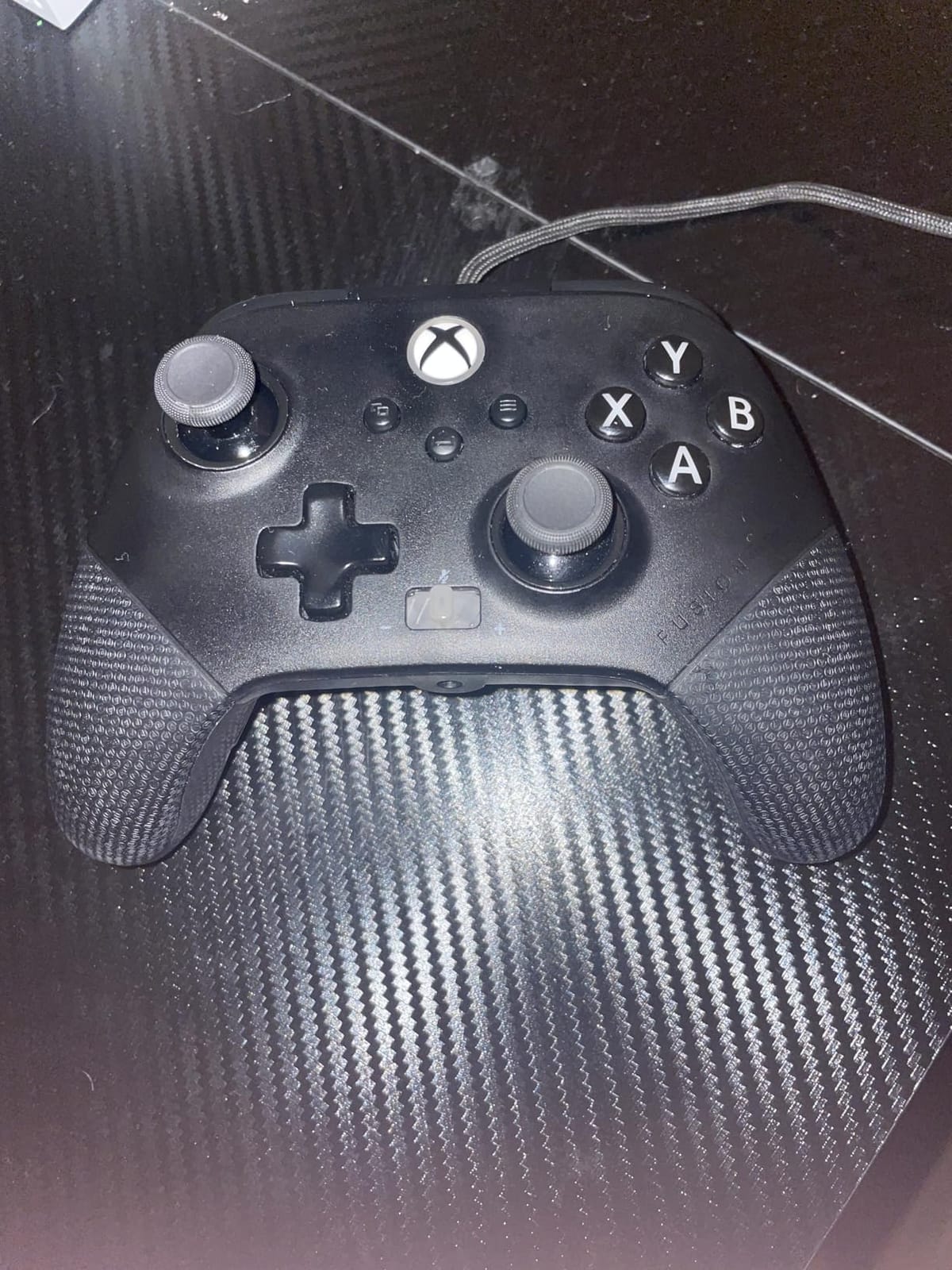
Adjustable stick height versus an adapted grip sleeve
Stick height changes where your thumb has to reach, which helps when a thumb joint is stiff or the hand is held at an unusual angle. It does not change how much force the buttons need, so it solves a reach problem rather than a strength problem.
For a strong hand with a small span, shortening both sticks is often enough on its own. For very low grip strength, you would be better served by the low-resistance buttons on the 8BitDo Lite SE, accepting that it is not licensed for console titles.
What to weigh before buying
It is wired only, so plan around a cable or accept a wireless adapter. The remapping software adds a setup step that the on-the-fly button mapping does not, and if you never remap, you can ignore it entirely.
Two-year limited warranty coverage is a plus. At 12.96 ounces the pad is heavier than the compact devices here, which is expected for a full-size console pad, and it is worth weighing whether the extra mass is manageable for you before ordering.
8. CHONCHOW One-Handed Keyboard and Mouse Combo – Everything in One Box
One Handed Gaming Keyboard and Mouse Combo for LOL/Wow/fortnite/Dota/PUBG
- Three-in-one bundle of a half keyboard
- mouse and USB hub in one box
- Half-size keyboard frees desk space so the mouse has room to move
- Wide wrist rest reduces fatigue over long sessions
- Works with PC
- Mac
- PS4
- Xbox One and Switch without drivers
- Bundled USB hub is loosely built and occasionally disconnects
- USB-C adapter fits loosely and drops connection with movement
- Hub is not compatible with Nintendo Switch
The logic of this bundle is that a single-hand keypad only fully solves the problem if you also have somewhere to put the mouse. The CHONCHOW set includes a half-size 35-key RGB keyboard with a wrist rest, a 7200 DPI optical mouse with four speed levels, a four-port USB splitter, and a USB-A to USB-C adapter in one box.
Buyers consistently value the deal and describe the half-size keyboard as a comfortable improvement over a laptop keyboard. With the smaller board, the mouse gains room to move on a desk that was previously shared with a full-size layout, which is the second half of the ergonomic problem solved.
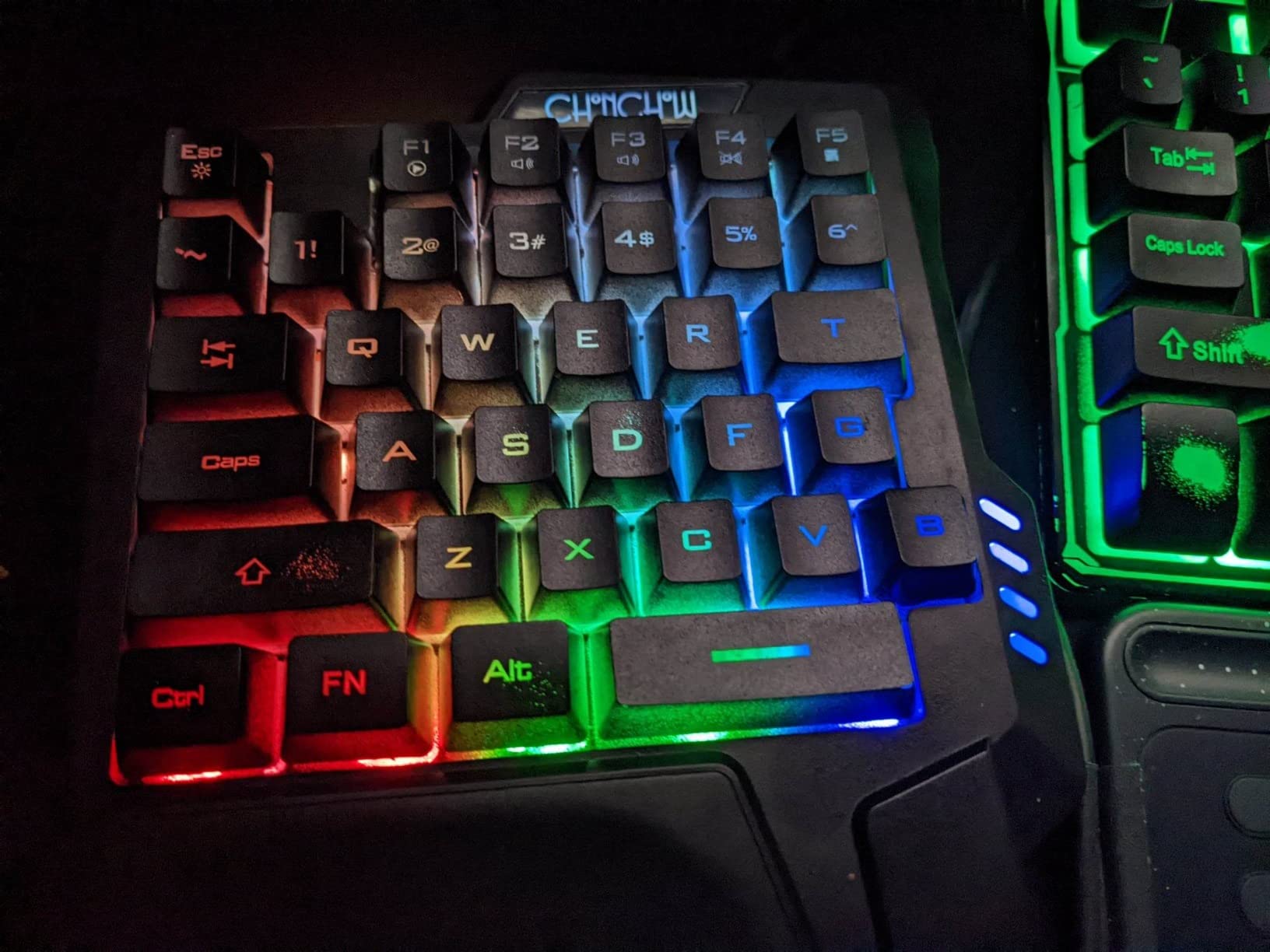
Compatibility is broad for the price. It is driver-free across PC, Windows, macOS, PS4, Xbox One, and Switch, and the multimedia keys on the top row cover music and volume. The rating is 4.1 across roughly three hundred and fifty reviews, with 63 percent five-star.
The recurring complaint in negative reviews is not the keyboard or the mouse. It is the included hub and the USB-C adapter. Owners report the hub disconnecting intermittently, the adapter fitting loosely and dropping connection with any movement, and one unit arriving with loose internal plastic in the mouse.
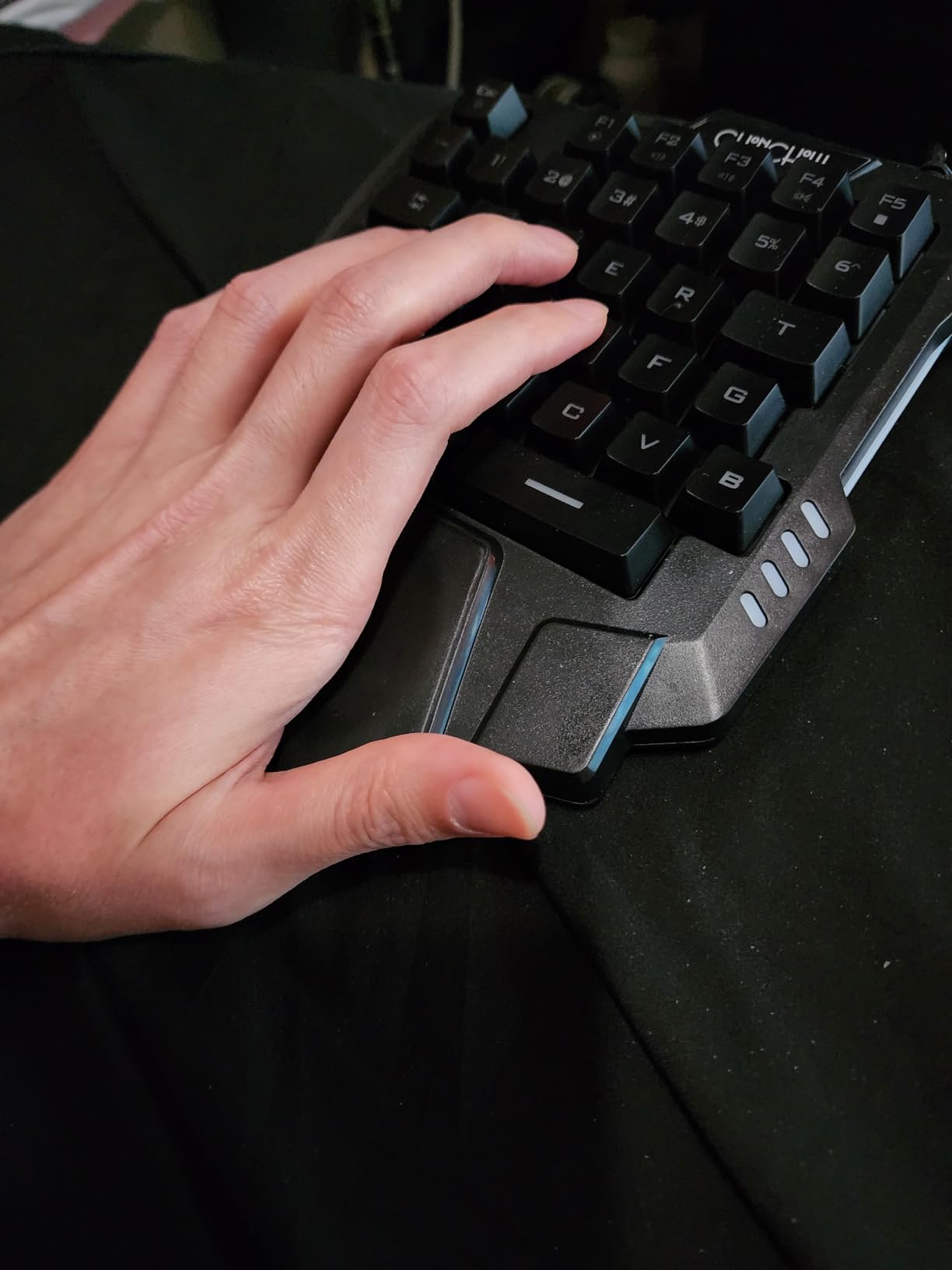
What the splitter actually saves
A four-port hub means you can keep the keyboard, the mouse, and the adapter connected to one port, which matters on a laptop with two usable USB sockets or on a desk where constantly re-plugging a cable is a strain. That is a small convenience that becomes a real one when bending down to the ports is the difficult part.
Multi-device support is the other argument for the splitter. Connecting a second machine becomes a single switch rather than a re-plugging exercise.
Buy the bundle, expect to replace the hub
The honest read across reviews is that the keyboard and mouse perform adequately and the hub is the weak component. Several buyers replace the hub with a better one, and the warranty covers twelve months of quality, so it is a low-risk starting point for someone setting up a first accessible station.
Two limits worth flagging. The hub is not compatible with Nintendo Switch, so Switch players need a separate adapter. And the mouse is small, so a player with reduced grip strength who needs the mouse as much as the keyboard may prefer a larger pointer than this bundle provides.
Which Controller Fits Your Situation
Condition names are the most searched part of this topic, so here is the direct mapping we would use. Match your situation to a device type first, then pick within that type.
Stroke recovery with one weak hand: start with a low-force device, the 8BitDo Lite SE, because reduced press strength is the limiting factor after stroke. If the hand is weak but still presses reliably, the 8BitDo Lite 2 is lighter and better proven.
Rheumatoid arthritis or joint pain: prioritize low-resistance buttons and a neutral wrist position. The Lite SE covers the first, and the Razer Tartarus V2 or RedThunder G30 cover the second with their palm rests.
One-armed play: a single-hand keypad is the right category, and you will want the scroll wheel and thumbpad on the Tartarus V2 so camera control does not require a second hand.
Amputation or prosthetic use: a prosthetic grip changes the shape of the contact point, so a device with a large adjustable palm rest, such as the RedThunder G30, usually adapts better than a fixed-shape gamepad.
Spinal cord injury or limited upper-extremity function: reach matters more than force. The AZERON Cyborg II is the strongest match here, because its adjustable key towers place each button at the limit of your actual reach.
Wheelchair play: you need a fixed-position input device with no desk requirement, and ideally wireless. The 8BitDo models satisfy both, at 73 g and 80 g over Bluetooth.
Reduced finger mobility or nerve damage: prioritize tactile feedback, which is what the MageGee MK-Axe blue switches provide, and avoid the smooth keycaps on the RedThunder G30 unless you add your own raised markers.
Back pain or difficulty bending over a keyboard: any of the single-hand keypads here reduces the reach requirement. The CHONCHOW bundle adds the mouse and hub so nothing else has to be reached for.
Console-only gaming: the PowerA FUSION Pro 4 is the only licensed option in this roundup, and its adjustable thumbstick height is the feature that adapts the standard layout to a restricted grip.
How to Choose a Controller When Grip Is the Problem
Most buying mistakes here come from optimizing the wrong variable. Someone with low grip strength buys a heavier device because it feels more solid, or someone with limited reach buys a gamepad because that is what everyone uses. Five questions sort out most of it.
1. Is the problem force or reach? Force problems call for low-resistance buttons, lighter bodies, or quieter switches that require less actuation. Reach problems call for smaller bodies, adjustable key towers, or single-hand layouts that bring controls closer together. Working out which one you have saves you from buying the wrong category entirely.
2. How much weight can you hold for an hour? Compare the numbers in the table above rather than guessing. The 8BitDo Lite 2 at 73 g and the Lite SE at 80 g are the lightest devices here, while the Razer Tartarus V2 at 12.8 ounces and the PowerA FUSION Pro 4 at 12.96 ounces are the heaviest.
3. Can you reach every control you actually need? This is where the AZERON Cyborg II separates itself, because its adjustable key towers are the only real answer to uneven range of motion. For everything else, sit down and check the button positions against your actual reach before you order.
4. How much setup will you do? Driver-free devices work immediately. The Tartarus V2 and MageGee need a configuration pass for macros, the PowerA needs software for full remapping, and the AZERON needs an extended tuning session before it feels right. Setup burden is a real accessibility factor, because a device you cannot configure is a device you cannot use.
5. Where will it be used? Wireless matters if you play from a wheelchair, in bed, or anywhere without a reachable cable. Wired is acceptable at a fixed desk and avoids battery management, pairing, and connection-drop issues entirely.
It is also worth bringing an occupational therapist or physiotherapist into the decision. A professional can assess your actual range of motion and grip force and tell you which of these categories fits, which in many cases is more useful than any specification sheet. If you are not paying for the device yourself, a therapist’s recommendation also makes funding requests far easier to approve.
Whichever direction you go, buy from a seller with a straightforward return policy and test the device on your own games for a full week before treating it as your daily setup. Hands fatigue over time in ways that a five-minute shop test will never reveal.
Related Reading on Hand Comfort and Equipment
Adaptive controllers only solve part of the problem, and the rest is technique and surrounding equipment. A few guides on this site cover that ground. Our guide to players break cues covers the wrist load a power shot puts through your hands, which is where a lot of players first notice grip problems. For players managing repetitive strain, the pool hand towels roundup covers grip aids and keeping the hands dry during long sessions. And the home gym systems guide for limited space is a good model for the kind of equipment planning a therapist recommends for someone rebuilding strength after an injury or stroke.
Frequently Asked Questions
What is the best controller for someone with limited hand mobility?
The 8BitDo Lite 2 is the most broadly usable pick because its 73 g body and front-face button layout reduce both weight and reach demand across Switch, Android, and PC. If your real limitation is press strength rather than reach, the 8BitDo Lite SE is better because its buttons have less resistance. If you cannot spread two hands at all, a single-hand gaming keypad such as the Razer Tartarus V2 or the RedThunder G30 is the right category.
Can someone play games with one hand or with weak grip?
Yes. A single-hand keypad removes the second hand entirely and holds the wrist in a neutral position, which is the standard ergonomic recommendation when range of motion or grip strength is limited. For very low grip strength, add tactile switches so each press is confirmed by feel, and keep the input device light enough to hold for a full session without fatigue.
Are there controllers made for disabled players?
Several designs target accessibility directly. The 8BitDo Lite SE is marketed for gamers with limited mobility and uses low-resistance buttons and sensitive joysticks. The AZERON Cyborg II allows each key tower to be adjusted to an individual hand, and the PowerA FUSION Pro 4 offers three thumbstick height settings on a licensed console pad. The most important difference is whether the device reduces the force or reach your condition actually limits.
What should I look for in a controller when I have arthritis in my hands?
Look for low-resistance buttons, a neutral wrist position, and low overall weight. Membrane switches require less actuation force than mechanical ones, and a device with a large palm rest keeps the wrist from extending outward. Raise the device or add a riser if the bottom row sits too low, and consider a model with raised keycap markers or tactile feedback so you can confirm a press without looking.
Do I need special software to set up an accessible controller?
It depends on how much you want to change. Driver-free devices such as the MageGee MK-Axe, the RedThunder G30, and the CHONCHOW bundle work as soon as they are plugged in. The Razer Tartarus V2, the PowerA FUSION Pro 4, and the AZERON Cyborg II rely on vendor software for macros and layout changes, and the AZERON in particular needs a long tuning session. Treat setup time as part of the accessibility decision.
The Right Controller Changes What Is Possible at the Table
After working through all eight devices, the honest summary is this. The 8BitDo Lite 2 remains our first recommendation for most people shopping for controllers for players with limited hand mobility, because a 73 g body and front-face buttons improve almost every case without a setup process. Reach for the 8BitDo Lite SE when press strength is the wall, and move to a single-hand keypad such as the Razer Tartarus V2 when two hands on a gamepad is simply not available to you.
The rare case that rewards spending more time is uneven range of motion, and the AZERON Cyborg II is the only device in this roundup that solves it properly. Whichever direction you choose, identify whether force or reach is your real limitation first, test on your own games for a week, and bring a therapist into the decision if you can. That single step prevents most of the disappointment we see in this category.