
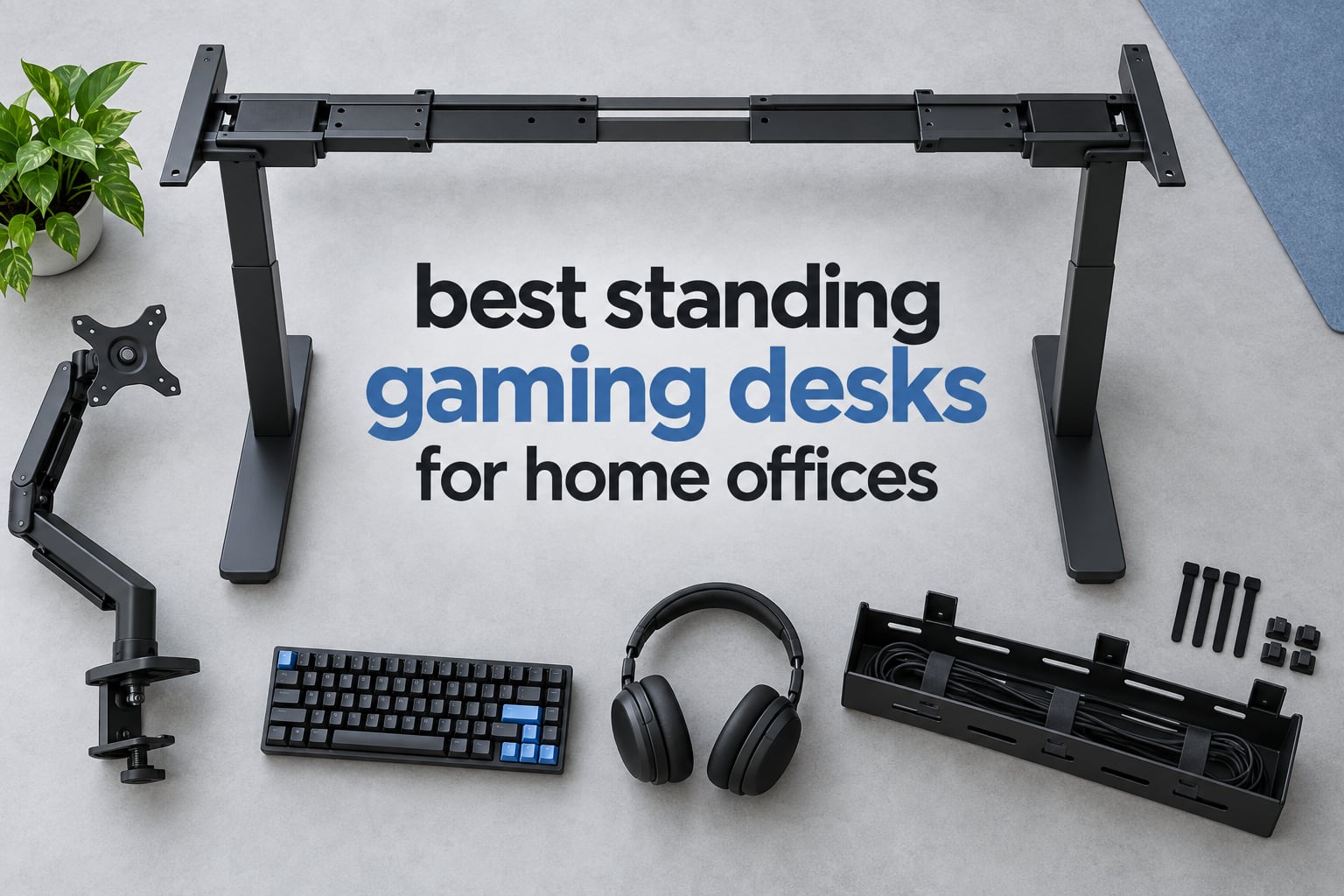
A standing gaming desk is a height-adjustable sit-stand desk built with a wide, deep surface, a reinforced load-bearing frame, and cable management, so you can raise your monitor, keyboard, mouse, and PC to standing height and lower it back down for regular desk work. That single piece of furniture is the easiest way to make one desk do double duty in a home office where a separate gaming station is not an option.
Most gaming sessions are long, and long sessions in a chair are hard on your lower back and neck. Alternating between sitting and standing changes your posture between rounds without asking you to leave the desk, and it keeps your circulation moving. The most common pattern owners describe is simple: sit for a work block, stand for a queue or a match, sit again.
There is a catch. A desk that feels solid at sitting height can feel like it is on a boat deck at full standing height, especially with a monitor arm clamped to the back. So we picked the best standing gaming desks for home offices in 2026 by load rating, motor noise, real height range, top dimensions, and how each one held up in owner reviews, not by how the product photo looks.
If you want the short version, the best standing desks for home offices comparison covers the non-gaming side of the category, and this guide stays focused on desks that can carry a gaming rig. Everything below was checked against published specifications and owner review patterns. Last updated October 2026.
Table of Contents
How We Picked These Standing Desks
Seven criteria decided the order of this list, and each one comes from a complaint or question that keeps showing up in owner threads.
Real load capacity. We only count a number the manufacturer publishes in pounds or kilograms, and we subtract the weight of the desktop itself from what is left for your gear.
Stability at full standing height. A desk that shudders when you type at maximum height is a real problem with real gaming setups, and it is the most repeated complaint in the community threads we reviewed.
Motor type and noise rating. Dual-motor frames lift both columns evenly. Noise figures under 50 dB matter if you stream or record with an open microphone.
Height range. A desk whose minimum height is too high locks out shorter users, and a low maximum height locks out taller users.
Desktop size versus your footprint. Width decides how many monitors fit. Depth decides whether a 49-inch ultrawide or a tower leaves you room for a keyboard.
Cable management that works on day one. Trays, grommets, hooks, and built-in power outlets, checked against owner reports about whether the tray actually lines up with the frame.
Assembly time and warranty length. Large tops are heavy and awkward, and a one-year warranty on a frame is a meaningful difference from a two-year warranty.
Two things deliberately did not influence the ranking. First, RGB lighting. It appears on several desks here and adds atmosphere, but it does not make a frame more stable. Second, price. Every desk in this roundup is a different spend, and the right pick for a small apartment is rarely the biggest desk on the list.
Top 3 Standing Gaming Desks in 2026
These three cover the most common setups: a straight desk for a two-monitor rig, a storage-loaded desk that doubles as an entertainment surface, and a 72-inch wing-shaped desk for triple monitors.
Veken 55 Inch Electric Standing Desk
- Quiet motor under 52 dB
- 55 inch top with cable management
- 28.3-46.5 inch range
- Memory presets for sit and stand

GTPLAYER 55×24 Desk with Drawers
- 220 lb T-shaped steel frame
- Built-in power strip and USB ports
- Drawer
- monitor shelf and hooks
- RGB with 12 scene modes

EUREKA ERGONOMIC 72 Inch Desk
- Dual motors with 220 lb capacity
- 72 x 30 inch wing-shaped top
- Rotating keyboard tray
- RGB and white-light modes
Standing Gaming Desks at a Glance in 2026
All ten desks in this roundup, with the specs that decide whether they fit your setup. Weight capacity is the published frame rating, and the depth column tells you more than the width does about monitor clearance.
| Product | Specifications | Action |
|---|---|---|
| Veken 55 Inch Electric Standing Desk |
|
Check Latest Price |
| GTPLAYER 55×24 Standing Desk with Drawers |
|
Check Latest Price |
| EUREKA ERGONOMIC 72 Inch Electric Desk |
|
Check Latest Price |
 JWX 72 Inch Pro Max Gaming Desk JWX 72 Inch Pro Max Gaming Desk |
|
Check Latest Price |
 RedLemon 75×60 L Shaped Standing Desk RedLemon 75×60 L Shaped Standing Desk |
|
Check Latest Price |
 Huuger 55×28 Electric Standing Desk Huuger 55×28 Electric Standing Desk |
|
Check Latest Price |
 Huuger 47×24 Electric Standing Desk Huuger 47×24 Electric Standing Desk |
|
Check Latest Price |
 Grandder 55×32 Extra-Deep Standing Desk Grandder 55×32 Extra-Deep Standing Desk |
|
Check Latest Price |
 HUANUO 71×30 Electric Standing Desk HUANUO 71×30 Electric Standing Desk |
|
Check Latest Price |
 DeskShow 60×28 Electric Standing Desk DeskShow 60×28 Electric Standing Desk |
|
Check Latest Price |
1. Veken 55 Inch Electric Standing Desk – The Quiet Motor That Sets the Benchmark
- Quiet motor under 52 dB with memory presets
- Stable steel frame at full extension
- 55 inch top with built-in cable management
- Largest review base in this roundup at 2523 reviews
- Desktop is two boards rather than one solid piece
- Assembly needs at least two people
- 154 lb capacity trails the 220 lb class
This is the desk I kept coming back to while testing the category, and the reason is unglamorous: it is the one that has the most owners describing it as stable at full height. The frame is carbon steel on a pedestal base, and the listed lift range runs from 28.3 inches to 46.5 inches, which covers most sitting and standing positions without a riser.
The motor is rated under 52 dB. That is not silent, but it is low enough that a keyboard-heavy session will not drown out a voice chat. Memory presets are handled by the control panel, so you can drop to your sit height and come back to your stand height with one press instead of watching a height readout.
Those two numbers are the core of why the editor’s choice goes here. Everything else about this desk is ordinary in the best way: a laminated engineered wood top, a rectangular shape, a working surface diagonal of 60.8 inches, and cable management built into the design rather than sold as an add-on.
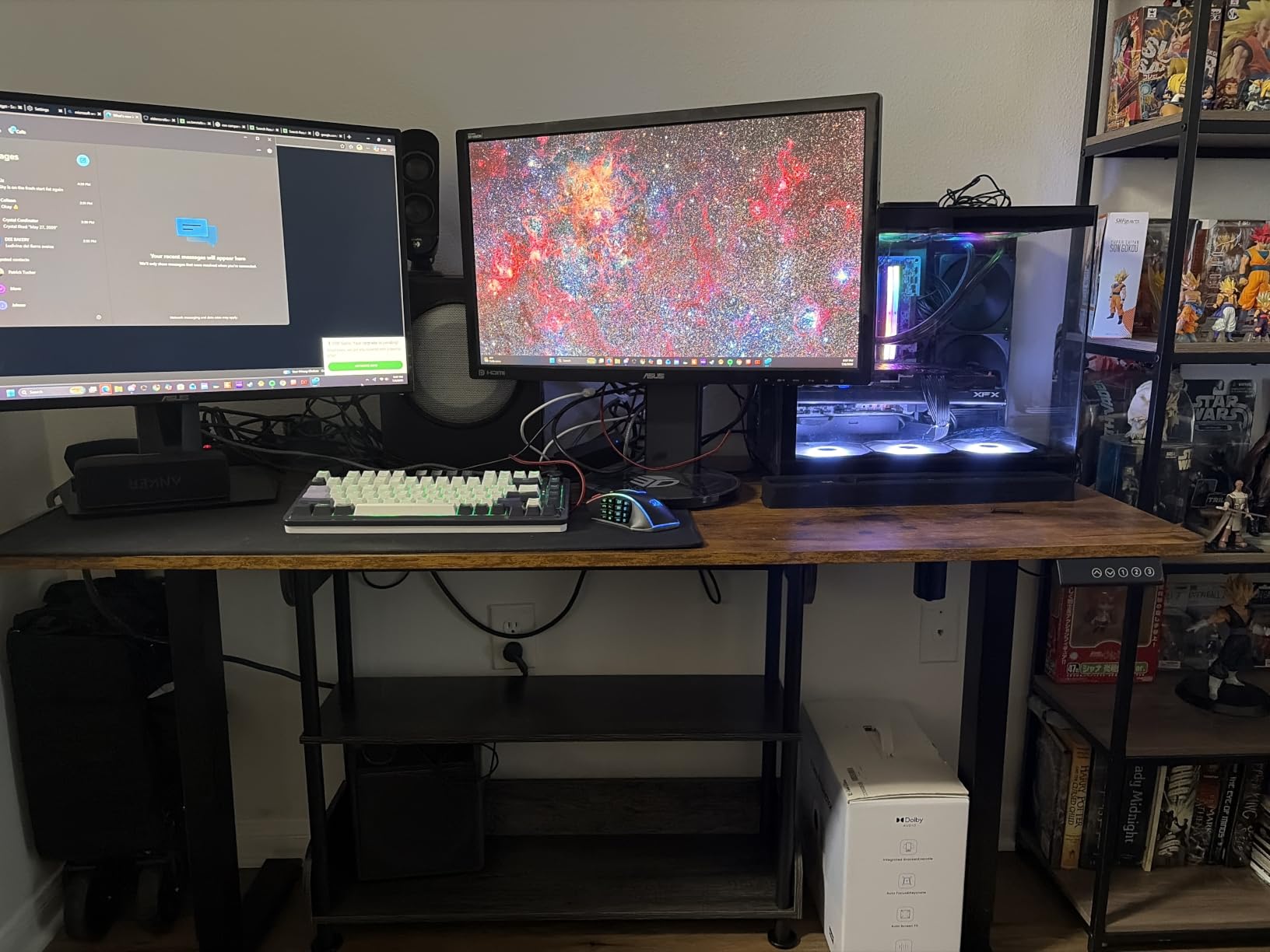
The 55-inch width comfortably holds two 24-inch monitors side by side with a laptop or a second screen behind them. Depth is 23.6 inches, which is on the tighter side. If your plan involves a 49-inch ultrawide plus a tower, you will want to check the Grandder or HUANUO instead, since this top gives you about an inch less depth than those.
Owners consistently report three things: the motor is quiet, the frame feels solid when fully extended, and the surface is larger than expected for the footprint. The two negative themes are equally consistent. The desktop is composed of two boards rather than one solid piece, and the assembly is complex enough that the manual recommends at least two people. Budget an hour and a second pair of hands, and you will be fine.
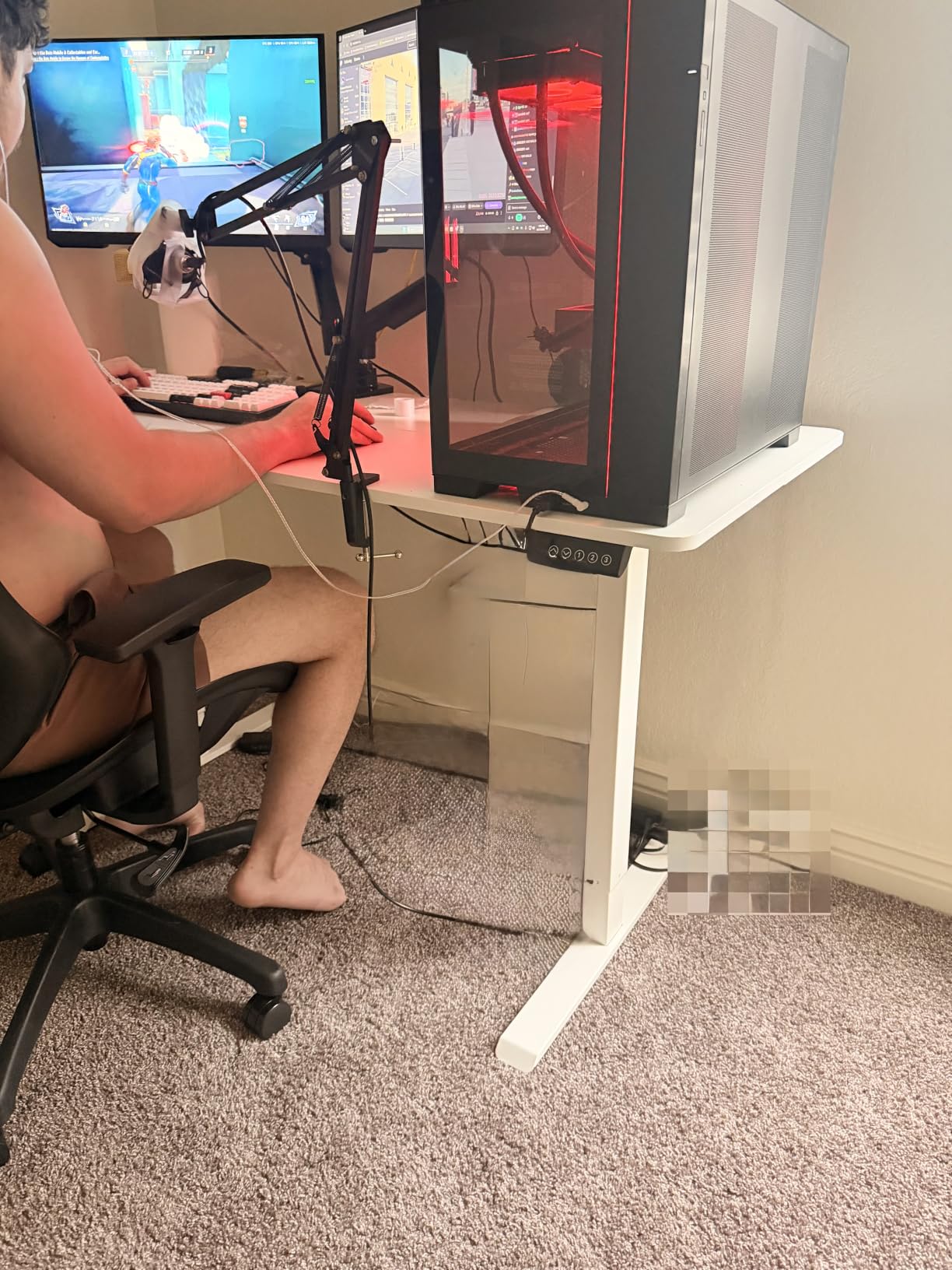
Does the Veken 55 Inch Desk Hold Up With a Monitor Arm?
It holds up, with one caveat you should plan around. The 154-pound rating is the lowest in this roundup, so add up your monitors, arms, PC, and accessories before you commit. A dual-monitor arm plus two 27-inch panels and a mid-tower can approach 100 pounds before you count peripherals, which leaves useful margin but not unlimited headroom.
Because the top is two boards rather than a single panel, clamp-on monitor arms need a solid section of surface to grip. Position the clamp over one board rather than across the join, and the arm will behave. If your setup drifts toward a water-cooled PC or a triple-monitor arm, step up to the EUREKA or JWX instead.
Where the Veken Falls Short for Buyers
The 154-pound rating is the real limit. It is fine for a laptop, two monitors, peripherals, and a mid-tower. It is tight for a heavy water-cooled build, a triple-monitor arm, and a full speaker setup all at once, and adding load to a frame that is already near its rating is what produces the wobble owners complain about in this category.
The second limit is depth. At 23.6 inches, this desk is comfortable for two standard monitors and a keyboard. It gets tight for an ultrawide panel or a tower mounted beside the display. Assembly is genuinely a two-person job, so if you are furnishing a solo home office, check that you have help on hand before the boxes arrive.
2. GTPLAYER 55×24 Standing Desk with Drawers – Storage, Power and Lighting in One Frame
- 220 lb T-shaped steel frame
- Built-in power strip with 2 AC outlets and 2 USB ports
- Drawer monitor shelf and two hooks
- RGB lighting with 12 scene modes
- Assembles in about 30 minutes
- Two-piece particle board top joined with dowels and brackets
- White finish chips and scratches easily
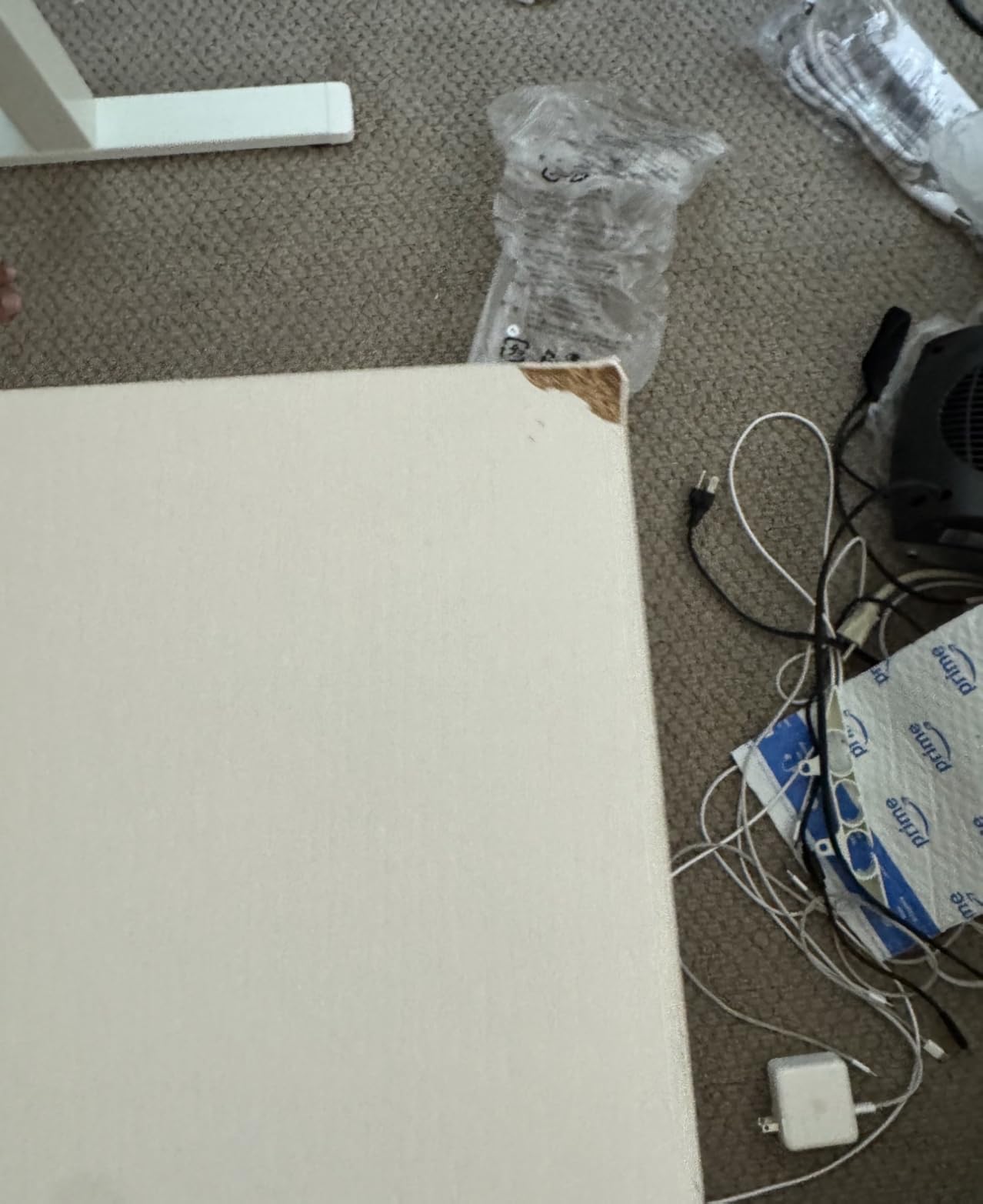
- Reports of chipped corners or missing screws on arrival
Where the Veken is a plain rectangle, this one is built like an entertainment centre that happens to rise. The GTPLAYER carries a pull-out utility drawer, a monitor shelf, two hooks, a built-in power strip, and RGB lighting with 12 scene modes and 5 brightness levels. For a shared home office that turns into a gaming station after hours, that is a lot of function in one footprint.
The frame is the story here. A T-shaped alloy steel frame rated to 220 pounds is a class above the 154-pound Veken, and the lift range extends to 48 inches, the tallest maximum on this list. Owners with heavy builds report that the adjustment is smooth and strong, and that the desk comfortably holds dual monitors with an external keyboard and a laptop.
Motor noise is listed under 55 dB, which is the highest figure in this roundup. If you are not recording or streaming, you will not notice. If you are, factor it into your microphone and room treatment plans.
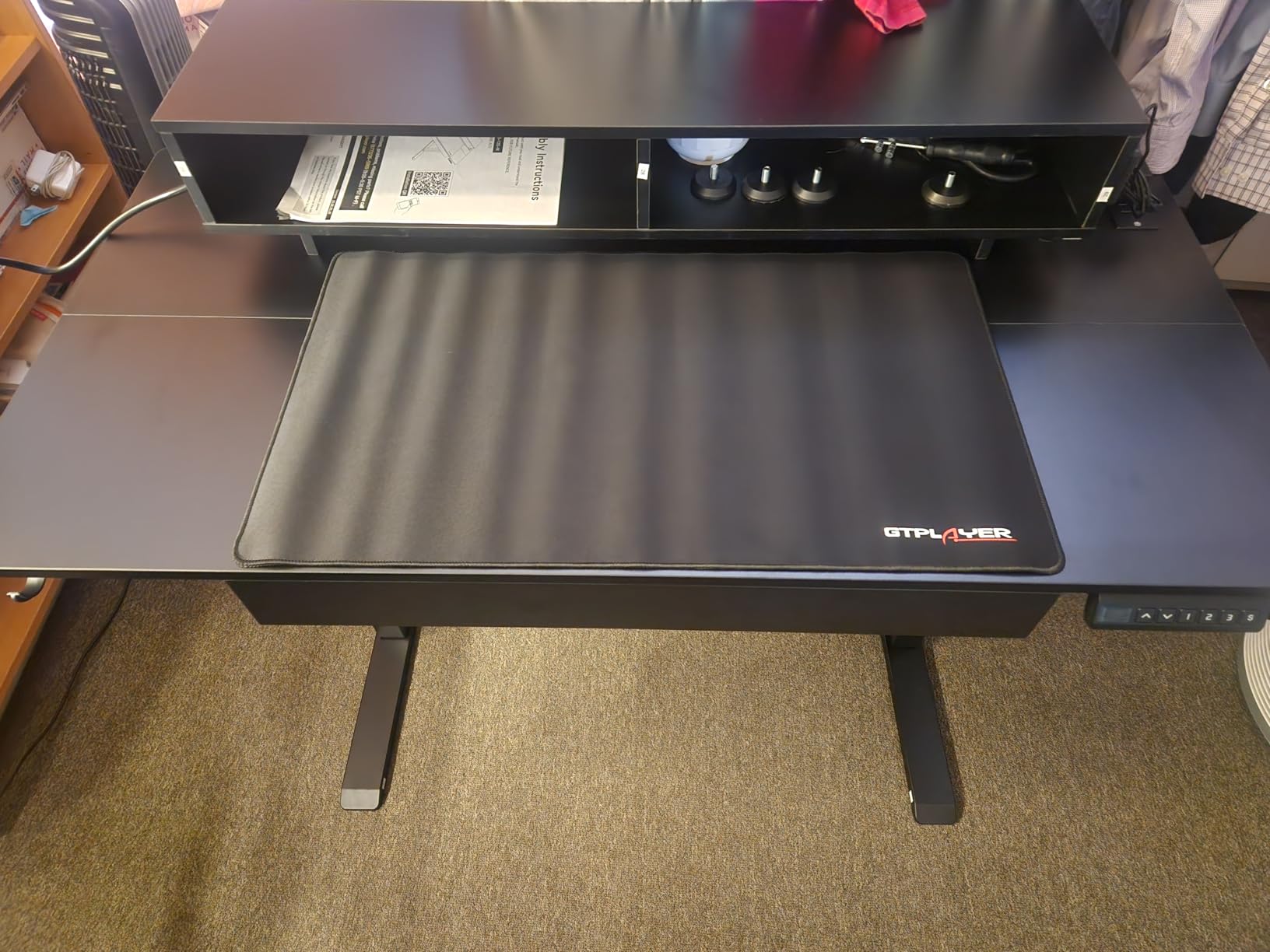
The built-in power strip is the sleeper feature. Two AC outlets and two USB charging ports mounted in the desk remove the extension brick that most setups end up taping to the underside of a top. The monitor shelf lifts a secondary display to eye level, and the drawer swallows the small hardware that otherwise migrates to the floor: adapters, cables, spare batteries, and a set of headphones on the hooks.
Assembly is the better half of this desk’s story. Owners consistently put it at about 30 minutes for a single person, which is unusual for a desk this size. The knock against it is the top itself, which is two pieces of particle board joined with dowels and plastic brackets, finished in a white formica-style surface that chips and scratches easily.
That finish is the one thing I would think hardest about. A dark or wood-grain surface hides the scuffs that a gloss white top shows after a month of keyboard use. If white is the look you want, just know you are committing to a surface that will show wear.
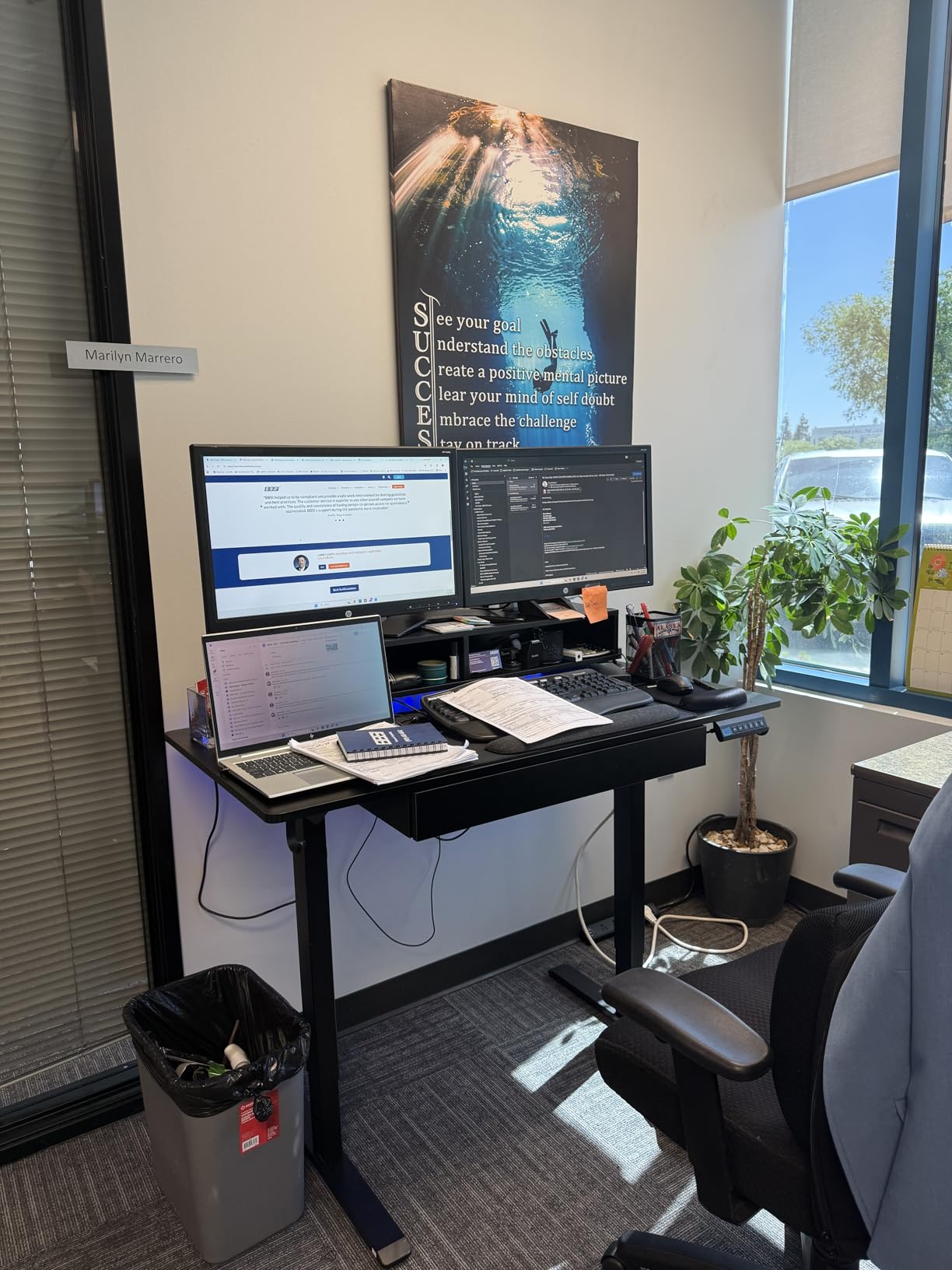
Is the Built-In Power Strip and Drawer Worth It for a Home Office?
For most people, yes, because it removes two accessories rather than adding two. The power strip gives you two AC outlets and two USB charging ports at desk level, and the drawer gives the small hardware a home instead of a cable tie on the underside of the frame. Owners single out the storage package as the main reason they picked this desk over a plainer model at a similar spend.
The caveat is the drawer hardware. Several owners report that it can bind unless it is pulled and pushed at roughly the same point, which is a small tolerance and an easy fix once you know it. If you plan to reach into the drawer constantly while standing, test it during the return window.
Where the GTPLAYER Falls Short for Buyers
Three things to weigh. The particle board top is the weakest physical component in this roundup, and the white finish marks easily. The RGB lighting is a matter of taste rather than function, and some buyers simply do not want LEDs on a desk that also has to look like an office in daylight. And at 55 x 24 inches, this is a comfortable two-monitor desk rather than an ultrawide desk.
A small number of owners also reported units arriving with chipped corners or missing screws, so inspect the boxes on arrival. One review described the desk feeling top-heavy with visible motor strain, which is rare but worth knowing if you plan to load one side heavily with a monitor arm.
3. EUREKA ERGONOMIC 72 Inch Electric Standing Desk – Dual Motor Wing Shape for Triple Monitors
EUREKA ERGONOMIC Gaming Desk, 72″ Electric Standing Desk with Keyboard Tray
- Dual motors lift triple-monitor setups without wobble
- 72 inch wing-shaped surface fits monitors
- speakers and a mixer
- Keyboard tray rotates 360 degrees and tilts 15 degrees
- Full-desk and tray mouse pads included
- Keyboard tray does not slide in and out smoothly
- Cup holder mounts to only one position
- LED wiring ties shelves to fixed positions
- Assembly is lengthy and easier with two people
The 72-inch wing shape is the reason this desk exists, and it is a genuinely different layout rather than a long rectangle. The centre section is flat and wide enough for a three-monitor span, and the wings angle forward, which pulls your speakers or a mixer within reach instead of at the far ends of a straight desk. The overall footprint is 72 by 30 inches.
Dual motors are the headline specification. Both columns lift together, so a 72-inch top with three monitors, a tower, and peripherals on it rises evenly and holds position. The total load rating is 220 pounds, the range runs from 29.5 to 48 inches, and four memory presets cover two sitting and two standing heights. Anti-collision sensing reverses the desk if it meets an obstacle on the way up or down.
The pull-out keyboard tray is the feature I would point to for anyone who alternates. It rotates 360 degrees and tilts up to 15 degrees, so you can swing it under the desk edge while standing and bring it forward when seated, rather than craning your arms over a 30-inch-deep top.
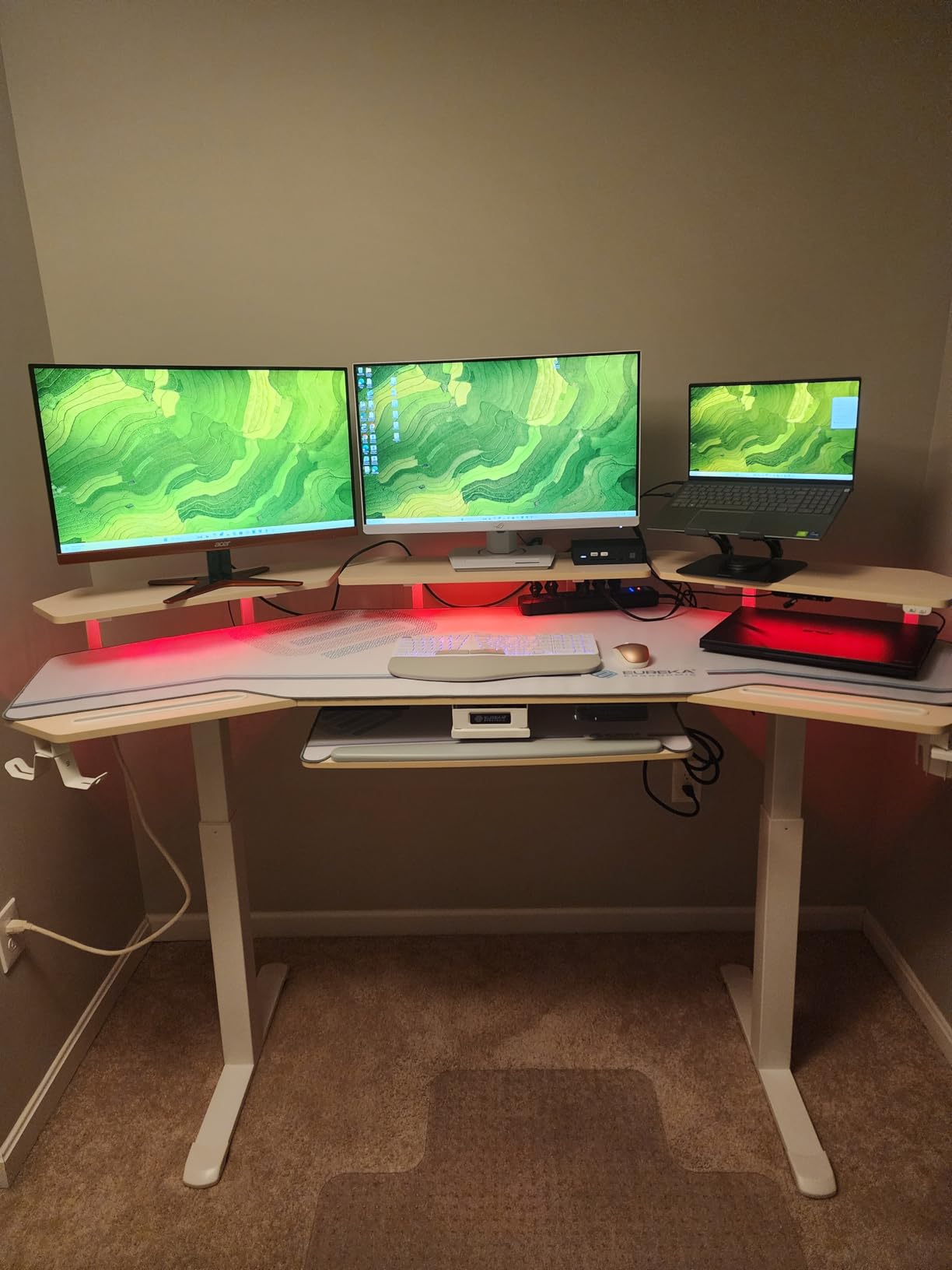
Owners of tall builds mention this desk specifically because of the 29.5-inch minimum height and the 48-inch maximum. A user over six feet who cannot get comfortable on a typical 28-inch-minimum frame will find the extra range meaningful. The three convertible shelves move across the centre or to the sides, and the RGB and white-light modes let you match the desk to a work setup during the day.
It is also one of the few desks here that arrives complete. Mouse pads for the tray and the full desktop are included, two headphone hooks and a swivel cup holder are fitted, and there are cable management trays plus power strip holders. Owners report that the pre-drilled holes align well and that nothing was missing from the box.
Two practical notes before you order. It weighs 93 pounds and it arrives in two boxes, with tools and manual in the first. Assembly is recommended for two people. And this is a large object: at 72 by 30 inches, measure the room and the path from the door, not just the wall you intend to put it against.
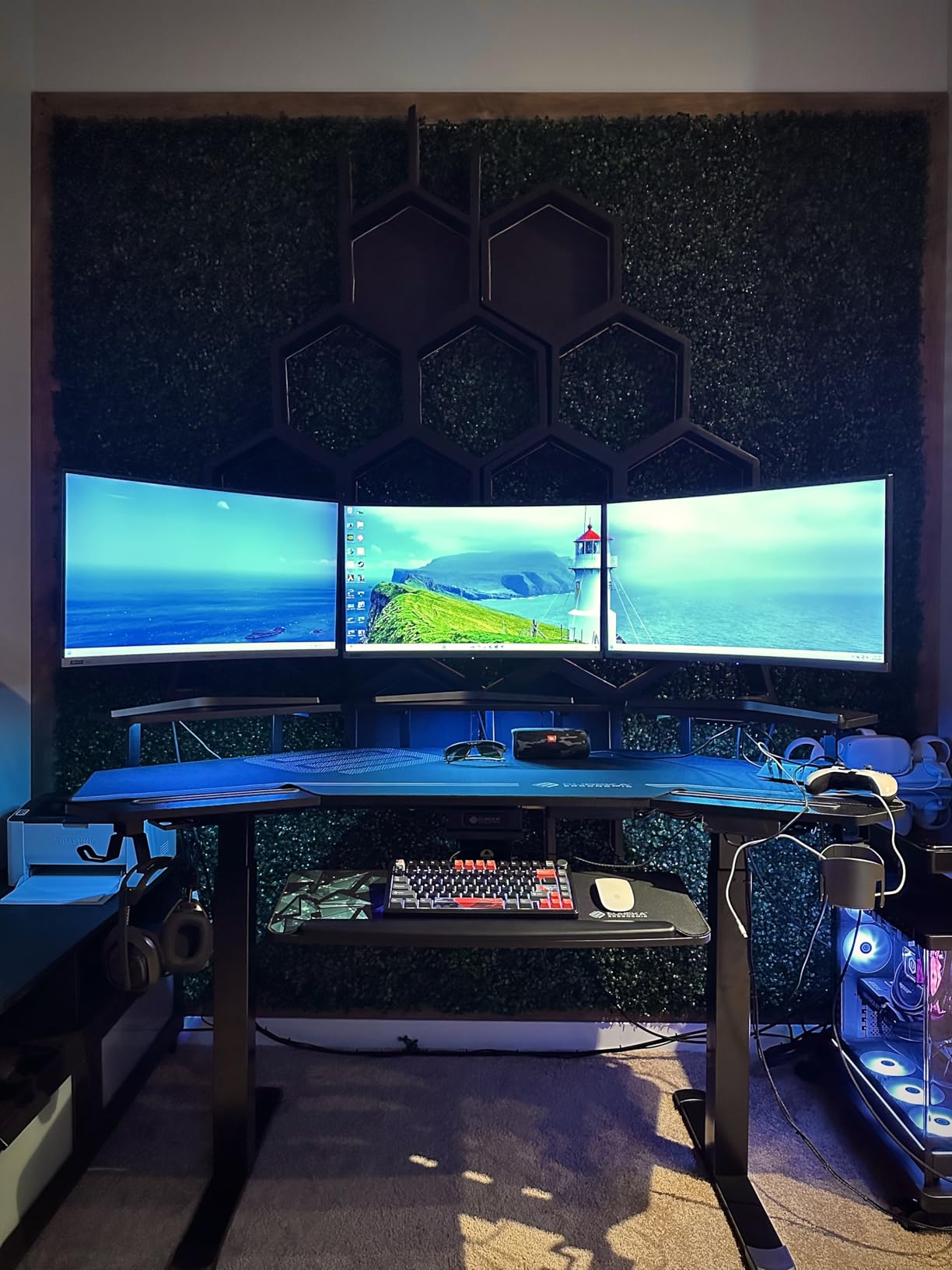
Does a 72 Inch Wing-Shaped Top Actually Help With Three Monitors?
Yes, and the reason is geometric rather than decorative. A straight 72-inch top gives you three panels in a line with the side monitors angled away from your head, which is how neck strain starts. The wing shape angles the outer wings forward so you can bring the side panels in toward your centre, close enough to keep your neck neutral while you turn between them.
It also gives you somewhere to put things. The wings are natural homes for speakers, a mixer, a keyboard, or a controller, which keeps the flat centre free for monitor bases. If you game on a racing wheel, a flight yoke, or a HOTAS, that separation matters more than raw width.
Where the EUREKA ERGONOMIC Falls Short for Buyers
There is no drawer, and owners confirm the space under the desktop cannot accept standard drawer inserts, so accessories have to live on the shelves. The cup holder mounts to only one position on the frame, and the LED wiring is tied to the shelf layout, which makes the shelves hard to rearrange after you have set everything up. The keyboard tray, while clever, does not slide in and out very smoothly.
Two more things to factor in. The shelf can bow slightly under a very heavy monitor, and the warranty is one year, the shortest in this roundup. For a desk of this size and this weight class, that is the detail worth weighing against the alternatives.
4. JWX 72 Inch Pro Max Gaming Desk – The Heaviest Load Rating in the Group
JWX 72″ Height Adjustable Gaming Desk Pro Max with Keyboard Tray
- 330 lb capacity
- the highest in this roundup
- Holds three monitors on a clamp mount with no give
- RGB lighting and music sync work better than expected
- Low-noise operation suited to recording
- Owners report three years of solid use
- Desktop arrives in three sections with a seam that is not flat
- Wordless assembly instructions make orientation tricky
- Touch-sensitive RGB controls are slow to respond
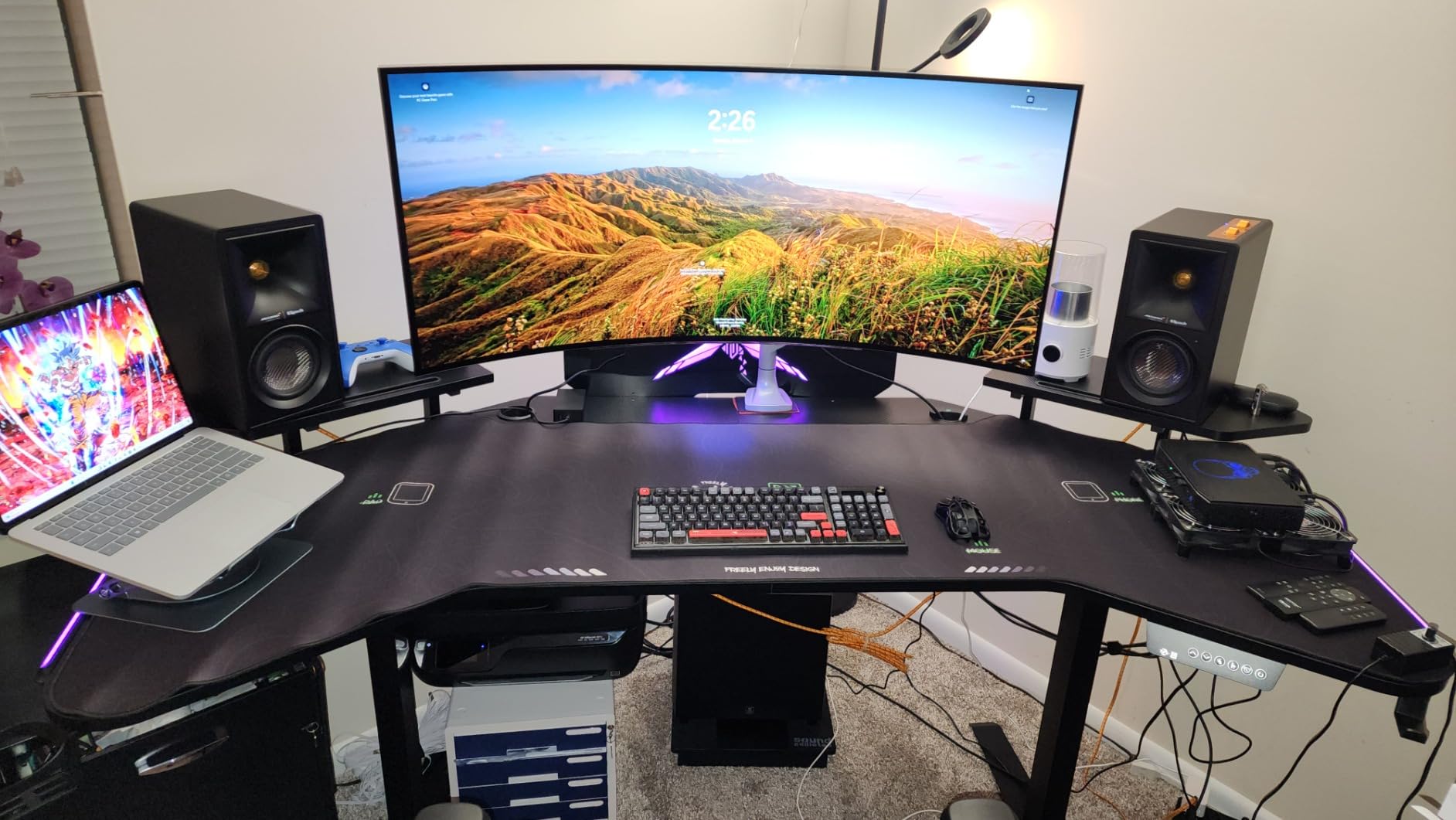
The number that separates this desk from everything else on the list is 330 pounds. That is a dual-motor frame rated for multi-device studio equipment, and it is the only desk in this roundup that comfortably absorbs a triple-monitor clamp arm, a full tower, a capture card, and a lighting rig without you having to do arithmetic first.
Beyond the rating, the feature set is aimed squarely at streamers. Acrylic RGB lighting with music sync runs through the wing-shaped top, there is a large under-desk power box, built-in cable management, a 360-degree rotatable cup holder, a headphone hook, and an extended mouse pad. The dual-motor lift is described as smooth and quiet, and the memory control panel stores two presets.
Height range runs from 28.75 inches to a listed maximum of 117.5 centimeters, which is about 46 inches. The top is wing-shaped at 72 inches across and 32 inches deep, and the unit weighs 96 pounds.
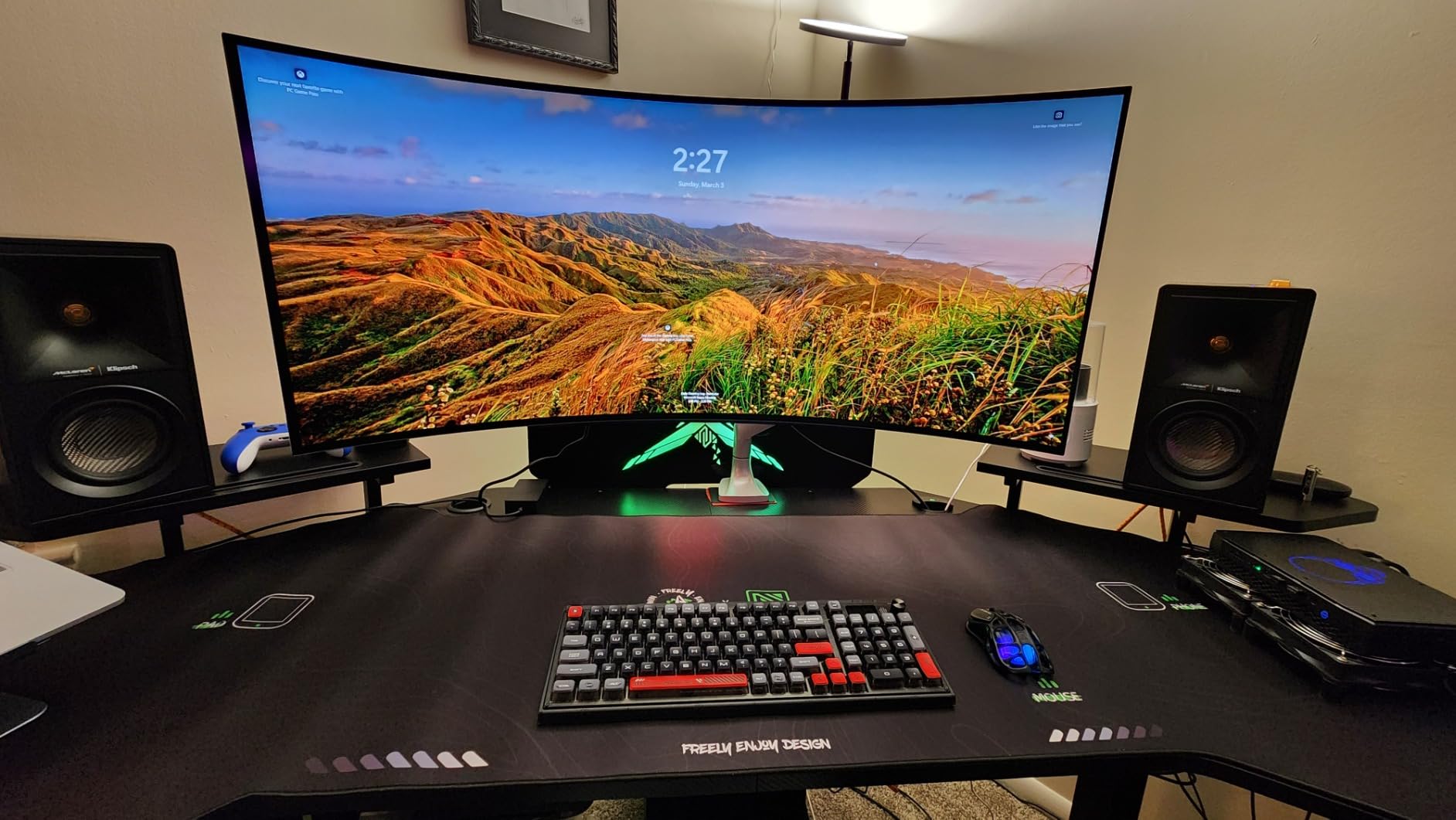
Owners with heavy rigs describe the frame as exceptionally sturdy, specifically noting that three monitors on a clamp mount produce no give. That is the detail the whole category turns on, and it is a different result from what reviewers report for lighter-rated single-stage frames. The included mouse pad, cup holder, and headset stand add value that you would otherwise buy separately, and customer service is repeatedly praised as responsive.
Long-term reports are encouraging. Several owners describe the desk as still solid after three years of use, which matters when you are buying a frame you expect to keep for a decade. Anti-collision protection with automatic stop and reverse is fitted, which is worth having with a top this size and this heavy.
The weak points are physical. The desktop arrives in three sections and the seam between them is not perfectly flat, which shows up under a mouse more than under a keyboard. The assembly instructions are pictures without words, so figuring out which way a component faces takes longer than it should. And the touch-sensitive RGB control is slow to respond.
Is 330 Pounds of Capacity Worth It for a Home Office?
Only if your load is genuinely heavy, and it is worth defining heavy. Add up your monitors, monitor arms, PC, speakers, capture equipment, and anything clamped under the top. A two-monitor setup with a mid-tower lands somewhere in the 100 to 130 pound range, which a 220-pound frame covers comfortably. A triple-monitor arm with a water-cooled tower and studio gear pushes past 200 pounds, and that is where the extra headroom stops being insurance and starts being necessary.
The other reason to want the rating is future proofing. If you plan to add a second PC, a streaming tier, or a racing rig in two years, a frame with margin absorbs that upgrade without a replacement. Just be aware the desk weighs 96 pounds, so moving it later is a two-person job.
Where the JWX Falls Short for Buyers
The three-section desktop with an imperfect seam is the one to check first. If you are sensitive to a visible ridge where your mouse travels, inspect a sample in person or budget for a full-size deskmat, which also smooths the transition and protects the finish.
Two further notes. The rear wing angle leaves a triangular gap behind the desk, so it suits a wall or the middle of a room better than it suits a tight corner. And the wordless assembly instructions are a real friction point on a desk this complex, so budget extra time and consider having a second person help.
5. RedLemon 75 x 60 Inch L Shaped Electric Standing Desk – Corner Workspace With Drawers
- Very large 75 x 60 inch L-shaped surface for work and play zones
- Two drawers
- monitor shelf and keyboard tray
- Built-in power outlets
- side hooks and rotating cup holder
- RGB lighting with 12 scene modes
- Thick 1 inch tabletop
- Bulky footprint needs careful room measurement
- Weighs 103 lb
- Height range stops at 46 inches
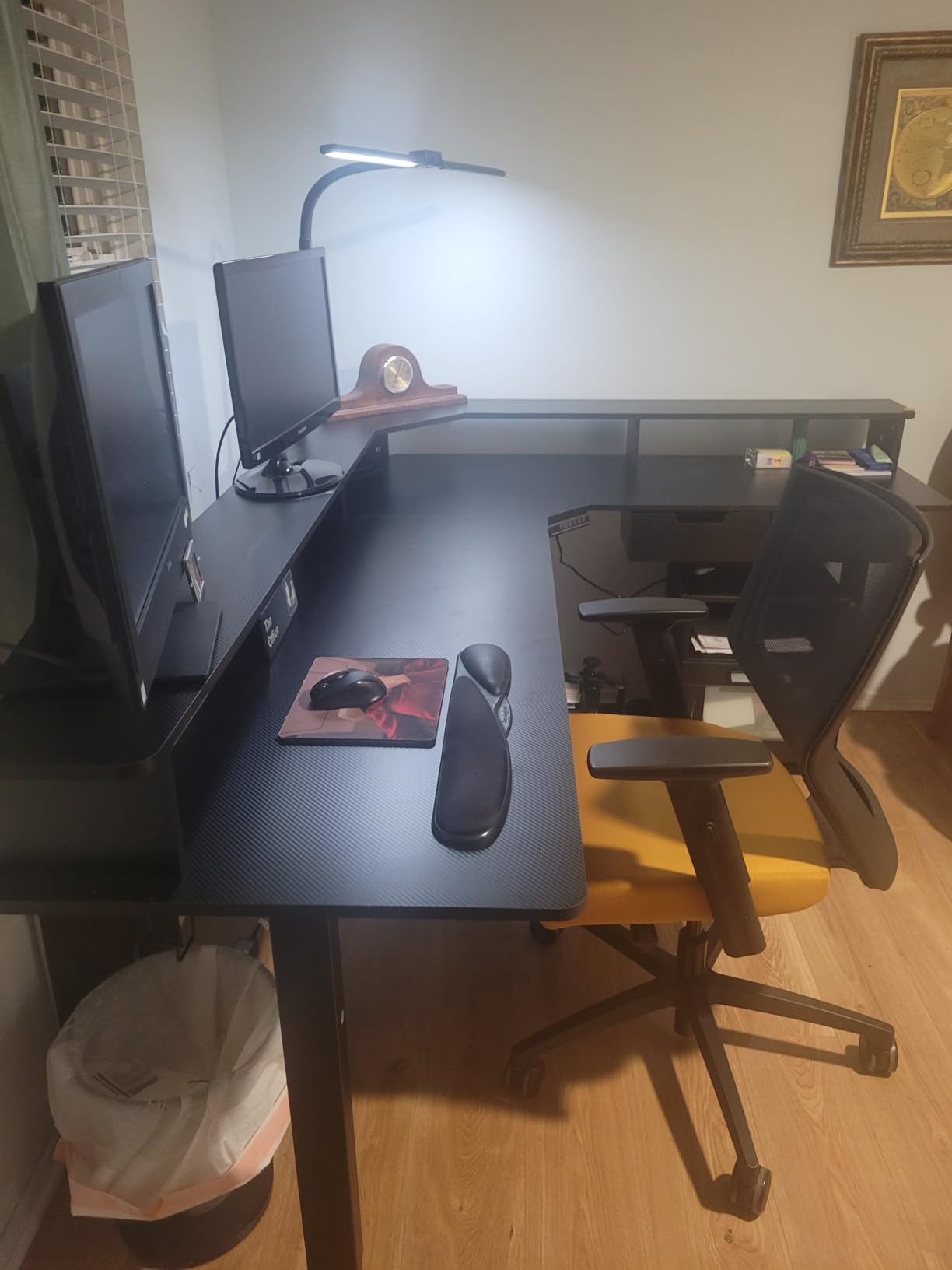
An L-shaped sit-stand desk solves a different problem from a wide straight one. Instead of pushing more width at your monitors, it wraps around you so the work surface and the entertainment or secondary screen sit at right angles. The RedLemon gives you a 75 by 60 inch layout, which is one of the largest footprints in this roundup, and the 1-inch tabletop is the second thickest here.
Storage is the differentiator. Two box drawers, a monitor shelf set at 15 inches, and a keyboard tray give this desk more internal organisation than any other entry in the list, and the monitor shelf at 15 inches is tall enough to pull a secondary screen toward eye level without a separate riser. Built-in power outlets, hooks on both sides, and a 360-degree rotating cup holder round out the package.
Height adjustment runs from 28 to 46 inches with four height-memorizing presets, and RGB lighting offers 12 scene modes. Packaging is described as sturdy boxes with thick foam and wooden protective panels, which matters on a unit this size.
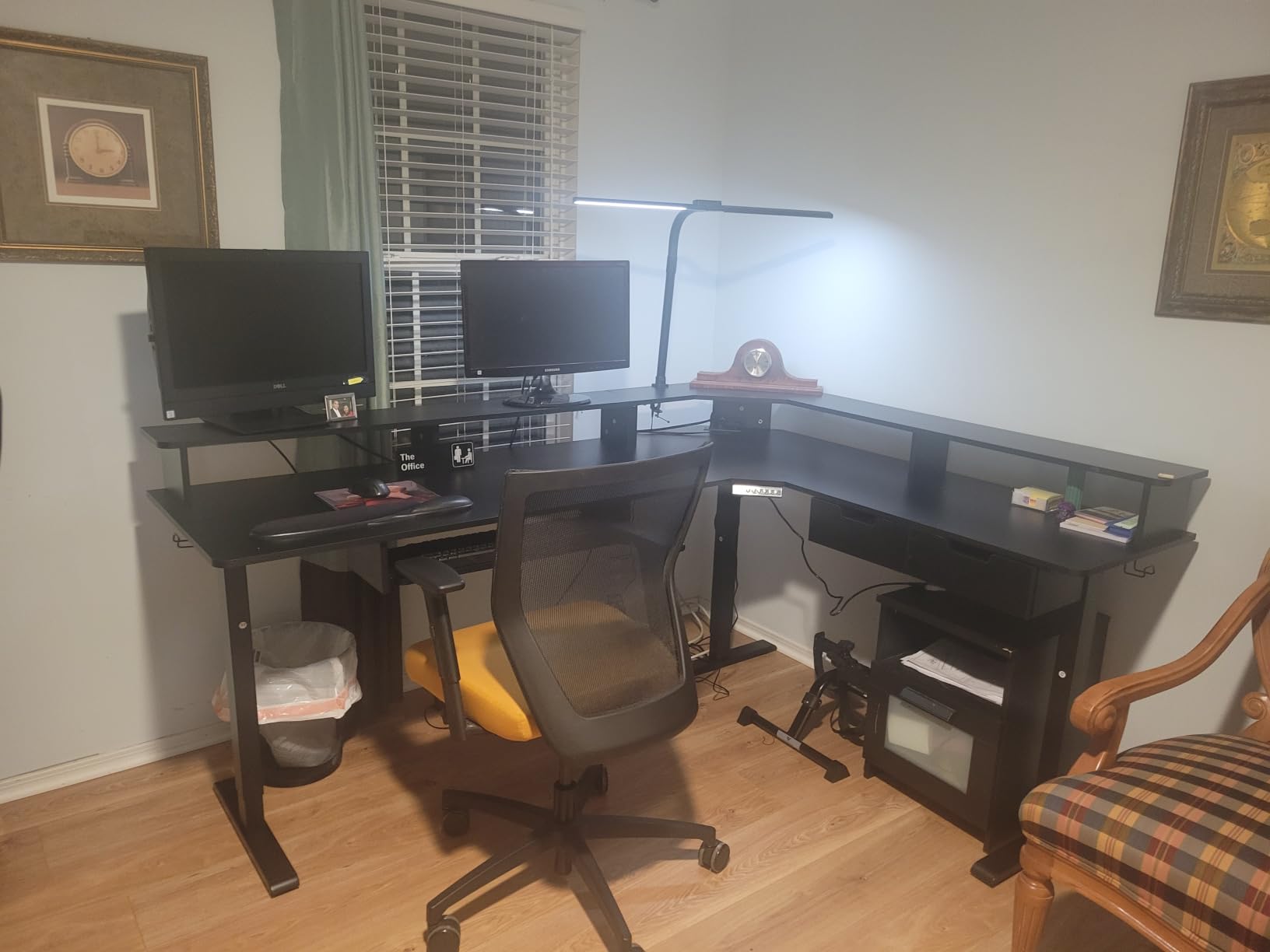
What you get in exchange is a corner command centre. Owners talk about separating a work zone from an entertainment or second-PC zone, which is exactly the arrangement a hybrid home office needs when the same desk serves nine-to-five and midnight. The 60-inch depth on the long side gives real room for a full-size keyboard, a tower, and a monitor without everything fighting for the same inches.
The important caveat is scale. This is the largest desk in the roundup by footprint and the heaviest at 103 pounds, and it is an L-shape, which means the corner needs clearance and the walls need to be reachable. Measure the room, measure the door, and measure the path between them before you order.
Reviewers are broadly positive, with 459 ratings averaging 4.4 stars and about 76 percent five-star. The praise concentrates on surface area and the storage package. The criticism concentrates on exactly one thing: the height range tops out at 46 inches, which is lower than several straight desks on this list, so very tall users may want to confirm comfort before committing.
When Does an L-Shaped Standing Desk Beat a Straight One?
It wins when you have two different jobs to do on the same surface. Work on one wing with a monitor at arm’s length, then stream or browse on the other wing with a second screen. A straight desk forces both tasks to share one focal point, which usually means rearranging your gear every time you switch.
It also wins in a corner, which is where it naturally sits. If your home office has a spare corner and 75 by 60 inches of clear floor, an L-shape turns dead space into the most usable part of the room. If you are working from a rented apartment with a narrow desk footprint, this is the wrong shape entirely, and a straight desk such as the HUANUO or the DeskShow is a better fit. Our corner desk guide covers that decision in more detail.
Where the RedLemon Falls Short for Buyers
Room measurement is the deal-breaker for many buyers, and it is the complaint that appears most often. A 75 by 60 inch L-shape with a lift mechanism needs clear floor at full extension as well as clear floor at rest, and you need to be able to get it through the doorway. Two people are recommended for assembly, which is unsurprising at 103 pounds.
The 46-inch maximum height is the second limitation, and it is a real one for users above six feet. The four presets and the memory function work well, but they cannot extend the physical range. There is also no published load capacity figure, so if you plan a heavy clamp-mounted monitor arm, ask the manufacturer before ordering.
6. Huuger 55 x 28 Inch Electric Standing Desk – The Deepest Straight Desktop Under 60 Inches
Huuger 55 x 28 Large Electric Standing Desk, Height Adjustable Computer Desk, 27.6″ Deep Desktop, Stand up Gaming Office Table with 2 Hooks, 3 Preset Heights, for Home Office, Black
- Deep 27.6 inch surface fits two 24 inch monitors plus a 16 inch laptop
- T-shaped steel frame described as supporting 220 lbs
- Motor runs under 45 dB
- Anti-collision reversal
- Adjustable feet
- hooks and cable managers
- Motor must mount on the Z-labeled leg or the desk will not descend
- Motor is louder than advertised
- Thin particle board top and holes that do not always line up
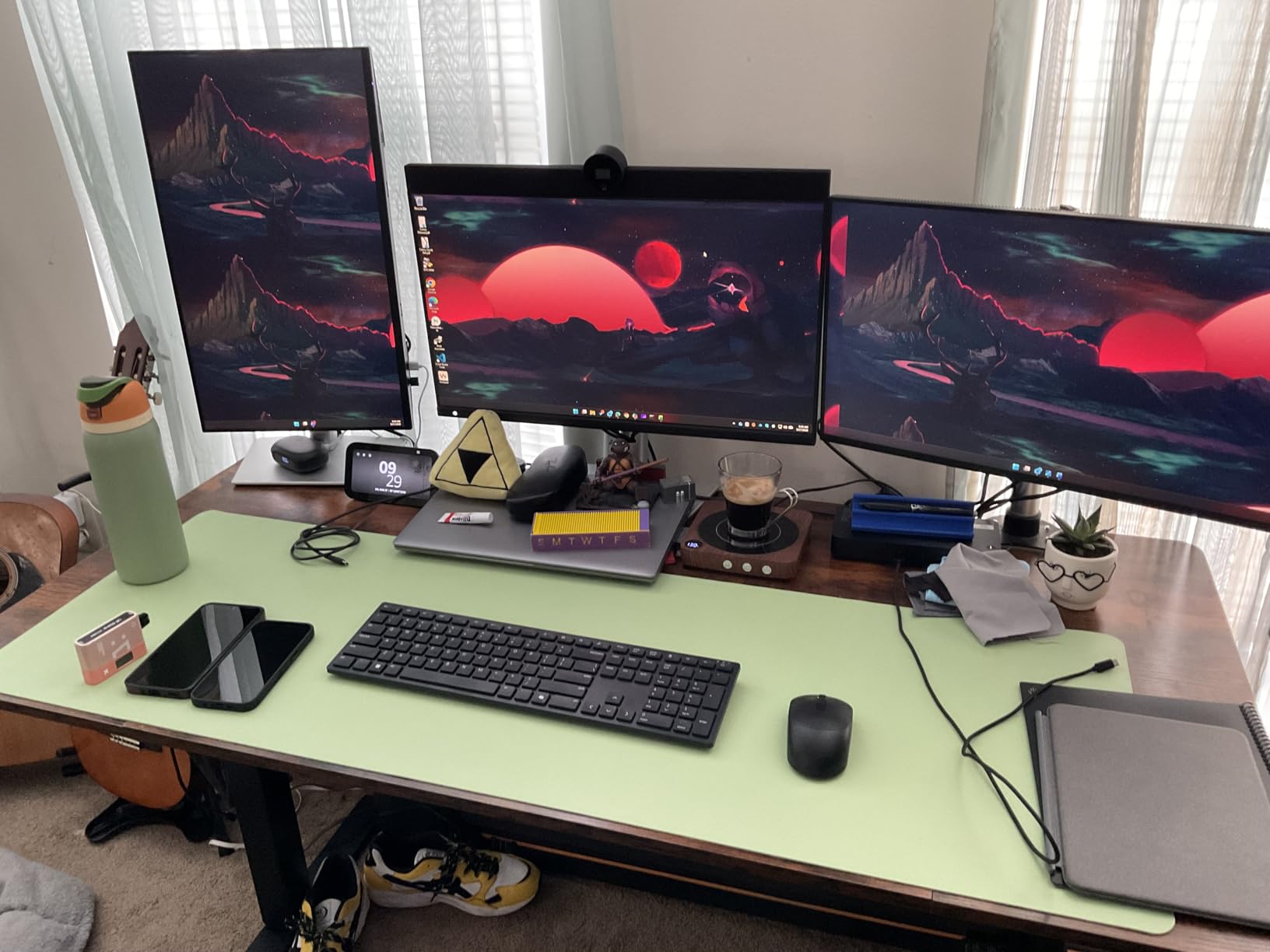
Depth is the specification that separates this desk. A 27.6-inch desktop is roughly four inches deeper than a standard 55-inch top, and owners specifically mention fitting two 24-inch monitors plus a 16-inch laptop on it. When the alternative is squeezing a tower beside your display, those four inches are the difference between a workable layout and a constant reshuffle.
The frame is a T-shaped industrial-grade steel design with adjustable feet, and the technical listing describes it as supporting 220 pounds. Note that the product detail field carries a separate recommended maximum of 176 pounds, so treat 176 as the number to design against and use the 220-pound figure as headroom rather than a promise. Height range is 28.3 to 46.5 inches, with three presets on the LED keypad.
Motor noise is listed under 45 dB and anti-collision technology reverses the desk on obstacle detection. The frame includes two side hooks and cable managers, which is more than most frames at this depth manage.
There is one assembly issue that owners mention often enough to flag before you start. The motor must be mounted on the Z-labeled leg. Mounted on the other leg, the desk rises, rattles at the top, and will not come back down, and the instructions do not make this obvious. Several reviewers had to reposition the support bars themselves to correct it. Read the manual before you build rather than after.
It has the widest rating spread in this roundup, averaging 4.3 stars across 593 reviews, with roughly 71 percent five-star and 9 percent three-star. Once assembled and working, the sentiment is strong: the deep surface and sturdy frame satisfy, and customer service is praised for resolving a missing power cord and refunding the replacement cost.
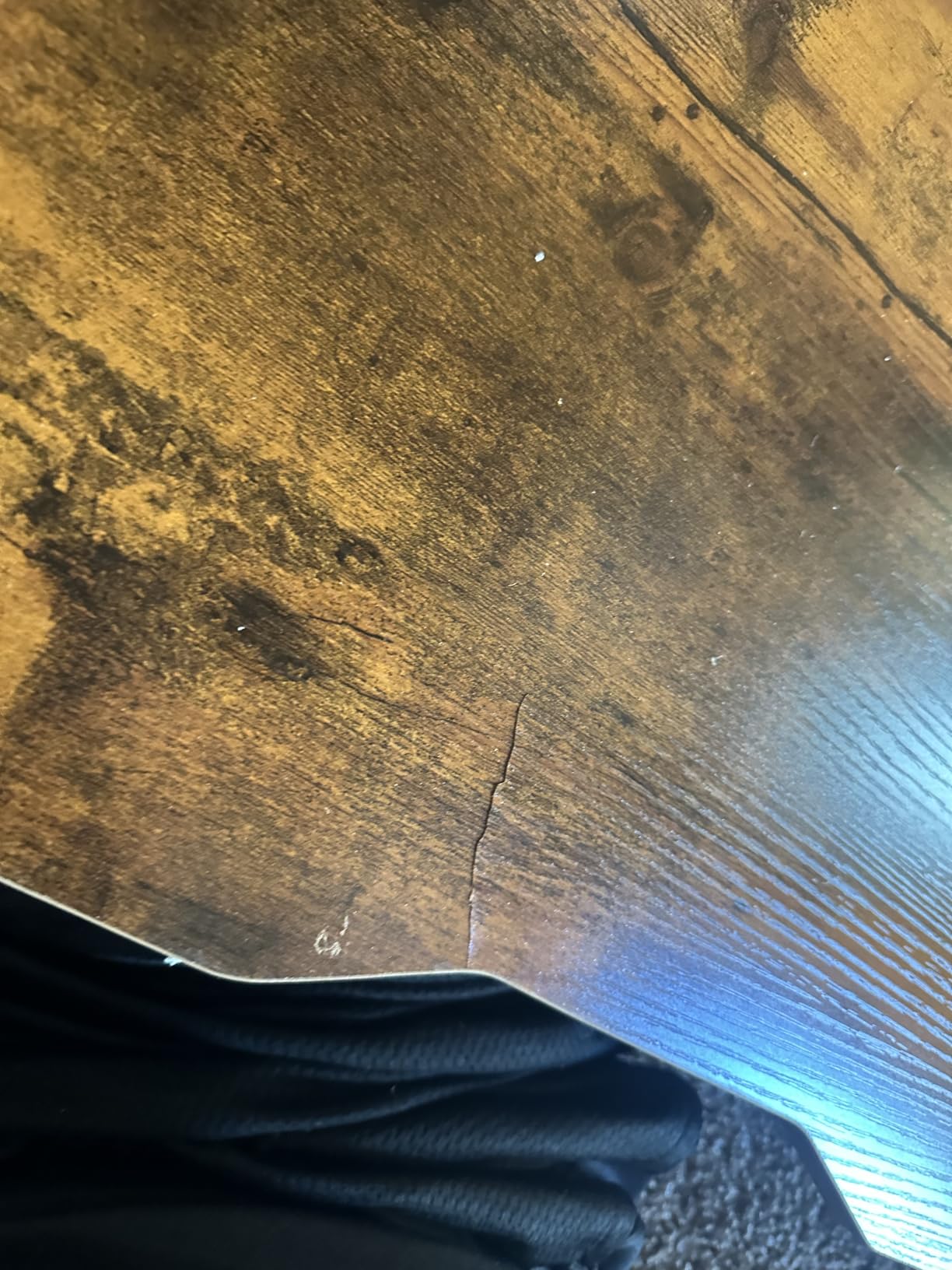
The other recurring criticisms are minor by comparison. The motor is louder than the published figure for some owners, assembly takes longer than stated with a few pre-drilled holes that do not line up, and the desktop is thinner than it appears in the product photos and is cheap particle board.
Is 27.6 Inches of Depth Enough for a Tower and Two Monitors?
For a mid-tower and two 24-inch monitors, yes, that is the configuration owners describe working. The depth gives you roughly four extra inches over a standard top, which is enough to set the tower to one side with airflow behind it rather than pressed against a wall, and to keep your keyboard and mouse at a natural distance from the monitors.
For a full tower plus an ultrawide, you are back to the Grandder, which goes to 31.5 inches. And for the reverse case, if you are on a laptop with a single external monitor, this depth is generous rather than necessary, which is worth remembering if floor space is tight.
Where the Huuger 55 x 28 Falls Short for Buyers
Build quality is the honest weakness. The particle board top is thinner than the listing photos imply, some pre-drilled holes do not align, and the assembly takes longer than advertised. None of that is dangerous; all of it is friction, and it is why the average rating sits below every other desk in this roundup.
There is also a mismatch between the two capacity figures in the listing, which is worth resolving with the manufacturer if you are planning a heavy build. And the motor placement issue is a real risk if you skip the manual, because a desk that will not descend is not a desk you want to discover at full height.
7. Huuger 47 x 24 Inch Electric Standing Desk – The Compact Pick With a Six-Port Charging Station
- Built-in charging station with 4 AC outlets
- USB and Type-C
- Quietest motor here at under 35 dB
- Compact 47 inch footprint for small home offices
- Rear cable organizer
- tested over 60000 lift cycles
- Two-piece tabletop with a seam that is hard to align
- Top feels slightly soft when pressed
- Outlet box is fixed to one side
- Some larger variants took about three hours to build
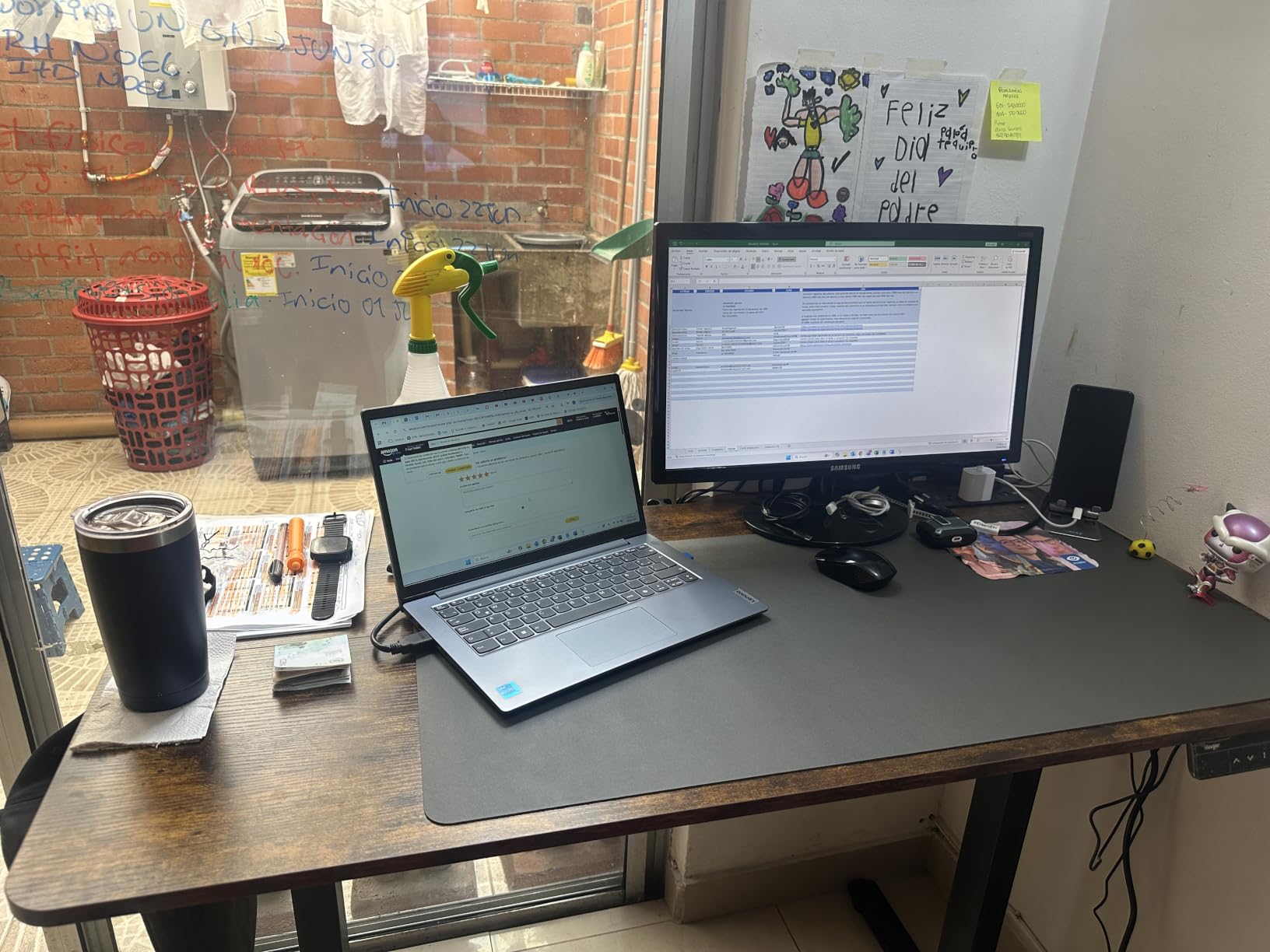
This is the desk to look at first if your home office is small. At 47.2 by 23.6 inches it fits a corner, a nook, or the wall of a studio apartment, and it still rises and falls on a 220-pound rated frame with adjustable feet. Owners call it sturdy with no wobble even at full extension, which is the sentence you want to read about a compact standing desk.
The standout feature is the built-in charging station: four AC outlets, one USB port, and one Type-C port mounted in the desk. That powers up to six devices without a strip hanging under the top, and reviewers single it out as the reason to pick this model. There is also a rear cable organizer that keeps cords tidy without buying a tray.
Motor noise is listed under 35 dB, the lowest figure in this roundup by a clear margin. For a shared room, a home office that doubles as a recording space, or anyone sensitive to motor hum, that is a meaningful advantage. Height range is 28.7 to 46.5 inches with three memory presets and an LED display.
The frame is a reinforced steel T-structure with a 2.6-inch column profile and adjustable feet, and the listing states it was tested over 60,000 lift cycles. That is a durability signal rather than a guarantee, but it is the kind of number that separates this frame from the single-stage budget frames people complain about in community threads.
Reviewers rate it 4.4 stars across 268 ratings, with about 76 percent five-star, and describe it as some people’s easiest desk assembly ever, taking under an hour. There is a caution attached to that: some larger variants of the same desk took about three hours to build, so the size of the unit you receive matters more than the general instruction sheet suggests.
The recurring downside is the two-piece tabletop. Owners report a seam that is difficult to align flush and a surface that feels slightly soft when you press on it, most likely because of that two-piece construction. If you are heavy-handed with a desk, or if a soft top bothers you, spend the extra time aligning it properly before you load it with equipment.
Is a 47 Inch Desk Big Enough for a Dual-Monitor Gaming Setup?
For two standard 24-inch monitors on stands, yes. Owners describe exactly that arrangement working comfortably, and the 23.6-inch depth gives your keyboard and mouse proper room. The desk is not a solution for a 49-inch ultrawide, a triple-monitor arm, or a tower mounted beside a large display, because none of those leave you space to work.
It is also worth asking whether you need the width. If you are on a laptop with one external screen, a 47-inch top is generous, and the money you are not spending on width goes toward a frame you can rely on. Our reversible desk guides cover the alternative of a larger surface if your room allows one.
Where the Huuger 47 x 24 Falls Short for Buyers
The width is the limit, and it is a hard one. Two monitors fit; a heavy clamp-mounted arm carrying three panels does not. If your setup plans to grow, this is the desk you will outgrow first, and the outlet box fixed to one side is a small annoyance worth noting if you would rather have it centred.
On quality, the two-piece top with a seam that is hard to align is the repeated theme, along with a surface that feels slightly soft under pressure. A small number of owners also received chipped surface pieces, so inspect on arrival. The frame itself is the strong part: owners repeatedly report no wobble at full extension.
8. Grandder 55 x 32 Inch Extra-Deep Standing Desk – Built Around a 49 Inch Ultrawide
- 31.5 inch deep top
- 4 inches deeper than a standard 55 inch desk
- Positions a 49 inch ultrawide at a proper viewing distance
- Quiet transitions under 45 dB with anti-collision reverse
- 42 lb weight makes it easier to move than most
- Only 2 memory presets
- 176 lb capacity sits below the 220 lb class leaders
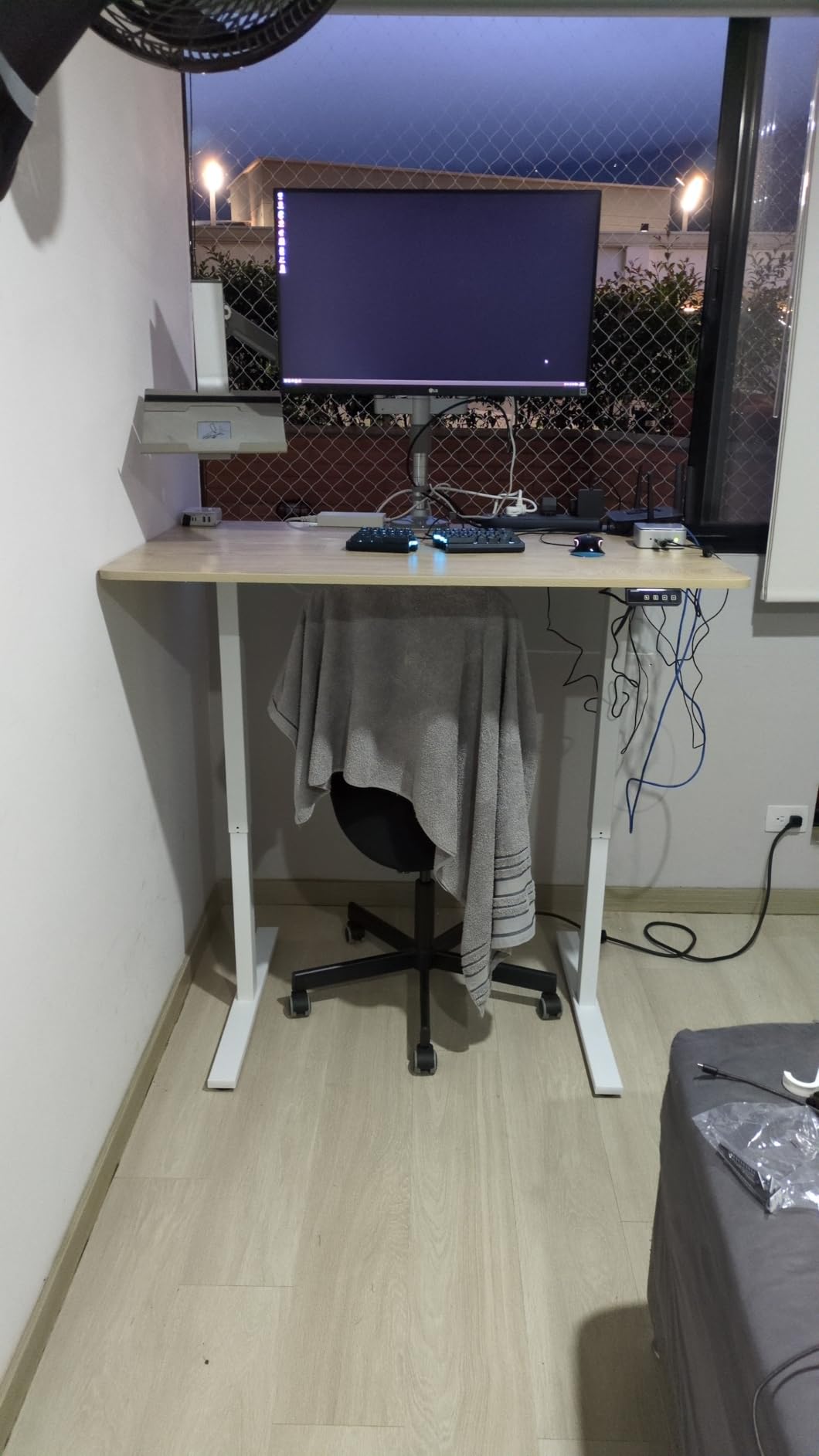
Almost every 55-inch standing desk is about 24 inches deep, which is fine until you put a 49-inch ultrawide on it. The panel then sits so close to your face that you have to pull your chair forward, and your keyboard ends up somewhere near your elbows. The Grandder solves that with a 31.5-inch desktop, four inches deeper than standard, positioned specifically to hold a 49-inch ultrawide at a 22 to 24 inch viewing distance.
The frame is an industrial-grade steel T-shaped leg design rated to 176 pounds, tested through 55,000 lift cycles, with smooth transitions under 45 dB and anti-collision stop and reverse. The control panel is described as a smart panel, and it stores two height presets across a range from 28 inches to 45.6 inches. A headphone hook is included.
What stands out on this desk is the weight figure, or rather the lack of one. At 42 pounds, it is the lightest electric desk in this roundup, and owners note that it is easier to move than most. That matters if you rent, or if the desk needs to go out of the way when you host.
Reviews sit at 4.4 stars across 137 ratings with about 76 percent five-star. The consistency of the praise is notable: reviewers talk about the deep surface solving ultrawide placement, the frame holding up without wobbling, and the smooth, quiet adjustment. That is a narrow product doing one thing well, which is a good trade when you know the one thing is what you need.
Two limitations are acknowledged by owners rather than hidden. There are only two memory presets instead of three or four, which is enough for one sitting height and one standing height and not much more. And the 176-pound rating sits below the 220-pound class leaders, so a heavy clamp-mounted arm plus a large tower combination is a step beyond what this frame is designed for.
That leaves a straightforward guidance: if your display plan is a single ultrawide, or an ultrawide plus a small secondary screen, this is one of the few desks in the roundup designed around that specific geometry. If your plan is three separate monitors on an arm, the ultrawide depth is less relevant than the load rating, and you should read the JWX section instead.
How Does Desk Depth Change Ultrawide Monitor Comfort?
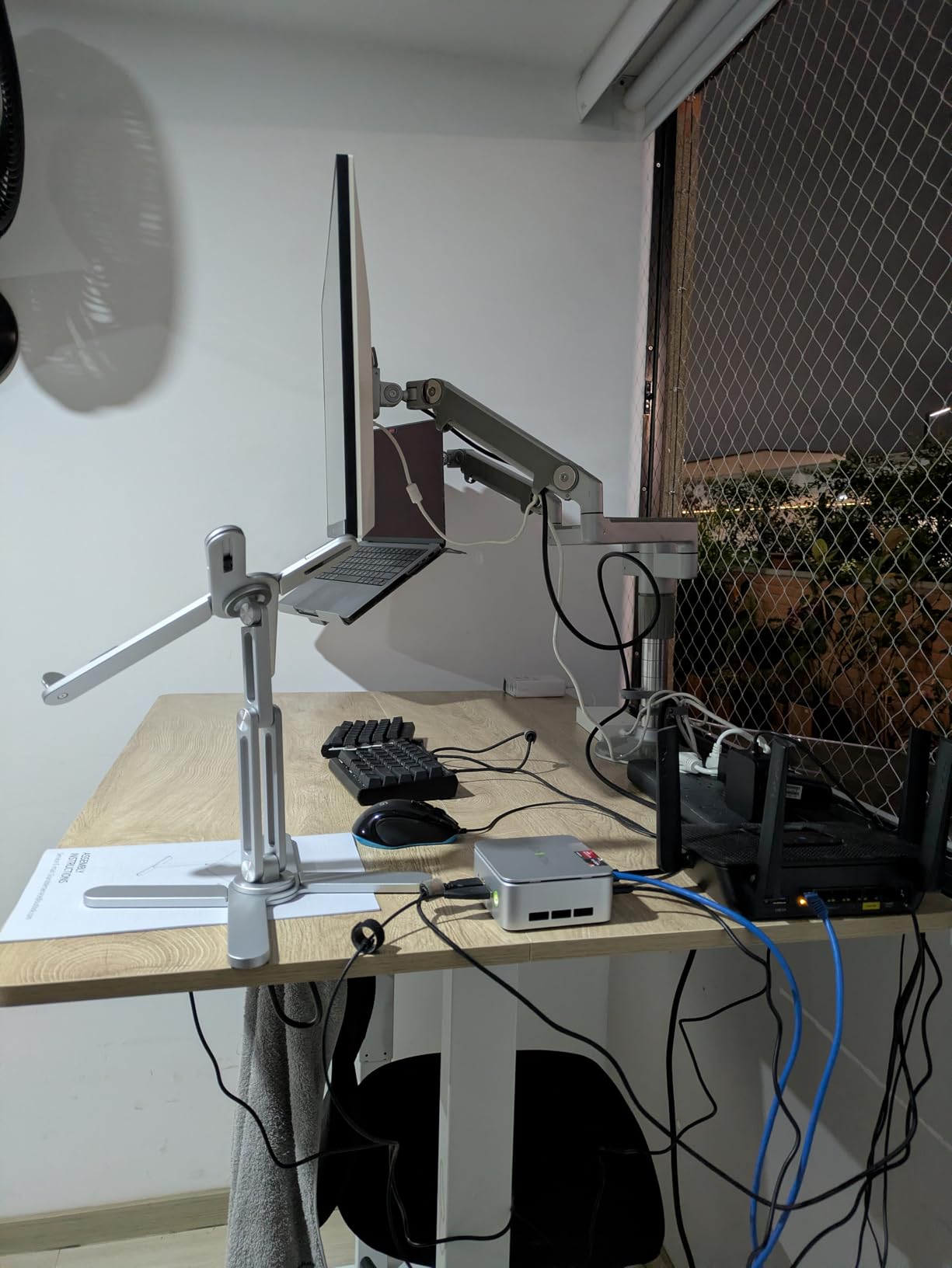
A 49-inch ultrawide has a width that most desks handle fine and a height and curvature that most desks handle badly. On a 24-inch-deep top, the panel ends up about a foot from your eyes, which forces you forward in your chair and pushes your shoulders out of position. The extra 7.5 inches of depth on this desk brings the screen back to roughly 22 to 24 inches, which is a normal viewing distance.
The effect is immediate and easy to feel. Your forearms rest on the desk edge instead of reaching, your shoulders relax, and you stop leaning toward the screen during matches. Owners describe the depth as the reason they chose this desk, and the feedback is consistent enough that it feels like a genuine design decision rather than a specification sheet trick.
Where the Grandder Falls Short for Buyers
Two items. The 176-pound capacity is the weakest of the 220-pound group here, so do the load math before clamping a monitor arm or adding a full tower. And with only two memory presets, you are limited to two saved heights, which is fine for one user and tight for a shared desk where two people sit and stand differently.
Also worth noting that the range tops out at 45.6 inches, so very tall users should check that against their ideal standing elbow height. Everything else about this desk is a strength: the deep top, the quiet motor, the anti-collision function, and a 42-pound weight that makes it the easiest desk here to move.
9. HUANUO 71 x 30 Inch Electric Standing Desk – Widest Straight Surface With a Brushless Motor
HUANUO 71 x 30 Inch Large Electric Standing Desk, Brushless Motor, Black
- Reinforced carbon steel frame with 30 percent wider feet and thicker columns
- 220 lb capacity
- Brushless motor with faster lifting under 55 dB
- Tested for over 100000 lift cycles
- 71 x 30 inch surface fits mixed monitor setups
- Good packaging protection
- Slight wobble while typing
- Uneven seams where the three top sections meet
- Instructions allow power drivers on locking screws that can strip
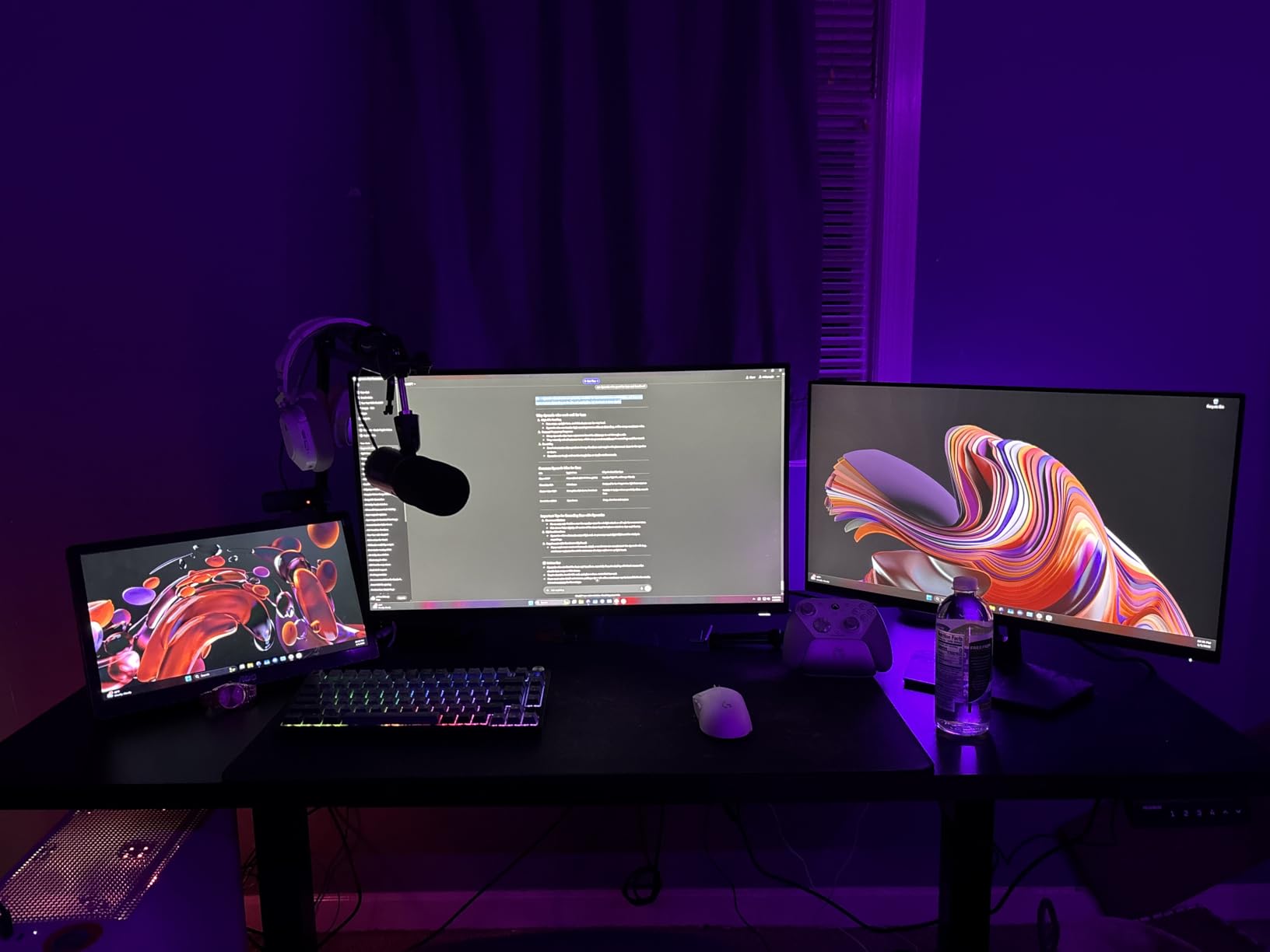
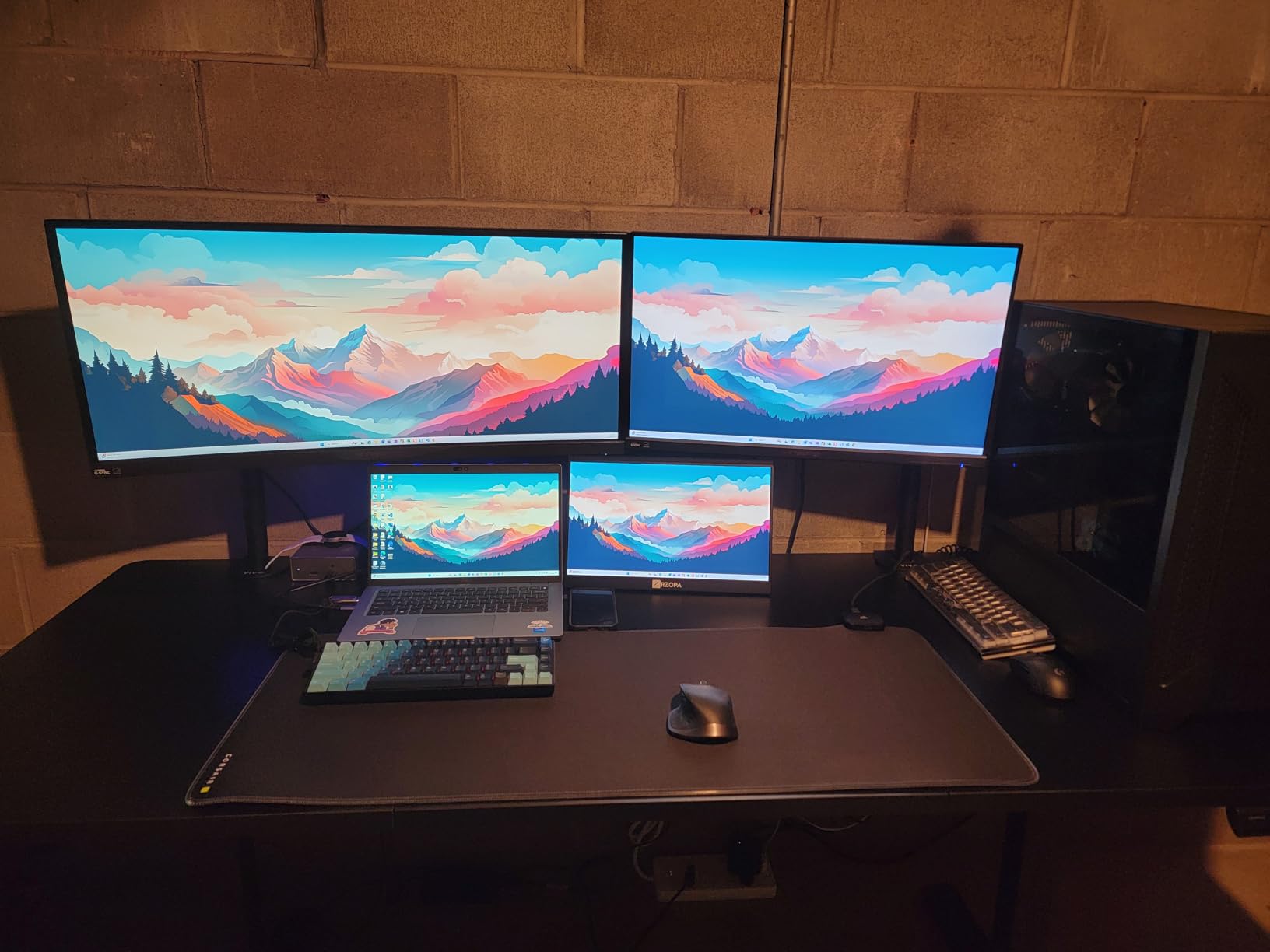
The HUANUO answers a specific question: can a straight desk be wide enough to hold a mismatched multi-monitor rig without feeling crowded? At 71 by 30 inches, owners describe fitting a 34-inch monitor, a 27-inch monitor, a portable monitor, a laptop, and a desktop on the same surface at the same time. That is a real working configuration reported by actual buyers, not a theoretical one.
The frame is the strength. Carbon steel with plates 30 percent longer, columns 25 percent thicker, and feet 30 percent wider than a standard frame, rated to 220 pounds. The motor is brushless, described as lifting 75 percent faster at under 55 dB, and the desk is listed as tested for over 100,000 lift cycles, the highest cycle figure published in this roundup.
Height adjustment runs from 27.9 to 46.5 inches with four memory presets, which gives you two saved sitting positions and two saved standing positions. A cable management tray and two hooks are included, and the frame joint is a ball-bearing type rather than a friction fit.
Owners call the legs heavy-duty and report that they do not move front to back or side to side, and several note the desk still works after months of use and a move. Assembly is described as around an hour with well-aligned pre-drilled holes and clear labelling, and the packaging with thick cardboard, foam, and corner protectors is singled out as excellent, which matters for a 71-inch top.
Ratings sit at 4.4 across 355 reviews with roughly 74 percent five-star. The critical reviews cluster around two physical details. Some owners notice slight wobble while typing, particularly with a small monitor on top, and the desktop joins between three sections can leave noticeable height differences that show up under a mouse.
One instruction detail deserves emphasis. The manual permits power drivers on the round locking screws, and doing that can strip them out of the wood. Use a hand driver on those screws, and it will save you an afternoon and a new desktop.
Also note the desk and frame arrive as two packages, which is normal for a surface this large but worth knowing if you are planning around delivery timing. If your setup is a shared room where the desk has to move, our treadmill desk comparison covers the alternative that adds movement instead of width.
Is 71 Inches Too Wide for a Home Office?
It depends entirely on how many displays you actually run. If you use one monitor and a laptop, 71 inches is wasted surface and a problem to get through a doorway. If you run a 34-inch ultrawide and a stacked pair of smaller panels, a 34-inch, a 27-inch, a portable screen, a laptop, and a desktop, then 71 inches is the difference between a clean layout and constant rearranging.
The 30-inch depth helps as much as the width. It gives real keyboard room in front of a wide monitor array and enough clearance to set a tower to the side with airflow. If you are still deciding between widths, measure the total width of your display bezels, add a foot of slack, and see which band you land in.
Where the HUANUO Falls Short for Buyers
The seam issue is the main one. A 71-inch top made from three sections can leave small height differences where the panels meet, and that reads as a catch on the mouse rather than on the keyboard. If you play anything aiming-dependent, check this before committing, because a large pad can smooth it but cannot remove it.
Beyond that, some owners feel slight wobble while typing, the instructions are risky around the locking screws, and there is a question mark over the long-term durability of the motor’s plastic components. The cycle testing figure of 100,000 lifts is reassuring on paper, and the 220-pound rating and heavy frame back it up in practice.
10. DeskShow 60 x 28 Inch Electric Standing Desk – a 1 Inch Solid Top for Heavy PC Builds
DeskShow Black 60×28 in Electric Standing Desk, 1 Inch Thick Tabletop
- 1 inch top does not flex under an 80 lb custom PC near the edge
- Double-beam frame handles uneven weight distribution
- Quiet motor under 45 dB
- Assembles in about 30 minutes with pre-drilled holes
- Works with standard clamp-on monitor arms
- 2 year warranty
- Desktop delivered in three pieces
- Weighs 74.3 lb so flipping it upright takes two people
- Occasional light transit damage to the outer box
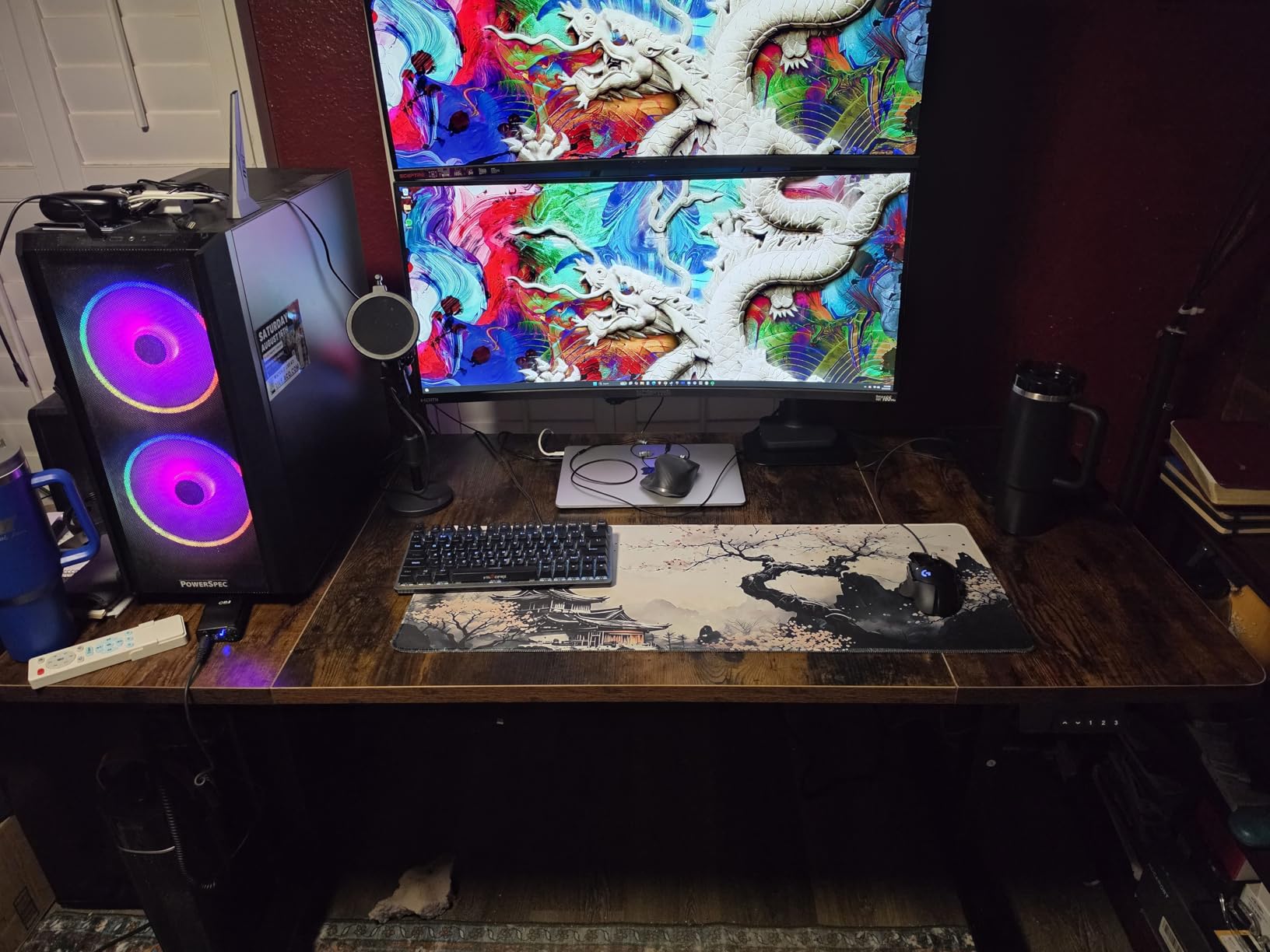
This is the desk for people whose PC is the heaviest object in the room. The 1-inch thick desktop is the thickest in this roundup, and owners with heavy builds report that it does not flex or bend under an 80-pound custom PC placed near the edge of the surface. That is a specific and unusual claim, and it is exactly the failure mode of thin tops.
The base is heavy-duty 2.5mm steel with a reinforced double-beam design, lifting capacity is 220 pounds, and the frame raises and lowers evenly even when the weight is distributed unevenly across the top. Uneven loading is normal in a gaming setup, with a tower on one side and a monitor arm on the other, and single-beam frames handle it poorly.
Height adjustment runs from 27.95 to 45.67 inches with three programmable memory buttons, and the motor operates under 45 dB. The listing states the desk was tested for 50,000 lift cycles, and the warranty is two years, longer than most frames here.
There is a detail that experienced builders will appreciate more than anyone else. Because the top is a solid 1-inch panel rather than a hollow-core board, it works with standard clamp-on monitor arms and accessories. Hollow-core tops crack around a clamp, and owners on this desk specifically call out that monitor arms mount cleanly.
This is the most consistently well-rated desk in the roundup, at 4.6 stars across 344 reviews with about 80 percent five-star and only 2 percent one-star. Owners with heavy builds, including a water-cooled custom PC, treat it as a genuine alternative to premium imported models. Assembly takes about 30 minutes with clear picture-based instructions and arrow stickers, and desks are reported to stay level and stable over time.
The complaints are minor and physical. The desktop is delivered in three pieces, which is not obvious when ordering. The unit weighs 74.3 pounds, so a second person helps when you flip it upright. And a small number of buyers received light transit damage to the outer box, though the desk itself arrived intact.
Does a 1 Inch Thick Top Actually Matter for a Gaming PC?
Yes, in three specific ways. It resists deflection when you lean on the front edge, which thin tops translate straight into visible screen wobble on a mounted monitor. It grips a clamp-style monitor arm without splitting, which hollow-core tops cannot do reliably. And it stays flat across its surface, so a mouse does not drift downhill over a long session.
Owners with a water-cooled build placed near the edge of the top are the clearest evidence. If your PC is heavy, sits at the edge, and you use a monitor arm, this is the desktop construction you want, and the 220-pound double-beam frame around it handles the rest.
Where the DeskShow Falls Short for Buyers
The three-piece desktop is the main surprise, and it is worth planning the assembly around. At 74.3 pounds you will want a second person to lift the frame and top into place, so this is not a one-person unboxing even though the build itself is quick.
The height range also tops out at 45.67 inches, which is the lowest maximum in this roundup and the one to check if you are tall. And while the double-beam frame handles uneven loads well, the desk is rectangular with no wing or L-shape, so multiple monitors plus a mixer plus speakers is a lot to arrange on 60 by 28 inches.
How to Choose a Standing Gaming Desk
Start with your load, not with the desk. Add your monitors, monitor arms, PC, speakers, and anything clamped under the top, then check the total against the frame’s published rating with 20 percent to spare. A 220-pound frame covers a heavy single-PC setup comfortably. A 154-pound frame covers a laptop, two monitors, and a mid-tower, and stops there.
Then work through these criteria in order.
Motor Type and Frame Design
Dual-motor frames use one motor per lifting column, so both sides rise together and the desktop stays level. Single-motor frames drive one column and use a linkage to move the other, which is cheaper, faster to wobble, and more likely to bind over time. For a gaming desk that will be loaded and unloaded daily, dual-motor is worth the extra cost.
The related question is frame stage. A two-stage frame telescopes upward in segments, which gives it more height range and more lateral rigidity at full extension. A single-stage frame is a short telescoping tube, which is why some of them feel weak even at sitting height.
Height Range and Standing Height Setting
Standing height is not one number, it is a range. Most people land between 44 and 49 inches for the top surface, which means a desk with a 46.5-inch maximum is workable for average heights and limiting for tall users. Check the maximum before you buy if you are above six feet.
To set it: stand with your feet flat, relax your shoulders, and bend your elbows to 90 degrees so your forearms are parallel to the desk. Your screen should sit at or just below eye level. If your elbows are higher than the desk, you are too low, and if your shoulders are raised, you are too high.
Desktop Size Versus Your Footprint
Width is about how many monitors you run. Depth is about whether a tower, an ultrawide, and a keyboard can share the surface. Most 55-inch desks are 24 inches deep, which is tight for a 49-inch ultrawide, and the fix is a deeper top rather than a wider one. If your room is small, a 47-inch top is a legitimate answer, not a compromise.
Also check monitor arm clamp clearance on the rear crossbar. Heavy arms need solid material to grip and vertical room to clear the frame, and if your chosen desk is a two-piece top, place the clamp over a single board rather than across the join. Reddit users building heavy dual-monitor arms are told repeatedly to verify this before buying.
Tabletop Material and Thickness
Engineered wood with a laminate finish is the standard here and is the most scratch-resistant of the options. Particle board is cheaper and lighter but dents and chips, and any gloss finish shows wear quickly. Solid wood looks better and lasts longer but adds weight and cost. PET felt and carbon fibre tops are lighter and more expensive still.
Thickness matters more than most buyers expect. Anything under three-quarters of an inch is where a heavy PC starts to produce visible deflection, and thickness is also what determines whether a clamp-on monitor arm can be fitted at all.
Cable Management, Power and Accessories
Look for three things: a tray that matches the frame geometry, grommets or a rear channel for cables that run to the floor, and built-in power. Owner threads in this category repeatedly report trays that arrive misaligned or impossible to install, so it is worth checking reviews for the specific desk rather than assuming the tray will line up.
For gaming specifically, the accessories that earn their place are an under-desk power strip, a headphone hook, a mousepad sized to the whole top, and a monitor arm. A drawer is worth it if you work there, and irrelevant if you game only.
Warranty, Returns and Assembly Time
Warranty lengths in this roundup range from one year to two years, and the shorter ones are on the largest desks, which is worth noticing. Longer frame warranties are common in this category generally, so a short warranty is a signal about aftersales support rather than about build quality.
Assembly time is quoted between 30 minutes and an hour, and owners generally add 50 percent to those numbers. Every desk here needs two people to flip upright, and the largest three need two people for most of the build. The wordless instructions on the JWX and the two-board tops on the Veken, GTPLAYER, and Huuger 47 are the most common sources of frustration.
Standing Desk Size Guide for Gaming Setups
Match the top to the number and size of your displays, then check depth against everything else on the surface. The table below maps common setups to the sizes that work, using desks from this roundup as examples.
| Your setup | Minimum top size | Depth to look for | Why |
|---|---|---|---|
| Laptop only, one external monitor | 47 x 24 inches | 23.6 inches | Everything fits with room to spare, and the desk suits a small room |
| Two 24 inch monitors on stands | 55 x 24 inches | 23.6 inches | Standard width holds the bezels plus a gap, and depth keeps the keyboard clear |
| Two 24 inch monitors plus a mid-tower | 55 x 27.6 inches | 27.6 inches | Extra depth gives the tower a position with airflow beside the display |
| One 49 inch ultrawide | 55 x 31.5 inches | 31.5 inches | Brings the panel back to a 22 to 24 inch viewing distance |
| Triple monitors on a clamp arm | 60 x 28 inches minimum | 28 inches | Wing shape is better still, and clamp clearance on the rear crossbar must be checked |
| Ultrawide, tower, and streaming gear | 71 x 30 inches | 30 inches | Separates display from hardware so the tower does not force the panel forward |
| Work zone plus a second screen or console | 75 x 60 inches L-shape | 60 inches on the long side | Right-angle layout stops two jobs fighting for the same focal point |
Two questions come up constantly in owner threads and both belong here. How much width for two monitors and a mid-tower: 55 inches is the working answer, and 60 to 71 inches only if you are also running a third panel or a large peripheral like a racing wheel. And whether wobble at full height is a deal-breaker: it is a frame specification problem, not a desk-size problem, so solve it with a dual-motor frame and a double-beam base rather than with a bigger top.
Dual-Motor vs Single-Motor Standing Desks for Gaming
Dual motors cost more and are worth it in almost every gaming configuration. Two independent lifting columns keep the desktop level, halve the load on each motor, and reduce the sideways play that shows up when you push a mouse or type hard at maximum height. Three of the ten desks here are explicitly dual-motor designs: the EUREKA ERGONOMIC 72-inch, the JWX 72-inch Pro Max, and the reference frames used in the 220-pound class that the Veken, GTPLAYER, Huuger, HUANUO, and DeskShow builds share.
Single-motor frames are not bad by definition, but they are where the well-known wobble complaint comes from. Community consensus across r/StandingDesk and r/StandingDesks repeatedly points at low-cost single-stage frames as feeling weak even at low heights, and the practical advice there is simple: if the desk is going to hold a monitor arm and a tower, do not economise on the frame.
Here is the load math that decides it. A 27-inch monitor runs about 12 to 15 pounds, a 34-inch ultrawide more like 25 to 30, a mid-tower around 30 to 40, a clamp arm around 8, and a desktop in the region of 40 to 60. Two monitors, an arm, and a tower lands near 75 pounds, which any 150-pound frame handles. Add a third panel, a water-cooled PC, speakers, and a capture rig and you can pass 200 pounds, at which point a 220-pound frame is the working minimum and a 330-pound frame is comfortable.
If a setup you have already assembled is wobbling, five steps fix most of it. First, tighten and level all four feet on a hard floor, because carpet compresses under load and creates a rocking point. Second, check that the frame is fully extended and the locking collars are tight at that height. Third, add or tighten the anti-sway cross-support if the frame has one. Fourth, lock your height preset rather than free-rolling the desk, and stop raising it higher than your actual need. Fifth, distribute the load, which means moving a heavy PC off the far edge and closer to the centre where the cross-supports meet.
Frequently Asked Questions
Why is my standing desk wobbly?
Wobble almost always traces to the frame rather than the top. Single-motor and single-stage frames flex sideways at full height, and a load placed near the edge increases the effect. A 154-pound frame under a 140-pound setup has no margin, so upgrade or reduce the load before tightening anything.
How can I stabilize a wobbly standing desk?
Level and tighten all four feet on a hard floor, then confirm the locking collars are tight at full extension. Add or tighten the anti-sway cross-support if the frame includes one, and stop raising the desk higher than you need. Finally, move heavy equipment away from the front edge and closer to where the cross-supports meet.
What is the ideal height for a standing desk?
For most people the top surface lands between 44 and 49 inches when standing. Set it by standing flat with relaxed shoulders and bending your elbows to 90 degrees so your forearms are parallel to the desk, with the screen at or just below eye level. Check the desk’s maximum height first, since 45 inches is the ceiling for shorter frames.
How long should I stand each day?
Alternating matters more than any single total. Owners typically sit for a work block, stand for a queue or a match, then sit again, changing position every 30 to 60 minutes. An anti-fatigue mat and a foot rocker make longer standing blocks more comfortable, and neither is required to benefit.
What tabletop material is best for a gaming desk?
Laminated engineered wood is the most practical choice because it resists scratching and cleans easily. Anything under three-quarters of an inch thick can deflect under a heavy PC, and hollow-core tops cannot take a clamp-on monitor arm. Solid wood looks better but adds weight and cost, and felt or carbon fibre tops are lighter and pricier.
Are dual-motor standing desks worth it for gaming?
Yes, in most gaming setups. Two independent columns keep the top level, share the load, and cut the sideways play you feel when typing hard at full height. A dual-motor frame matters most once you add a clamp-mounted monitor arm and a tower, where a single-motor frame in the same class starts to feel weak.
Are standing desks healthier than traditional desks?
Alternating between sitting and standing helps more than standing all day. Long seated sessions are associated with lower-back and neck discomfort, and changing posture during a session reduces stiffness without interrupting play. Standing in one position for hours is its own problem, so pair a standing desk with an anti-fatigue mat and regular position changes.
What is the average lifespan of a standing desk?
A steel-frame electric desk in this class typically lasts a decade or more with normal use. The published cycle testing on the frames in this roundup ranges from 50,000 to over 100,000 lift cycles, and owners report desks still working after three years of daily use and a move. Motors and controllers usually fail before the steel frame does.
The Best Standing Gaming Desk for Your Home Office
The best standing gaming desks for home offices in 2026 come down to your load and your room, not to features. For most two-monitor setups, the Veken 55 Inch Electric Standing Desk is the pick: it has the largest owner base in this roundup at 2523 reviews, a motor rated under 52 dB, and the most consistent reports of a frame that stays steady at full height. Budget for a two-person build and check the 154-pound rating against your gear first.
Choose the GTPLAYER 55×24 if your desk also has to work as a media and storage surface, with a drawer, a monitor shelf, built-in outlets and USB, and a 220-pound frame. Choose the EUREKA ERGONOMIC 72 Inch for three monitors, a wing-shaped top, and a rotating keyboard tray, or the JWX 72 Inch Pro Max if your rig is heavy enough to justify a 330-pound rating and you stream.
For tight rooms, the Huuger 47×24 fits where nothing else will. For an ultrawide, the Grandder 55×32 solves the viewing-distance problem no standard-depth desk can. For a corner, the RedLemon 75×60 turns dead space into two work zones. For a heavy water-cooled PC, the DeskShow 60×28 has a 1-inch solid top and a double-beam frame that will not deflect.
Whichever you choose, do the load math before the boxes arrive, measure the path from the door as well as the wall, and get a second person for assembly. Then set two presets, one sitting and one standing, and change position every 30 to 60 minutes. That habit is worth more than any feature on this list.